

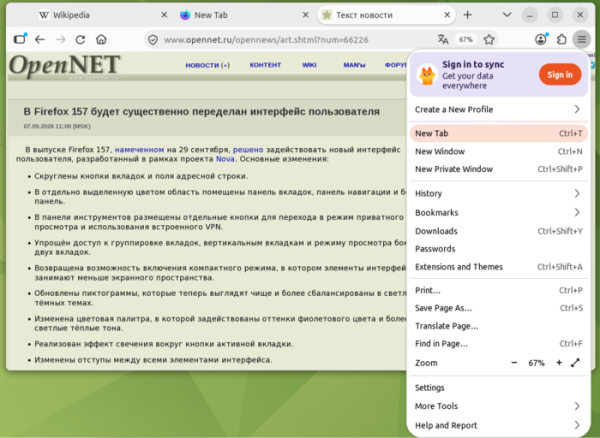
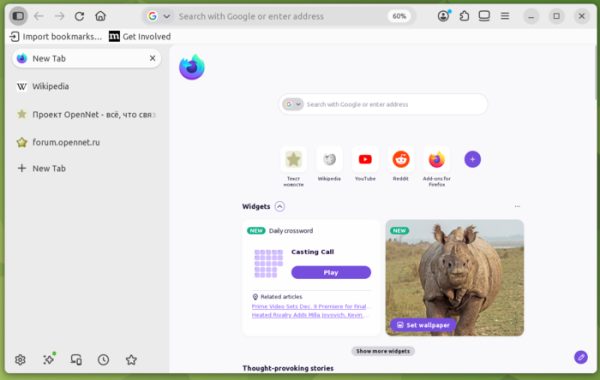
In the release of Firefox 157, scheduled for September 29, the new user interface developed under the Nova project will be enabled by default. To enable the new interface before the Firefox 157 release, you can set the 'browser.nova.enabled' setting on the about:config page. Key changes:
- Tabs and address bar buttons have rounded edges.
- The tab bar, navigation bar, and sidebar are now placed in a distinctly colored area.
- Separate buttons for entering private browsing mode and utilizing built-in features are placed in the toolbar. VPN.
- Access to tab grouping, vertical tabs, and side-by-side view of two tabs has been simplified.
- The option to enable a compact mode has been restored, where interface elements take up less screen space.
- Updated icons now appear cleaner and more balanced in light and dark themes.
- The color palette has been changed, incorporating shades of purple and lighter warm tones.
- A glow effect around the active tab button has been implemented.
- The spacing between all interface elements has been adjusted.
Source: opennet.ru
