Available Firefox 85.
- Graphics subsystem:
- WebRender included on devices using the "GNOME+Wayland+Intel/AMD graphics card" setup (except for 4K displays, support for which is expected in Firefox 86). Additionally, WebRender included on devices utilizing graphics Iris Pro Graphics P580 (mobile Xeon E3 v5), which the developers overlooked, and also on devices with Intel HD Graphics drivers version 23.20.16.4973 (this specific driver was blacklisted). On devices with the AMD 8.56.1.15/16 driver, WebRender is disabled.
- On systems using Wayland, configured hardware video acceleration for VP8/VP9 formats.
- The Advanced Layersmechanism has been disabled. Now this task is handled by WebRender.
- Temporarily hardware acceleration is disabled GPU-accelerated Canvas 2D, causing artifacts on some resources.
- Enabled network partitioning. From now on, the cache (HTTP, images, favicons, connection pool, CSS, DNS, HTTP authorization, Alt-Svc, speculative pre-connections, fonts, HSTS, OCSP, Prefetch and Preconnect tags, CORS, etc.) is stored separately for each domain. This will significantly complicate user tracking by major CDNs and advertising networks, which can analyze the presence of specific files in the browser cache and draw conclusions about browsing history. Network partitioning first appeared in Safari eight years ago (starting with the HTTP cache, then Apple gradually added other categories), and in late 2020 it came to Chrome. The inevitable cost will be a slight increase in traffic (each resource will load content from the CDN, even if that content has already been loaded by another resource) and loading times, but according to Google, this amount is extremely small (4% of traffic, load time increase of 0.09-0.75% for most websites, 1.3% in the worst cases). Unfortunately, in the modern web there is no other way to combat super cookies (add-ons like Decentraleyes cannot serve as an alternative, as they cover only a small part of the aforementioned cache content).
- The option to display the bookmarks toolbar only on the new tab page (View → Toolbars → Bookmarks → Only on the new tab) has been introduced, instead of on all pages. Additionally, Firefox can now remember the folder for added bookmarks, and the bookmarks toolbar now displays a folder called 'Other Bookmarks' (browser.toolbars.bookmarks.showOtherBookmarks). After importing bookmarks from other browsers, the bookmarks toolbar will be enabled automatically on all tabs. Added Telemetry to assess the growth of interactions with the bookmarks toolbar, the increase in new users importing bookmarks, as well as users disabling the bookmarks toolbar altogether.
- Further enhancements to the address bar:
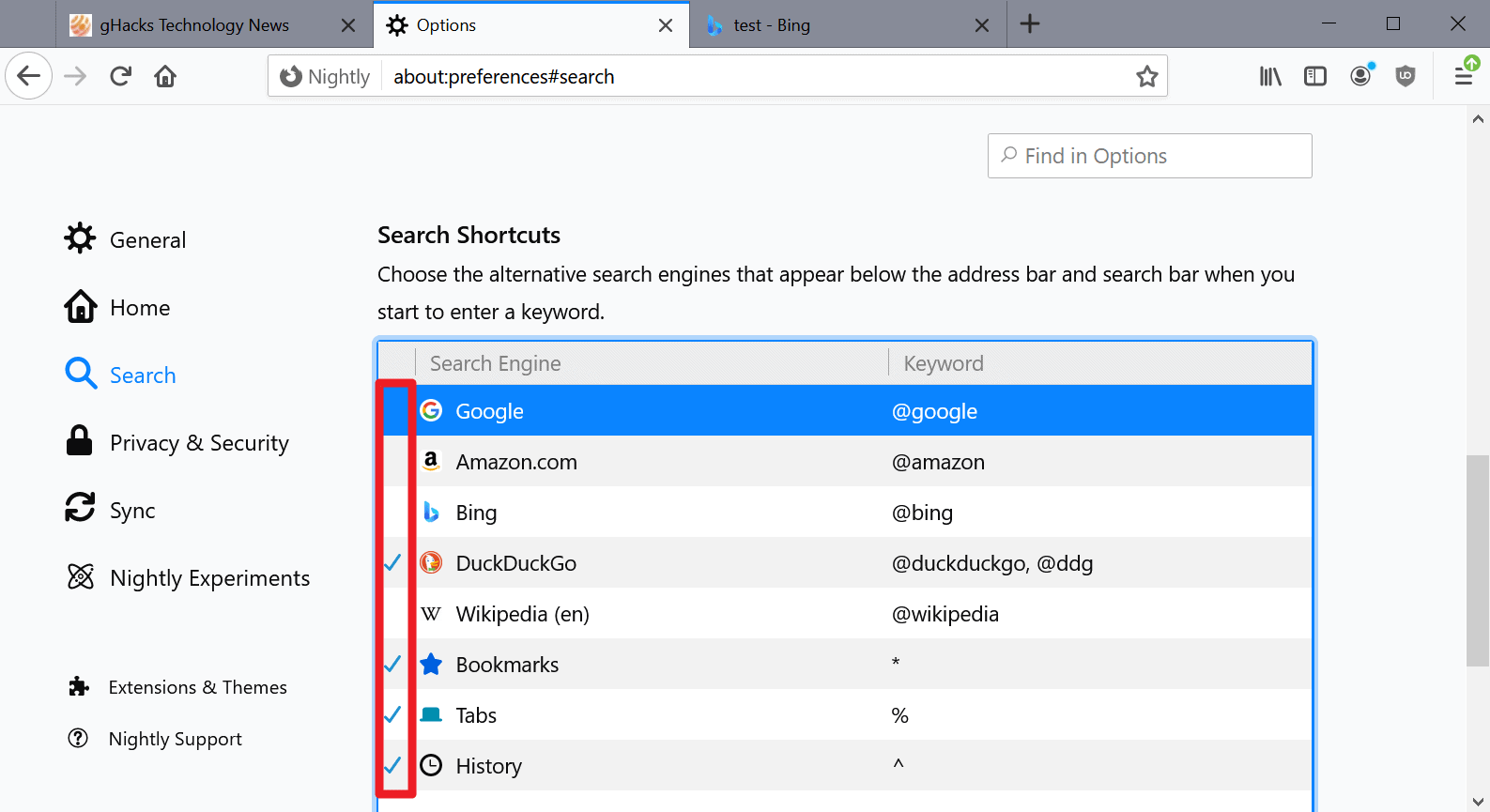
- In the search engine settings dialog. added 'Bookmarks', 'History', and 'Open Tabs', allowing short names to be assigned to them.
- Any of the search engines can now be hidden from the address bar.
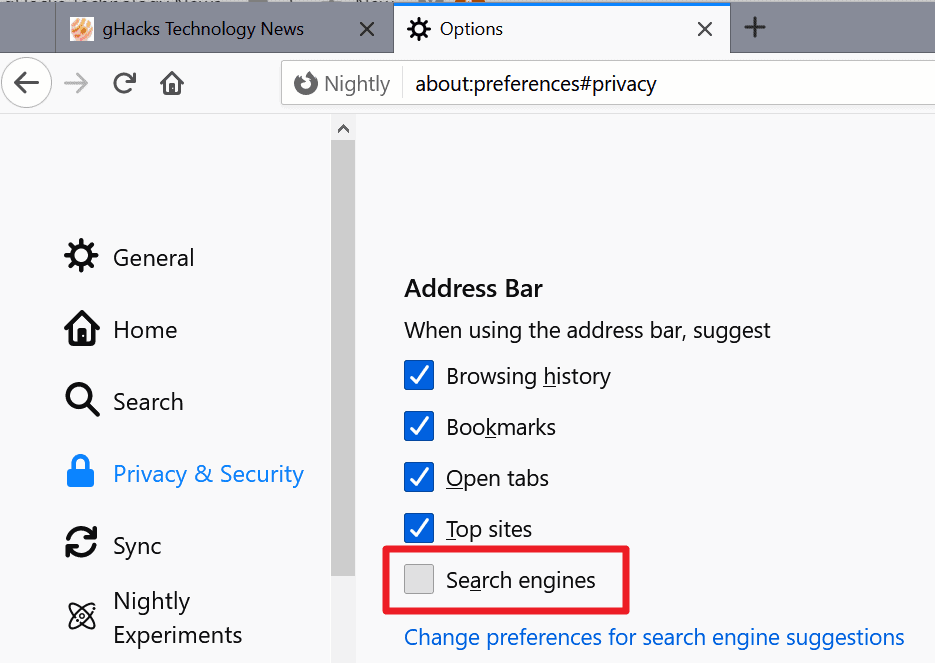
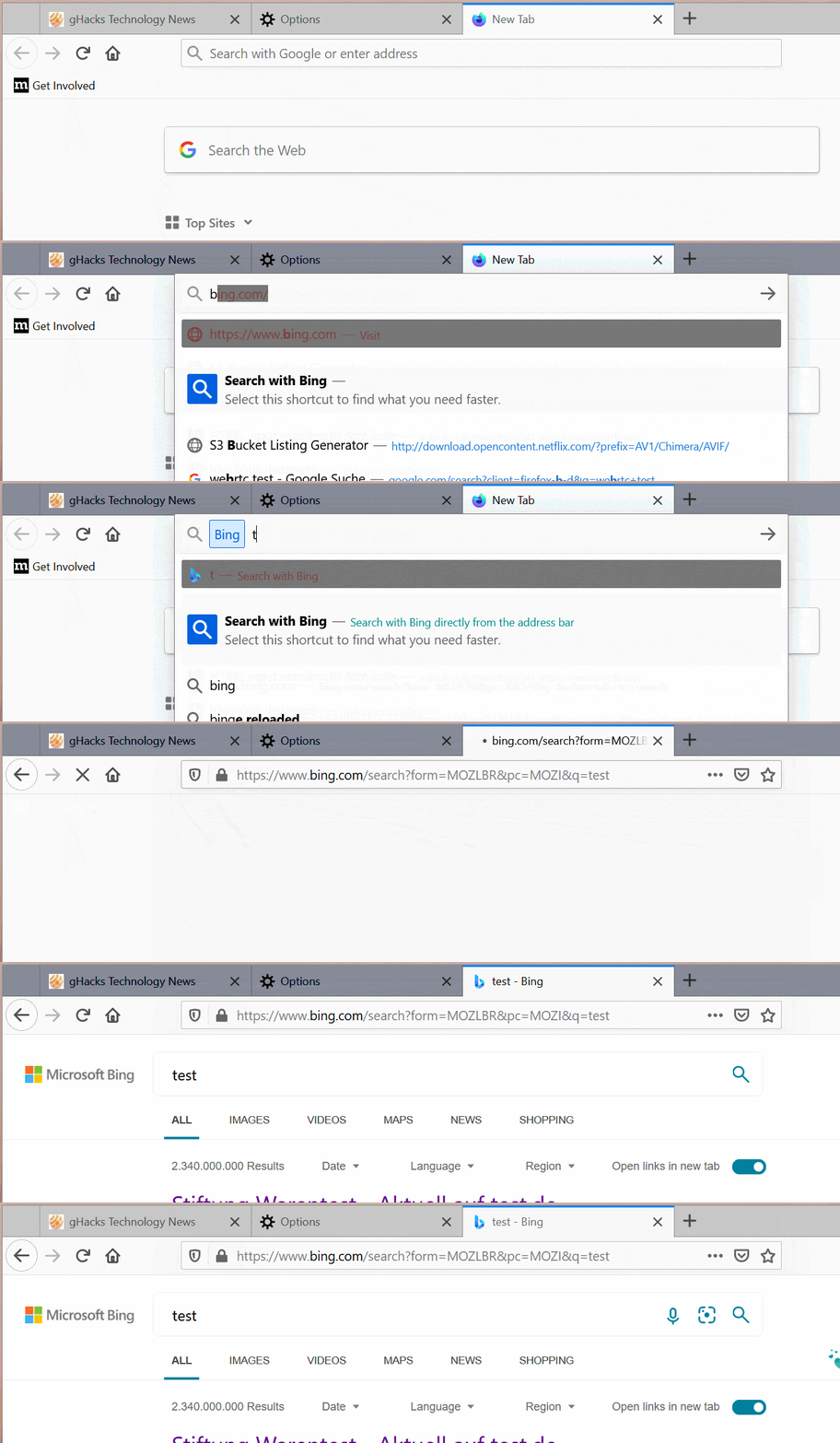
- Added the setting, allowing search engines not to be suggested in search results (for example, starting with Firefox 83, when typing 'bing', it will first it is recommended to switch to the Bing search engine).
- Now includes Selective printing of pages (for example, not 1-5, but 1-3,5), as well as printing multiple pages on one sheet. These features are only available in the new print preview dialog, which is enabled by the print.tab_modal.enabled setting.
- In the password manager, has added the ability to clear all saved passwords (previously, they had to be deleted one by one).
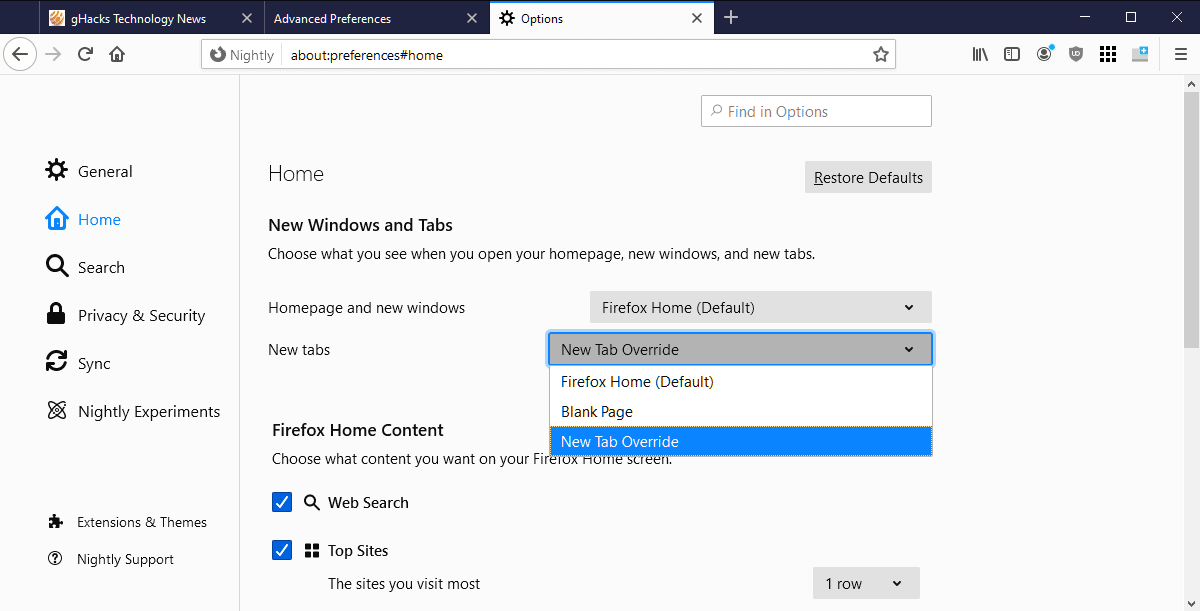
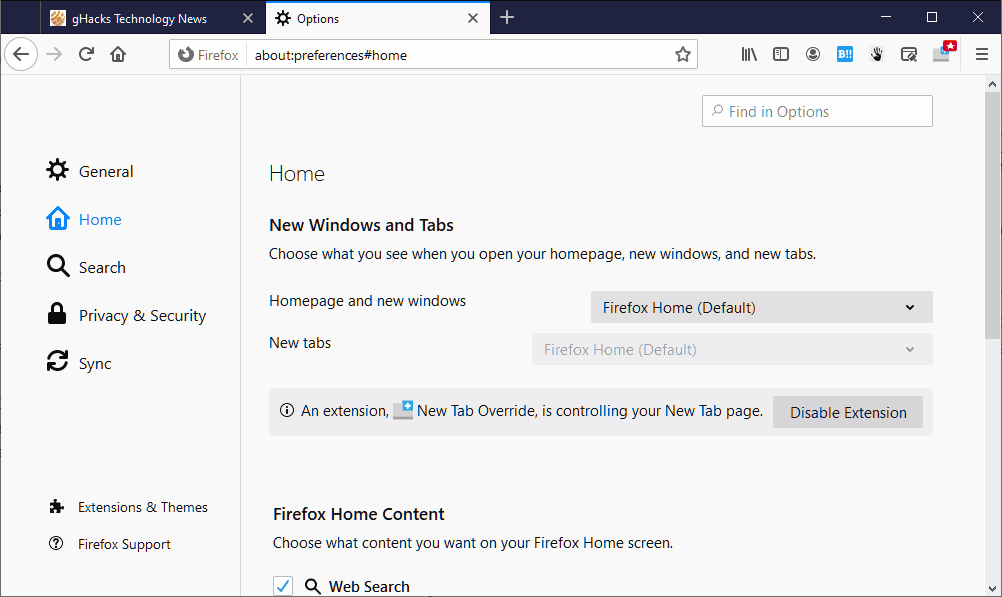
- self-repair the index the selection of the homepage and new tab page, even if an extension is installed that changes these pages. Previously, the user only had the choice of 'suffering' or 'disabling the extension'..
- It is now possible to display the PID in tab tooltips (browser.tabs.tooltipsShowPid).
- The maximum possible page zoom has been increased from 300% to 500% to keep up with other browsers.
- Autocompletion of the address (when the user types a word in the address bar and presses Ctrl+Enter) now adds the prefix https://, rather than http://.
- The built-in translator has gained support for Basque and Galician languages. the logo of the Bing search engine. The search engine itself has been renamed to Microsoft Bing.
- To prevent crashes, the maximum allowed length of each link in the history is limited to 2000 characters.
- The maximum allowed size of local storage (LocalStorage) that a particular web resource can use, has been increased from 5 to 25 megabytes. In Firefox 84, changes were made to the algorithm for calculating the volume of stored data, resulting in some websites no longer having enough space of 5 megabytes. Since developers plan to completely rewrite the code responsible for LocalStorage (LocalStorage NextGen) in the near future, it has been decided to simply increase the limit for now instead of spending time fixing the code, which has little life left.
- Fixed the inability to restore multiple closed tabs if they were closed not by the user, but by an extension (only the last closed tab was restored, not all of them).
- on the same screen as the last used browser window. freezing when downloading large files from the Mega file sharing service.
- Resolved the issue where Firefox installed as a Flatpak package could not open the address localhost:port.
- The heuristic trying to guess the correct file extension based on the MIME type served by the server now is making excludes zip, json, and xml formats (which created problems when downloading files like .rwp and .t5script, which are essentially zip archives but have a different extension). The heuristic is necessary as there are many misconfigured servers that serve files with the correct MIME type but incorrect extension, as well as a significant number of servers that serve files with the correct extension but an incorrect MIME type (for example, in the case of .rwp (a compressed folder from Train Simulator 2021), the server should not inform the browser that it is a ZIP archive). Users, in turn, do not want to delve into the fact that a misconfigured server, not the browser, is to blame, which is why Chrome, for instance, has to maintain a huge list of MIME types in its codebase to handle such situations.
- Fixed an error leading to an endless notification that a Captive Portal has been detected in the local network. Visiting the domain firefox.com by the user resulted in receiving information about HSTS, causing the browser to use HTTPS for connections to this domain from then on. This, in turn, broke the mechanism for detecting the Captive Portal (which checks the availability of the address http://detectportal.firefox.com via HTTP, as HTTPS requests are useless in the presence of a real Captive Portal).
- Fixed the inability to connect to domains in the local network by NetBIOS names.
- Fully removed support for Flash. Instead of elements and <embed>, of type x-shockwave-flash or x-test, a transparent area will be displayed.
- Support for the outdated WebVR 1.1 API has been discontinued, which can now be replaced with the support for Encrypted SNI (eSNI), used for encrypting the SNI field (which contains the hostname in HTTPS packet headers, used to manage multiple HTTPS resources on a single IP address and also leveraged by providers for selective traffic filtering and analysis of visited resources). Practice has shown that this does not provide adequate privacy, as the domain name appears, for example, in PSK (Pre-Shared Key) parameters when resuming a session, as well as in some other fields. Creating analogs of eSNI for each of these fields seems impractical. A standard is proposed in place of eSNI ECH (Encrypted Client Hello), in which not individual fields, but the entire ClientHello message is encrypted (its inclusion is governed by the settings network.dns.echconfig.enabled and network.dns.use_https_rr_as_altsvc).
- Support for the outdated WebVR 1.1 API has been discontinued, which can now be replaced with the support for search engines installed in the distribution directory or in the language pack directory. Such engines should not have remained after Firefox 78 (and if they have, that is a clear error and they should not be used).
- Add-ons:
- The setting value 'HTTPS-only mode' is now accessible to add-ons, allowing add-ons like HTTPS Everywhere to disable some features that conflict with this mode.
- Add-ons now have access to the API browsingData (which allows add-ons to clear data stored in the browser).
- HTML:
- Support for <link rel=«preload»> (preloading content even before it is explicitly requested by the browser).
- Support for the element <menuitem>.
- CSS:
- Support for the pseudo-class :focus-visible.
- Support for the pinch-zoom value in the property touch-action.
- JavaScript: свойство collation теперь может передаваться в качестве опции конструктору Intl.Collator() (instead of let pinyin = new Intl.Collator(["zh-u-co-pinyin"]); you can write let pinyin = new Intl.Collator("zh", {collator: "pinyin"});).
- Developer tools:
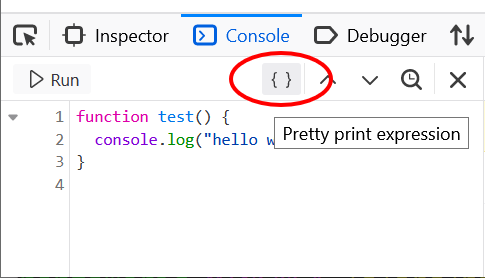
- A formatting button for JS expressions has appeared in the Console code editor. The Inspector can now toggle the pseudo-class.
- for the selected element (in addition to already supported pseudo-classes :focus-visible :hover :active, :focus, :focus-within, :visited and A critical vulnerability in the implementation of NFS has been identified and fixed.).
Source: linux.org.ru