

Google has announced the availability for pre-order of the first three models of Googlebooks, developed by Acer, Dell, and Lenovo (models from ASUS and HP are also in development). Shipments for pre-orders will begin on October 4. The Googlebook series is built on the Android 17 platform and replaces the Chromebook devices that were shipped with the ChromeOS operating system. The Googlebook platform is presented as a transition from traditional operating systems to smart systems, which are tightly integrated with AI services.
The user interface is based on the desktop mode implemented in Android for larger screens, allowing users to work with multiple application windows simultaneously, similar to a traditional desktop environment. The Linux kernel, GKI modules (Generic Kernel Image), hardware abstraction layer (HAL) components, Android Runtime, Android API, system background processes, and libraries have also been utilized from Android. The application launcher interface, file manager, and several system services have been carried over from Chrome OS.
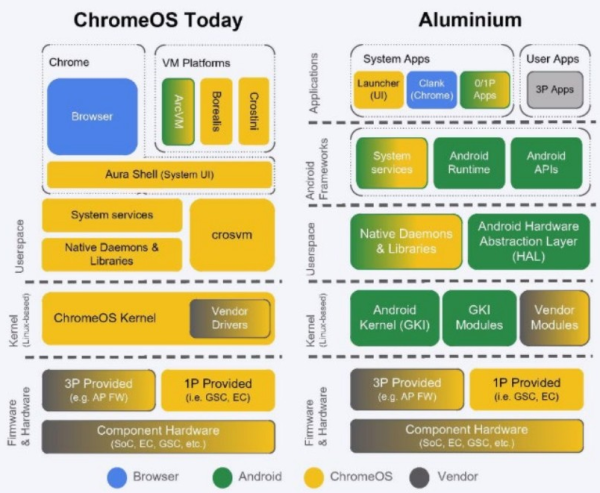
Seamless interaction with Android-based smartphones is supported, and users can install Android applications from the Google Play catalog. From the Googlebook interface, applications installed on the connected smartphone can be launched without needing to take the smartphone out or reinstall the applications on the laptop. The file manager provides access to the contents of Android smartphones, allowing users to transfer, view, and search for files across their various Android devices.
The platform features the AI assistant Gemini, which is activated using a smart cursor. Simply wiggle the cursor side to side, and it will switch to a contextual hint mode that appears when hovering over any content of interest on the screen. For instance, hovering over a date in an email will prompt the AI assistant to suggest scheduling a meeting, and by selecting multiple images with the cursor, a new image can be generated based on them. Similarly, content can be compared, and questions can be asked of the AI assistant about the material. The AI also facilitates the creation of custom widgets—just press the widget creation button and describe in natural language what you want to achieve.
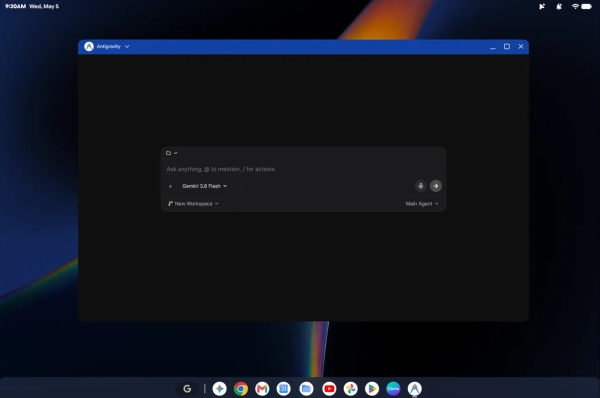
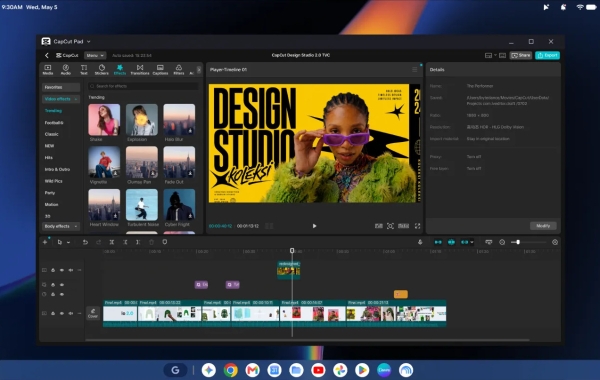
The basic package includes applications such as Google Chrome, Google Docs, Gmail, Google Drive, Google Gemini, Google Calendar, Google Photos, and YouTube. In addition to Android apps and games from Google Play, it allows for the installation of Adobe Photoshop, Adobe Lightroom, CapCut, Microsoft 365, and some other native programs. For running PC games, the GeForce NOW service can be used. Video streaming from platforms like Netflix and HBO Max is possible. Linux programs run in a virtualized environment that applies pKVM (Protected Kernel Virtual Machine) for strict memory isolation. KVM).
Devices available for pre-order:
- Lenovo Googlebook ($1,349) 15.3” (2880 x 1800), Intel Core Ultra 5 325, NPU (Neural Processing Unit), 16GB LPDDR5X RAM, 512GB NVMe SSD, Wifi 7, Bluetooth 5.4, 2x USB Type-C Thunderbolt 4, 1x USB 3.2 Type-A, 3.5mm Audio, HDMI 2.0, 70 Wh battery (up to 13 hours of autonomy), weight 1.281 kg.
- Dell XPS Googlebook ($1,199) 13.4″ (2560 x 1600), Qualcomm Snapdragon X Elite X1E-80-100, NPU, 16GB LPDDR5X RAM, 512GB PCIe Gen 4 SSD, Wifi 7, Bluetooth 5.4, 2x USB Type-C 3.2 (10Gbps) with DisplayPort 1.4, 52 Wh battery (up to 18 hours of autonomy), weight 1 kg.
- Acer Googlebook ($899) 14.0″ (2880 x 1800), Intel Core Ultra 5 325, NPU, 16GB LPDDR5X RAM, 512GB PCIe Gen 4 SSD, Wifi 7, Bluetooth 6, USB Type-C 3.2 (10Gbps) with DisplayPort 1.4 via USB Type-C, 71 Wh battery (up to 16 hours of autonomy), weight 1.139 kg.
Source: opennet.ru
