

Probably everyone who has ever met or seen off relatives or friends on a plane has used the free service Flightradar24. It's a very convenient way to track the position of an aircraft in real-time.

A survey of acquaintances showed that very few people know that this service is supported only by enthusiasts who send data to the server. Even fewer know that anyone interested can join the project.
Let's fill this gap. We will continue discussing how it works below.
Hardware
The very first question is — where does the data come from?
Every civilian aircraft is equipped with a special transmitter known as an ADS-B transponder:
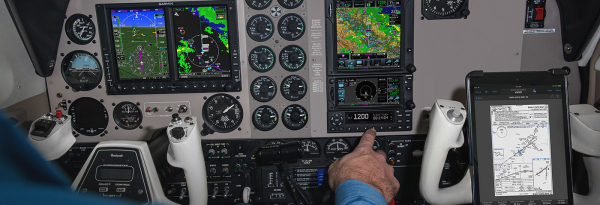
(photo from the Garmin website)
This device transmits special packets at a frequency of 1090MHz, containing basic flight parameters, the type of aircraft, its coordinates, destination, etc.
The signal on the spectrum looks something like this:
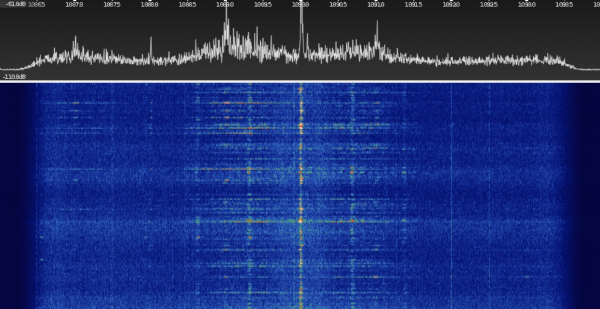
And what is most important for us is that decoding this data is not difficult; a RTL-SDR receiver costing about $8 connected to a computer is sufficient. In fact, the idea should already be clear — if you gather data from multiple receivers, you will get an image something like this:

But that's not all. Some aircraft transmit data packets that do not contain GPS coordinates. If you receive data simultaneously from several receivers whose coordinates are known, by analyzing the delays on different receivers, you can determine the location of the aircraft. This technology is called multilateration (MLAT), and you can read more about it .
And finally, the last question — how is the data received? The answer is simple: anyone can place a receiver at their location, and the cost ranges from $0 to $50. For example, this is what the map of receivers for the Flightaware service looks like:

As you can see, the coverage in the Russian part leaves much to be desired, so some people have a good chance of being the first.
To receive data you need:
— Raspberry Pi2/3 with internet connection (cost from $20)
— RTL-SDR dongle (cost from $10)
— at least a simple antenna made of two pieces of wire, each 6.8 cm long (1/4 dipole at 1090MHz)
It is also desirable to have a place with a more or less open view of at least part of the sky since gigahertz frequency signals are absorbed by obstacles like buildings or trees.
I already had both a Raspberry Pi and an RTL-SDR, so I didn't need to buy anything. However, anyone can try to get a ready-made receiver for free—both Flightradar and Flightaware send out kits for free to users in areas where coverage is currently lacking. You can send a request at the link ( or ), of course, it's reasonable to try for those living in fairly remote areas.
I used a kit that included RTL-SDR V3, which, along with an antenna and a mini tripod, cost $27 with free shipping from China:
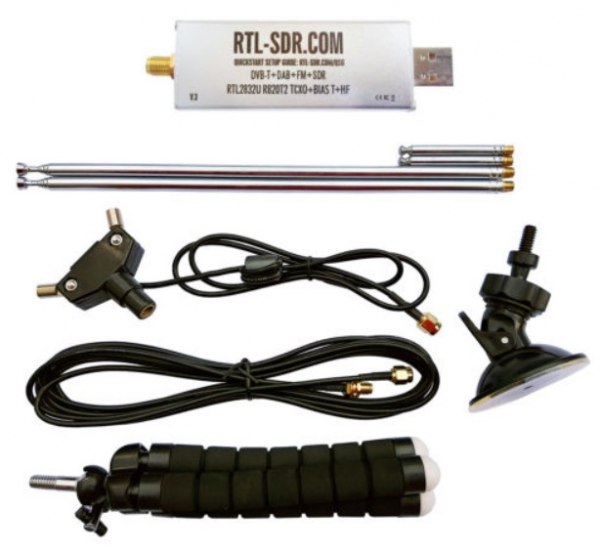
By the way, as a second bonus, everyone sending data to the server gets unlimited access to a premium account and all server features (separately, such access costs about $50/month). So, if someone is interested in aviation and wants extended access to such an account, setting up an RTLSDR receiver is a quite inexpensive alternative.
Testing
The installation is straightforward; on the Raspberry Pi, you just need to connect the receiver and run one command:
sudo bash -c "$(wget -O - http://repo.feed.flightradar24.com/install_fr24_rpi.sh)"The script will ask for the necessary data (coordinates and receiver type, email address), and then the software will run automatically, requiring no more attention from the user. You can also activate a premium account (for FR24 at the link ) and immediately use all its features (flight tracks, etc.).
You can go to the IP address page of the Raspberry Pi and see the current status:
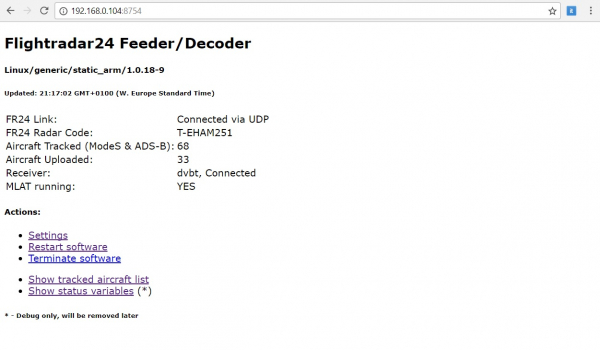
You can see much more information on the Flightradar24 account page:
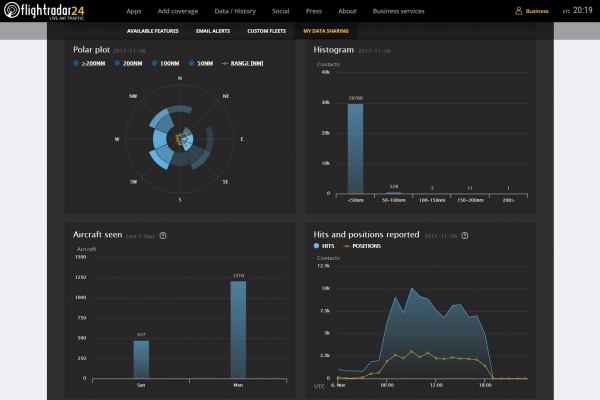
I live on the 6th floor relatively close to the airport, so the number of observed airplanes in a day was over 1000, even with a simple antenna on the windowsill. Interestingly, even with such an antenna, the maximum range to the received aircraft was 215 miles. Different antenna options can be found on eBay by searching for ads-b antenna.
Alternative
A bonus for those who had the patience to read this far. Some readers may wonder: can you get by without third-party services like Flightradar? Of course, you can; you can run a decoder on Raspberry Pi directly. You can download the source code at .
You just need to type 3 commands on the Raspberry Pi:
git clone https://github.com/antirez/dump1090.git
cd dump1090/
make
Then you can start the decoder with the command:
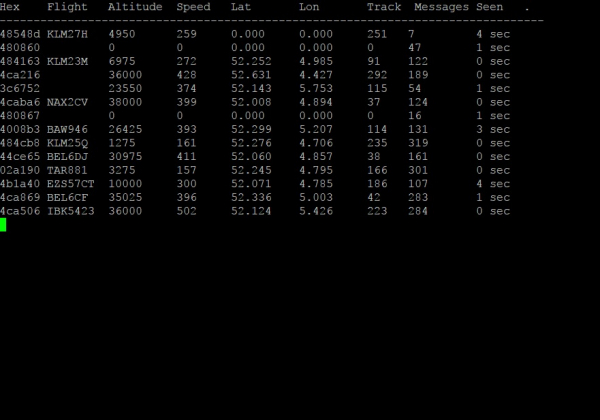
./dump1090 --interactive --netThe decoder starts working, and we see the 'raw data' — a list of visible 'boards':
Now you can access your Raspberry Pi in a browser and admire your own local Flightradar; the image might look something like this:
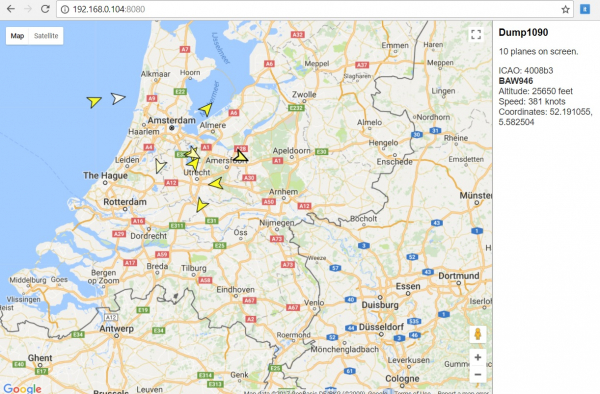
Why might this be needed? Firstly, just out of curiosity; secondly, Flightradar24, unfortunately, filters part of the data and shows not all aircraft (for example, military, government, or business jets may not be displayed). By starting your own local service, we see everything 'as it is,' without any censorship. However, of course, the amount of data is limited by our local location and the quality of the antenna, and the MLAT technology will also be unavailable. Dump1090 is available in source code, so those interested can even create their own version of Flightradar, with blackjack and other bells and whistles.
Conclusions
As you can see, it's not that complicated, yet it's quite interesting and inexpensive. To understand the pricing: 10 years ago, the Airnav RadarBox receiver cost around $1000; now you can get an RTL-SDR that does the same for $10.
In my case, the receiver was only started for testing; there is no practical sense in keeping it constantly on, as the density of coverage in the European part already reaches 100%. For residents of remote areas in Russia, on the contrary, this may be quite interesting — there is an opportunity to do something useful for air travelers around the world, expanding the coverage area, and to access a Premium account on the aforementioned sites.
Wishing everyone successful experiments.
Source: habr.com
