

After six months of development, the GNOME 51 desktop environment has been released. For a quick assessment of the capabilities of GNOME 50, specialized Live builds based on openSUSE and an installation image prepared under the GNOME OS initiative are offered. GNOME 51 is also already included in the experimental builds of Ubuntu 26.10 and Fedora 45.
In the new release:
- In the compositor server Mutter has redesigned the frame output mechanism, which has increased the smoothness of output and eliminated stuttering during animations and under heavy system load. By reducing the number of buffer copy operations, the efficiency of screen capture has been enhanced, both for software and hardware rendering. The brightness level is now saved between reboots or when switching HDR modes.
- In the configurator (GNOME Settings) on devices with an accelerometer, an option for automatic switching between landscape and portrait orientation when turning the device has been implemented. Content centering has been improved. In the input device settings, an option for automatically disabling the touchpad when a mouse is connected has been added. Support for the insecure WEP protocol has been removed from wireless network settings. The ability to activate the SSH server when accessing the socket has been added. The fingerprint registration interface has been improved. An About dialog button for viewing release notes has been added.
- In the Remote Desktop tools, the ability to forward smart cards for use with a locally connected smart card on a remote computer has been added. For corporate networks, authentication through Kerberos is now available.
- In the file manager, an indicator showing the number of files being dragged simultaneously has been implemented. Automatic highlighting of new files that appear after copying has been ensured. The deselection of highlighted files when right-clicking on an empty area has been stopped. Work has been done to improve interface responsiveness, eliminate application freezes during slow operations, and speed up the refresh of information about the contents of large directories. Notification grouping displayed by the file manager has been ensured.
- The Epiphany (GNOME Web) web browser has implemented a lighter and more readable context recommendations interface that appears as you type in the address bar. A keyboard shortcut Ctrl+Shift+C has been added for quickly copying the page link. The pwquality library has been used for generating secure passwords. Errors in the built-in password manager have been fixed.
- The application manager (GNOME Software) now shows a warning when attempting to install outdated applications that no longer receive updates. A list of all requested permissions is displayed before installing Flatpak packages. Application data caching has been utilized, and icon loading has been optimized to speed up startup.
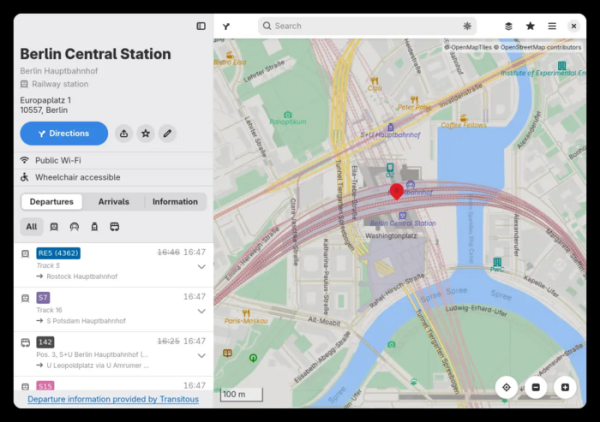
- The mapping application has added support for downloading offline maps of the selected area for use without internet access. Real-time information about public transport delays, as well as arrivals and departures of trains and buses from the selected station or stop, is now provided.

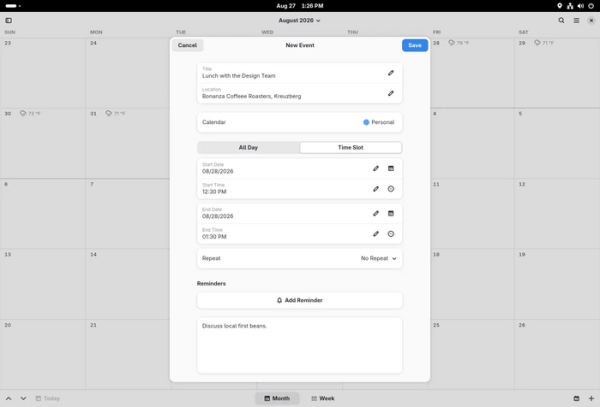
- The calendar-planner has undergone performance optimization, smoothing of scroll performance, and responsiveness of the interface when working with large calendars. Support for viewing the location of events on the map in the GNOME Maps app has been added. A high-contrast mode has been implemented. The event creation dialog has been redesigned. Improved support for event links in Microsoft Teams has been provided.

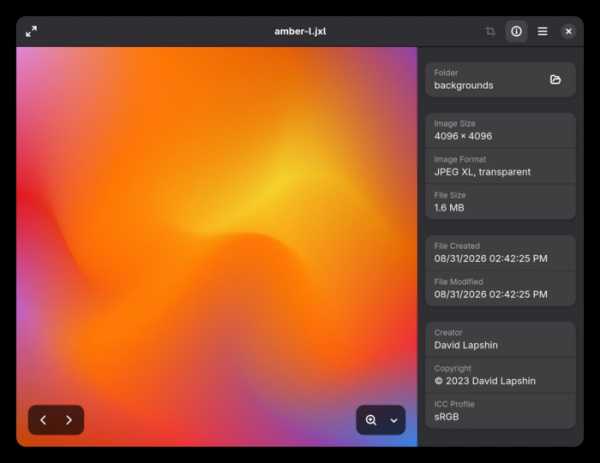
- The image viewer (Loupe) now includes the ability to view metadata with information about the author, copyright, camera lens, and embedded color profile (ICC).

- The File Previewer (sushi) application, used for previewing file contents, has been transitioned to the GTK4 library, with interface components from libadwaita, a backend for isolated image loading (Glycin), and a UI construction language (Blueprint). The File Previewer also supports dark theme and floating tool panels, with modernized code for using EcmaScript modules.

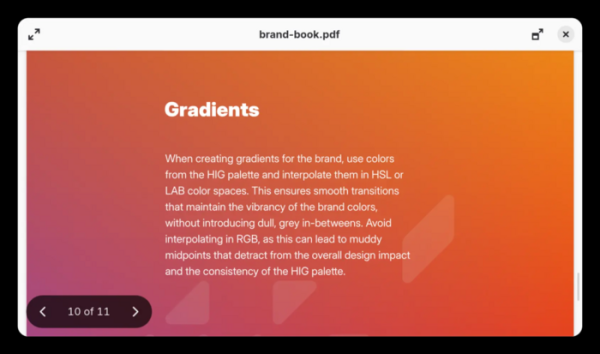
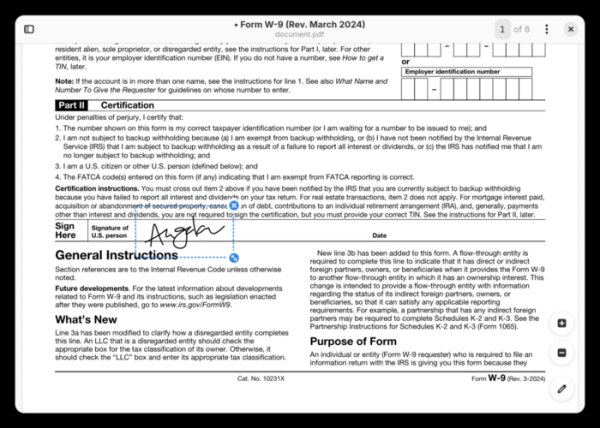
- The document viewer (Papers) now supports adding handwritten signatures created with a mouse or inserted as images. Text annotations are enabled by default. Rendering has been improved for fractional scaling. The size and preview parameters are now remembered.

- The login screen now includes support for multiple authentication mechanisms, including access through corporate web services.
- Vector images of cursors are now used in SVG format, which remain sharp at any scale and screen resolution.
- The oo7 component (D-Bus Secret Service provider), written in Rust, has been implemented for storing passwords and keys instead of gnome-keyring.
- The GTK library has been updated to branch 4.24, supporting the snapping of content to the boundaries of physical device pixels and transitioning to SVG for icon rendering.
- Support for deprecated NVIDIA driver APIs has been removed.
Source: opennet.ru
