

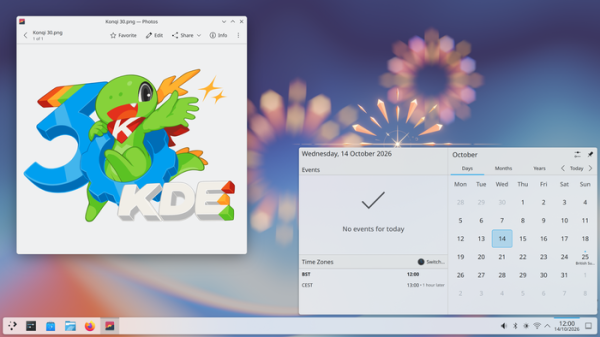
On the thirtieth anniversary of the project, the release of the KDE Plasma 6.8 desktop environment was published. To assess the performance of the new KDE releases, one can use builds from the KDE Linux, KDE Neon, and openSUSE projects (Argon, based on openSUSE Leap, and Krypton, based on openSUSE Tumbleweed).
Key changes in KDE Plasma 6.8:
- Support for the X11 protocol-based session has been discontinued. Only the session for working with the Wayland protocol remains, with the ability to run X11 applications facilitated by the XWayland DDX server. The discontinuation of X11 support affects only the KDE Plasma desktop environment and does not concern the ability to run KDE applications in environments based on the X server (there are currently no plans to discontinue X11 support in KDE applications). For those who require X11, support for this protocol has been retained in various components of the desktop environment where possible, along with additional changes to improve compatibility when running applications on XWayland.
Among the reasons for the discontinuation of X11 support are the overall stagnation of X server development and the desire not to disperse the limited resources of developers on parallel support for two display systems and session types. It has been stated that in the long term, eliminating X11 will provide new opportunities for expanding functionality, enhancing stability, optimizing code, and accelerating the development process.
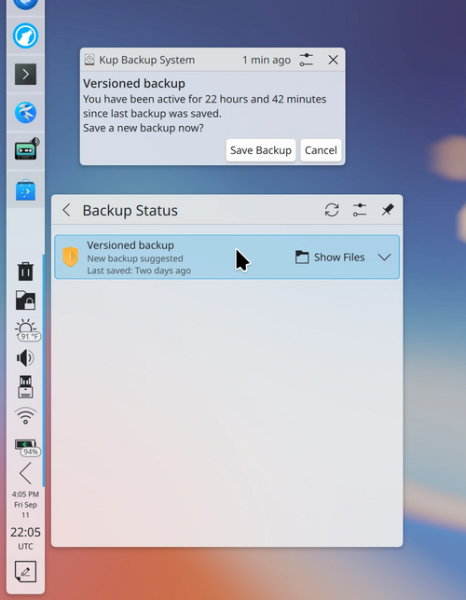
- The kup backup system has been integrated into the main Plasma suite, allowing users to create versioned backups of user data and save them to external USB drives or to server. Automatic saving of changes since the last backup is possible when connecting the backup device to the computer.

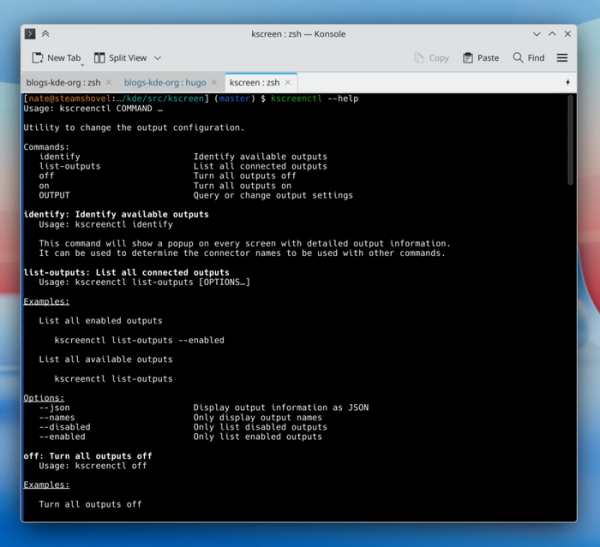
- A new utility, kscreenctl, has replaced kscreen-doctor, offering a more familiar and structured command-line interface for output management. Supported operations include identifying available output devices, enabling/disabling output devices, and modifying settings.

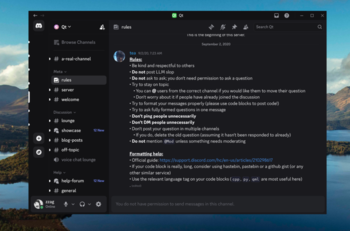
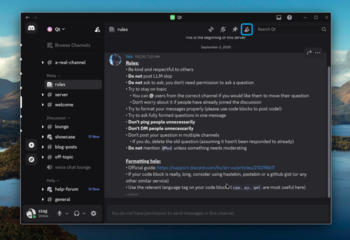
- The KWin compositor has been enhanced with automatic redrawing capabilities on the side. server shadows and window contours, as well as the application of rounded corner effects for applications using client-side decoration (CSD) that do not support the specified decorative elements. This change has allowed applications like Steam and Discord, which were previously rendered without shadows, frames, and rounding, to acquire a look typical for KDE.


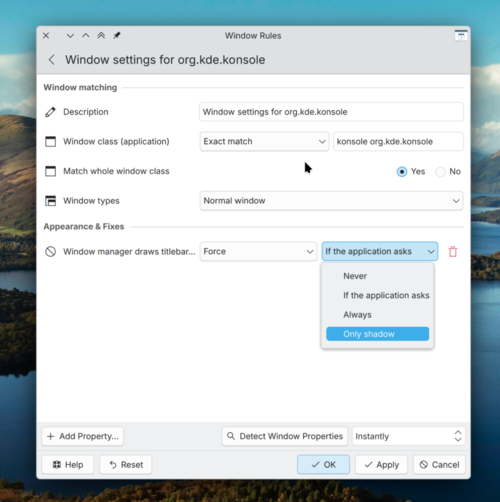
To activate shadows, a new rule has been implemented for overriding application window attributes (KWin Window Rules) — 'Window manager draws titlebar, frame, and shadows'. Shadows are automatically added to X11 applications that do not use server-side decoration and do not render shadows on the client side.

- Performance has been significantly improved when using external graphics cards. Previously, due to the way the Wayland protocol linux-dmabuf v5 worked, the compositor could only operate with one graphics card, necessitating constant frame copying through RAM when rendering on a different GPU (for example, a discrete graphics card instead of an integrated one). In the new version of the linux-dmabuf v6 protocol, this issue has been resolved, allowing KWin to eliminate unnecessary buffer copying. In tests with a graphics card connected via USB-C, FPS in vkcube increased from 5 to 120, and in the game Cyberpunk 2077 with the 'low' preset, FPS rose from 27 to 50 when using linux-dmabuf v6.
- Support for triple buffering output has been enabled on systems with NVIDIA GPUs (Kwin automatically activates triple buffering if the graphics card cannot keep up with rendering). In triple buffering, three screen buffers are used — the first is for rendering, the second is for output to the screen, and the third is for continuing the ongoing rendering process if the first buffer is filled before the vertical refresh (vblank) is completed. Utilizing the third additional buffer helps eliminate stuttering that occurs in double buffering when it is impossible to switch between rendering and output buffers before the vertical refresh is complete. This organization of output allows for increased frame rates on low-powered devices at the cost of increased output latency.
- In KWin, support for the desktop graphics API OpenGL has been discontinued in favor of using only OpenGL ES. OpenGL ES support is required to work on some older GPUs and, as it turned out, OpenGL ES is sufficient for all KWin needs, so it has been retained as the base internal API, at least until Vulkan support becomes sufficiently developed. Leaving only OpenGL ES has eliminated intermittent issues caused by incompatibilities between OpenGL and OpenGL ES (code written and tested with one API would lead to rendering issues or crashes when using the other API).
- KWin has implemented support for the new version of the Emulated Input system 1.6 (libei), which is used for input emulation in Wayland-based environments.
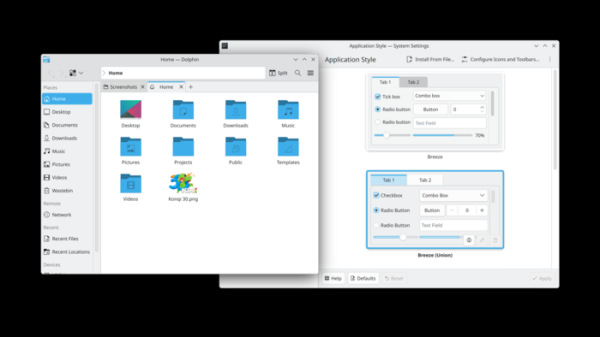
- A beta version of the unified style engine Union has been proposed for testing, allowing the use of different application styling technologies available in KDE. By default, the new engine utilizes the CSS format instead of the previously used SVG. The Union engine consists of three layers: the Input layer — provides parsing of input style file formats (SVG or CSS) and their transformation into an abstract description for rendering. The Intermediate layer — implements a data model and methods for applying styles to each element. The Output layer — is responsible for converting the universal style into rendering commands specific to the particular graphics stack (QtQuick or Qt Widgets). To enable the new engine, you need to install the union package and activate the "Breeze (Union)" theme in the settings (System Settings → Colors & Themes → Application Style).

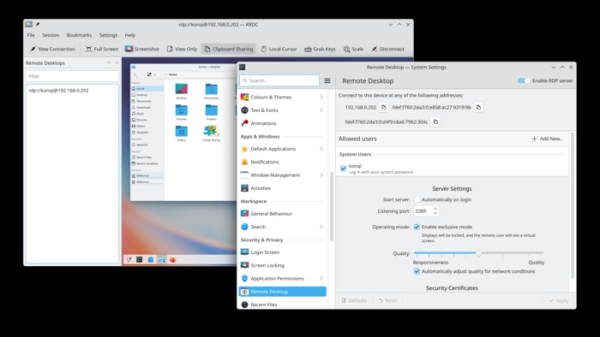
- Expanded capabilities for remote desktop connections. Improved image quality and reduced latency when working on slow networks or when frequently updating content on the screen. Bi-directional clipboard synchronization has been ensured. An exclusive mode has been added, which includes screen locking on the server side and provides the client with a virtual screen that exactly reproduces window sizes. The settings page has been optimized for display in small windows.
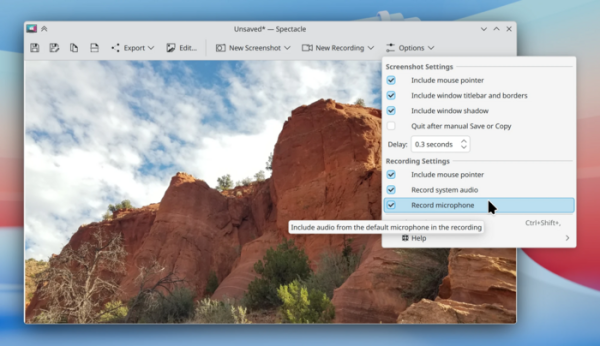
- Spectacle has added an option to record sound while creating screencasts (it can use microphone recording and save sound played by applications in the system). The video quality when recording screencasts has been improved. A blur effect has been implemented that works without using OpenCV, which allowed this library to be removed from dependencies. Added support for resizing and changing the resolution of the virtual screen created for screencasts (previously the size was fixed at 1920×1080).
- The configurator has added settings to manage the appearance of the alternative symbols dialog when holding down keys. It is now possible to search for languages by locale code, as well as by the name in their native or English languages (i.e., Russian can be found by "ru", "русский", and "russian").
The network settings page has added options for using EAP-TTLS authentication in StrongSwan. VPNAdded the ability to enable and disable application autostart without deleting and recreating entries.When setting up screen layouts, pixel-by-pixel adjustment of elements is possible using the arrow keys.
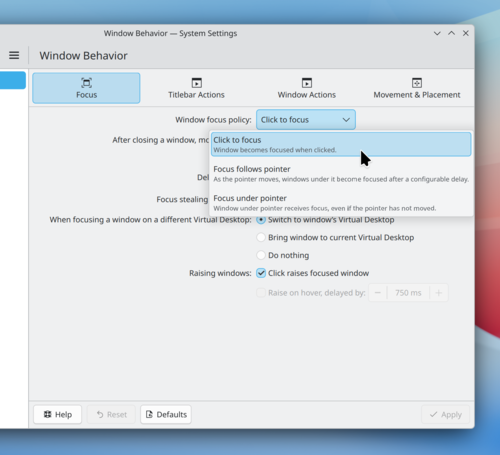
The implementation of the window behavior settings page has been translated to use QML, and the design has been unified with other pages.

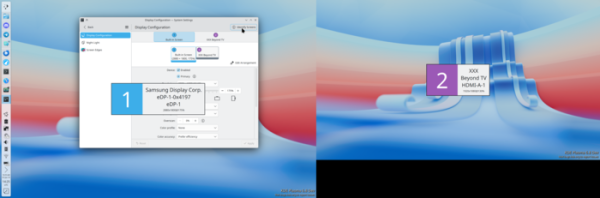
- In multi-monitor configurations, in addition to the monitor name, ordinal numbers of devices are displayed in different colors. The display of labels with monitor numbers when navigating screens and in the priority settings dialog allows for clearer separation of connected monitors and avoids confusion when using multiple monitors from the same manufacturer (for example, when connecting to virtual machine multiple virtual monitors).

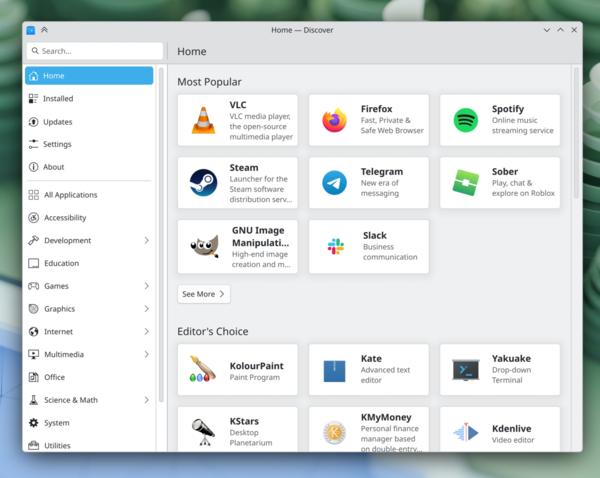
- In the Discover application manager, the order of sections on the main page has been changed. The updates page now supports case-insensitive searching. The loading of icons for applications in Flatpak format has been accelerated. Elements are grouped by actions performed and sorted by activity when showing progress.

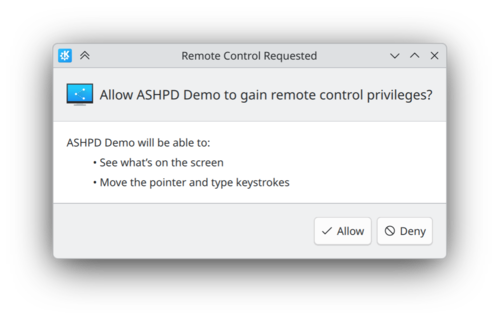
- In the permission granting dialogs through the XDG portal system (xdg-desktop-portal-kde), the presentation of information and wording has been unified with other KDE dialogs.

- The notification shift animation has been revamped to utilize a more natural easing curve for smooth acceleration and deceleration over time. A more realistically animated bouncing app icon, displayed near the cursor, indicates the start of the application launch process.
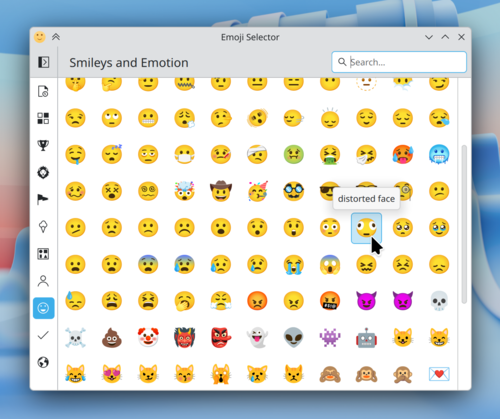
- The character set in the Emoji selection interface has been updated to version 17 of the Unicode standard. It now supports scaling the size of the icons.

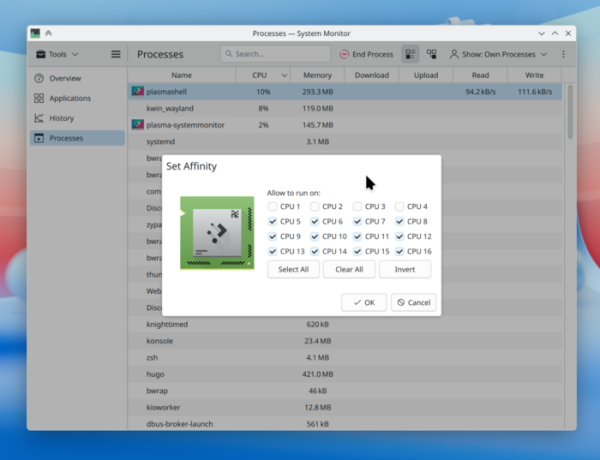
- The System Monitor application and system information output widget have added support for identifying Intel Xe driver usage and displaying information about GPUs based on the Intel Xe architecture, used in Intel Arc family graphics cards and integrated graphics starting from Tiger Lake processors. Video memory consumption is now displayed as a percentage of total VRAM, similar to how RAM usage is shown. Users can bind processes to selected CPUs or groups of CPUs for execution only on them (CPU affinity).

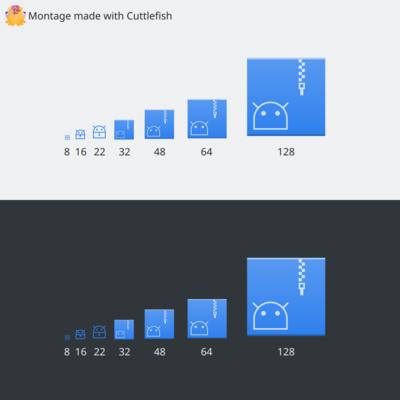
- New icons for Android applications and Typst documents have been added to the Breeze icon theme.

- A mode has been implemented for users with disabilities,
the 'dwell clicker', which simulates a mouse click after the pointer has stopped moving. - The wireless network settings widget has introduced options for automatically selecting a wireless channel when operating in access point mode.
- A notification about low battery levels of connected devices is displayed even when applications are running in full-screen mode, so that the user does not miss a complete discharge.
- System settings for animation speed have been taken into account in the 'Peek at Desktop' and 'Window Aperture' effects.
- Enhanced capabilities for detecting the use of dark themes in GTK 2 based applications and applying dark icon theme variants to avoid situations where light icons are displayed in a dark interface.
- Applications based on QML now utilize the color picker interface from KDE instead of using the Qt's implementation, which does not align with KDE's color schemes.
- The upper grab area for dragging non-fullscreen application windows using the Breeze theme has been enlarged.
- The ability to place windows on top of other windows while dragging them with the mouse, holding the Meta key, has been added.
- For desktop wallpapers, a manually toggled slideshow mode has been implemented — instead of automatically changing the wallpaper, you need to press a keyboard combination or select the corresponding option in the context menu to switch to the next image.
- The undocumented key combination Meta+Ctrl+x, which was used to enable the automatic action invocation feature based on clipboard content, has been removed. Since Meta+Ctrl+x is close to the frequently used sequence Ctrl+X, many users accidentally pressed it and then wondered how to disable the dialog that began appearing with each URL paste from the clipboard.
- In the login manager, the last session selected by each user is now remembered. The automatic login feature is now available in distributions with older versions of systemd, such as KDE neon.
- Globally effective keyboard shortcuts have been added to reorganize tasks in the list (Meta+Ctrl+PageUp, Meta+Ctrl+PageDown) or to cycle between tasks (Meta+Ctrl+Shift+PageUp, Meta+Ctrl+Shift+PageDown) in the Task Manager widget.
- The logic of the Meta + 1-9 key combinations used for quick task switching has been changed. In multi-monitor configurations, these key combinations now target tasks in the panel on the active screen, rather than the panel on the screen marked as primary.
Source: opennet.ru
