

On Friday, April 12, security expert John Page published information about an unpatched vulnerability in the current version of Internet Explorer, demonstrating its exploitation. This vulnerability could potentially allow an attacker to access the contents of local user files on Windows systems, bypassing the browser's security system.

The vulnerability lies in how Internet Explorer processes files in the MHTML format, typically with the .mht or .mhtml extension. This format is used by Internet Explorer by default for saving web pages, allowing you to save all the content of a page along with all media content as a single file. Currently, most modern browsers no longer save web pages in MHT format and use the standard WEB format—HTML—but they still support processing files in this format and can use it for saving with the appropriate settings or via extensions.
The vulnerability discovered by John falls into the category of XXE (XML eXternal Entity) vulnerabilities and is due to misconfiguration of the XML code handler in Internet Explorer. "This vulnerability allows a remote attacker to access local files on the user's system and, for example, extract information about the version of the installed software," Page explains. "Thus, a request for 'c:Python27NEWS.txt' will return the version of this program (the Python interpreter in this case)."
Since all MHT files in Windows are opened by default in Internet Explorer, exploiting this vulnerability is a trivial task, as the user only needs to double-click a malicious file received via email, social media, or messengers.
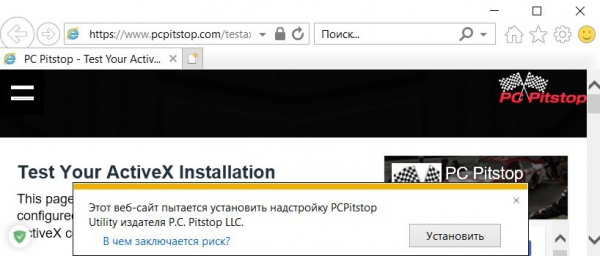
"Typically, when creating an instance of an ActiveX object, such as Microsoft.XMLHTTP, the user receives a security warning in Internet Explorer that requests confirmation to activate blocked content," explains the researcher. "However, when opening a pre-prepared .mht file using specially formatted markup tags, the user will not receive a warning about potentially dangerous content."
According to Page, he successfully tested the vulnerability in the current version of Internet Explorer 11 with all the latest security updates on Windows 7, Windows 10, and Windows Server 2012 R2.
Probably the only good news in disclosing this vulnerability to the public is the fact that the once-dominant market share of Internet Explorer has now shrunk to about 7.34%, according to NetMarketShare. However, since Windows uses Internet Explorer as the default application for opening MHT files, users do not necessarily have to set IE as their default browser, and they remain vulnerable as long as IE is still present on their systems and they do not pay attention to the format of files downloaded from the internet.
On March 27, John notified Microsoft about this vulnerability in their browser, but on April 10, the researcher received a response from the company indicating that they do not consider this issue to be critical.
"A fix will only be released with the next version of the product," Microsoft stated in the letter. "Currently, we do not plan to issue a solution for this problem."
Following Microsoft's unequivocal response, the researcher published details about the zero-day vulnerability on his website, as well as demonstration code and a video on YouTube.
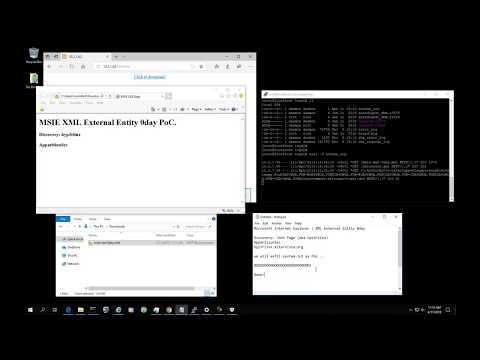
Although exploiting this vulnerability is not straightforward and requires somehow coercing the user to run an unknown MHT file, this vulnerability should not be taken lightly, despite the lack of response from Microsoft. Hacker groups have previously used MHT files for phishing and distributing malware, and nothing prevents them from doing so again.
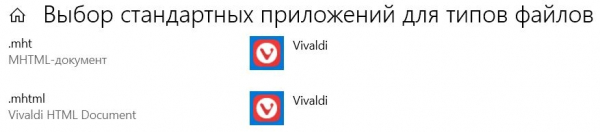
However, to avoid this and many similar vulnerabilities, it is sufficient to simply pay attention to the file extensions you receive from the Internet and check them with an antivirus or on the VirusTotal website. Additionally, just set your favorite browser, different from Internet Explorer, as the default application for .mht or .mhtml files. For example, in Windows 10, this can be easily done in the 'Select default applications by file type' menu.
Source: 3dnews.ru
