

Mozilla has introduced a new product — Firefox Enterprise, a separate build of Firefox designed for enterprise use, providing enhanced capabilities for centralized management and oversight of employee actions. Firefox Enterprise version 158 is based on Firefox release 158, which is set to launch this evening. Browser management on workstations is handled through an admin web console that can be run on local hardware without reliance on external cloud services.
Support for transmitting information about events to deployed enterprise Security Information and Event Management (SIEM) platforms, defining access rules tied to users and devices, authentication through Single Sign-On (SSO) systems, domain-level access restrictions, and browser activity controls (such as disabling AI-related features), management of extension installations and update delivery, remote configuration changes, and telemetry collection.
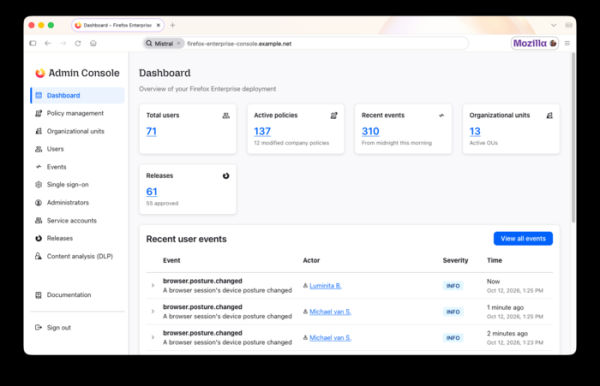
Key features of Firefox Enterprise:
- User and session management through the admin console. Grouping users into different access levels. Creating content analysis rules and reviewing audit logs.
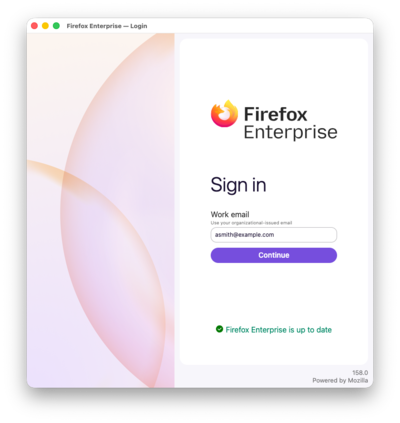
- The ability to work in the browser only after authenticating with a corporate account. Integration with SSO and authentication providers using the
OpenID Connect (OIDC) protocol is supported. Two-factor authentication may be applied. After restarting or closing the browser, the session ends and re-authentication is required. Administrators can remotely terminate sessions, for instance, in case of a stolen laptop.
- A distinct theme and branding elements. Customization of the appearance in accordance with corporate branding and displaying the company's logo in the browser.
- Disabling connections to Mozilla services in favor of the enterprise's own services for browser management and updates.
- Transmission of device status data to the administrator console, including operating system information, disk encryption, running security maintenance programs, connection to the Active Directory domain, installed add-ons, and network connection details. The administrator can link the ability to work in the browser to the parameters of the system environment.
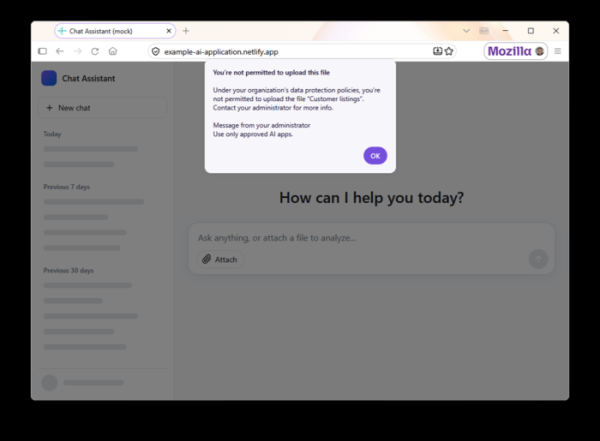
- Data Loss Prevention (DLP) capabilities — the administrator can configure blocking or warnings for attempts to paste from the clipboard, upload and download files, and print pages from certain websites. For example, pasting from the clipboard into unauthorized AI tools may be prohibited. Built-in DLP checks are performed on the client-side browser, meaning the content is not sent over the network for inspection, but it is possible to connect and send data to external DLP systems. Identified violations are reflected in the administrator console.

- The ability to add watermarks containing the employee's email and operation time to important pages is supported. Such markers can be used when investigating the source of information leaks. Watermark parameters and the sites over which they are added can be configured by the administrator.
- Enhanced protection mode (Lockdown), in which JIT compilation of JavaScript is disabled when accessing untrusted sites, the execution of Workers is blocked, unencrypted HTTP requests are prohibited, and site interactions are isolated in a separate container.
- Encryption of profile data, such as browsing history, web form data, credentials, and TLS session tokens. Access to the copied encrypted profile is only possible with a key provided by the administrator.
- The ability to access the company's internal websites and web applications from users' personal devices without installing a separate VPNproxy deployed on the enterprise.
- More than 130 centrally managed policies, many of which can be changed without restarting the browser. For example, settings related to proxies, website filtering, Cookies, operation only through HTTPS, Lockdown mode, and extension parameters can be modified through policies.
- The ability to determine the minimum acceptable browser version and track the installation of updates on employee systems.
- Support for reporting information about events such as file downloads, printing, extension installations, opening unsafe sites, and attempts to access blocked sites listed in the Safe Browsing database. Reports on such events are displayed in the administrator interface.
- The administrator can block and allow the use of browser extensions based on their type, websites, and user permissions. It is also possible to prohibit the disabling of automatic updates for extensions, using a separate server for delivering new versions of extensions, prohibit the modification of extension settings for specific websites, and choose which sites to apply certain extensions.
Source: opennet.ru
