

Google has launched the first beta release of the open mobile platform Android 12. The release of Android 12 is expected in the third quarter of 2021. Firmware builds have been prepared for Pixel 3 / 3 XL, Pixel 3a / 3a XL, Pixel 4 / 4 XL, Pixel 4a / 4a 5G, and Pixel 5, as well as for some ASUS, OnePlus, Oppo, Realme, Sharp, TCL, Transsion, Vivo, Xiaomi, and ZTE devices.
Among the most noticeable changes for users:
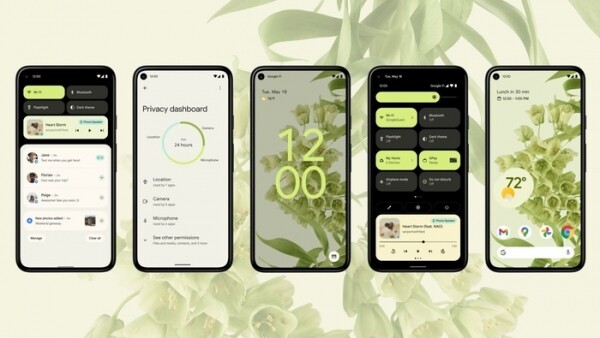
- One of the most significant interface design updates in the project’s history has been proposed. The new design implements the concept of 'Material You,' presented as a variant of the next-generation Material Design. The new concept will be applied automatically to all platforms and interface elements and will not require application developers to make any changes. In July, application developers are expected to receive the first stable release of the new graphics interface development toolkit — Jetpack Compose.

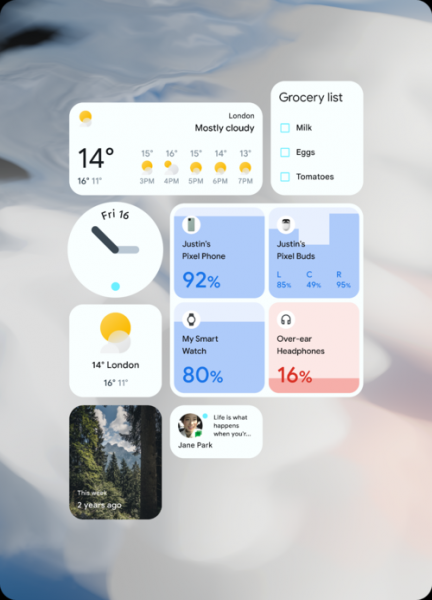
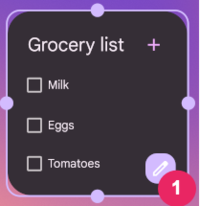
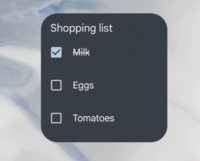
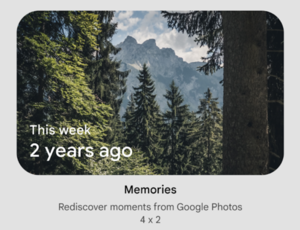
The platform features a new design for widgets. Widgets are made more prominent, with enhanced corner rounding and the ability to use dynamic colors that match the system theme. Interactive controls have been added, such as checkboxes and switches (CheckBox, Switch, and RadioButton), allowing for task list editing in the TODO widget without opening the application.

A smoother visual transition to applications launched from widgets has been implemented. Widget personalization has been simplified — a button (a circle with a pencil) for quickly repositioning the widget on the screen appears after a long press on the widget.


Additional modes for limiting the size of widgets and the ability to use an adaptive layout for widget elements (responsive layout) have been provided to create standard layouts that change based on the visible area size (for example, separate layouts can be formed for tablets and smartphones). The widget picker interface has been enhanced with dynamic previews and the ability to display widget descriptions.

- A feature has been added for automatic adaptation of the system color palette to the color of the selected wallpaper — the system automatically identifies the predominant colors, adjusts the current palette, and applies changes to all interface elements, including the notification area, lock screen, widgets, and volume slider.
- New animated effects have been implemented, such as gradual zooming and smooth shifting of areas during scrolling, appearing, and moving elements on the screen. For example, when dismissing a notification on the lock screen, the time indicator automatically enlarges and takes up space previously occupied by the notification.
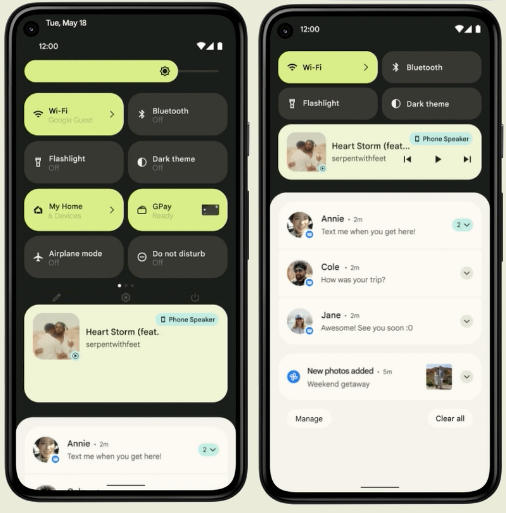
- The design of the drop-down area with notifications and quick settings has been revamped. Quick settings now include options for Google Pay and smart home management. By pressing and holding the power button, Google Assistant can be summoned, allowing commands to make a call, launch an app, or read a document aloud.

- The stretch overscroll effect has been added, indicating that the user has scrolled beyond the scrollable area and reached the end of the content. The content image stretches and then bounces back with this new effect. The new scroll end indication mode is activated by default, but there is an option in settings to revert to the old behavior.
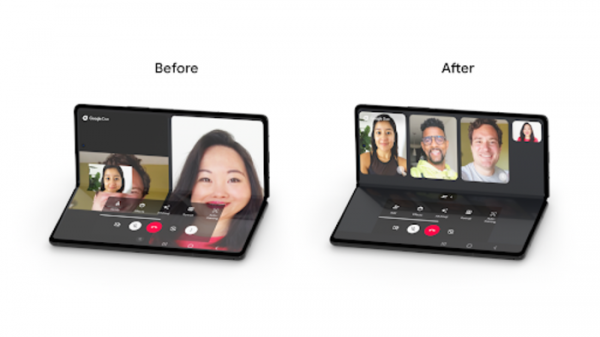
- The interface has been optimized for devices with foldable screens.

- Smoother sound transitions have been implemented — when switching from one app that outputs sound to another, the first app's sound now fades out smoothly while the second app's sound fades in, without overlapping.
- Significant system performance optimization has been carried out — the CPU load of core system services has decreased by 22%, which in turn has increased battery life by 15%. Due to reduced contention for locks, decreased latencies, and optimized input/output, the performance of switching between applications has improved, and application launch times have been reduced.
In PackageManager, lock competition when working with snapshots in read-only mode has been reduced by 92%. The Binder interprocess communication mechanism has implemented lightweight caching, allowing delays for certain types of calls to be reduced by 47 times. Performance in processing dex, odex, and vdex files has improved, leading to reduced application load times, especially on devices with limited memory. The launch of applications from notifications has been accelerated; for instance, launching Google Photos from a notification is now 34% faster.
Database query performance has been enhanced through the application of inline optimizations in the CursorWindow operation. For small data volumes, CursorWindow has become 36% faster, while for sets containing more than 1000 rows, the speedup can reach up to 49 times.
Criteria for classifying devices by performance have been proposed. Depending on the device's capabilities, it is assigned a performance class, which can then be used in applications to limit codec functionality on low-powered devices or to handle higher-quality multimedia content on powerful hardware.
- A hibernation mode for applications has been implemented, allowing the app to automatically revoke previously granted permissions, stop execution, reclaim resources used by the app, such as memory, and block background work and push notification delivery if the user has not interacted with the program for a long time. This mode can be applied to most applications and helps protect user data that forgotten programs may still access. The hibernation mode can be selectively disabled in the settings if desired.
- A separate BLUETOOTH_SCAN permission has been added for scanning nearby devices via Bluetooth. Previously, this capability was provided only when access to the device's location information was granted, which necessitated additional permissions for applications requiring pairing with another device via Bluetooth.
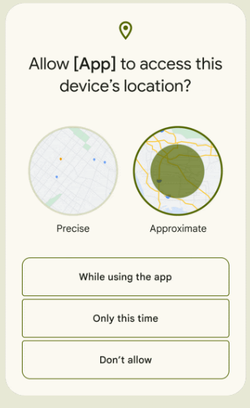
- The dialog for granting access to device location information has been improved. Users now have the option to share precise location data with the application or provide only approximate information, as well as restrict permissions to only the active session (disallow access while in the background). The level of precision of the data provided when selecting an approximate location can be modified in the settings, including binding to specific applications.

The second beta release will feature a Privacy Dashboard interface that provides an overview of all permission settings, allowing users to understand which data applications have access to. The dashboard will include indicators for microphone and camera activity, which can also be used to forcibly disable the microphone and camera.
- Instead of an edition for wearable devices, a new unified platform is being developed in collaboration with Samsung that combines the capabilities of Android and Tizen.
- The capabilities of Android editions have been expanded for automotive infotainment systems and smart televisions.
- A list of low-level innovations can be found in the review of the first developer previews of Android 12.
Source: opennet.ru
