

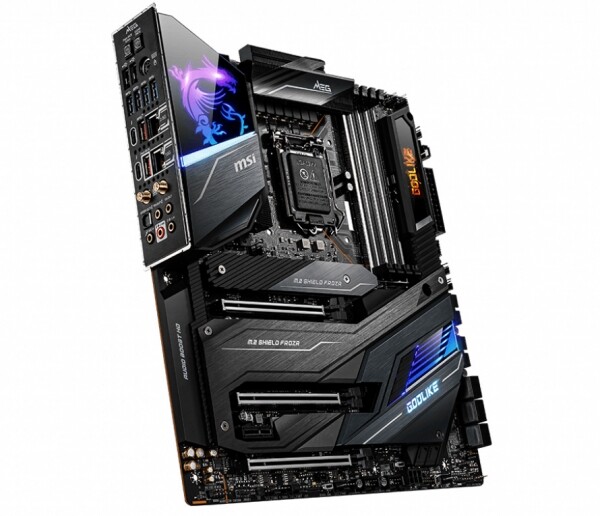
Alongside other manufacturers, the Taiwanese company MSI has introduced its motherboards for Comet Lake-S processors with LGA1200 socket, presenting a variety of models all at once. In total, the company offers 11 motherboards, ranging from basic and affordable to elite , which leads the series of MSI branded models for extreme overclocking MEG (MSI Enthusiast Gaming). There are four models in this series, and on any of them, you can extract the maximum from the existing Intel processors, provided you have very effective cooling and a good chip. However, the 'god-like' MEG Z490 Godlike sits at the top of this hierarchy — and it's from here that we will begin our acquaintance with MSI boards on Intel Z490.
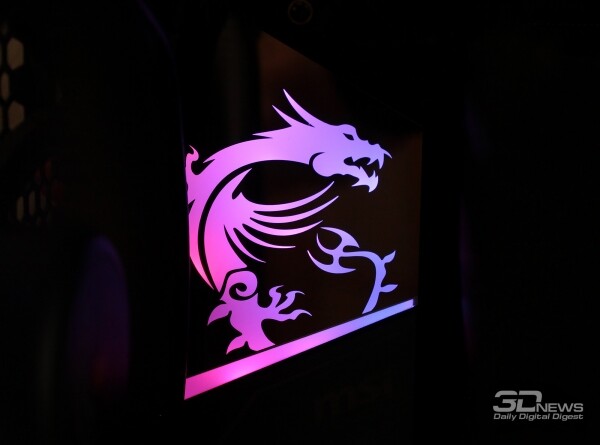
Review of the motherboard MSI MEG Z490 Godlike
Technical Specifications and Pricing
| MSI MEG Z490 Godlike | |
|---|---|
| Supported Processors | Intel Core i9 / Core i7 / Core i5 / Core i3 / Pentium Gold / Celeron processors in LGA1200 form factor of the 10th generation Core microarchitecture; support for Intel Turbo Boost 2.0 and Turbo Boost Max 3.0 technologies |
| Chipset | Intel Z490 |
| Memory Subsystem | 4 × DIMM DDR4 unbuffered memory up to 128 GB inclusive; dual-channel memory operation; support for modules with frequencies from 2133 to 2933 MHz and from 3000 (O.C.) to 5000 (O.C.) MHz; support for non-ECC unbuffered DIMM modules; support for Intel XMP (Extreme Memory Profile) |
| Graphical interface | Integrated graphics core in the CPU + Intel Thunderbolt 3 controller: – 2 Intel Thunderbolt 3 interface connectors (USB Type-C ports), video signal output via DisplayPort and Thunderbolt, maximum display resolution of 5120 × 2880 at 60 Hz, 24-bit color depth; – support for DisplayPort version 1.4, HDCP 2.3, and HDR; – maximum shared memory size of up to 1 GB |
| Expansion card slots | 3 PCI Express 3.0 x16 slots, operation modes x16/x0/x4 or x8/x8/x4; 1 PCI Express 3.0 x1 slot |
| Video subsystem scalability | AMD 3-way CrossFireX Technology NVIDIA 2-way SLI Technology |
| Storage interfaces | Intel Z490 chipset: – 6 × SATA III, bandwidth up to 6 Gbps (support for RAID 0, 1, 5 and 10, Intel Rapid Storage Technology, NCQ, AHCI, and Hot Plug); – 2 × M.2, bandwidth of each up to 32 Gbps (both support SATA and PCI Express drives with lengths from 42 to 110 mm). Intel processor: – 1 x M.2, bandwidth up to 32 Gbps (supports only PCI Express drives with lengths from 42 to 80 mm). Support for Intel Optane Memory technology |
| Network interfaces | 10-gigabit network controller Aquantia AQtion AQC107; 2.5-gigabit network controller Realtek RTL8125B; Intel Wi-Fi 6 AX201 wireless module (2 × 2 Wi-Fi 6 (802.11 a/b/g/n/ac/ax) with Wave 2 support operating in both 2.4 and 5.0 GHz bands, Bluetooth 5.1); MSI Gaming Lan Manager utility |
| Audio subsystem | 7.1-channel HD audio codec Realtek ALC1220: – ESS E9018 combo DAC; – Chemicon audio capacitors; – dedicated headphone amplifier with 600 Ohm resistance; – click protection; – left and right channel separation in different layers of the PCB; – printed circuit board insulation; – gold-plated audio connectors; – support for Nahimic 3 spatial sound technology |
| USB interface | Total number of USB ports – 19, including: 1) Intel Z490 chipset: – 6 USB 2.0 ports (2 on the back panel, 4 connect to connectors on the motherboard); – 3 USB 3.2 Gen2 ports (2 Type-A on the back panel, 1 Type-C connects to the connector on the PCB); 2) Intel JHL7540 Thunderbolt 3 controller: – 2 USB 3.2 Gen2 ports (Type-C, on the back panel); 3) ASMedia ASM1074 controller: – 8 USB 3.2 Gen1 ports (4 on the back panel, 4 connect to two connectors on the motherboard) |
| Connectors and buttons on the rear panel | Clear CMOS and Flash BIOS buttons; two USB 2.0 ports and a combined PS/2 port; four USB 3.2 Gen1 Type-A ports; USB 3.2 Gen2 Type-A/C ports and 2.5G network port; USB 3.2 Gen2 Type-A/C ports and 10G network port; two SMA connectors for wireless communication module antennas (2T2R); optical output of the S/PDIF interface; five gold-plated 3.5mm audio connectors |
| Internal connectors on the PCB | 24-pin ATX power connector; 2 8-pin ATX 12V power connectors; 6-pin PCIe power connector; 6 SATA 3; 3 M.2 Socket 3; USB Type-C connector for connecting USB 3.2 Gen2 10 Gbps port; 2 USB connectors for connecting four USB 3.2 Gen1 5 Gbps ports; 2 USB connectors for connecting four USB 2.0 ports; 4-pin connector for CPU cooling fan; 4-pin connector for CPU water pump; 8 4-pin connectors for chassis fans with PWM support; 3-pin Water Flow connector; group of connectors for the chassis front panel; two connectors for temperature sensors; Chassis Intrusion connector; TPM module connector; 4-pin RGB LED connector; 2 3-pin Rainbow LED connectors; 3-pin Corsair LED connector; POST code indicator; LEDs for CPU/DRAM/VGA/BOOT; Reset button; Power button; OC Fail Save button; OC Retry button |
| BIOS; | 2 × 256 Mbit AMI UEFI BIOS with multilingual interface and graphical shell; support for Dual BIOS; support for SM BIOS 2.8, ACPI 6.2 |
| I/O Controller; | Nuvoton NCT6687D-M |
| Form factor, dimensions (mm); | E-ATX, 305 × 277 |
| Operating system support; | Windows 10 x64; |
| Warranty; manufacturer;, years; | 3 |
| Retail price, ₽ | 69 999 |
Packaging and contents;
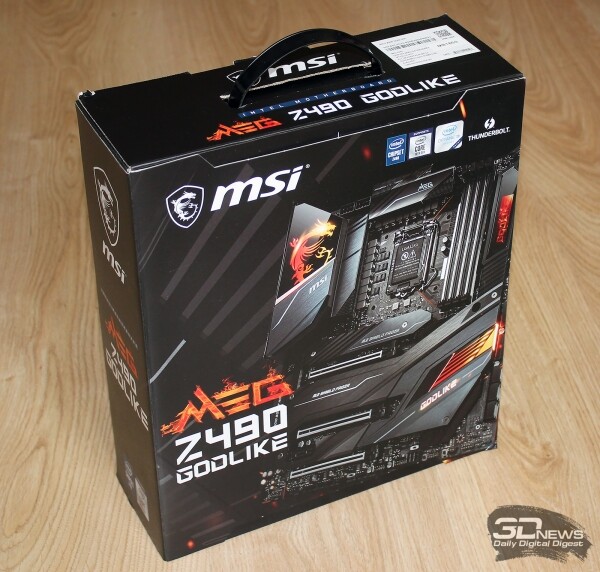
The large cardboard box that the MSI MEG Z490 Godlike comes in is vertically oriented and has a plastic carrying handle. The front side features an image of the motherboard, with the series and model name indicated nearby.
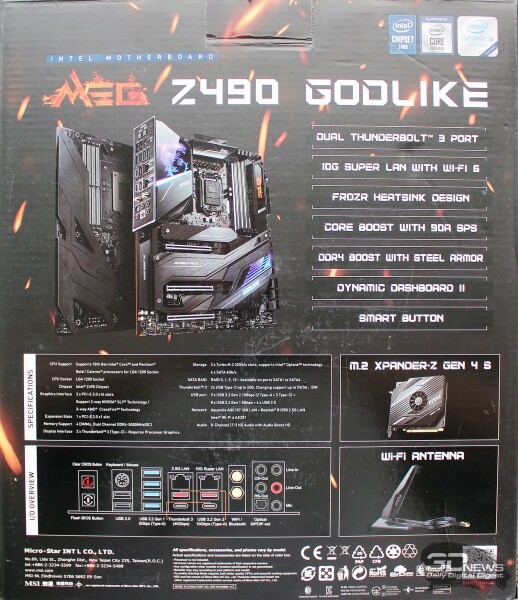
On the opposite side of the box, the key features of the product are described, with brief specifications provided and a list of the interface panel ports included.
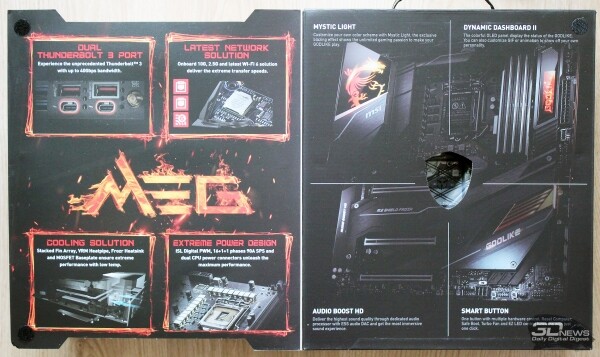
The board's features are detailed under the upper flip cover of the box.
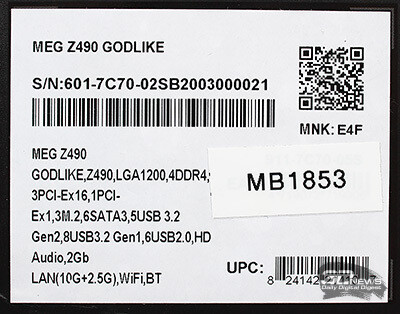
On a paper sticker on one of the ends, you can find the product's serial number and a very brief enumeration of technical specifications.
Inside the main packaging, there are two additional flat boxes. One contains the board itself, while the other holds the components, including various cables and accessories, antennas for the wireless communication module, instructions, and stickers.
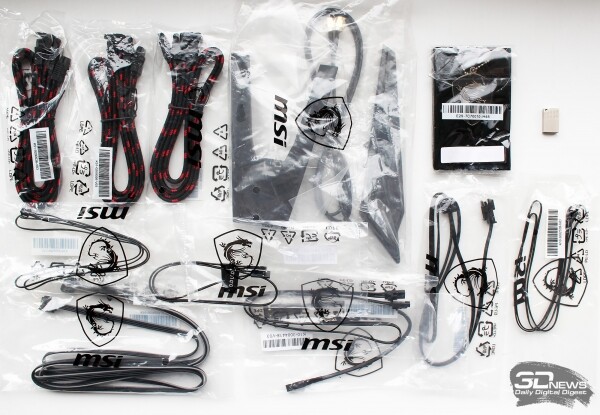 | 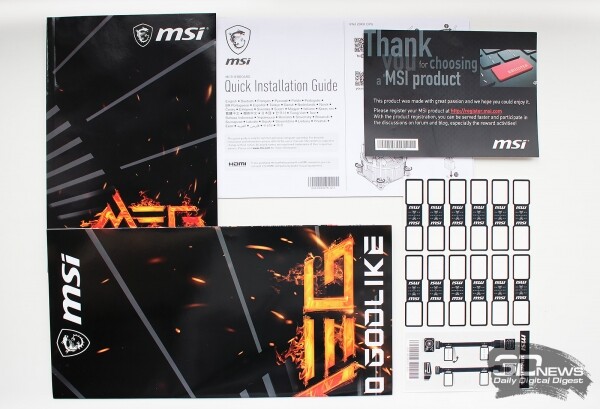 |
Also included is the M.2 Xpander-Z Gen4 S expansion card for additional NVMe M.2 storage. We will explore this throughout the article.
Since the new MSI board is named MEG Z490 Godlike, which resonates with something elevated, the company did not skimp on its price: this model can be purchased for the cost of a somewhat decent laptop, that is, for no less than 70,000 rubles. For this amount, you also get a three-year warranty on the board.
Design and Features
The MSI MEG Z490 Godlike conforms to the best traditions of flagship boards on any chipset: E-ATX form factor (305 × 277 mm), 'armor' covering almost the entire area of the PCB, and a weight equivalent to that of one and a half CPU super coolers.
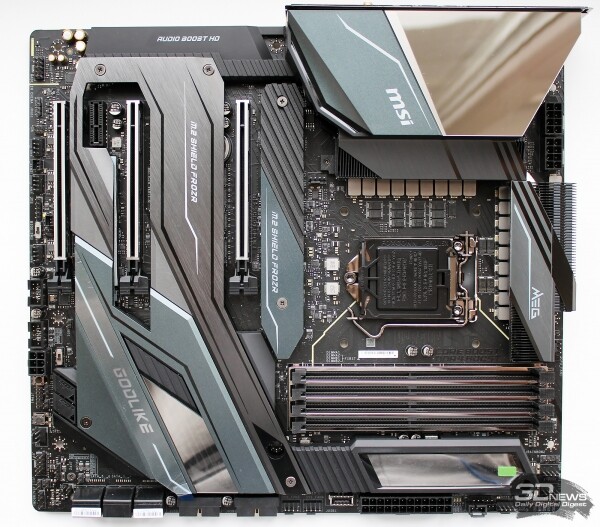 |  |
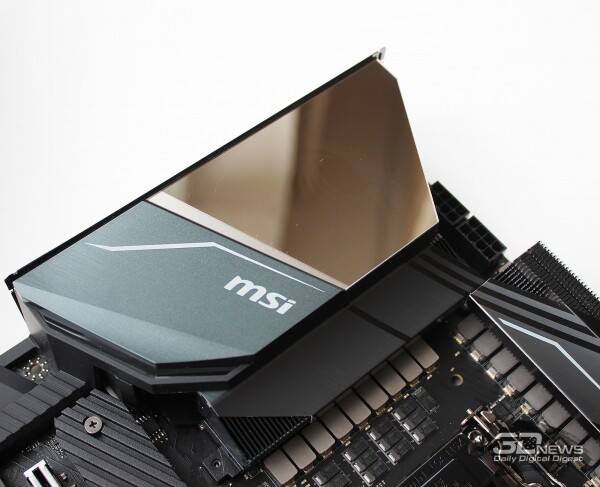
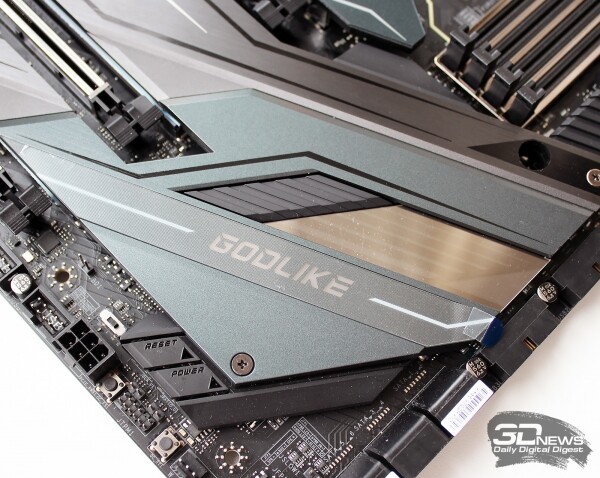
There are no bright details in the board's design, but thanks to the smooth mirrored surfaces of the inserts and sculpted heatsinks on the M.2 storage ports, the MEG Z490 Godlike looks interesting, modern, and sleek.
 |  |
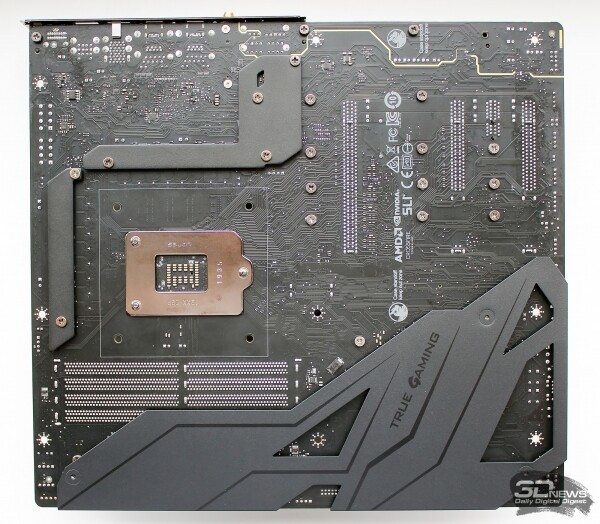
On the back of the PCB, there is a protective and reinforcing plate called the Chest Plate, as well as heat dissipation plates on the power circuits.
The interface panel of the board contains everything necessary for any tasks, except for video outputs, which are meaningless on boards of this level. Here, you'll find BIOS update and CMOS reset buttons, a combined PS/2 port, 10 USB ports of various types, two network sockets, connectors for antennas of the wireless communication module, an optical output, and five gold-plated audio jacks.
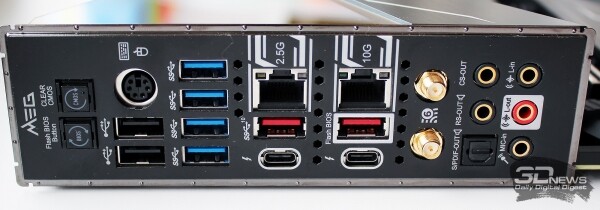
All ports are marked with icons or labeled, and the USB ports are additionally highlighted in color.
Without the heat sinks and plastic cover, the board looks as follows.
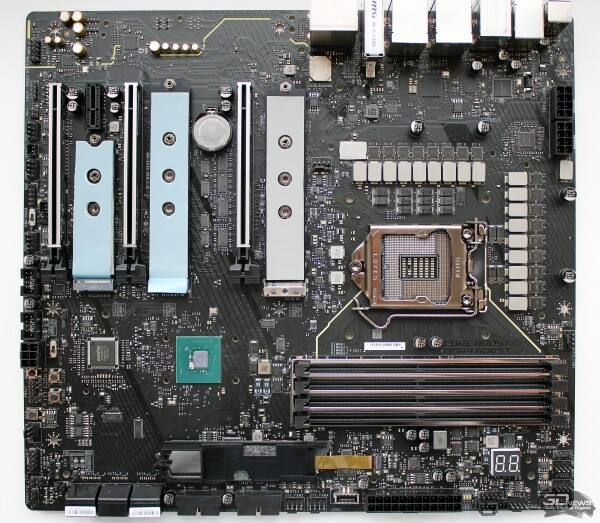
The MSI MEG Z490 Godlike is based on an eight-layer PCB, and the mounting holes have a double ring of grounding points — this should ensure enhanced protection against electrostatic discharge.
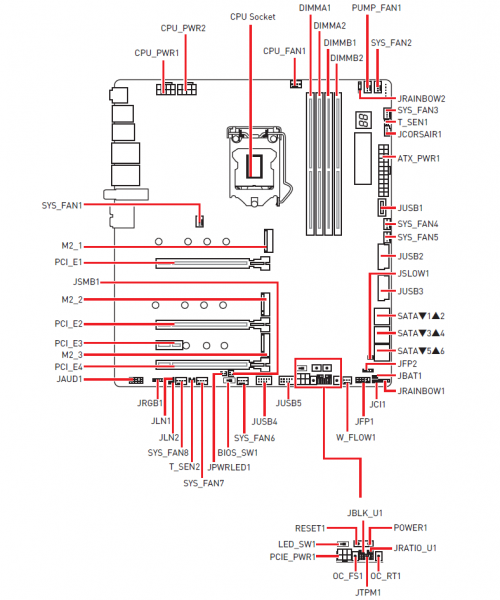
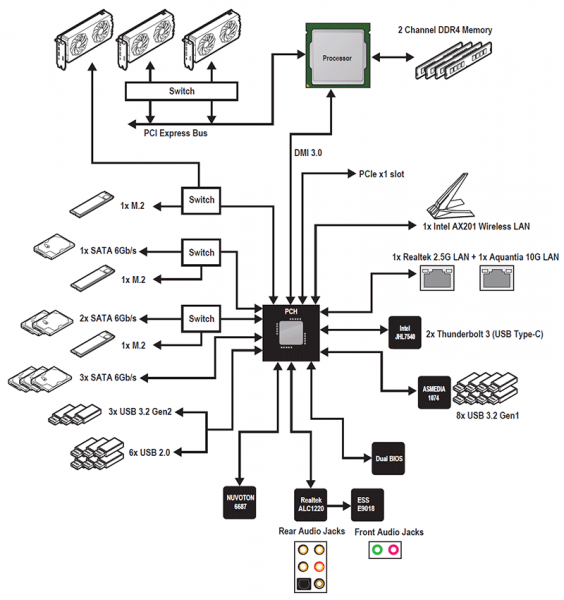
The board is complex and perhaps even overloaded with components and controllers, which can be understood with the help of and the diagram of the main elements from it.
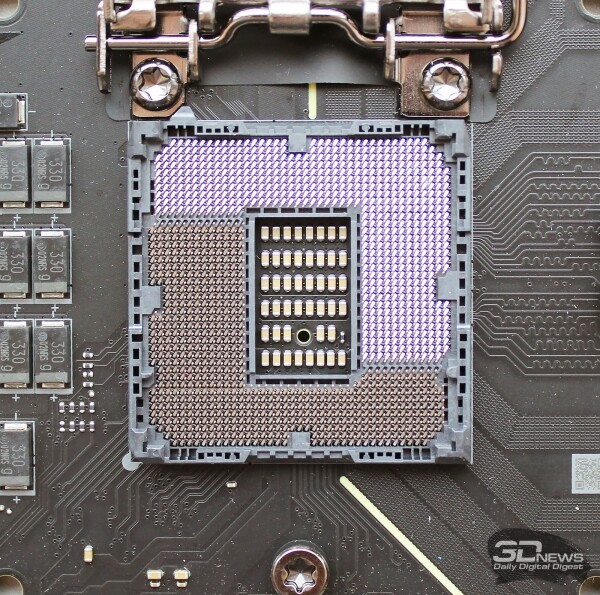
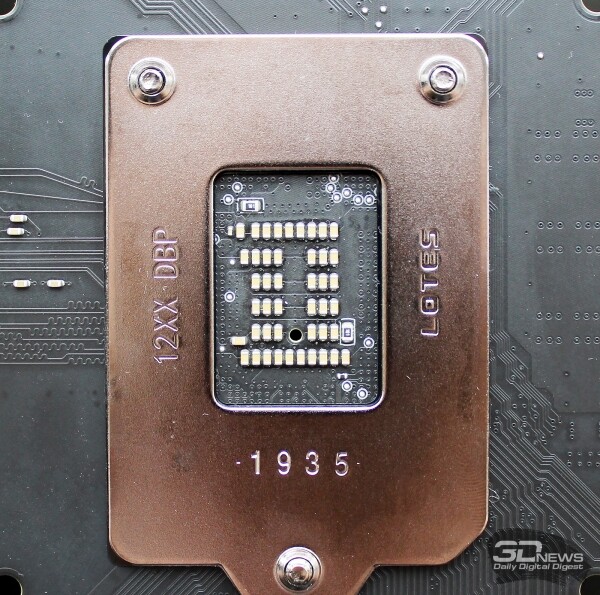
The LGA1200 CPU socket on the MSI MEG Z490 Godlike differs from the socket on other Intel Z490 boards by its placement and the number of stabilizing capacitors, as well as the thermal sensor hole.
 |  |
The list of compatible processors for the board includes LGA1200 processors, from the 35-watt Intel Pentium Gold G6500T to the flagship Intel Core i9-10900K with its official but not real 125-watt TDP.
The CPU power system is built on a 16-phase scheme.
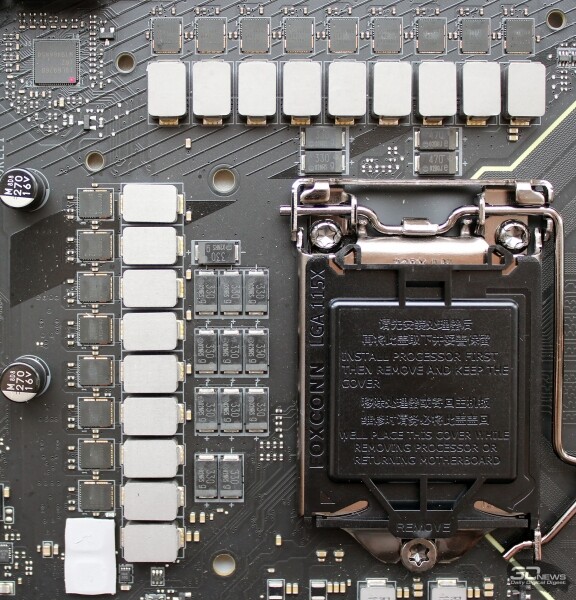 | 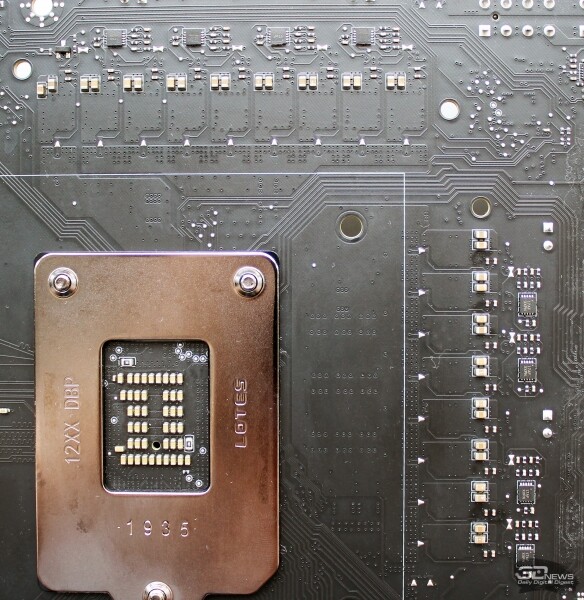 |
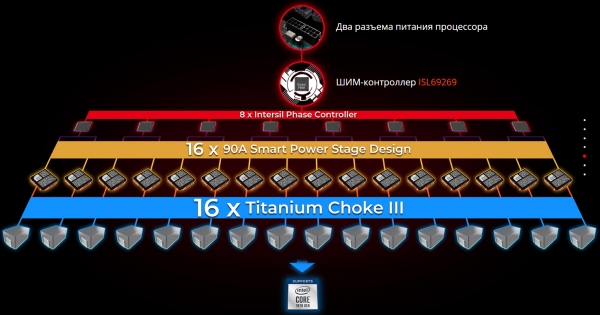
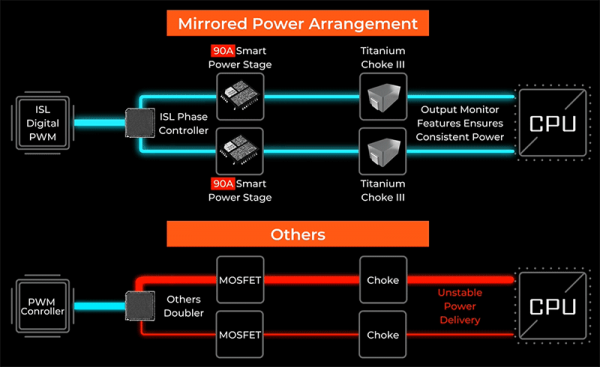
Each phase consists of Intersil ISL99390 MOSFETs rated at 90 A and a third-generation titanium coil.
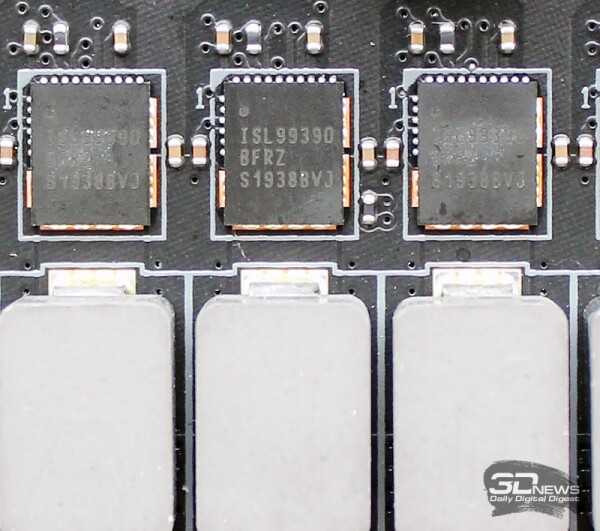
Thus, the board can deliver a total of 1440 A to the processor, which is sufficient for any current and future Intel processors (just make sure to prepare a more powerful power supply). Another power phase of the same configuration is allocated for VCCSA.
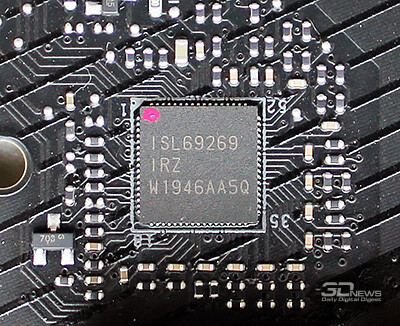
Power management is implemented with an eight-channel controller Intersil ISL69269 with Intersil ISL6617A doublers, symmetrically soldered on the reverse side of the PCB.
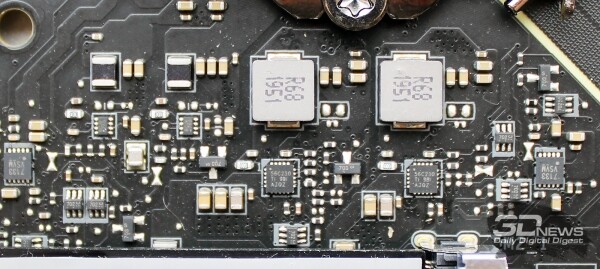
Below the CPU socket, you can see two more power phases, which are presumably allocated for VCCIO.
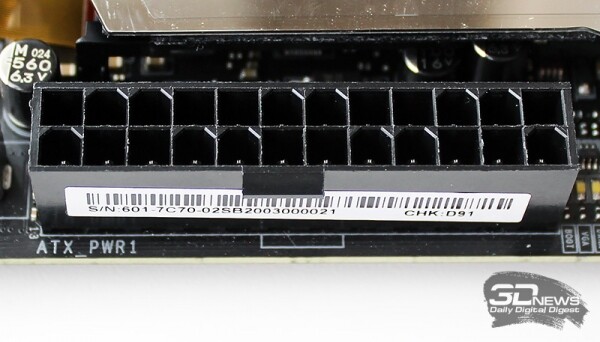
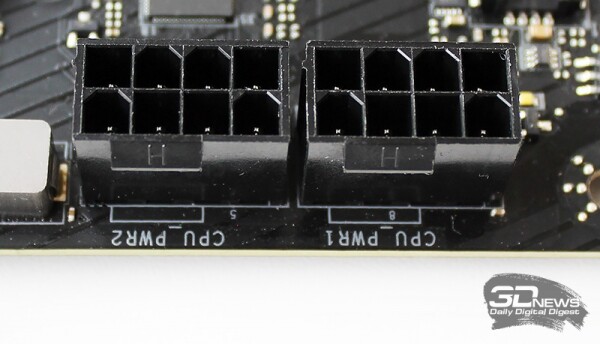
For power supply, the MSI MEG Z490 Godlike has one 24-pin connector, a pair of eight-pin connectors, and one six-pin connector at the bottom of the PCB.
 |  |
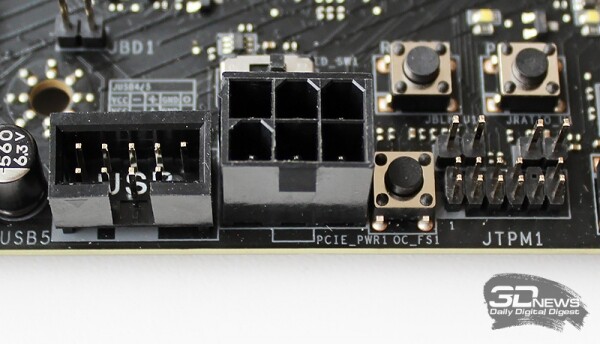
It is recommended to connect a cable to it only when installing two high-power GPUs on the board. There’s no discussion about installing three GPUs on boards with the Intel Z490 chipset due to PCI-Express lane limitations (only x8/x8/x4 topology is possible).
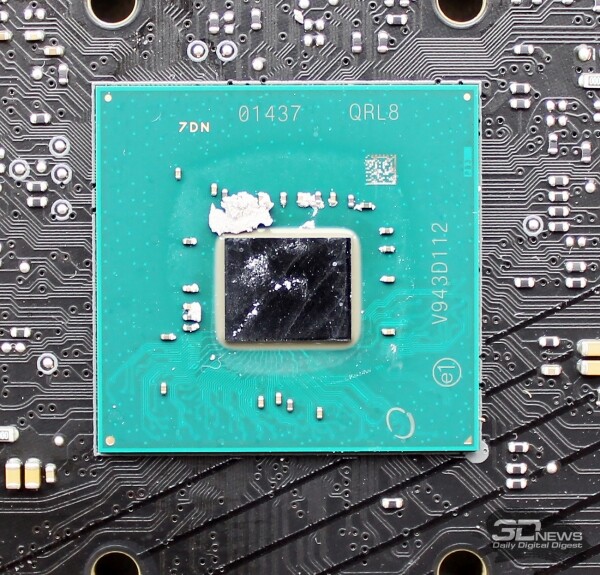
By the way, about the chipset. On the MSI MEG Z490 Godlike, it is covered with a flat heatsink with a plastic overlay and thermal pad. Its traces are visible on the chipset die.
The resources of Intel Z490 together with the resources of the CPU are distributed according to the following block diagram.
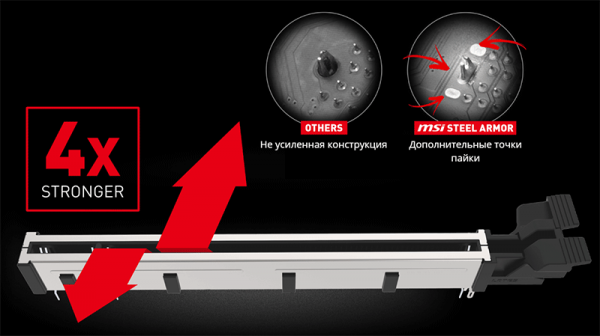
Four DIMM slots for DDR4 memory feature a Steel Armor metal shield that strengthens the slots and protects the contacts from electromagnetic interference, along with additional soldering points on the fiberglass. The memory module locks in the slots are positioned only on the right side.
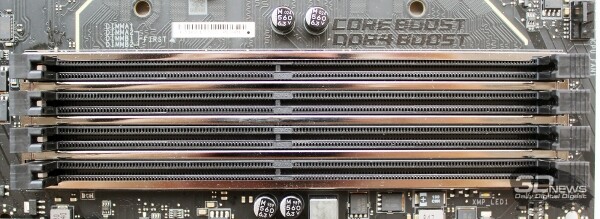
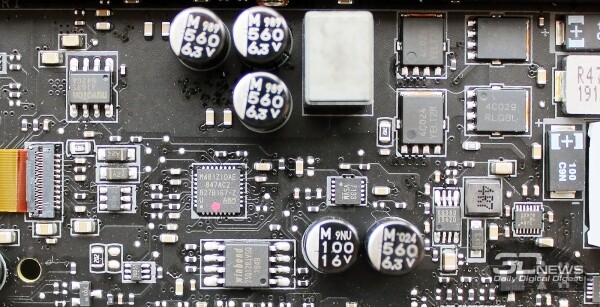
On the MSI MEG Z490 Godlike, the memory is organized in a Daisy Chain topology. The board supports operation with modules at an effective frequency of 5.0 GHz, examples of which are already in the , and the proprietary DDR4 Boost technology is designed to ease overclocking and enhance stability. Additionally, it should be noted that the memory power system is single-channel.
Like the memory slots, all PCI-Express 3.0 x16 slots are also covered by Steel Armor, which has increased their bending resistance by four times.
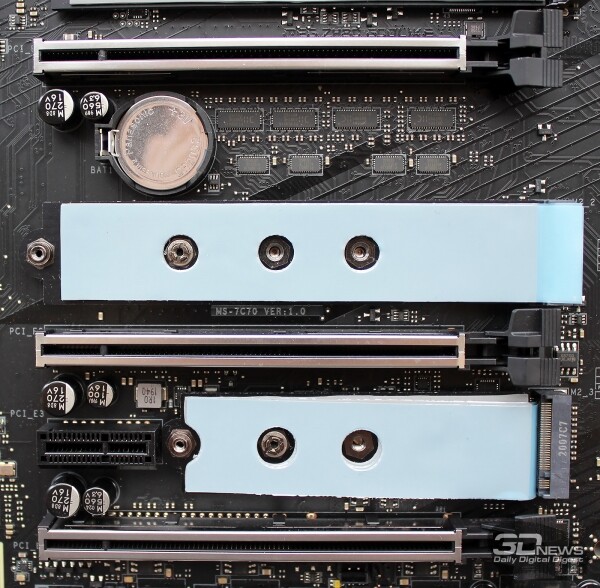
It's worth mentioning that the first slot is located far from the CPU socket area, meaning it won't interfere with the installation of large super coolers. This slot and the second slot are connected to the PCI-Express CPU lines and can operate in x16/x0 or x8/x8 modes. The switching of slot operation is implemented via Pericom PI3EQX16 signal amplifiers.
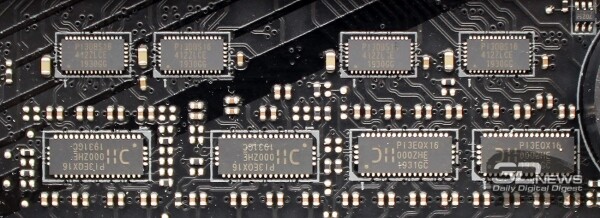
The lower PCI-Express 3.0 x16 can only operate in x4 mode, and in addition, there is a small PCI-Express x1 slot for expansion cards. The distribution options of chipset and CPU lines between the PCI-Express slots and M.2 ports are provided in the table.
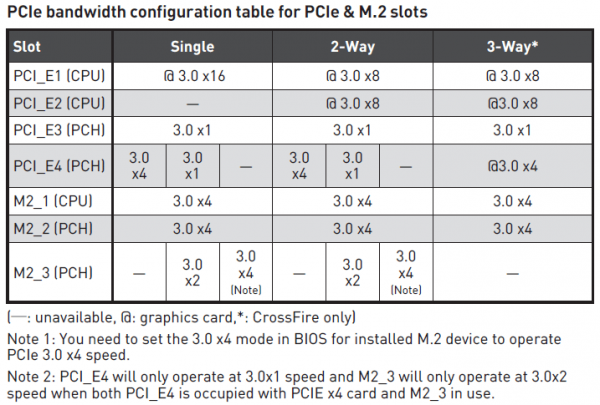
Additionally, according to official MSI information, the MEG Z490 Godlike motherboard supports the high-speed PCI-Express 4.0 bus, which will be activated simultaneously with the release of new Intel processors and a BIOS update.
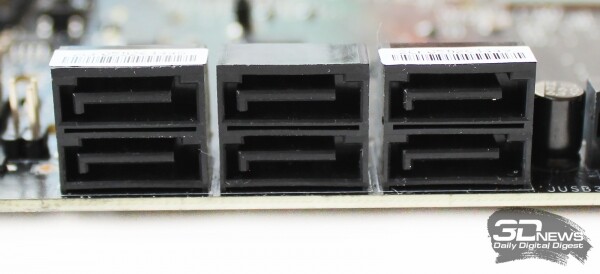
In terms of SATA-type storage ports, the board does not stand out in any special way: six SATA III ports with a bandwidth of up to 6 Gbps are implemented by the Intel Z490 chipset.
However, the situation with M.2 ports for SSDs is much more interesting. The motherboard has three Turbo M.2 ports, each capable of reaching a bandwidth of 32 Gbps. The first two ports are powered by the chipset and support both SATA and PCI Express drives ranging from 42 to 110 mm in length.
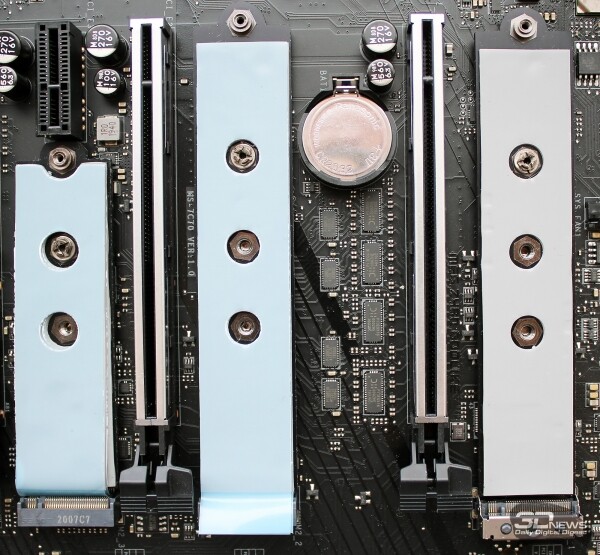
The lower slot uses CPU lines and can work exclusively with PCIe drives ranging from 42 to 80 mm in length. For all drives in the M.2 ports, dual-sided heatsinks with thermal pads are provided.
An additional increase in the number of high-speed drives can be achieved with the included MSI MEG Z490 Godlike M.2 Xpander-Z Gen4 S expansion card, which has native support for the PCI-Express 4.0 bus.
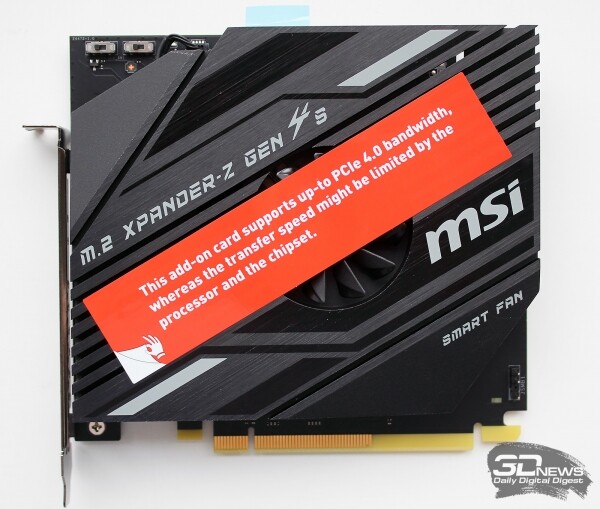 | 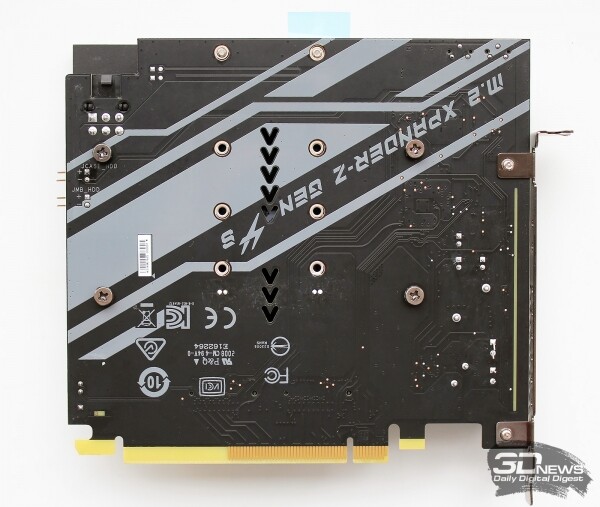 |
It can accommodate two actively cooled SSDs measuring from 42 to 110mm in length.
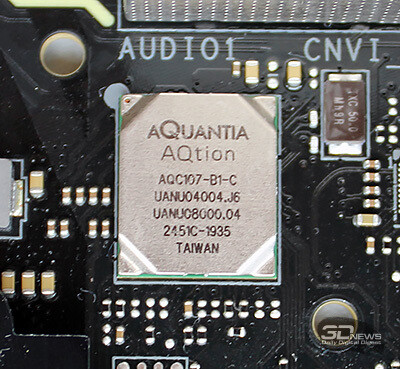
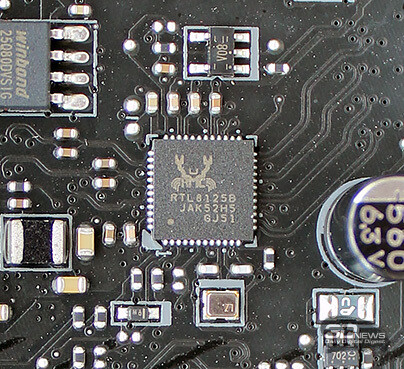
Like other flagship boards, the MSI MEG Z490 Godlike is equipped with a 10-gigabit network controller, the Aquantia AQC107, as well as a 2.5-gigabit .
 |  |
The wireless networks are handled by the module with support for Wi-Fi 6 and Bluetooth 5.1. The MSI Gaming Lan Manager utility will help manage network traffic. .
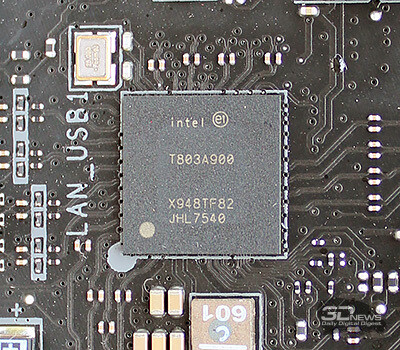
The developers of the MSI MEG Z490 Godlike equipped the board with a total of nineteen USB ports of various types. On the interface panel, there are 10 ports, including a pair of USB 3.2 Gen2 (Type-C), provided by the Intel T803A900 controller (Thunderbolt 3 interface with a bandwidth of up to 40 Gbps).
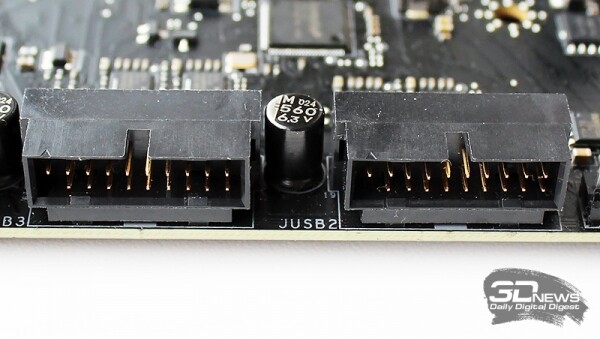
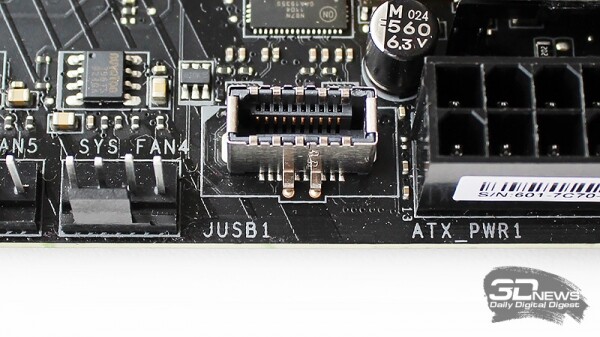
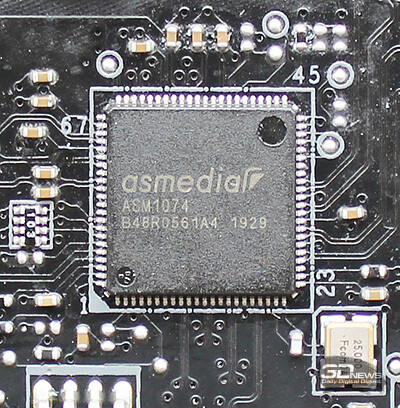
On the PCB, there are two USB 2.0 headers (4 ports), two USB 3.2 Gen1 (4 ports from the hub ) and one high-speed USB 3.2 Gen2 for the front panel of the case.
 |  |
It seems that Realtek ALC1220 has monopolized the audio market for high-performance boards, as we are testing the third flagship on Intel Z490 — and it is once again equipped with this audio processor.
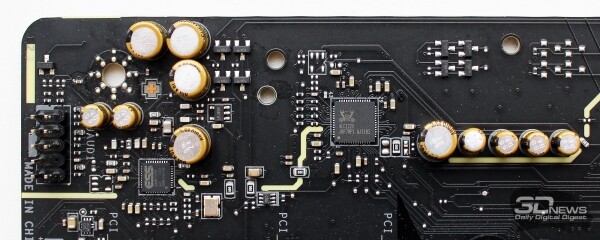
To enhance sound quality, a digital-to-analog converter, the ESS E9018 combo DAC, Chemicon audio capacitors, a dedicated headphone amplifier with 600 ohm resistance, click protection when connecting a cable, and isolation of the audio components from the rest of the PCB using a non-conductive strip have been implemented.
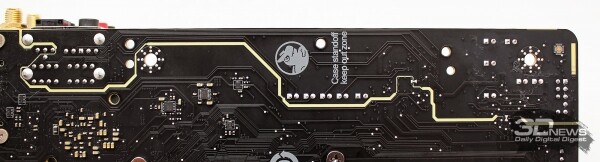
We will also add gold-plated connectors and support for spatial sound technology, .
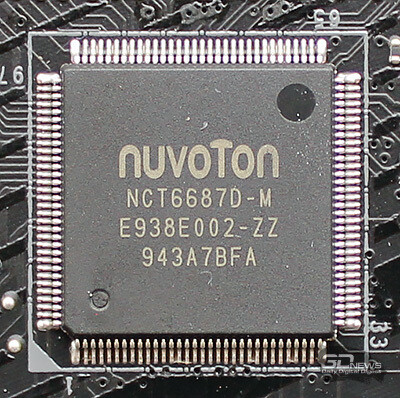
The Multi I/O and monitoring functions on the MSI MEG Z490 Godlike are implemented by the Nuvoton NCT6687D-M controller.
The board can connect up to 10 fans with PWM support — or without it, in which case speed regulation will occur via voltage (DC).
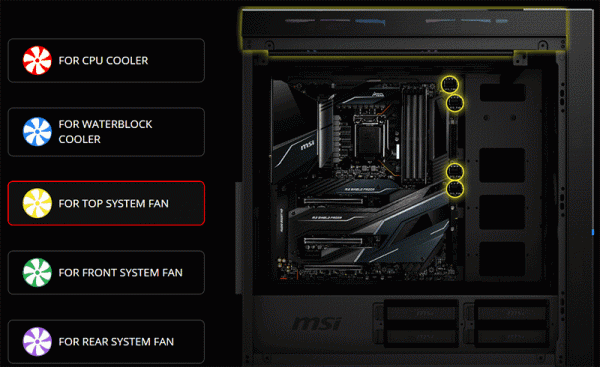
Additionally, there is a three-pin Water Flow connector and two slots for temperature sensors.
The toolset for overclocking the processor is also quite sufficient: in addition to contact points for voltage measurements and jumpers, LED indicators, various buttons, and a multifunctional POST code indicator have been added.
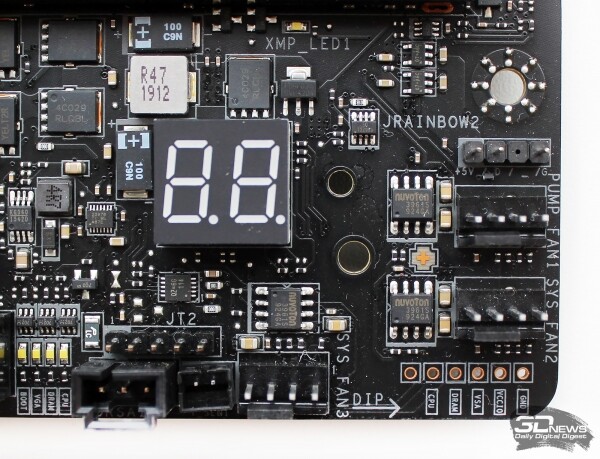 | 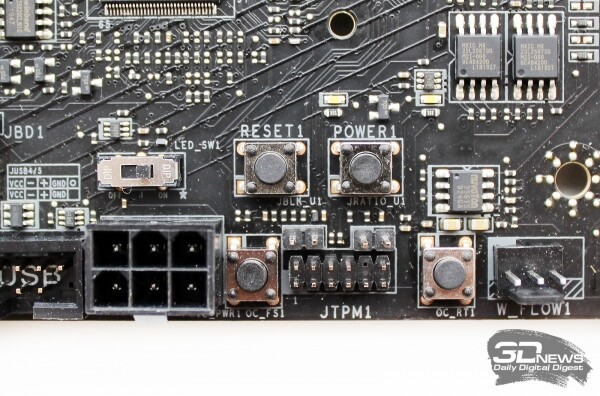 |
The last one is implemented quite originally, as it coexists with a small display that can show various kinds of information, including monitoring data.
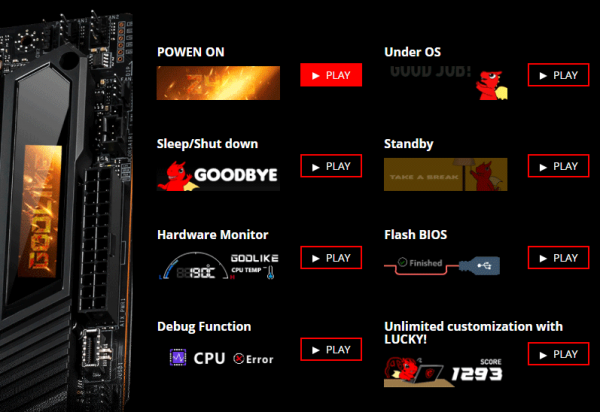
Of course, the MSI MEG Z490 Godlike features lighting—how could it not? The chipset heatsink area is illuminated, and—especially beautifully—the area of the interface panel cover (the dragon in the first photo of the article is right from there). The proprietary lighting system is called and supports countless operating modes.
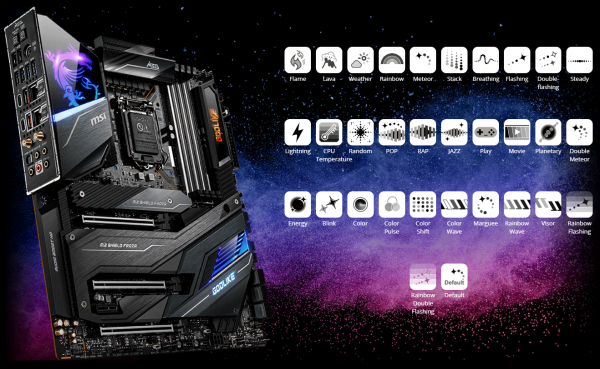
You can expand the board’s lighting with LED strips using three RGB LED connectors, two of which are addressable. Additionally, there’s a 3-pin Corsair LED connector on the board for connecting and controlling lighting of the products from this company.
Most connectors are located at the bottom of the board. There, in addition to the buttons and connectors already shown, you can see a small BIOS selection switch.

The MSI MEG Z490 Godlike features dual BIOS with the capability to automatically recover the image from a backup chip and update without using a processor or RAM.
For cooling the VRM circuits, there is a dual heatsink with a heat pipe, while the plate on the back side of the board serves only a protective function and enhances the board against bending.
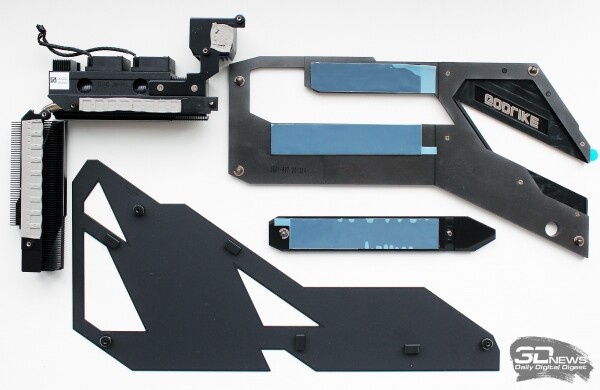 | 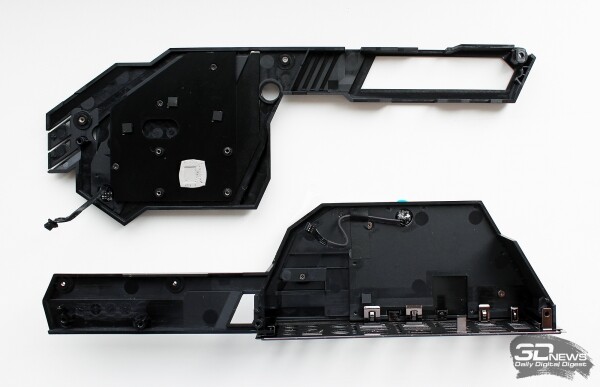 |
Two small fans are installed on the VRM heatsink.
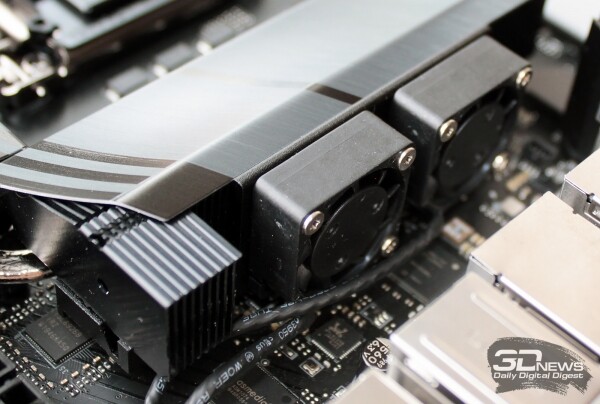
We have serious doubts about their effectiveness since they draw air from nowhere and expel it to nowhere. Fortunately, they only turn on when the VRM circuits reach a temperature of 70 degrees Celsius and above.
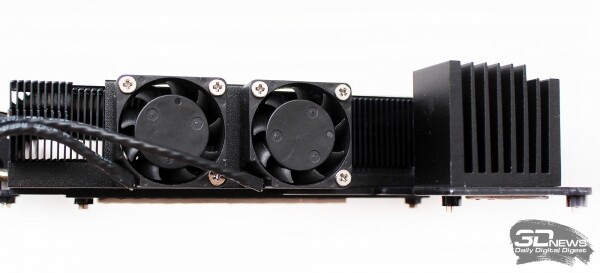
These fans evoke particular amusement due to the ratio of rotor diameter to useful blade area, which resembles saw teeth more than fan blades. MSI would have been better off without these little "whirlers".
UEFI BIOS Capabilities
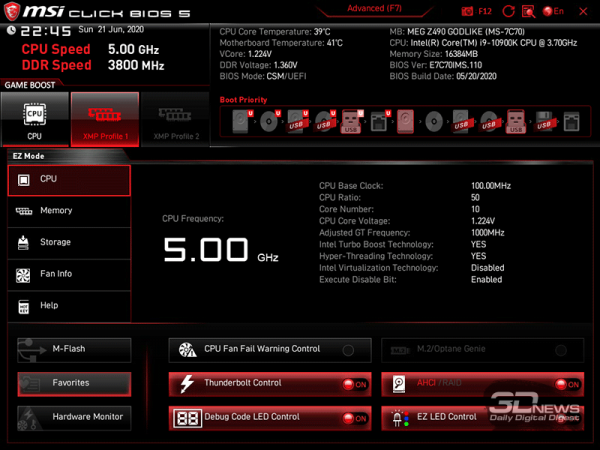
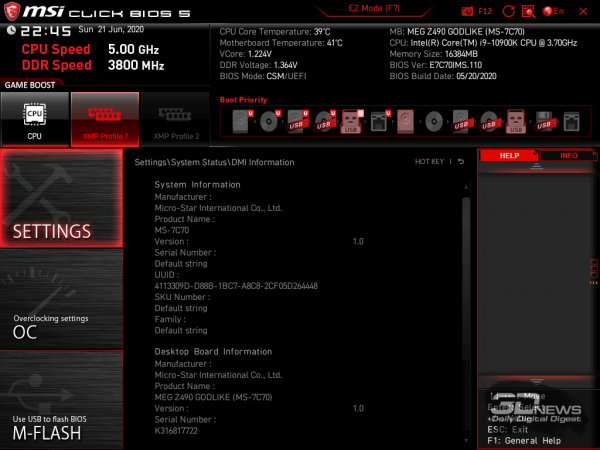
The flagship MSI MEG Z490 Godlike is equipped with AMI UEFI BIOS featuring a multilingual interface, a graphical shell, and the proprietary name MSI Click BIOS 5. The latest version available at the time of testing is 7C70v11 which was dated May 20 of this year. The board starts in EZ Mode with basic settings, where you can not only find information about the system and basic settings but also activate the automatic overclocking mode Game Boost and XMP for the RAM.
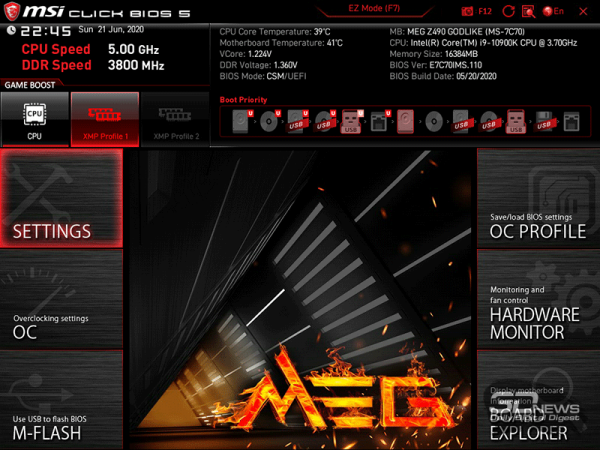
When switching to advanced mode, the top panel of the window remains unchanged, while the lower two-thirds of the screen display six main sections.
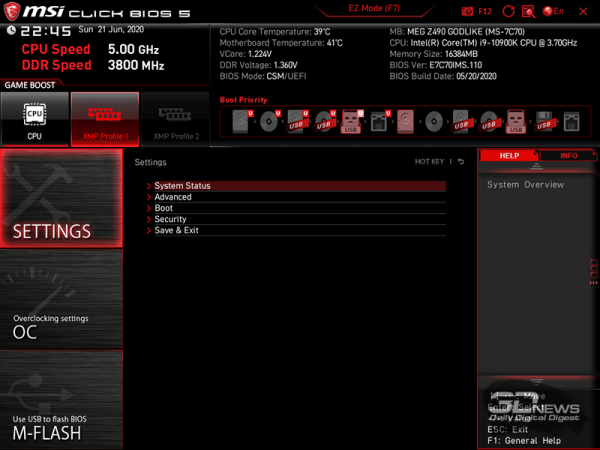
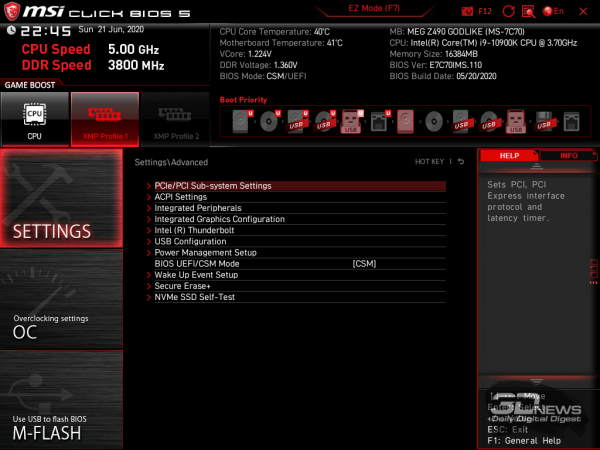
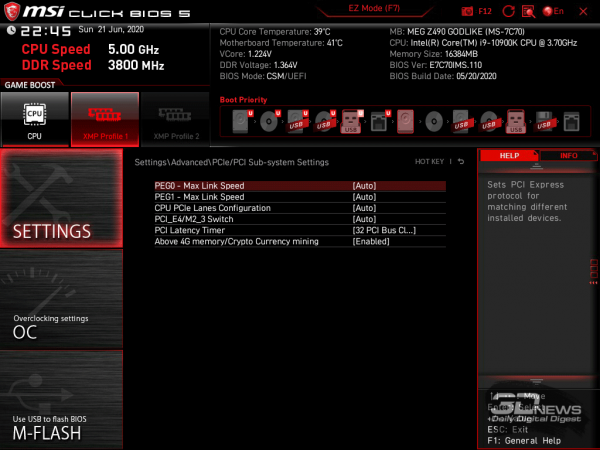
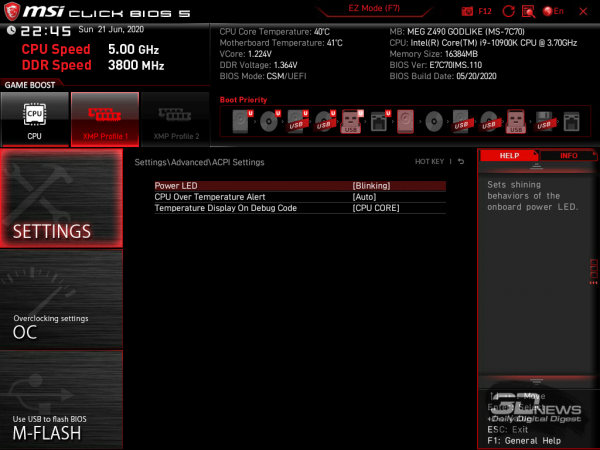
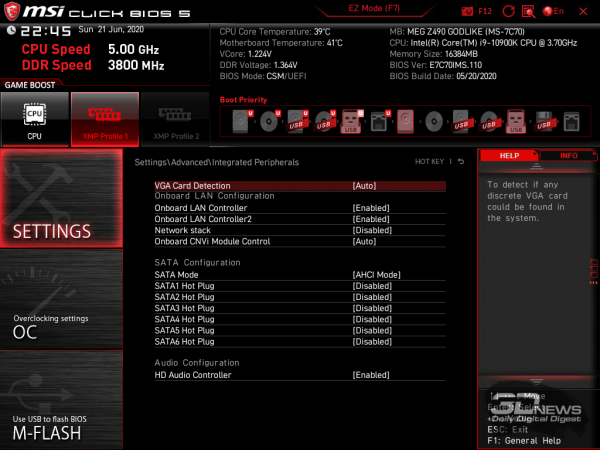
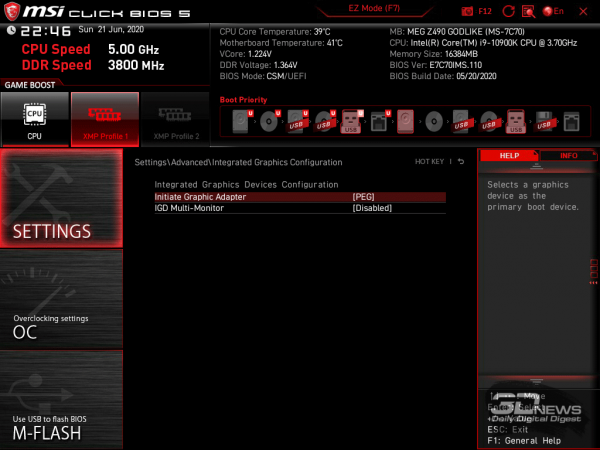
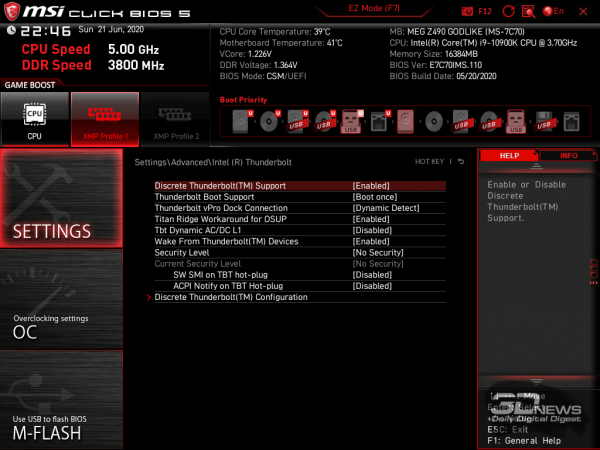
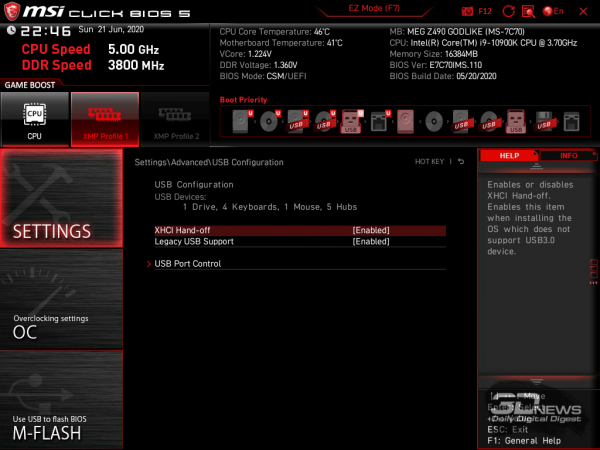
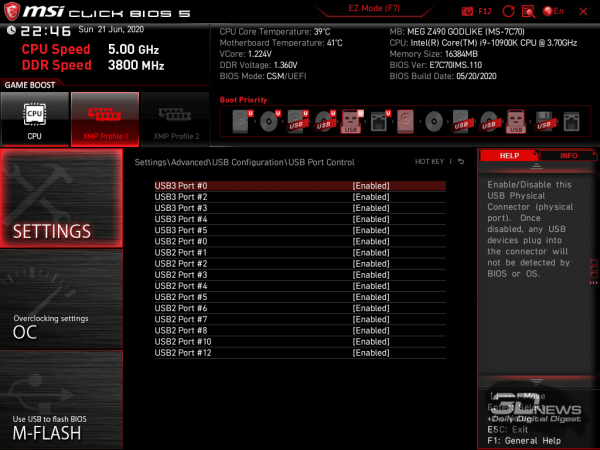
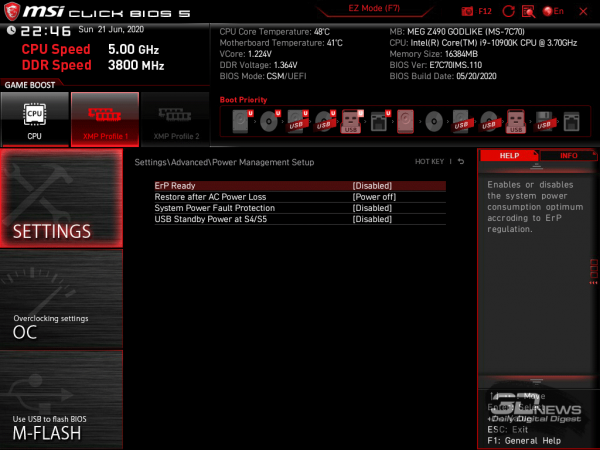
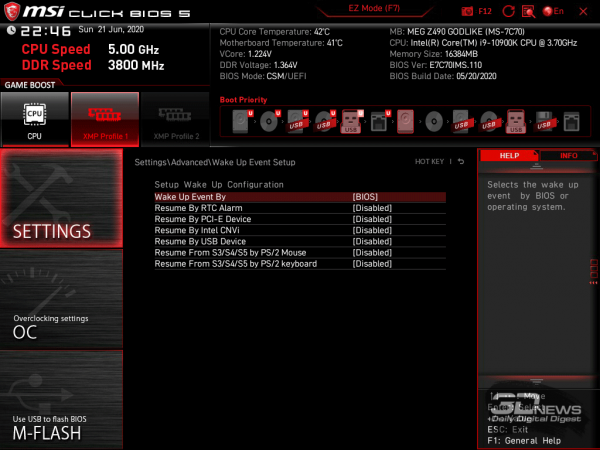
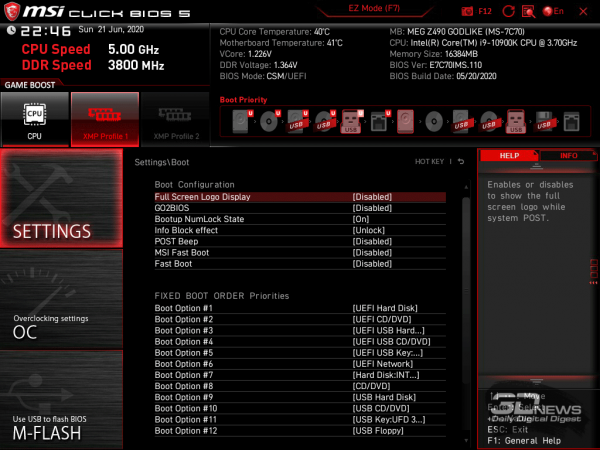
The first section includes settings for peripheral devices and board controllers, boot parameters, and security options.
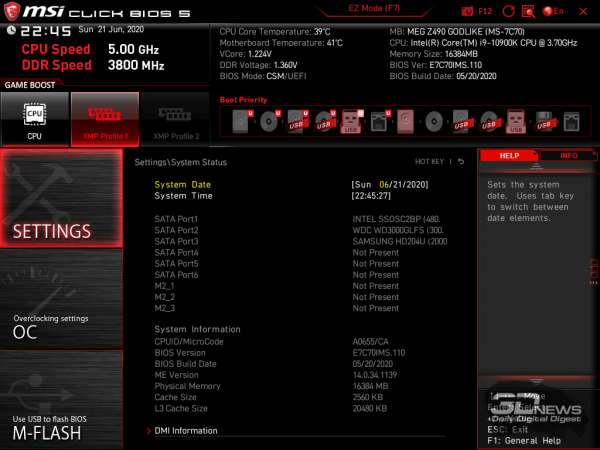
Since these settings do not require additional comments, we will simply provide screenshots of the BIOS with them.
 |  | |
 |  | |
 |  | |
 |  | |
 |  | |
 |  | |
 | 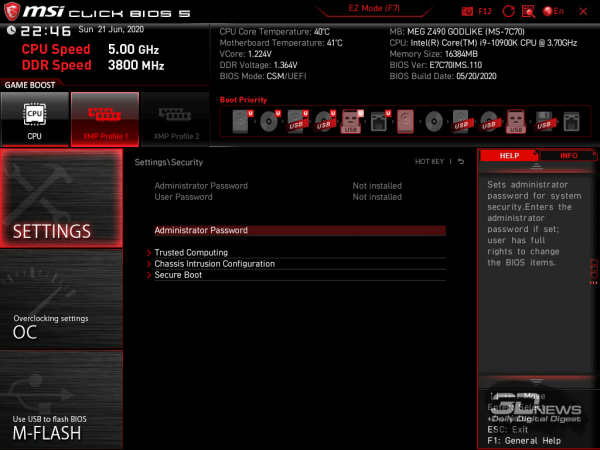 |
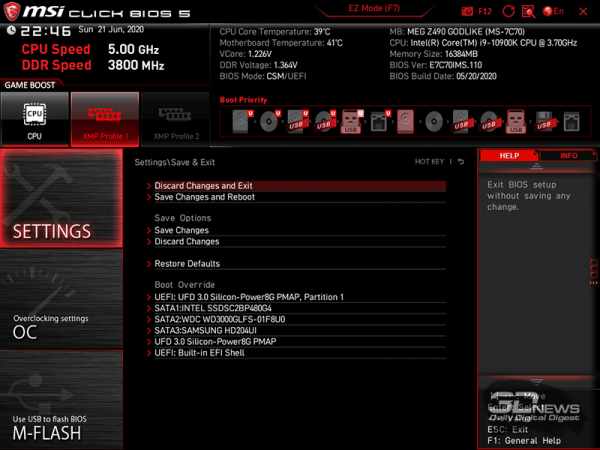
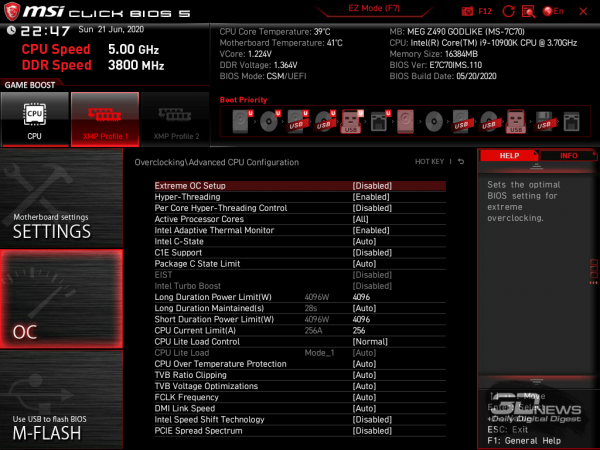
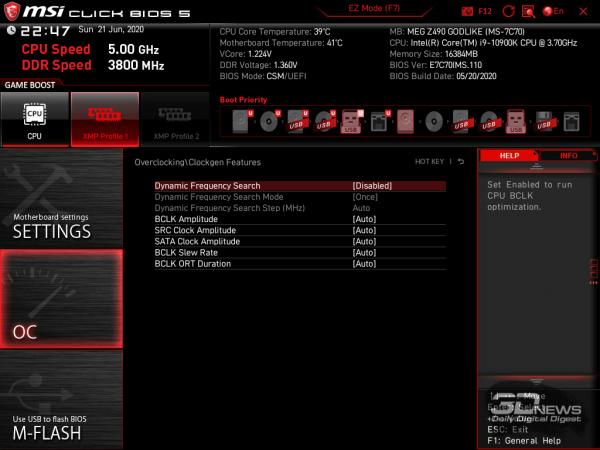
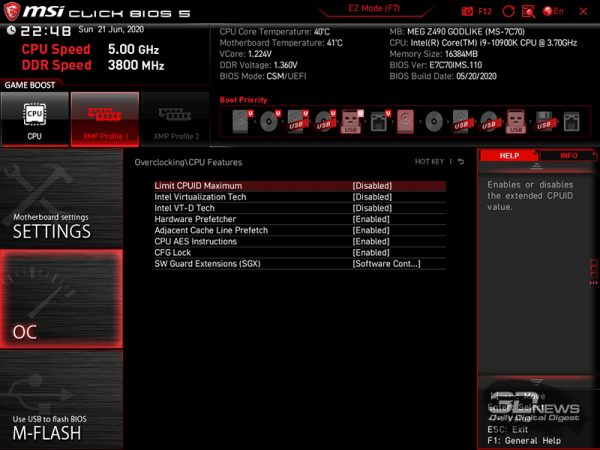
The BIOS section with the telling name OC is much more interesting. Overclockers have plenty of options here: any parameters for CPU and RAM operation can be changed, including voltage and limit adjustments.
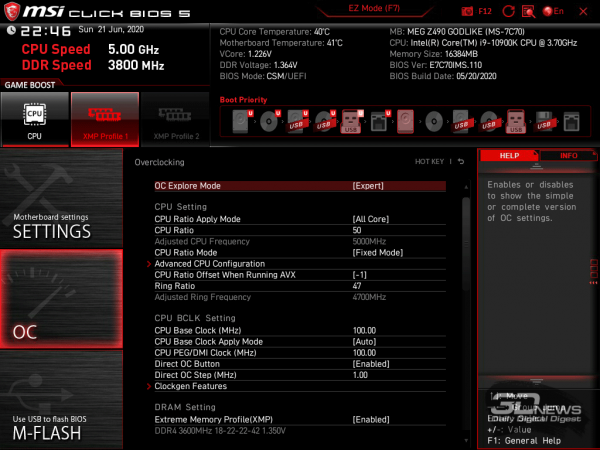 | 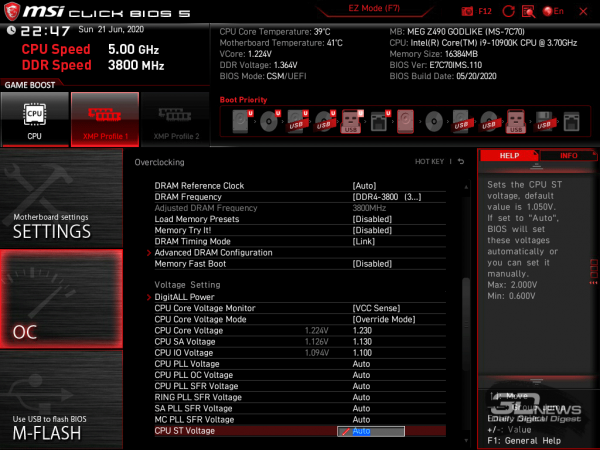 | |
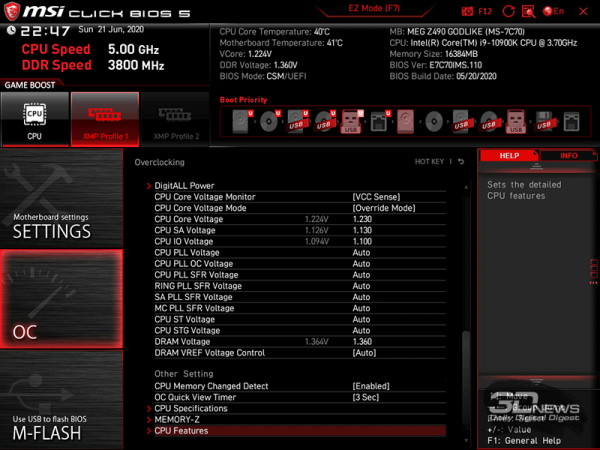 |  |
We will present the capabilities for changing the main voltages in the BIOS of the MSI MEG Z490 Godlike motherboard in a table, indicating the maximum and minimum values, as well as the steps for their adjustment.
| Voltage | Minimum value, V | Maximum value, V | Step |
| CPU Core | 0,600 | 2,155 | 0,005 |
| CPU VCCSA | 0,600 | 1,850 | 0,010 |
| CPU VCCIO | 0,600 | 1,750 | 0,010 |
| CPU PLL | 0,600 | 2,000 | 0,010 |
| CPU PLL OC | 0,600 | 2,000 | 0,010 |
| CPU PLL SFR | 0,900 | 1,500 | 0,015 |
| RING PLL SFR | 0,900 | 1,500 | 0,015 |
| SA PLL SFR | 0,900 | 1,500 | 0,015 |
| MC PLL SFR | 0,900 | 1,500 | 0,015 |
| CPU ST | 0,600 | 2,000 | 0,010 |
| CPU STG | 0,600 | 2,000 | 0,010 |
| DRAM | 0,600 | 2,200 | 0,010 |
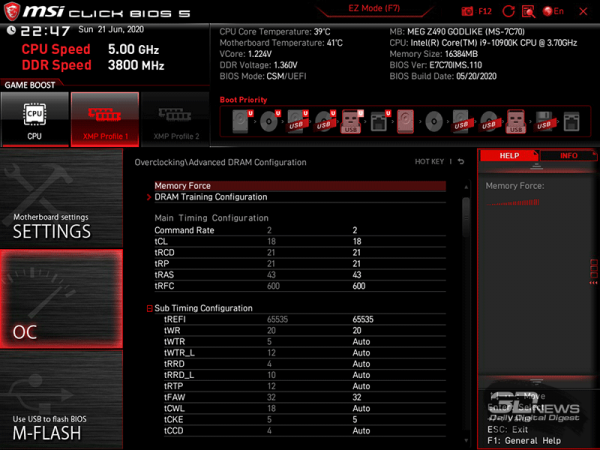
The BIOS also allows for the adjustment of all known memory timings.
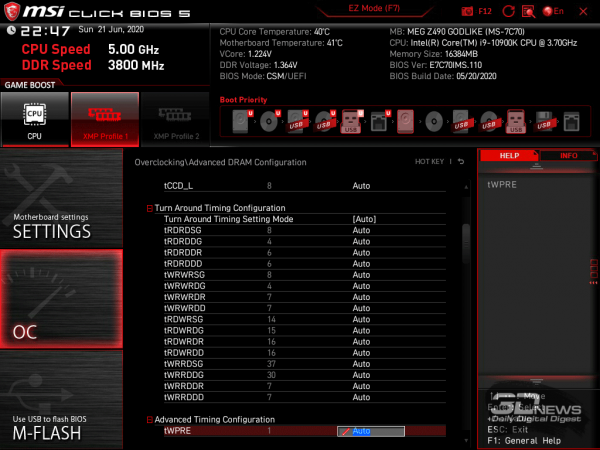 | 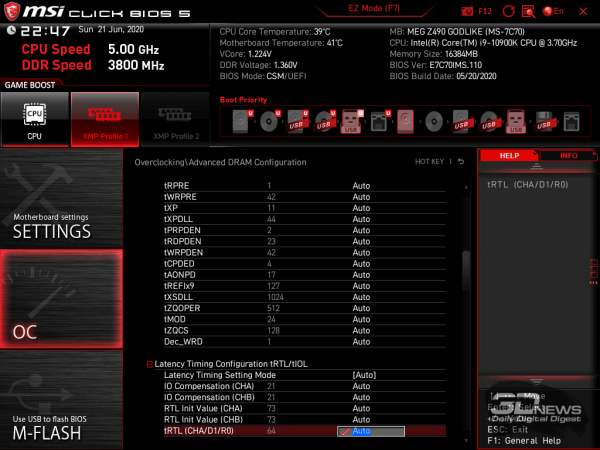 |
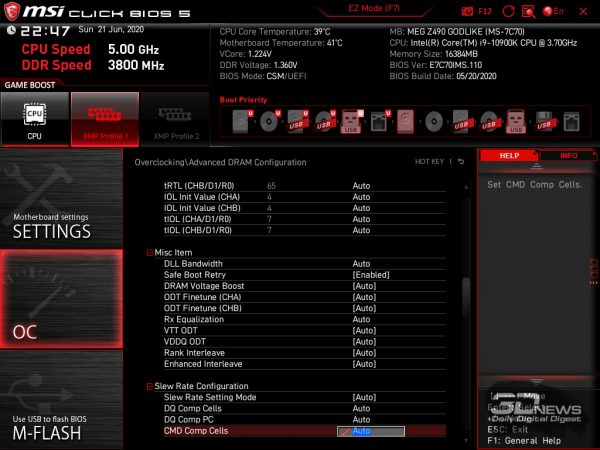 | 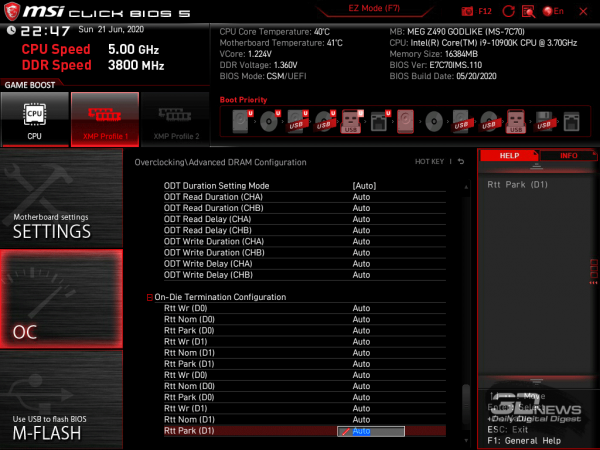 |
In a special subsection, memory settings relating to the so-called chip training during overclocking or fine-tuning are grouped.
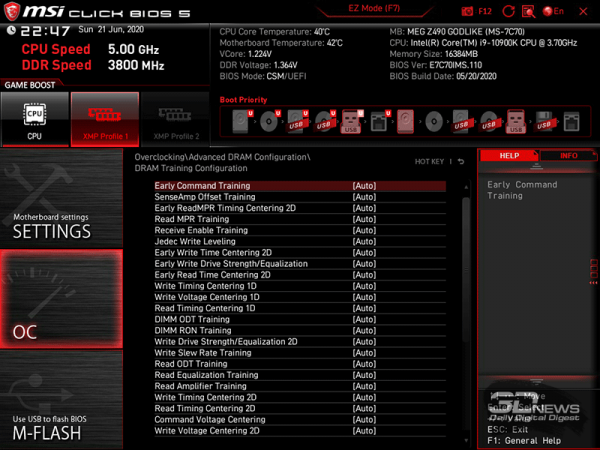
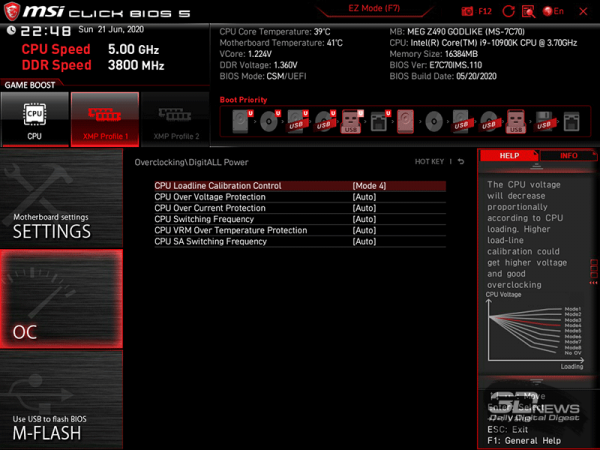
Of course, there is also a section for voltage stabilization adjustments, where the main parameter – CPU Loadline Calibration Control – has eight stabilization levels with a graphical representation of the degree of stabilization. During the motherboard testing, we will touch on this topic separately.
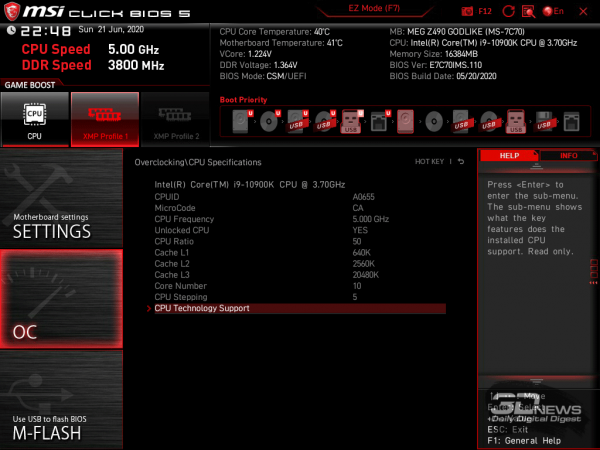
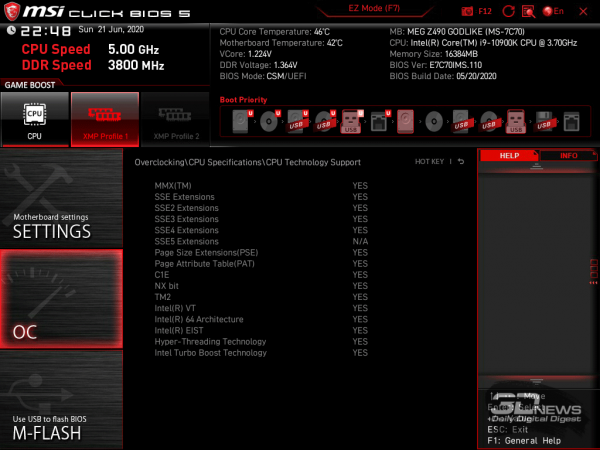
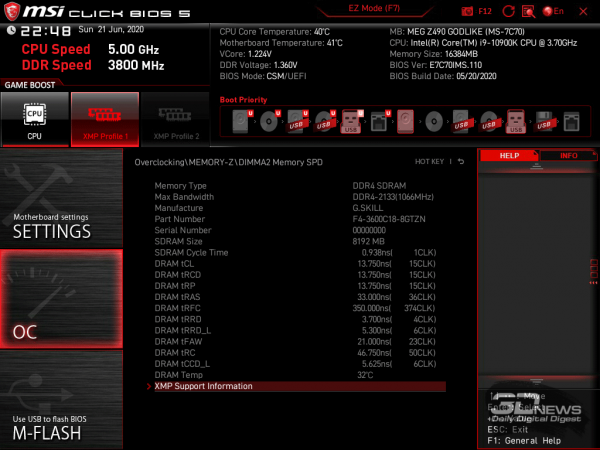
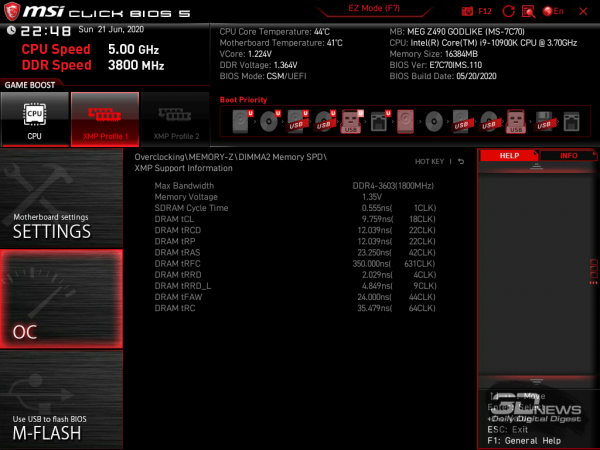
For the CPU and memory, there are detailed informational windows in the BIOS.
 |  |
 |  |
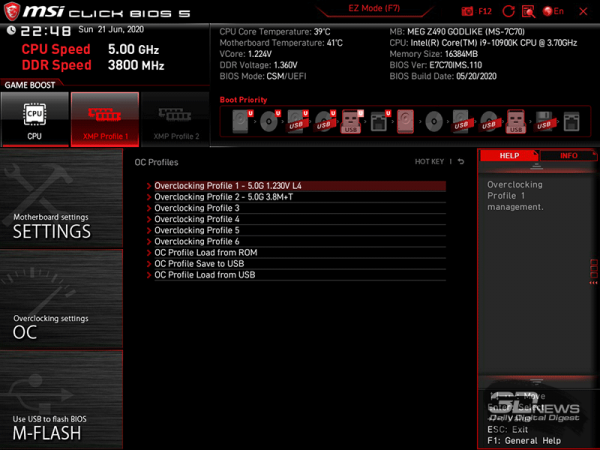
The configured BIOS can be saved in six profiles, although eight would be preferable. However, for the current generation of Intel processors, this 'problem' is not relevant.
The BIOS also includes a built-in utility for monitoring and adjusting the fans connected to the motherboard, as well as a board browser.
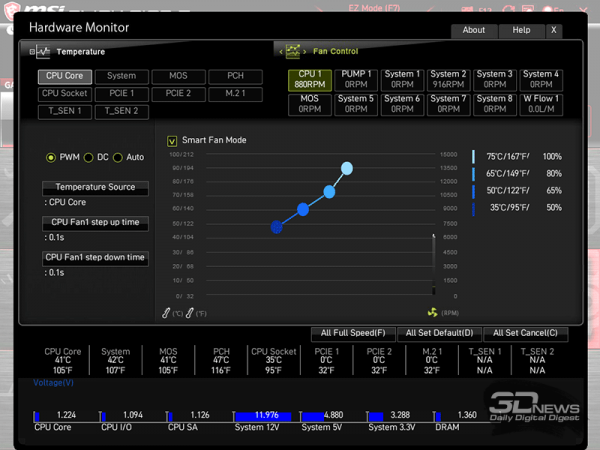
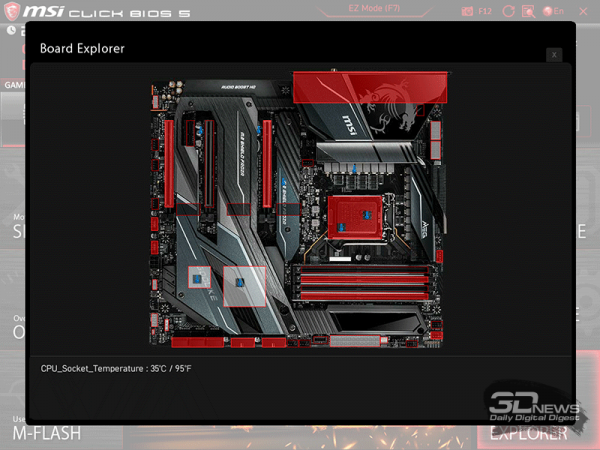
The only error in this version of the BIOS that we were able to fix during setup is the shell hanging when trying to disable the Thunderbolt 3 controller; otherwise, it operates smoothly and quickly. Displaying changed settings upon exiting the BIOS is also present here.
Overclocking and stability
The stability, overclocking potential, and performance of the MSI MEG Z490 Godlike motherboard were tested in a closed case at room temperatures ranging from 26.8 to 27.2 degrees Celsius. The test bench configuration consisted of the following components:
- Motherboard: MSI MEG Z490 Godlike (Intel Z490, LGA1200, BIOS 7C70v11 from 25.05.2020);
- Processor: 3.7-5.3 GHz (Comet Lake-S, 14+∞+ nm, Q0, 10 × 256 KB L2, 20 MB L3, TDP 125 W);
- CPU cooling system: (two 140mm Noctua NF-A15 fans at 770–1490 RPM);
- Thermal interface: ;
- Graphics card: MSI GeForce GTX 1660 SUPER Ventus XS OC GDDR6 6 GB/192 bit 1530-1815/14000 MHz;
- RAM: DDR4 2 × 8 GB G.Skill TridentZ Neo (F4-3600C18Q-32GTZN), XMP 3600 MHz 18-22-22-42 CR2 at 1.35 V;
- System drive: Intel SSD 730 480 GB (SATA III, BIOS vL2010400);
- Drive for applications and games: Western Digital VelociRaptor 300 GB (SATA II, 10000 RPM, 16 MB, NCQ);
- Archive drive: Samsung Ecogreen F4 HD204UI 2 TB (SATA II, 5400 RPM, 32 MB, NCQ);
- Sound card: ;
- Case: (six 140mm [BL067], 990 RPM, three for intake, three for exhaust);
- Control and monitoring panel: Zalman ZM-MFC3;
- Power supply: Corsair AX1500i Digital ATX (1.5 kW, 80 Plus Titanium), 140mm fan.
The testing was conducted under the Microsoft Windows 10 Pro (1909 18363.900) operating system with the installation of the following drivers:
- Motherboard chipset drivers – from 16.05.2020;
- Intel Management Engine Interface (MEI) – from 13.05.2020;
- Graphics card drivers – from 26.03.2020.
We checked system stability under overclocking using the stress utility 29.4 build 8 and other benchmarks, with monitoring carried out using HWiNFO64 version .
Traditionally, before testing, we will list the specifications of the motherboard using the utility .
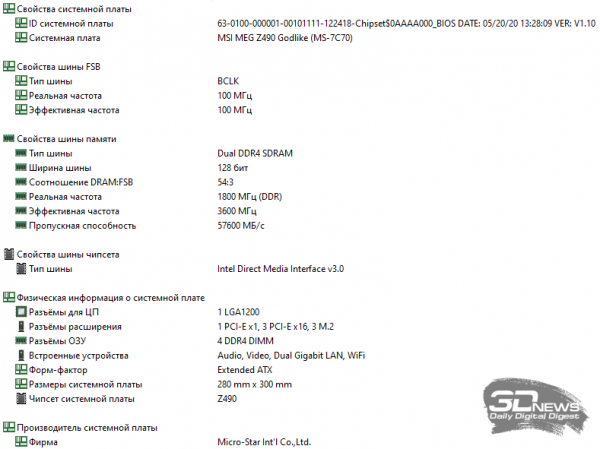
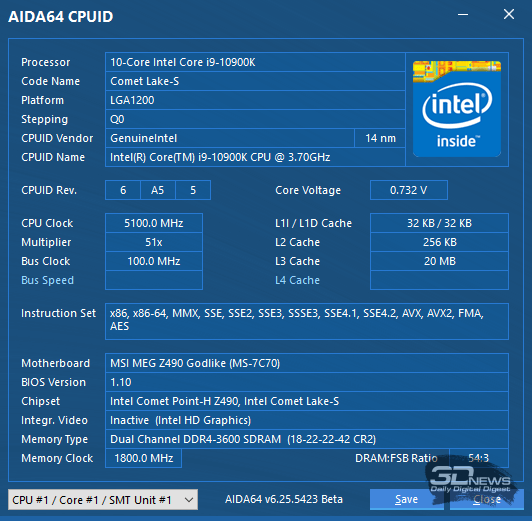
Initially, we checked the automatic BIOS settings of the motherboard, enabling only XMP memory settings and disabling unused controllers. The processor booted in normal mode and operated at frequencies up to 5.3 GHz.
The first Prime95 test was conducted without using AVX instructions — and the results immediately showed that even with automatic BIOS settings, the MSI MEG Z490 Godlike motherboard removes the processor's power limit in terms of TDP (215 watts under peak load versus 125 watts in the specifications of the Intel Core i9-10900K).
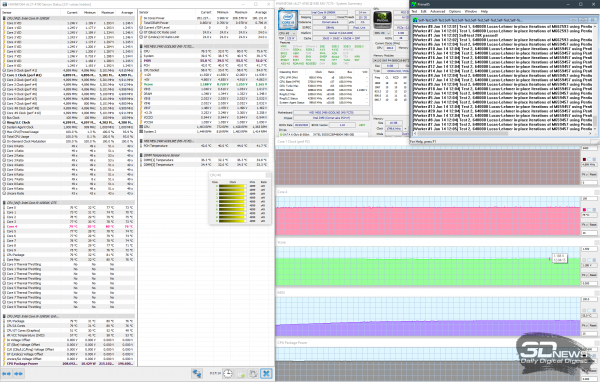
Automatic settings BIOS; (AVX disabled)
The CPU core voltage under load was maintained at 1.188 V, while its maximum temperature reached 80 degrees Celsius. Notably, under automatic BIOS settings, the motherboard does not overvolt VCCIO and VCCSA, unlike flagship solutions from other manufacturers based on the Intel Z490 chipset. The VRM circuits heat up to no more than 56 degrees Celsius, and their heatsink fan does not operate.
Next, it was time for the Prime95 test with AVX instructions enabled.
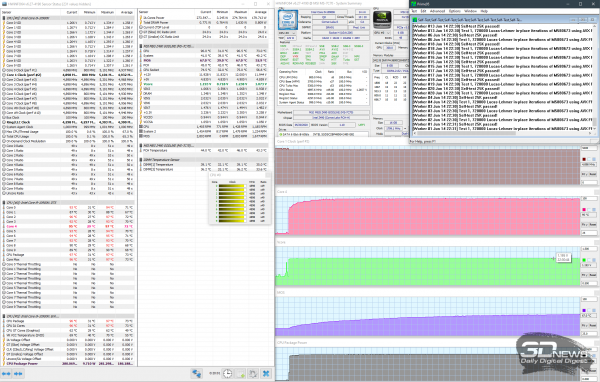
Automatic settings BIOS; (AVX enabled)
Under such load, the CPU frequency holds at 4.9 GHz with a voltage of 1.195 V, and the peak TDP level reaches just above 281 W. As you can see, temperatures are significantly higher than without using AVX, which was expected. Nevertheless, even with such a significantly increased load, the motherboard's VRM circuits only warmed up to a modest 67 degrees Celsius, and the fan still did not turn on.
Next, before we move on to attempting overclocking, we checked the effectiveness of the voltage stabilization function on the CPU core – Loadline Calibration (LLC). We managed to test three LLC levels — from the weakest, 8, to below average level 6. The processor operated in nominal mode, and AVX instructions were not involved during the load. The results were quite interesting.
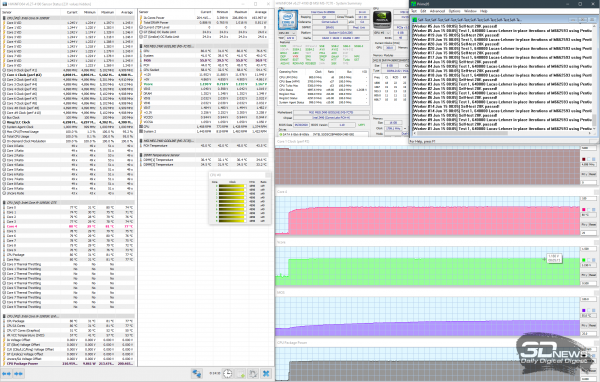 | 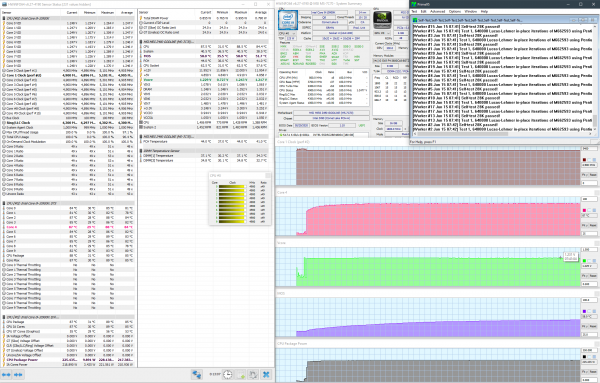 | 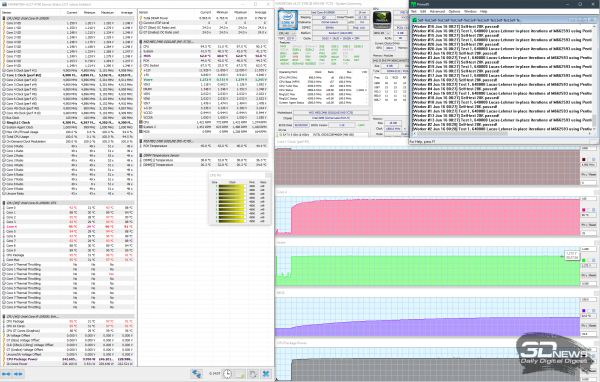 |
At the minimum LLC level, the motherboard stabilizes the processor exactly as it does with automatic settings, meaning the MSI MEG Z490 Godlike uses the minimum LLC algorithm if nothing is changed in the BIOS. The next (seventh) level increases the voltage on the CPU core under load from 1.188 to 1.213 V, with the maximum temperature rising by 7 degrees Celsius. The sixth LLC level behaves even more aggressively, with the voltage rising to clearly excessive 1.272 V and temperature climbing to 96 degrees Celsius. Our attempts to test an even higher, fifth stabilization level ended with the CPU overheating after just three minutes of the Prime95 test.
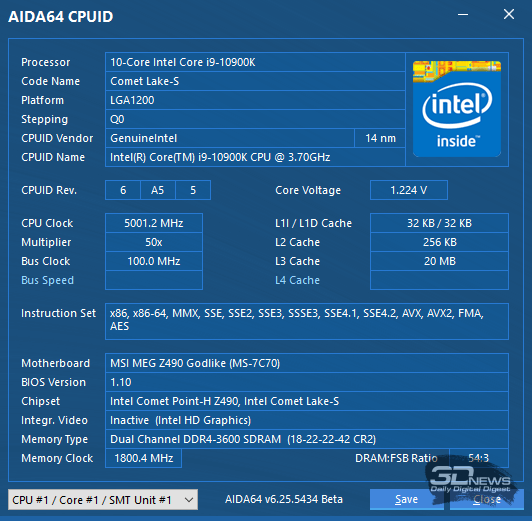
Overclocking our Intel Core i9-10900K sample on the MSI MEG Z490 Godlike motherboard resulted in exactly the same outcome as on flagship ASUS and Gigabyte motherboards: 5.0 GHz across all cores simultaneously at 1.225 V and LLC 4.
At the same time, the temperature of the hottest core of the processor rose to 88 degrees Celsius, while the temperature of the VRM circuit components did not exceed 60 degrees Celsius.
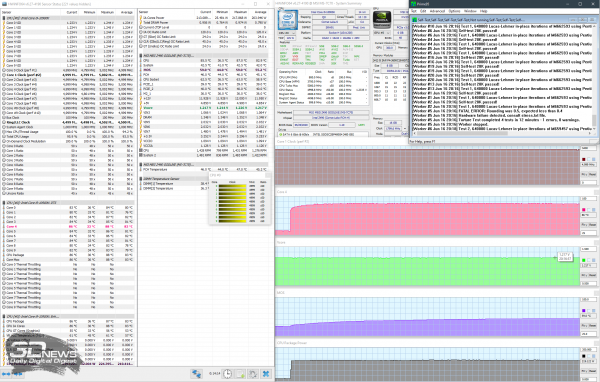
At a slightly higher frequency of 5.1 GHz, the processor required 1.285 V (LLC 4), but after 3-4 minutes of testing, it simply exceeded 100 degrees Celsius even under the super cooler. Assembling a custom cooling system for these additional 0.1 GHz was pointless, so we proceeded to check the memory on the top MSI motherboard.
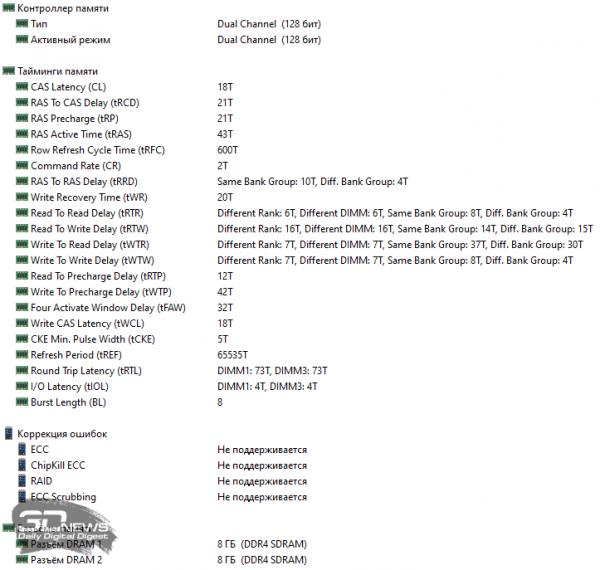
However, on the MEG Z490 Godlike, as well as on the two previously tested motherboards, we could not achieve more than 3.8 GHz from two 8GB G.Skill TridentZ Neo modules rated at 3.6 GHz with the original timings of 18-22-22-42 CR2 by reducing the primary timings to 18-21-21-43 CR2 and adjusting the secondary latencies. It is clear that the problem lies in the memory modules, not the motherboards.
Performance
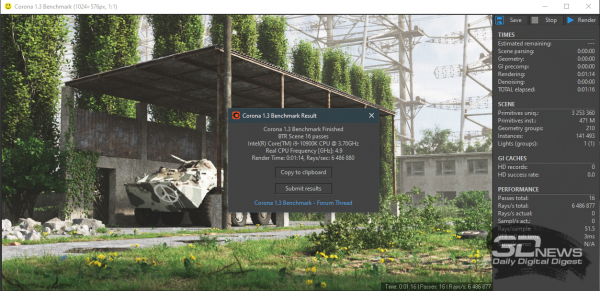
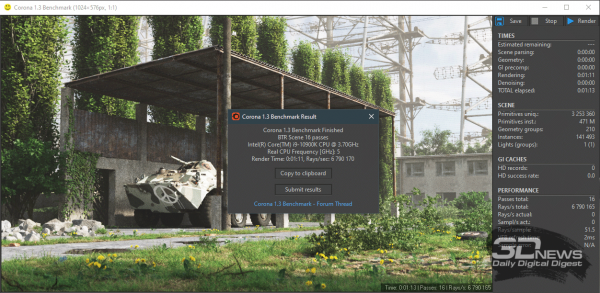
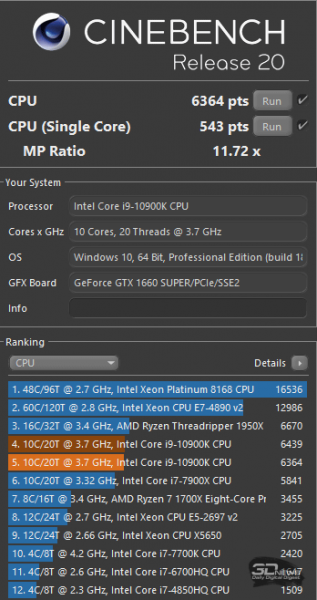
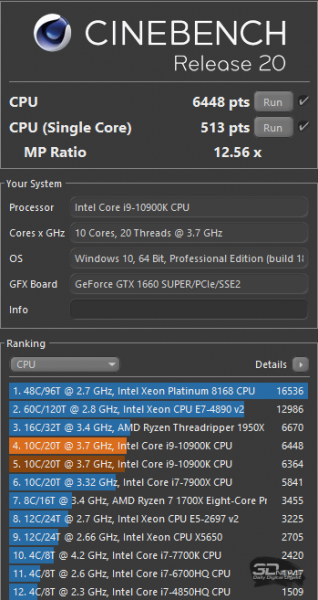
Now let’s check the system performance on the MSI MEG Z490 Godlike in stock mode and during CPU/memory overclocking in several benchmarks.
| MSI MEG Z490 Godlike Intel Core i9-10900K auto, ring 4.3 GHz DDR4 2 × 8 GB G.Skill TridentZ Neo XMP (3,6 GHz 18—22—22—42 CR2) | MSI MEG Z490 Godlike Intel Core i9-10900K 5.0 GHz, ring 4.7 GHz DDR4 2 × 8 GB G.Skill TridentZ Neo tweak (3,8 GHz 18—21—21—43 CR2) |
| AIDA64 Extreme 5 cache & memory benchmark | |
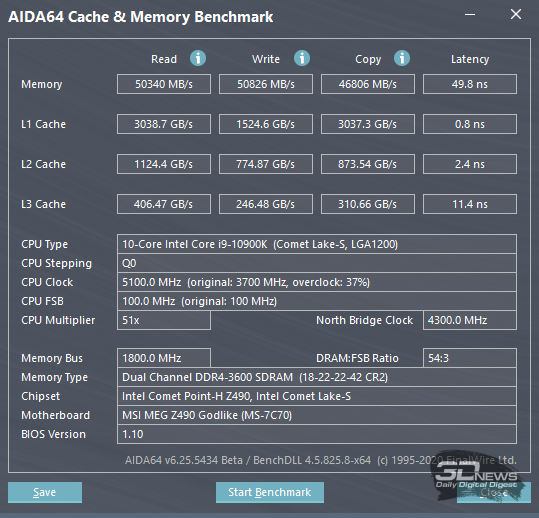 | 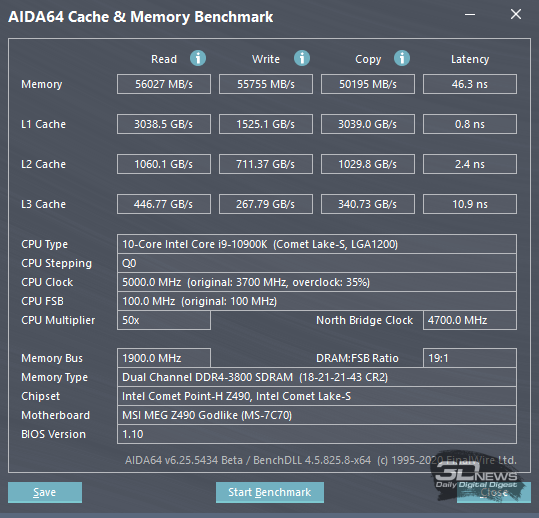 |
| WinRAR 5.91 beta 1 | |
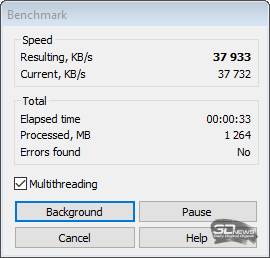 | 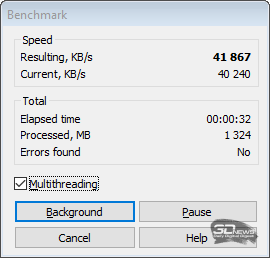 |
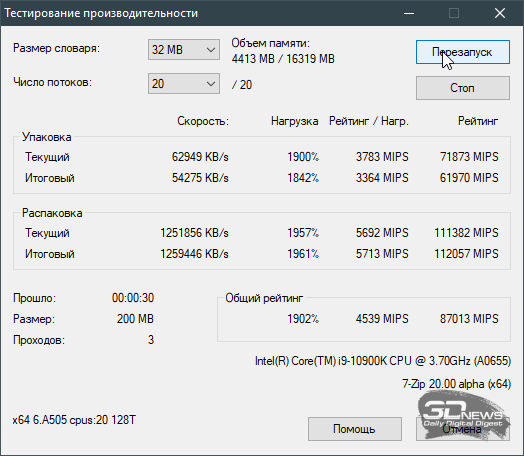
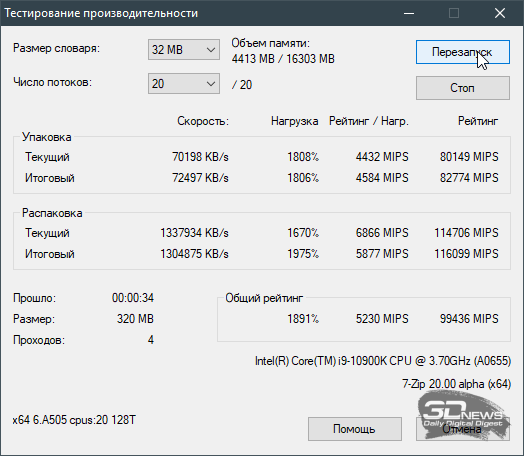
| 7-Zip 20.00 alpha | |
 |  |
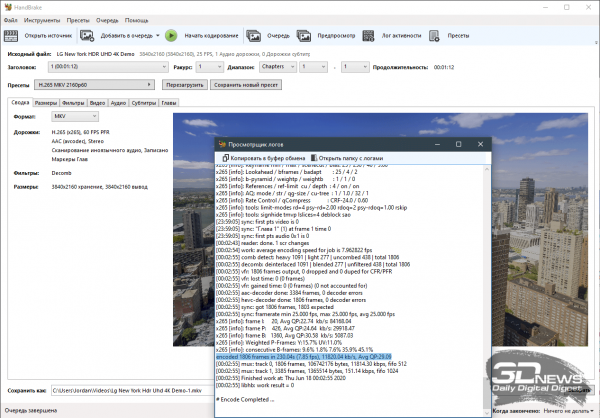
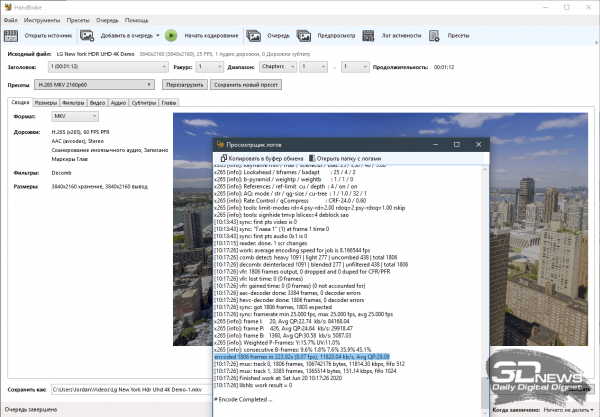
| HandBrake v1.3.1 | |
 |  |
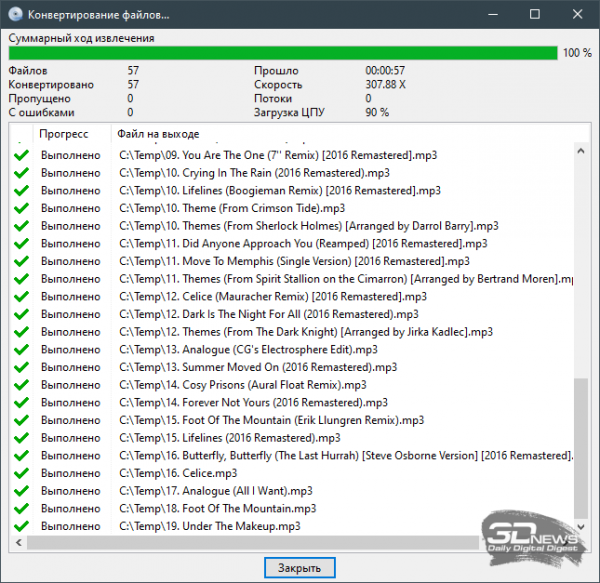
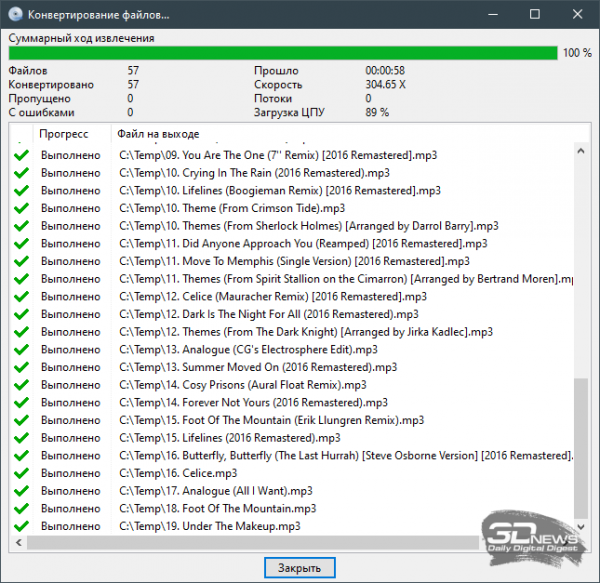
| EZ CD Audio Converter 9.1 (1.85 GB FLAC downward API support (simultaneously with this in MP3 320 kbps/with) | |
 |  |
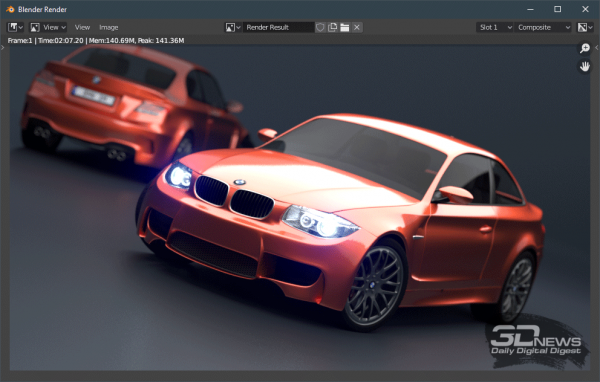
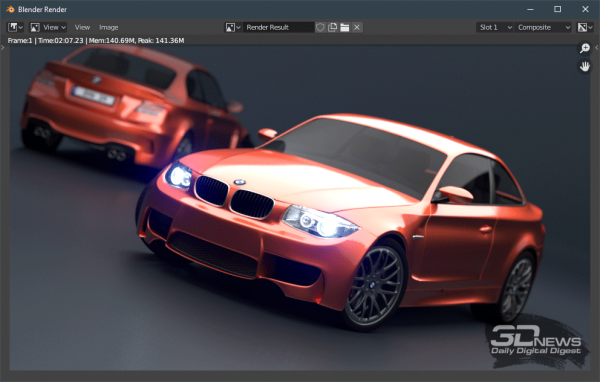
| Blender 2.90 Alpha | |
 |  |
| Corona 1.3 | |
 |  |
| CINEBENCH R20.060 | |
 |  |
| 3DMark 2.11.6911 s64, Time Spy CPU test | |
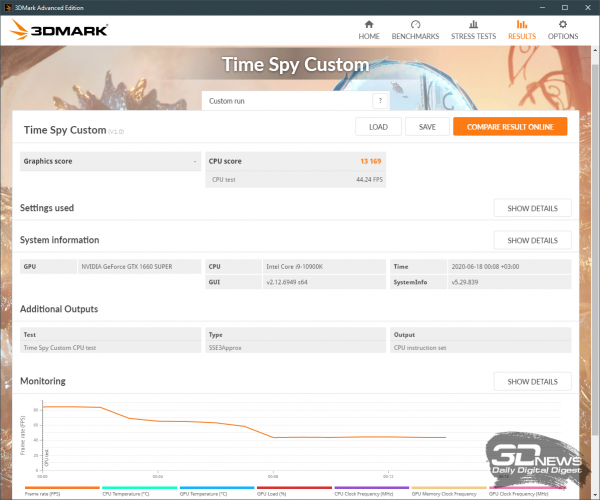 | 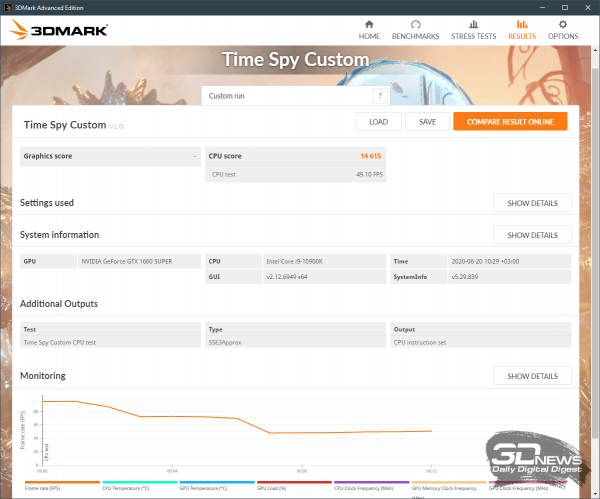 |
Despite the fact that we did not achieve significant success in overclocking the CPU and memory for obvious reasons, we managed to raise performance quite noticeably in most tests. If we compare the results obtained on the MSI MEG Z490 Godlike in the benchmarks with similar tests from articles on and , then we can see that the difference in performance between these three motherboards is virtually nonexistent.
Conclusion
The flagship MSI MEG Z490 Godlike has everything needed to create a gaming system with one or two graphics cards. It can accommodate the fastest gaming processor, supported by a powerful power system with passive or active cooling. To extract maximum performance from the existing hardware, it supports five-gigahertz RAM and three M.2 storage devices on the PCB, along with a couple more on an expansion card, a fine-tuned BIOS with extensive voltage regulation options, and numerous overclocking tools. The motherboard features three of the fastest network controllers, a hardware-enhanced sound processor, 19 USB ports, and various other optimizations.
We couldn't find any serious drawbacks to the MSI MEG Z490 Godlike, nor even any minor ones. Of course, one might consider the very high price of the board, the limitations of the Intel Z490 chipset, or the limited overclocking potential of Intel Comet Lake-S processors as drawbacks. However, the only one that can be attributed to MSI is the high price (which is competitive in the market), while the other two are beyond the company's control, and MEG Z490 Godlike can do nothing about them. Additionally, the coronavirus has impacted motherboard sales. Thus, it is challenging not just for ordinary motherboards but also for godlike models in today's market.
Source: 3dnews.ru
