

Any modern company with more than one office is unlikely to do without regular video conferences. However, simple solutions thrown together by a system administrator often do not provide quality images and sound, and the occasional connectivity issues will eventually prompt management to consider investing in professional solutions. One of the most accessible options is offered by the company , well known to any home user not only for its high-quality input devices but also for its wide range of webcams.
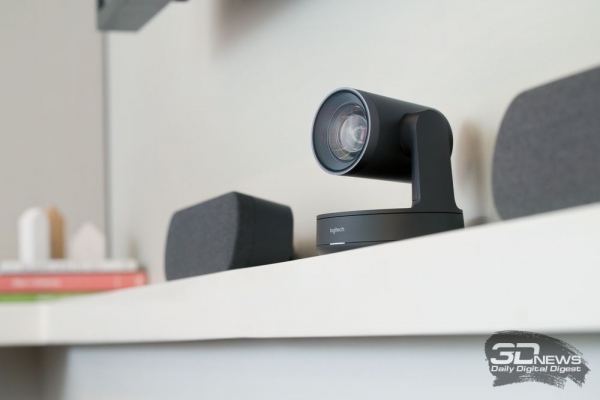
We managed to speak with representatives from Logitech in their Moscow office, where, using two test meeting rooms, we could view and test the proposed video conferencing solutions: Logitech Rally and Logitech MeetUp with the touchscreen controller Logitech Tap. What these solutions are, how they differ, and what tasks they are suited for, we will find out now.
Technical Specifications and Connectivity Options
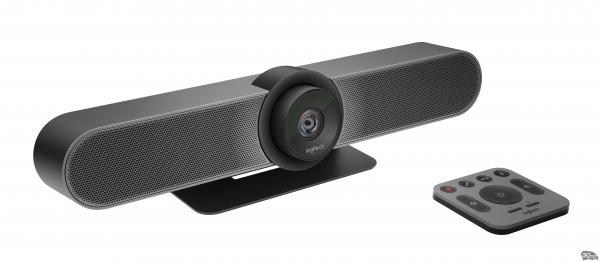
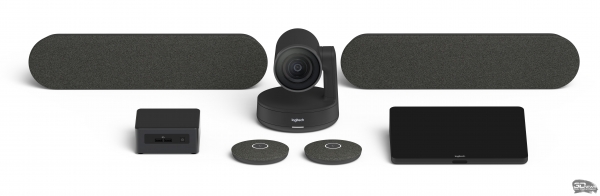
The proposed solutions are based on the Rally and MeetUp conference cameras. The former is a premium-class solution designed for rooms accommodating 8 or more people. Everything depends on the addition of external microphone modules and speakers, of which this device can have two or one. The smaller model, MeetUp, is positioned as the ideal solution for very small meeting rooms accommodating up to 6 people. It has a built-in audio system with microphones, but an external microphone can also be connected if needed.
| Specification / Camera Model | Logitech MeetUp | Logitech Rally | |||
|---|---|---|---|---|---|
| Field of View, ° | diagonally: 120; horizontally: 113; vertically: 80.7 | diagonally: 90; horizontally: 82.1; vertically: 52.2 | |||
| Motorized Angle Control System, ° | pan: ±25; tilt: ±15 | pan: ±90; tilt: +50/-90 | |||
| Zoom, X | 5 | 15 | |||
| Image Format | Ultra HD 4K (3840 × 2160) 1080p (1920 × 1080) HD 720p (1280 × 720) 30 frames per second | Ultra HD 4K (3840 × 2160) 1080p (1920 × 1080) HD 720p (1280 × 720) 30 frames per second 1080p, 720p / 60 frames per second | |||
| Features | Autofocus 3 Preset Camera Modes | ||||
| Audio System | Built-in Volume: up to 95 dB SPL Sensitivity: 86.5 ± 3 dB SPL (at a distance of up to 0.5 m) Distortion: 200-300 Hz < 3%, 3-10 kHz < 1% Body vibration cancellation technology | External plug-in (1 or 2 speakers) + amplifier in the display hub | |||
| Microphone | Built-in, 3 elements Range: 4 m Sensitivity: -27 dB Frequency range: 90 Hz — 16 kHz Omnidirectional polar pattern AEC (Acoustic Echo Cancellation) VAD (Voice Activity Detection) Background noise suppression + External plug-in | External plug-in Rally Mic Pod Up to 7 modules, daisy chain connection Range: 4.5 m 4 omnidirectional microphones forming 8 acoustic beams AEC (Acoustic Echo Cancellation) VAD (Voice Activity Detection) Background noise suppression Mute button with LED status indicator Cable 2.95 m Frequency range: from 90 Hz to 16 kHz Sensitivity: more than -27±1 dB at 1 Pa Microphone data transmission frequency: 48 kHz | |||
| Technologies | RightLight: Low light compensation Video noise suppression Saturation optimization RightSight: People detection in frame Automatic framing RightSound: Voice enhancement against background noise Voice volume leveling | ||||
| Additional | Remote control Logitech Tap touch controller Mini-PC with software Additional mounting kits for desktop/wall, mounting to video panels Kensington Security Slot | Remote control Logitech Tap touch controller Mini-PC with software Display and desktop hubs Hub for microphone modules Additional mounting kits for desktop/wall, mounting to video panels Kensington Security Slot | |||
| Compatibility | USB plug-in PnP Certified for: Skype for Business and Teams, Zoom, Fuze, Google Hangouts Meet Support for Microsoft Cortana, Cisco Jabber Compatibility with BlueJeans, BroadSoft, GoToMeeting, Vidyo, and other video conferencing applications | ||||
| Dimensions, mm | 104 × 400 × 85 (camera) | 183 × 152 × 152 (camera) 103 × 449 × 80 (speaker) 21 × 102 × 102 (microphone module) 40 × 206 × 179 (display hub) 40 × 176 × 138 (desktop hub) | |||
| Weight, kg | 1.04 (camera) | n/a | |||
| Warranty, months. | 24 | 24 | |||
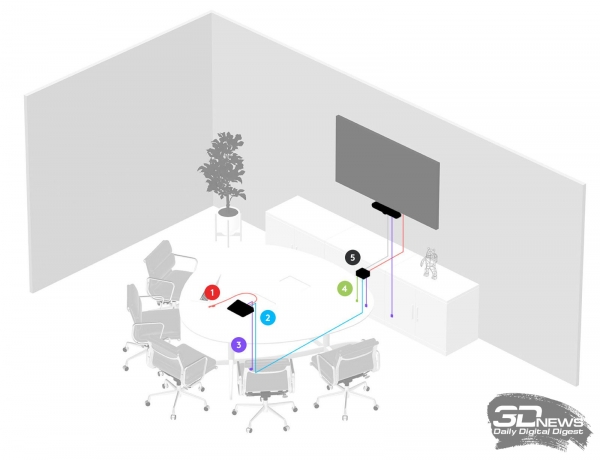
Camera Meetup connection diagram:
- 1 – HDMI;
- 2 – Logitech Strong USB cable;
- 3 – power cable;
- 4 – network cable;
- 5 – PC.
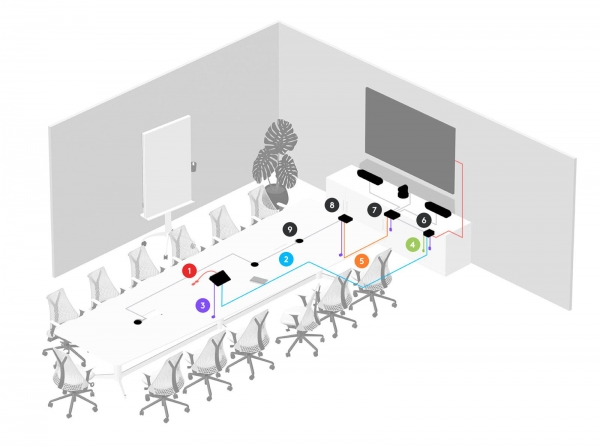
The diagrams above show one of the options for connecting Logitech MeetUp and Logitech Rally cameras. For the more advanced model, there can be many more cameras, depending on room size, table geometry, and client requirements. The main difference between these cameras is that the Logitech MeetUp is an all-in-one product. No external speakers or microphones, nor additional hubs are needed for full operation of this device. Meanwhile, the higher model, Logitech Rally, requires the camera, microphones, and speakers to be connected through hubs, one of which is attached under the table, and the other near the camera or video panel (there can be two in this solution). The solution based on Logitech Rally has a modular structure, allowing for the addition of equipment as needed.
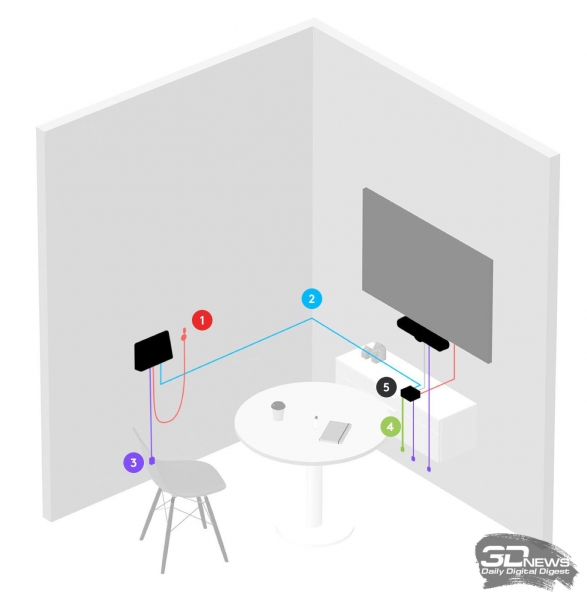
Connection diagram for Meetup cameras in focus rooms:
- 1 – HDMI;
- 2 – Logitech Strong USB cable;
- 3 – power cable;
- 4 – network cable;
- 5 – PC.
As for the MeetUp camera, it is also perfectly suitable for organizing individual focus rooms, where negotiations involve just one person rather than a group. The connection diagram for this scenario is provided above.
 |  | |
In addition to all this, a Logitech Tap touch controller can be added. Essentially, both solutions can operate successfully without it, but managing video conferences won't be as convenient. The point is that all ready-to-use Logitech video conferencing solutions are already configured to work with one of three popular software products — Zoom Rooms, Microsoft Teams Rooms, or Google Cloud. The interface of one of these applications will be accessible through the Logitech Tap controller, which can be installed on a table or wall.
Camera design features
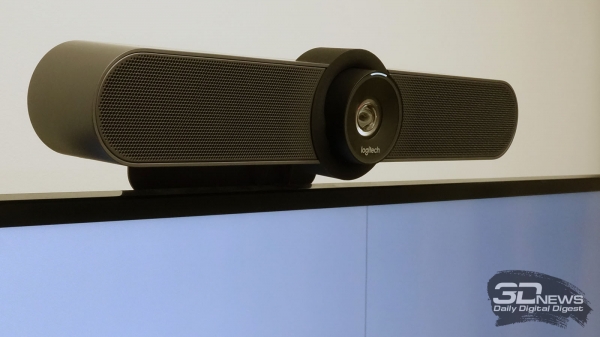 | 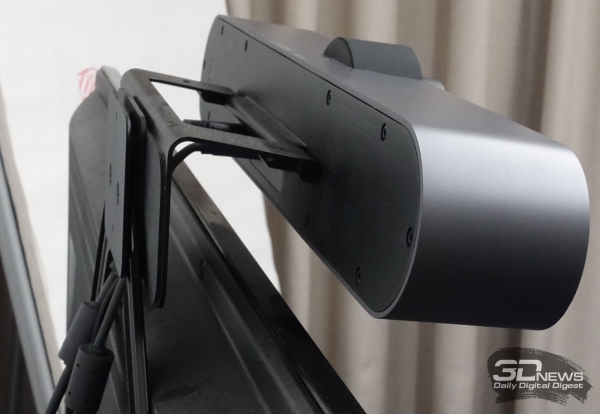 | |
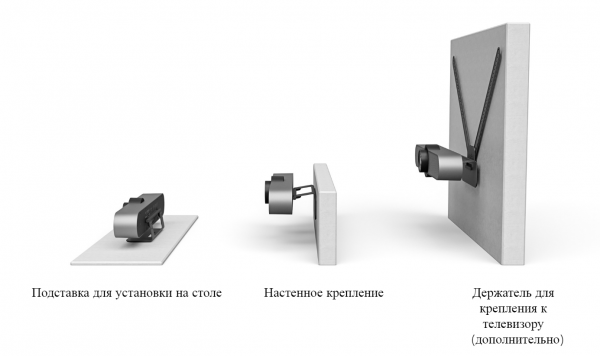
As mentioned earlier, the Logitech MeetUp and Logitech Rally cameras have significant differences in design. The form factor of the MeetUp model, with its built-in speaker system and microphones, allows the camera to be placed on a table or mounted to a video panel — either on the top or bottom. For this, the manufacturer offers various mounting elements, and the camera itself has a movable stand.
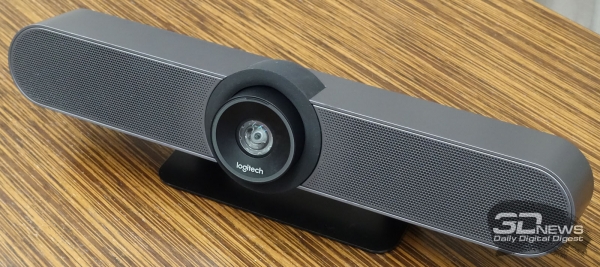 | 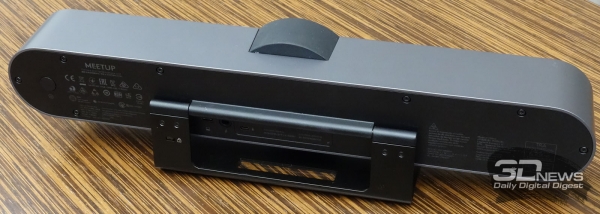 | |
The Logitech MeetUp camera features a motorized mechanism for tilt and pan control. On the back panel, there's a USB port for connecting the device to a PC and a jack for connecting an external microphone if needed.
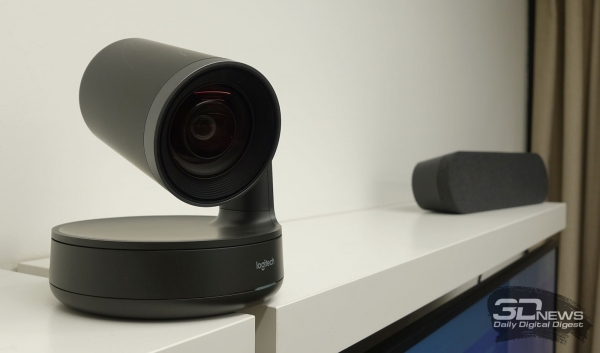 | 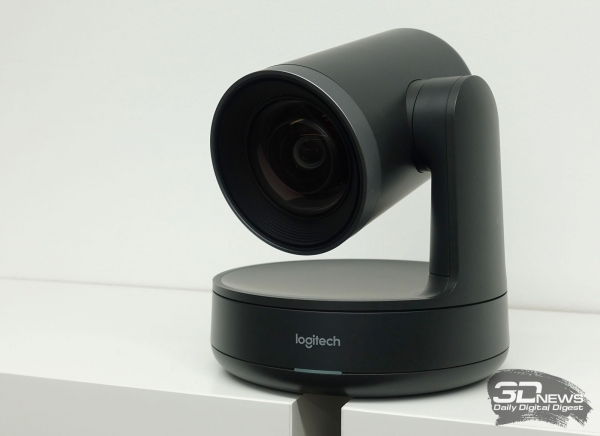 | |
The Logitech Rally camera can also be placed on a shelf, mounted on a wall, or even installed upside down on a ceiling, but it is not designed for installation on a video panel. This is due to its form factor. The camera's lens is mounted on a movable base, allowing it to quickly pivot in two planes. Throughout the video conference, the motorized mechanism automatically adjusts the camera to ensure all participants are in view. This feature can be forcibly disabled if needed, by adjusting the lens at the start of the conversation. The Logitech Rally connects, like the Logitech MeetUp, via a USB Type-C cable—not directly to the PC, but through a display hub.
The Logitech Rally camera features a significantly larger lens than the Logitech MeetUp, which already increases the potential for better image quality. However, the specified resolutions for these cameras are the same: from HD 720p to Ultra HD 4K (3840 × 2160). The junior model captures video at only 30 frames per second, while the senior model can record at a rate of 60 frames per second at 720p and 1080p resolutions.
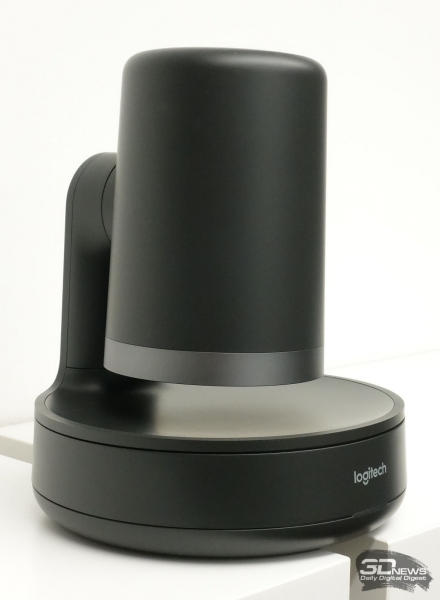
Another advantage of the Rally camera is the additional privacy assurance with visual confirmation. When in sleep mode, the camera turns the lens downward—this serves as a guarantee for the user that no one is watching them. The lens returns to a preset position at the start of the meeting and automatically closes after it ends. Additionally, when the microphone is muted during the meeting, the status indicator lights up red.
Additional Equipment Logitech Rally
While the Logitech MeetUp camera requires only a PC with specialized software for full functionality, the Logitech Rally needs speakers, microphones, and hubs, which we discussed earlier. The construction of these additional devices, as well as the elements of their mounting, has received as much attention from the manufacturer as the cameras themselves. Upon closer examination of the components, one can feel that they are dealing with a premium product. This is evident in both the thoughtful design and the quality of the plastic and other materials used in the cameras and their accessories.
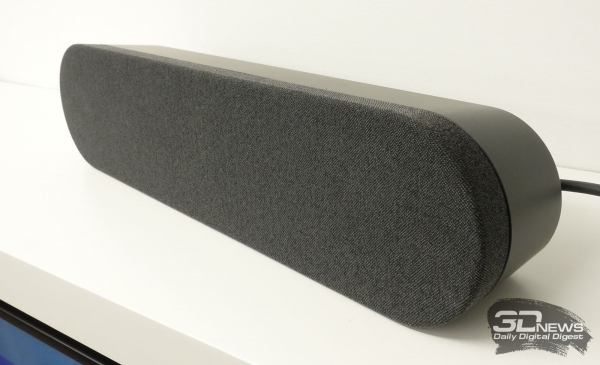 | 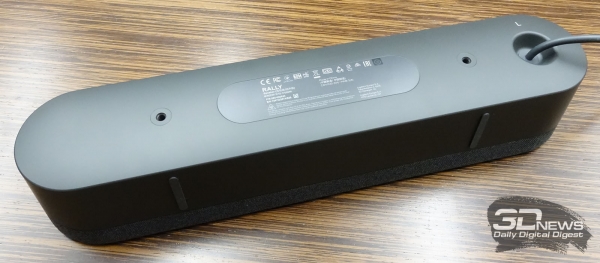 | |
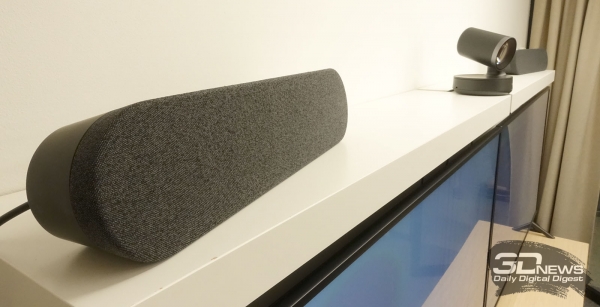
The external speakers of the Logitech Rally camera are housed in a relatively large, elongated plastic casing. Externally, they are covered with dark gray fabric, giving them a luxurious appearance that easily complements any office interior. The cable for connecting to the display hub is non-removable. The speakers can be simply placed on a shelf or cabinet, or mounted on the wall using additional brackets.
 |  | |
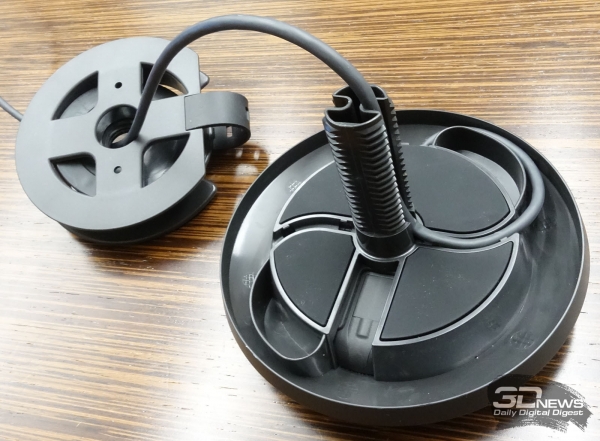 | 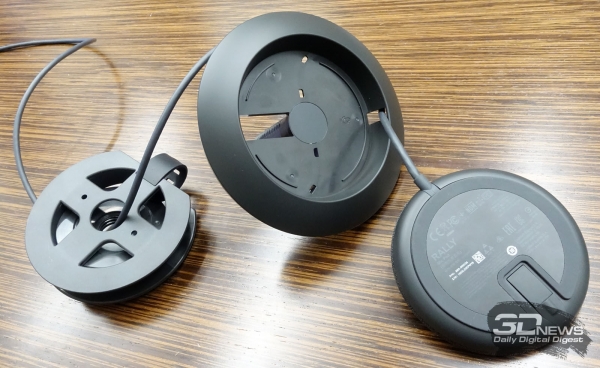 | |
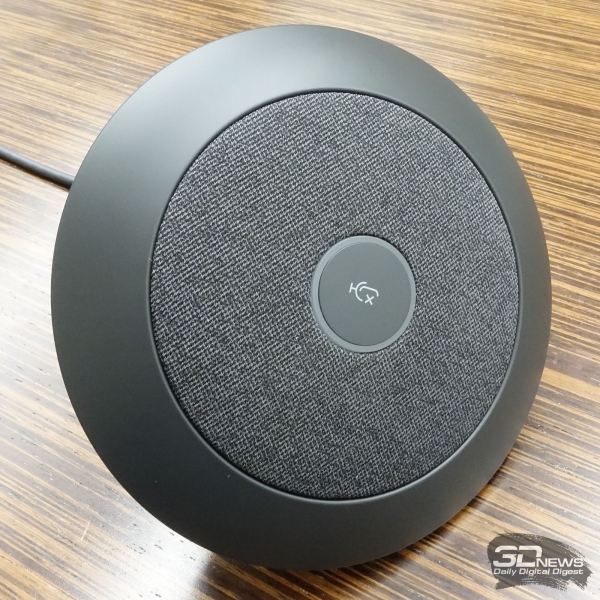
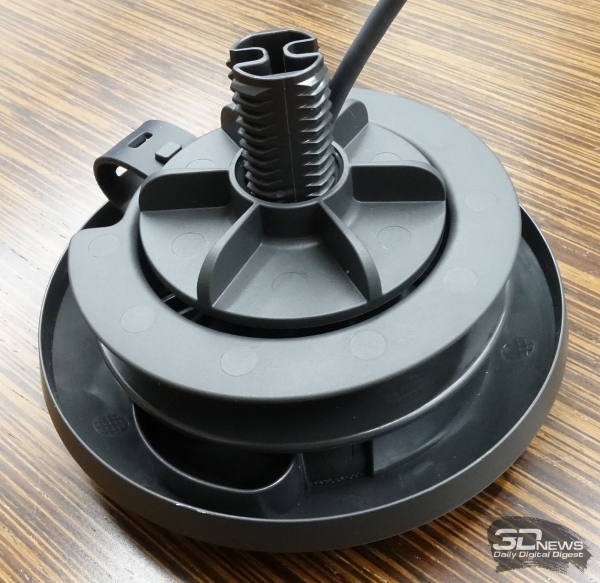
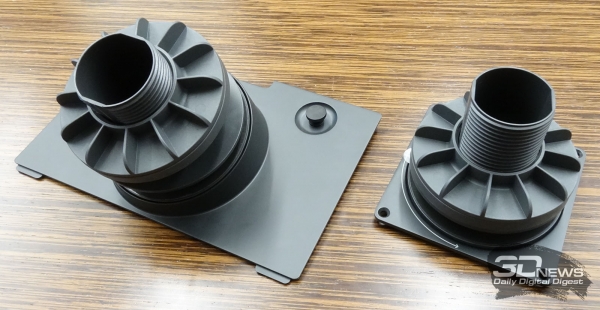
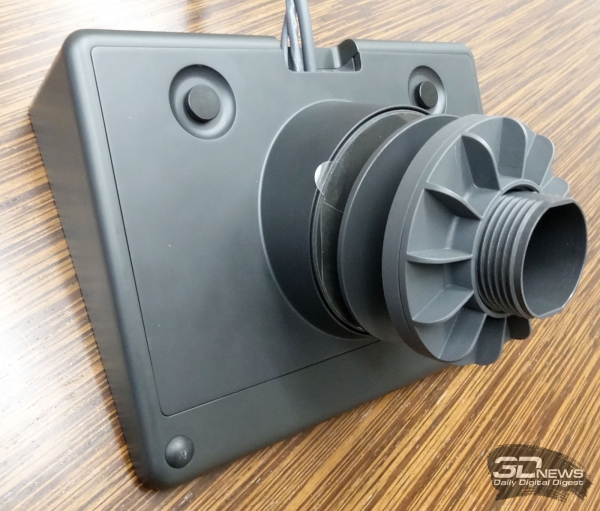
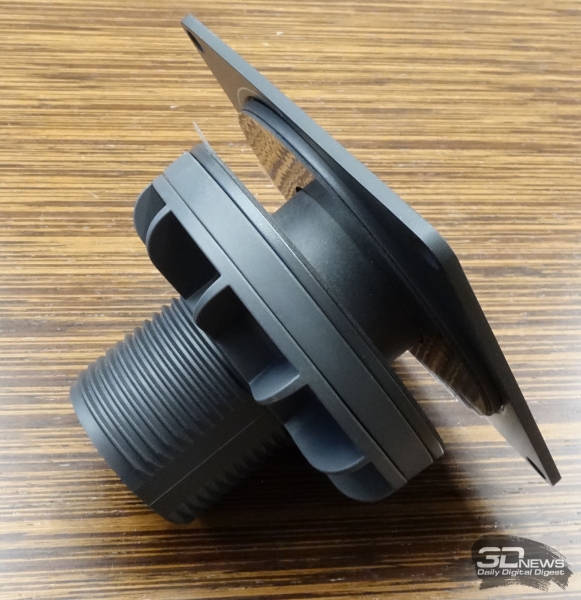
The wired microphones are shaped like flat discs with a central mute button and an LED light in the center. The microphones are covered in the same gray fabric as the speakers. In the simplest setup, a wired microphone can just be placed on the table, but for a neat and discreet cable layout (especially when using multiple microphones), it is better to use desktop mushroom brackets that are built into pre-drilled holes in the table. The mounting also allows for quick installation of the microphone without tools, as well as channels for cable routing.
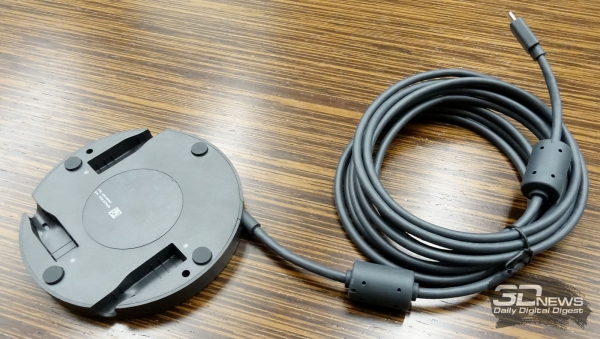
Microphones are connected to each other in series, but this rule can be bypassed with an additional hub. Depending on the placement and number of microphones on the table, up to three microphone modules can be connected to the hub in a 'star' configuration. Additionally, another hub can be connected in place of a microphone. The hub resembles the microphone in shape and size. This device also connects to the main desktop hub.
Hubs for operation with Logitech Rally
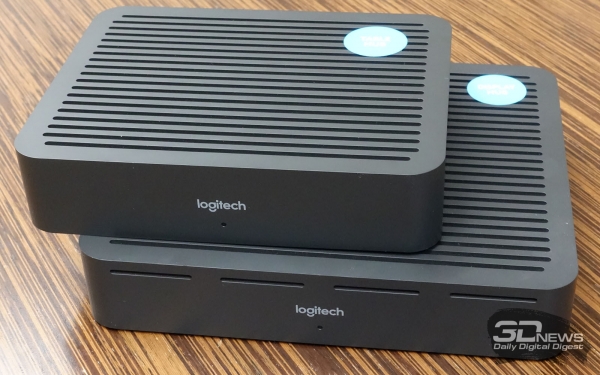 | 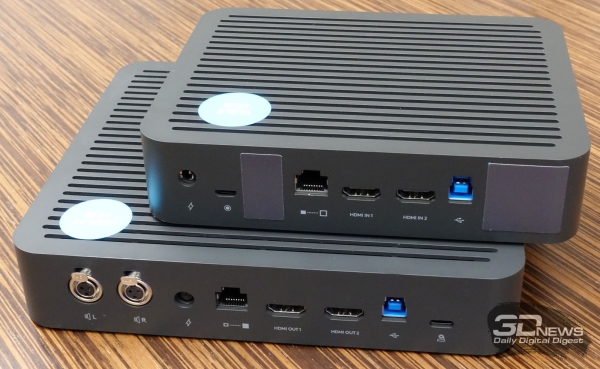 | |
The desktop and display hubs are designed with very similar plastic housings. They differ in size and interface options: the display hub is slightly larger than the desktop one, featuring a USB port for connecting to a PC, another USB port for a camera, connectors for two speakers, two additional HDMI outputs for connecting monitors, and a network port for communication with the desktop hub.
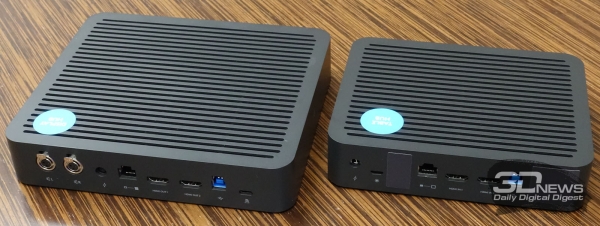
The desktop hub has fewer ports: a USB port for connecting a microphone, a network port, two HDMI inputs, and an additional USB port. The hubs resemble mini-PCs and can be installed on any shelf under the desk or hung directly on the underside of the tabletop.
Controller Logitech Tap and remote control
The Logitech Tap touch controller connects directly to the computer via a USB interface. It then acts as an additional display, showing the software interface of the selected video conferencing application, such as software from Zoom, Microsoft, or Google. The controller has a wedge shape with a 14° angle, meaning the display will always be slightly tilted toward the user, whether the controller is mounted on the wall or simply lying on the table.
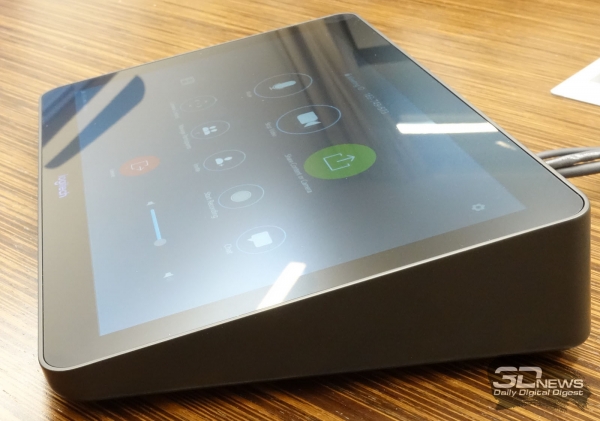 | 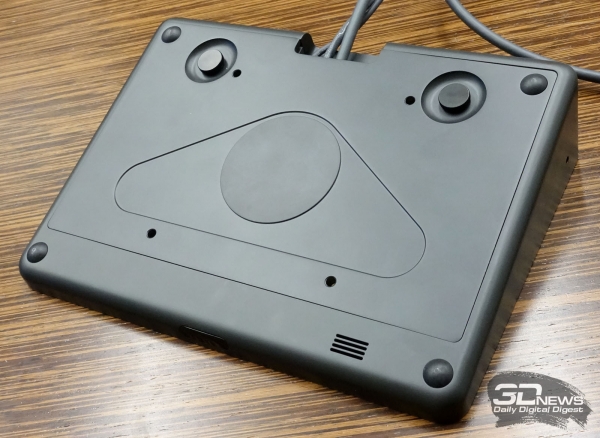 | 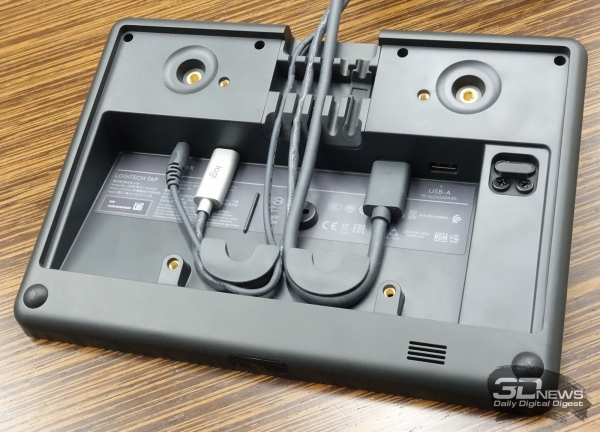 | ||
The device features a durable plastic housing, with the top fully covered by protective glass with an oleophobic coating. Underneath is a 10.1-inch display. There is a motion sensor on the front of the case to activate the controller, and a 3.5mm jack for connecting headphones on the side. However, the most interesting parts are hidden below a removable metal cover. All the connectors for connecting the controller are concealed here, and the wires are arranged in such a way that accidentally pulling them out during use is virtually impossible.
 |  |  | ||
It’s also worth noting that the controller has a standard VESA threaded mount, allowing the device to be secured literally anywhere. For complete convenience in use, the manufacturer offers additional brackets that adjust the tilt angle of the tablet. These brackets also allow the controller to rotate at an angle of ±180°.
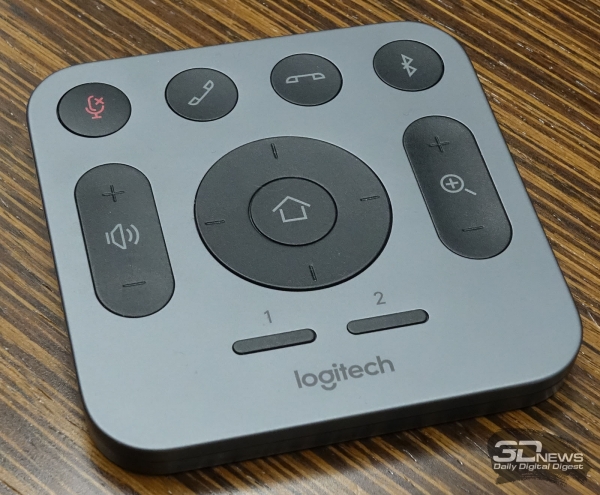
Another control unit included with the purchase of Logitech MeetUp and Logitech Rally camera solutions is the remote control, which allows basic functions such as manually adjusting the camera, regulating speaker volume, and answering calls.
Work Experience
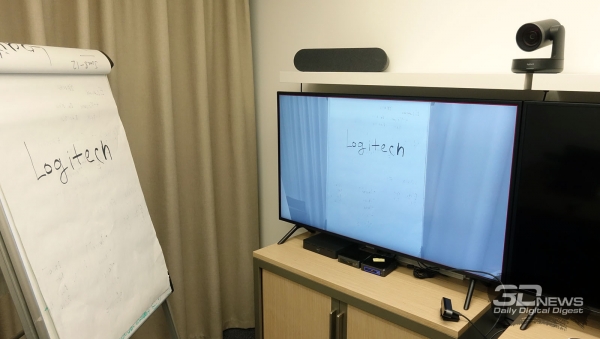
Based on two test conference rooms created at the Logitech office in Moscow, we were able to test the video quality provided by both the simplest Logitech MeetUp solution and the advanced Logitech Rally, which came with two speakers and two sets of mini-PCs and Logitech Tap controllers, each configured with different software: Zoom Rooms and Microsoft Teams Rooms.
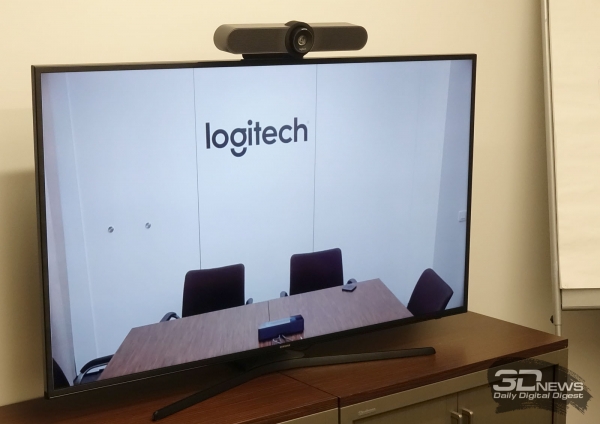 | 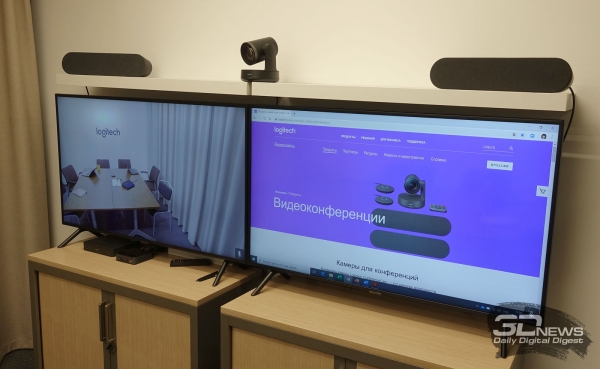 | |
Both cameras power on quickly, becoming ready to use in just a few seconds. They utilize RightSight technology to detect everyone present in the room at the start of a conference and set the lens to the correct angle. The Rally camera additionally tracks changes in the position of participants during the meeting, adjusting its angle and position as needed.
In terms of image quality, both cameras are similar, although we found the color reproduction to be more natural with the Logitech Rally. Regarding frame rate, the 60 frames per second feature available in the higher model is not necessary for everyone in the case of video conferencing, so it should be regarded as an additional option. In most cases, 1080p/30 or 4K/30 will be sufficient if the network bandwidth allows. The cameras also process images by softening shadows, recognizing and eliminating glare, and adjusting the lighting if, for example, there is an uncovered window in the room.
When it comes to sound, there are significant differences between Logitech MeetUp and Logitech Rally. The lower model has built-in speakers without an amplifier. Maximum volume in this case is only enough for very small rooms. Even in a space designed for 5-6 people, silence must be maintained to hear the distant speaker well. In contrast, the external audio system of Logitech Rally with an amplifier in the display hub produces a very powerful, loud, and clear sound. Two speakers are more than enough for a large conference room.
However, the sound quality largely depends on the materials of the walls in the conference room and how all the system components are arranged within it. Logitech specialists provide valuable assistance to their clients, helping them not only to make the right choice of components when purchasing, but also to properly position them in the specific conference room.
Despite the varying sound quality, the voice was transmitted clearly in both conference rooms, without distortion and, importantly, without any background noise—sharp spikes, beeps, or other artifacts. Both the built-in microphone of the Logitech MeetUp camera and the external microphone connected to the Logitech Rally performed their functions perfectly.
 |  | |
 | 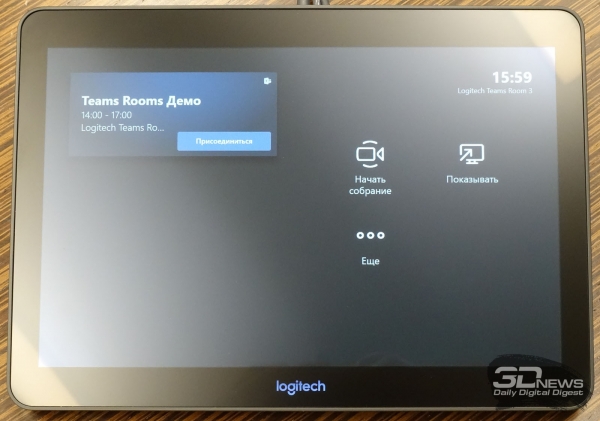 | |
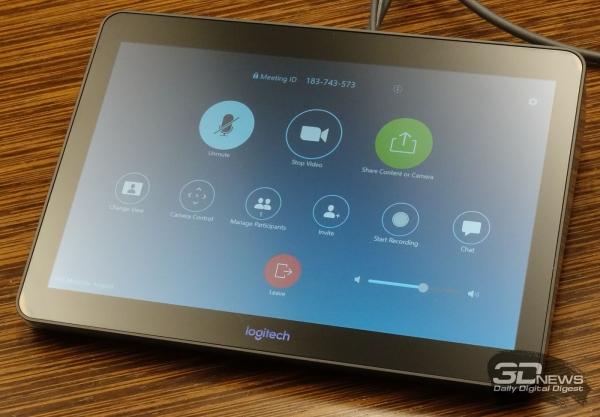
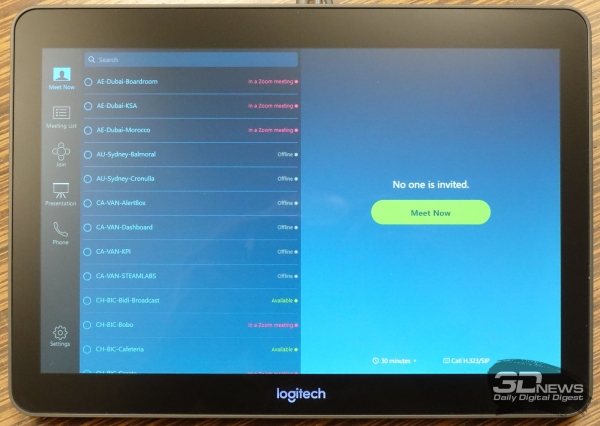
Regarding the software aspect, all features for organizing and conducting video conferences with Logitech cameras and accompanying equipment align with the chosen software option. As mentioned earlier, testing was conducted with Zoom Rooms and Microsoft Teams Rooms packages. No complaints arose regarding the performance of these software products. It is especially worth highlighting the convenience offered by the Logitech Tap controller during conferences. It allows easy switching between connected participants, setting tasks, scheduling new meetings, and performing all the functions that would require a separate monitor, mouse, and keyboard.
Overall, the impression from working with all the equipment is quite positive. No operational hitches were noticed, and connecting additional modules (for the Logitech Rally) took just minutes.
Conclusions
Both Logitech systems for video conferencing that we were able to explore represent a completely different class of equipment compared to webcams and home telecommunication systems that this company has been involved with for a long time. The kit based on the Logitech MeetUp camera is well-suited for small companies or even freelancers who often need to communicate with remote clients while requiring high-quality audio and video transmission.
The presented solutions share several common advantages:
- exceptionally high video (up to 4K) and audio quality;
- automatic camera position adjustment;
- selective voice recording;
- conference management using the Logitech Tap controller;
- ease of setup;
- compatibility with leading video conferencing applications;
- impeccable build quality;
- thoughtful design of all components.
However, the Logitech Rally kit is in the premium segment, and as a result, solutions based on this camera have additional advantages:
- modular system design;
- a detachable auto-framing and positioning function for the camera throughout the conference;
- powerful external speakers;
- external microphones;
- the ability to connect two displays;
- the ability to connect an additional camera.
The only downside is the insufficient volume of the built-in speakers in the Logitech MeetUp. However, no such issues were found with Logitech Rally. Overall, both solutions can be confidently recommended for any business – from small startups to large corporations. Of course, the cost of this equipment will be significantly higher than that of a simple webcam and a pair of speakers, but the quality of the information transmitted will be vastly superior. Furthermore, employees will have very few questions regarding the setup of the equipment.
Source: 3dnews.ru
