

A new version of the Vivaldi 6.8 browser for desktops has been released.
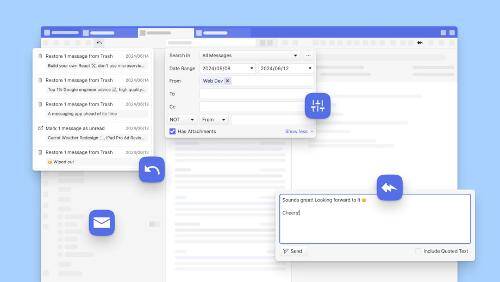
The main work has been done on the built-in email client, which has now reached version 2.0. Among the most notable innovations in the email client are:
Preloading email messages
Starting from this version, the email client will by default load emails from server all messages from the last 30 days and all messages visible in the email preview window. This will allow searching through the message bodies as well as previewing the emails. In this case, emails will also be available for offline processing.
Quick reply field
This feature was once implemented in Opera Presto in the built-in M2 email client, and it has now returned to Vivaldi Mail. This optional feature allows replying to emails without having to switch to the message editor, and it includes the ability to quote the original message.
Undo last actions
In the new version of the email client, it is now possible to undo up to 200 of the last actions related to moving emails to the trash or marking them as read.
In addition to improving the email client, the new version of the Vivaldi browser has introduced other interesting enhancements.
Memory usage indication by tabs
In the new version, hovering the mouse over a tab will display the amount of RAM used by that tab. Unlike other browsers that only show the initial memory usage when opening a tab, Vivaldi will update this parameter dynamically as the page loads new data.
Quick command for creating a workspace
The list of quick commands has been expanded with the ability to create a new workspace from a set of selected tabs. A keyboard shortcut can also be assigned to this action.
Protection against duplicate tabs
When entering the address of a page that is already open in another tab in the address bar, the user will be prompted to switch to the existing tab to avoid creating duplicates and overloading the tab bar.
Import extensions
The new version of the Vivaldi browser now includes a feature for importing extensions from other Chromium-based browsers. Extensions are imported in a disabled state, allowing users to activate the required extensions through the extension manager.
Additionally, the browser has improved the performance of the ad blocker (you can now watch YouTube without interruptions), and the localization options have been expanded to include two new languages — Georgian and Sinhalese.
Source: linux.org.ru
