

Microsoft is actively preparing the Chromium-based Microsoft Edge browser for release. Canary builds are updated daily and receive numerous improvements. In one of the latest updates, Canary 76.0.155.0, 'reading mode' has finally been introduced.
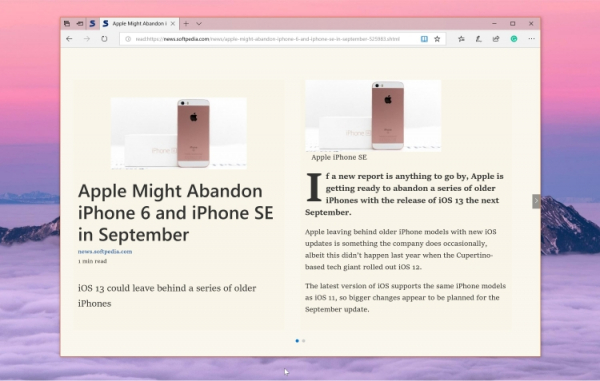
Previously, this mode could be activated manually in Microsoft Edge's Canary and Dev builds using specific flags. Now, it is available by default for all users. To activate this mode, you need to click a special button next to the address bar when loading a page where this feature is available. It seems that not all pages work with this mode. The amount of text might play a role.
Microsoft is expected to add this feature to the Dev build in the coming weeks. By the end of the year, it is expected to appear in the stable version of the browser. It is also anticipated on macOS, and possibly on Linux. As for the mobile versions of Edge, they have yet to be updated to the new engine.
Meanwhile, developers of Google Chrome are also preparing a similar feature for their browser. Additionally, similar solutions exist in Opera, Vivaldi, and other products, indicating the popularity of this feature among users. On the other hand, 'reading mode' is inconvenient for large portals that rely on advertising, as it blocks most ads even without the use of special programs.
Let's remember that previously Microsoft a video showcasing the advantages of its new browser. Earlier, it was also reported 100 things announced at I/O #19
Source: 3dnews.ru
