

The release of the free document layout package Scribus 1.6.5 has been announced. The package provides tools for professional layout of printed materials, includes tools for PDF generation, and supports working with separate color profiles, CMYK, spot colors, and ICC. The program is written using the Qt toolkit and is available under the GPLv2+ license. Ready binary builds are prepared for Linux (AppImage), macOS, and Windows.
Version 1.6.5 features improvements in scripting capabilities. Dependencies have been updated, including new versions of the poppler and podofo libraries. Enhancements related to font rendering and PDF export via a Python script have been implemented. Issues with the color picker tool and the use of light/dark theme modes have been resolved. A vulnerability related to loading SVG images from external hosts has been fixed (CVE not yet assigned).
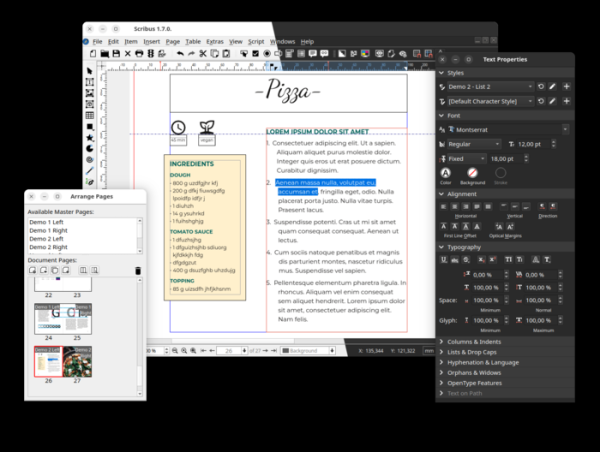
The release of Scribus 1.7.1 has been published simultaneously. The 1.7 branch is presented as experimental — after final stabilization and recognition of readiness for widespread adoption, a stable release of Scribus 1.8.0 will be formed based on the 1.7 branch. The 1.7 branch is notable for its porting to Qt 6, support for dark theme, translation of icons to SVG format, new implementation of dockable tool panels, and redesign of the color picker panel. Builds have been created for Linux (AppImage, Flatpak), macOS, and Windows.
Changes in Scribus 1.7.1 include:
- Support for searching settings in the configurator has been added.
- A Document Log interface with information about encountered issues and error details has been added.
- Automation tools for scripting (Scripter) have been improved.
- Color selection panels have been modernized.
- Variables for page size (pageheight, pagewidth) have been added to the guides window.
- Node editing has been improved directly on the canvas.
- Alignment and distribution tools have been enhanced.
- A button for manually switching between light and dark themes has been added, functioning independently of system settings.
Source: opennet.ru
