

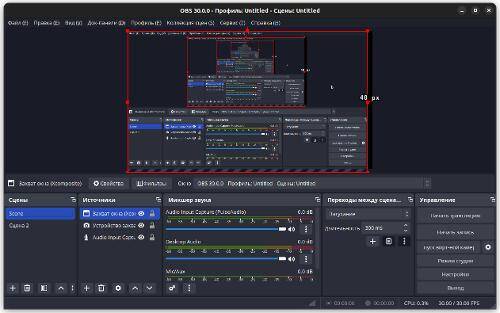
A new version has been released OBS Studio 30.0 — a powerful tool for streaming, compositing, and video recording. This program is written in C/C++ and is distributed under the GPLv2 license, providing builds for Linux, Windows, and macOS.
OBS Studio was created to develop a portable version of the Open Broadcaster Software (OBS Classic). It is not tied to the Windows platform, supports OpenGL, and can be extended through plugins. One of the features is the use of a modular architecture, separating the interface from the program's core.
The program supports re-encoding of source streams, video capture during games, and streaming to popular platforms such as PeerTube, Twitch, Facebook Gaming, YouTube, DailyMotion, Hitbox, and many others. It also delivers high performance using hardware acceleration mechanisms like NVENC, Intel QSV, and VAAPI.
The following changes have been made in this release:
Added the ability to stream (output video) using WebRTC technology, allowing content to be sent P2P directly to the user's browser without a middle server. The WHIP (WebRTC-HTTP Ingestion Protocol) is used to establish sessions between the broadcasting server and the WebRTC client.
Implemented the ‘Full-Height’ option for dockable panels, allowing them to take the full height of the window. This is convenient for placing the chat panel on small laptop screens.
Added support for Intel QSV (Quick Sync Video) technology for hardware acceleration of video encoding and decoding on the Linux platform.
A safe mode (‘Safe Mode’) has been implemented, in which OBS starts without plugins, scripts, and web sockets. This option appears after an improper shutdown is detected and can also be enabled through the ‘Help’ menu.
Added the ‘YouTube Live Control Room’ panel for streaming to YouTube.
For Decklink devices, support for capturing 10-bit video per color channel and playback with HDR has been added.
In the video and audio encoder dropdowns, sorting by name is now enabled by default.
Support for arbitrary grouping of filters via drag & drop has been implemented.
Support for MJPEG format with grayscale color representation has been added to the video capture modules via V4L and DirectShow.
The support for IPv6 has been added during RTMP streaming, with the option to fall back to IPv4 to create services that support both protocols.
The ability to customize FFmpeg parameters for VAAPI.
Shader caching is used to reduce startup time on the Windows platform.
On the macOS platform, the ability to capture audio from running applications has been added, the implementation of the virtual camera has been revamped, and an option to hide OBS windows during screen capture via the 'Display Capture' feature has been introduced.
Support for Qt 5, Ubuntu 20.04, and FFmpeg versions prior to 4.4 has been discontinued.
Source: linux.org.ru
