

The release of ONLYOFFICE DocumentServer 7.5.0 has been published, featuring a server for the ONLYOFFICE online editors and enabling collaborative work. The editors can be used for working with text documents, spreadsheets, and presentations. The project's code is distributed under the free AGPLv3 license.
Simultaneously, a release of the ONLYOFFICE DesktopEditors 7.5 product has been generated, built on the same codebase as the online editors. The desktop editors are designed as desktop applications, written in JavaScript using web technologies, yet combine client and server components in a single package, configured for standalone use on the user's local system without calling an external service. The Nextcloud Hub platform can also be used for collaborative work with full integration with ONLYOFFICE. Ready-made builds have been created for Linux, Windows, and macOS.
ONLYOFFICE claims full compatibility with MS Office and OpenDocument formats. Supported formats include: DOC, DOCX, ODT, RTF, TXT, PDF, HTML, EPUB, XPS, DjVu, XLS, XLSX, ODS, CSV, PPT, PPTX, ODP. The functionality of the editors can be extended through plugins, for instance, plugins for creating templates and adding videos from YouTube are available. Pre-built packages are available for Windows and Linux (deb and rpm packages).
Key innovations:
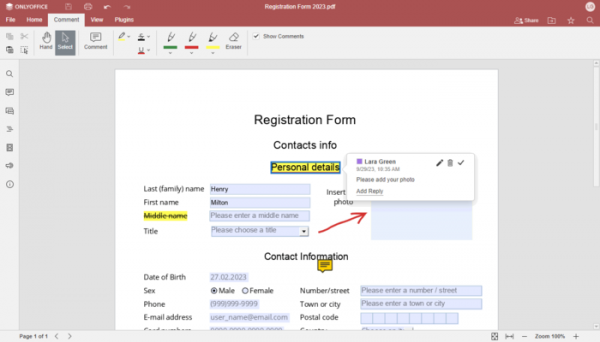
- A PDF editor has been added, supporting the filling of PDF forms, as well as adding annotations, comments, and drawings.

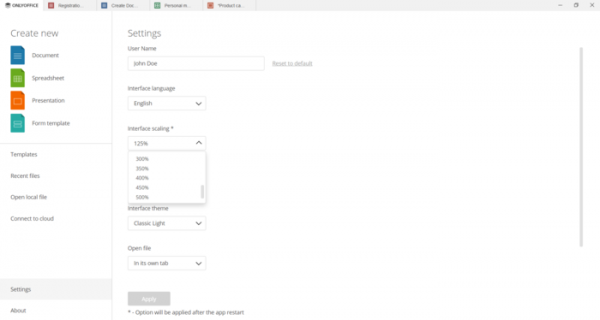
- Additional interface scaling levels of 225% and 275% have been introduced. The selected scale will now be saved between restarts. The settings now include an option to view the previous scaling level.

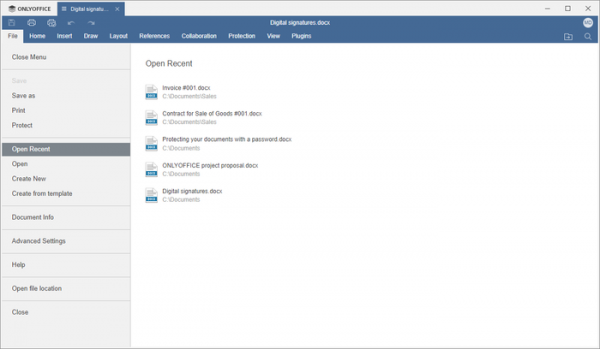
- The 'File / Open Recent' menu in all editors has been enhanced with a list of recently opened files, which was previously only displayed in the main window.

- A warning has been added when attempting to close the application if multiple files are open.
- A menu has been added to the character insertion button for quick access to the most popular symbols.
- Support for images in SVG format has been added.
- A setting has been introduced to hide the toolbar for editing equations.
- The ability to create new office files from local templates in DOTX and OTT formats has been added.
- Tooltips for images in Smart Art objects have been added.
- The built-in viewer now allows the opening of password-protected files.
- Support for editing AutoShape border points has been added to the right panel.
- Keyboard shortcuts Ctrl + ‘.’ and Ctrl + ‘,’ have been added for inserting characters in superscript and subscript.
- Document editor
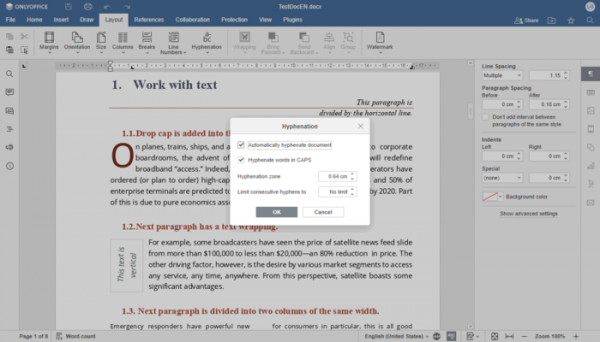
- Support for automatic hyphenation of words across lines has been added.
- The logic for selecting areas has been changed. A smart paragraph selection setting has been added (if a paragraph character is missed during selection, it will be added automatically).
- A setting has been added to remove content control elements during editing.
- The logic of the 'Accept' and 'Reject' buttons in the change review panel has been modified.
- Support for automatic hyphenation of words across lines has been added.
- Table editor
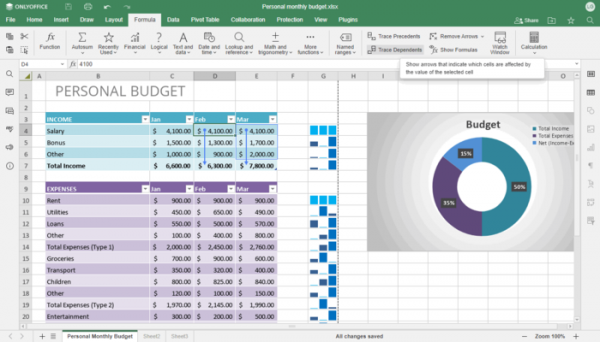
- A mode for displaying only formulas in cells has been added.
- Support for tracking the relationship between formulas and cells has been ensured.
- The 'SORTBY' function has been added.
- Presets for borders when printing have been implemented.
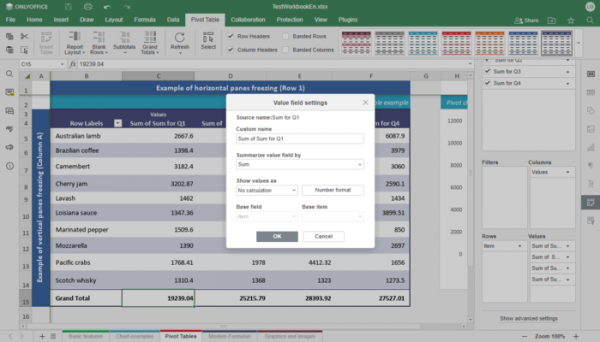
- In Pivot Tables, options have been added for showing details, setting numeric formatting for fields, and supporting data opening in a new table by double-clicking the value.
- Autofill for weekdays has been added when filling cells.
- The ability to move rows and columns in drag-and-drop mode has been added.
- Filtering by date has been made possible.
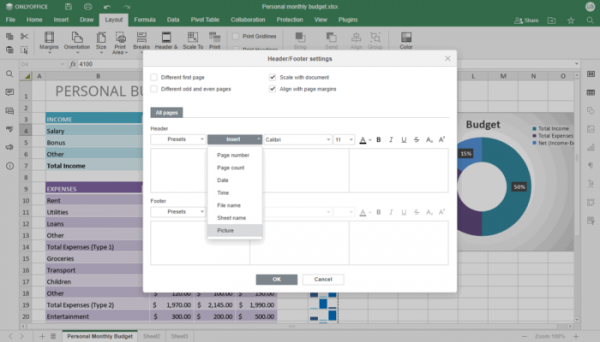
- Support for inserting images in headers and footers has been added.
- Settings for remembering the separator and encoding of CSV files for future sessions have been ensured.
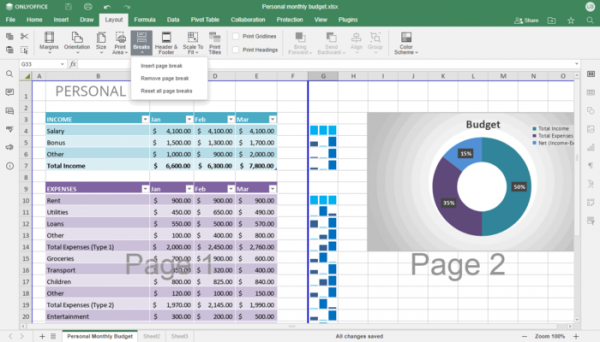
- Support for inserting page breaks to separate pages when printing a spreadsheet has been added.
- Presentation editor.
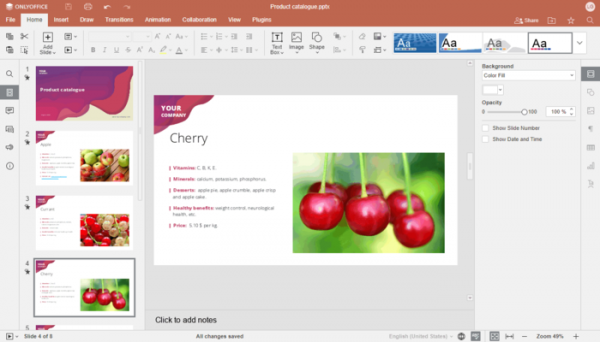
- The color of the presentation editor header has been changed.
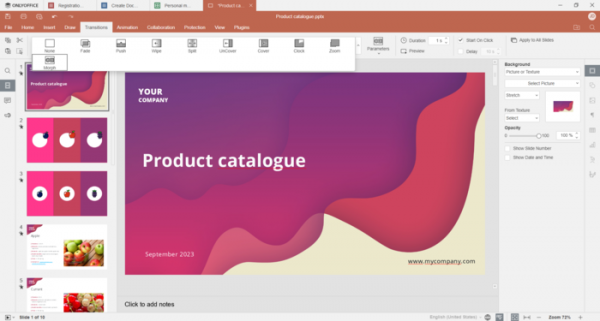
- The ability to use morphing for transitions between slides has been implemented.

- Support for naming objects has been provided.
- The ability to select a slide to start numbering from has been added.
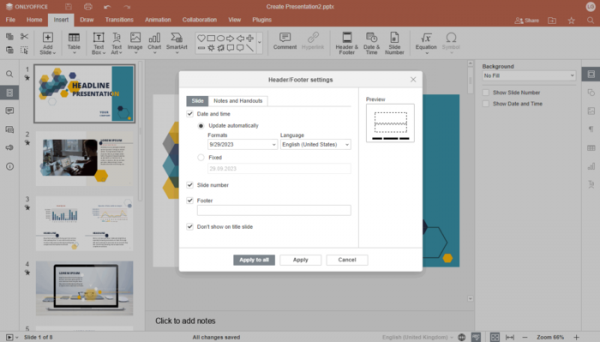
- Settings for headers and footers are divided into sections related to slides and notes.
- The ability to set alternative descriptions for slide placeholders has been added.
- The option for quick navigation to a specific slide by entering its number and pressing Enter during presentation preview has been provided.
- The color of the presentation editor header has been changed.
- In the form editor, settings have been moved to the right panel for unification with other editors.
- Vulnerabilities that allow reading memory contents during DOC to DOCX conversion, as well as inserting external images and accessing local resources during HTML to DOCX conversion, have been eliminated.
Source: opennet.ru
