

The release of ONLYOFFICE DocumentServer 9.3 has been published, featuring a server for ONLYOFFICE online editors and collaborative work. The editors can be used for processing text documents, spreadsheets, and presentations. The project code is distributed under the open AGPLv3 license. Ready-made builds are available for Linux, Windows, and macOS.
Simultaneously, the release of the ONLYOFFICE DesktopEditors 9.3 product has been formed, built on a unified codebase with the online editors. The desktop editors are designed as desktop applications, written in JavaScript using web technologies, but combine client and server components in a single package, formatted for standalone use on the user's local system without calling external services. The Nextcloud Hub platform can also be used for collaboration, providing full integration with ONLYOFFICE.
ONLYOFFICE claims full compatibility with MS Office and OpenDocument formats. Supported formats include: DOC, DOCX, ODT, RTF, TXT, PDF, HTML, EPUB, XPS, DjVu, XLS, XLSX, ODS, CSV, PPT, PPTX, ODP. The functionality of the editors can be extended through plugins, for instance, plugins for creating templates and adding videos from YouTube are available. Pre-built packages are available for Windows and Linux (deb and rpm packages).
Key innovations:
- Support for saving documents in Markdown (md) format has been added.
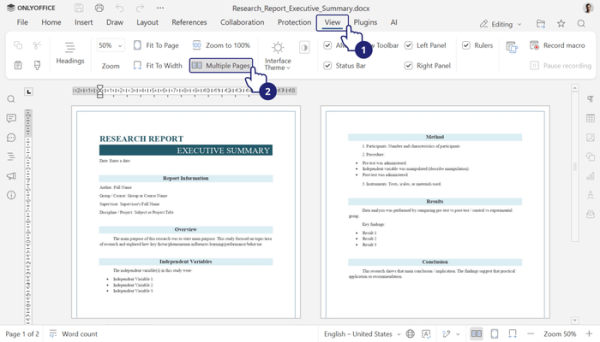
- A multi-page view mode has been added to the document editor, allowing multiple pages to be viewed side by side simultaneously.

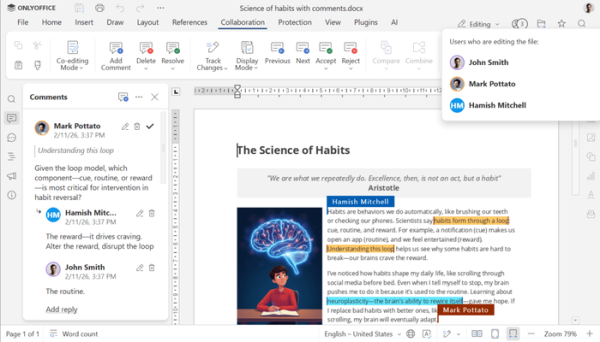
- The ability to highlight comments from different users in their own colors has been implemented. Markings have been added to indicate the start and end of each text excerpt to which a comment has been made.
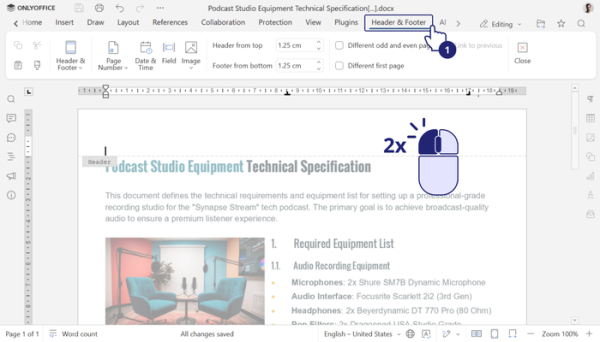
- The settings for the header and footer have been consolidated and placed in a separate tab.
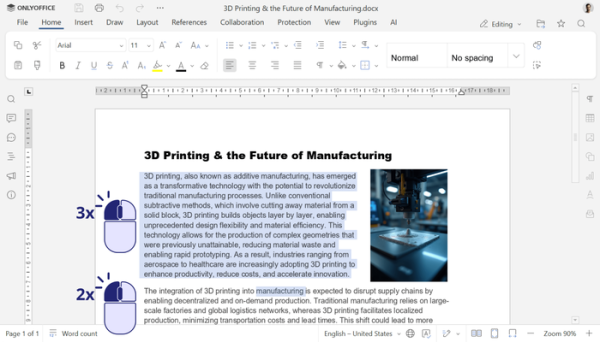
- The ability to quickly select entire words or paragraphs using a double or triple mouse click has been added.
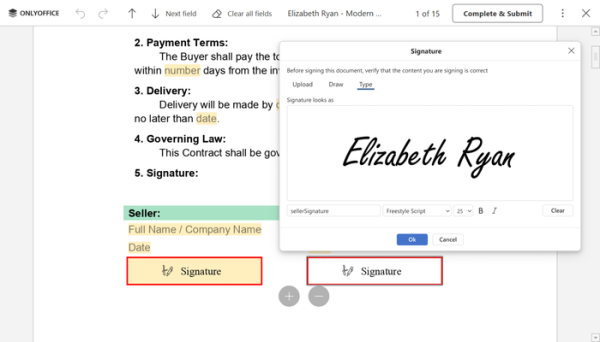
- The PDF form editor has expanded features for adding signatures to documents. When uploading a signature image, an option to remove the white background in the signature field has been added. In addition to uploading an image, support for hand-signing directly on the screen using a touchpad, touchscreen, graphics tablet, or mouse has also been provided. There is also the ability to input a signature in text format, with the result displayed in a special font.
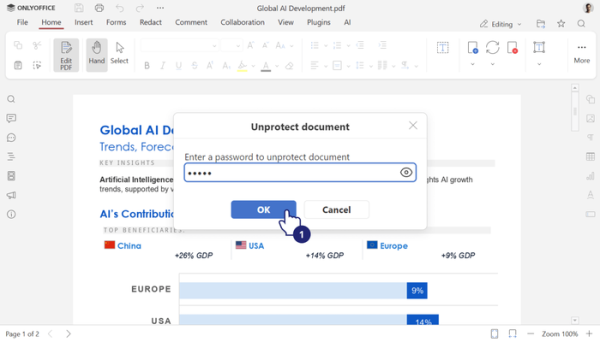
- Support for editing password-protected fields has been added to the PDF document editor.
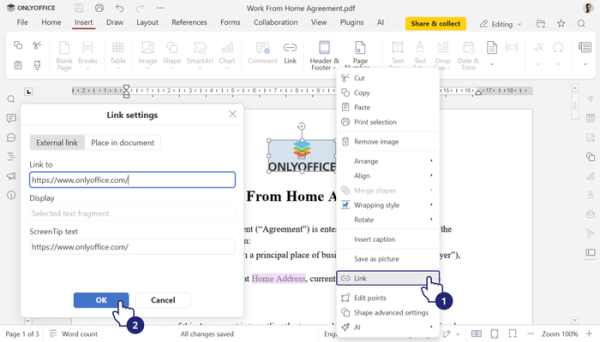
- The ability to create and edit links pointing to external resources or existing pages in the PDF document has been implemented.
- The PDF editor now includes support for version history of PDF files, editing fonts embedded in PDF documents, and configuring print output settings. It is allowed to insert editable fields into table cells and use macros for adding/removing/editing pages, forms, annotations, tables, images, and charts in PDFs.
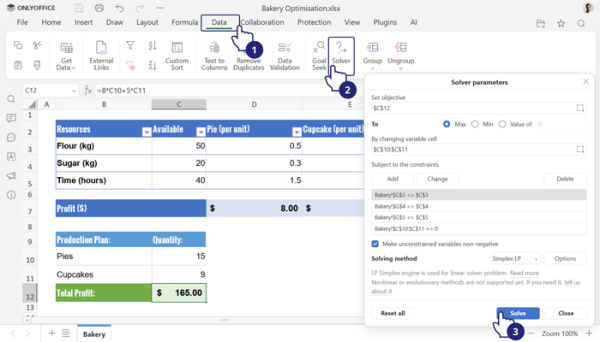
- The spreadsheet editor has been optimized for the initial rendering of large spreadsheets over 3 MB. A 'Solver' tool has been added, enabling the resolution of linear programming tasks directly within the spreadsheet using the simplex method.
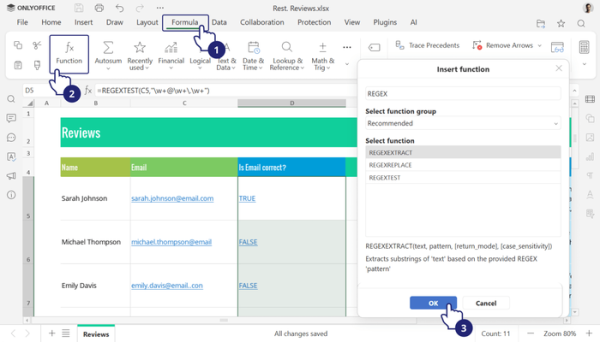
- Functions REGEXTEST, REGEXREPLACE, and REGEXEXTRACT have been added, allowing the use of regular expressions for searching, extracting, and replacing text.
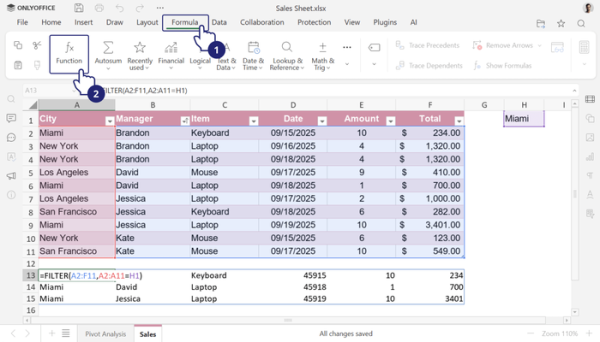
- Support for dynamic arrays has been added, allowing formulas to return a set of multiple values, which are automatically spilled into a series of adjacent cells.
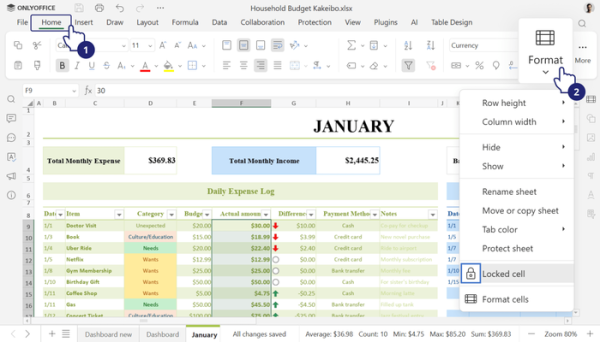
- A 'Format' button has been added to the toolbar for quick access to all formatting options and managing the display of tables, rows, and columns.
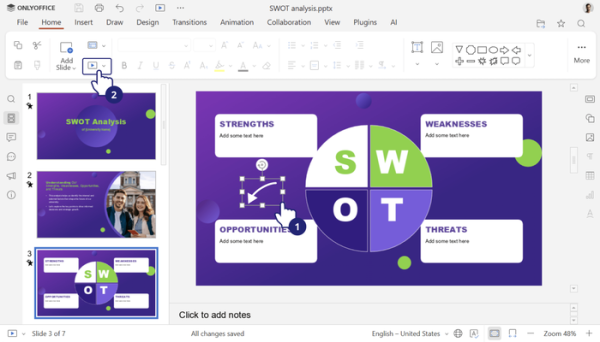
- The presentation editor now supports GIF animation during slideshow presentations, allowing the addition of animations without inserting videos.
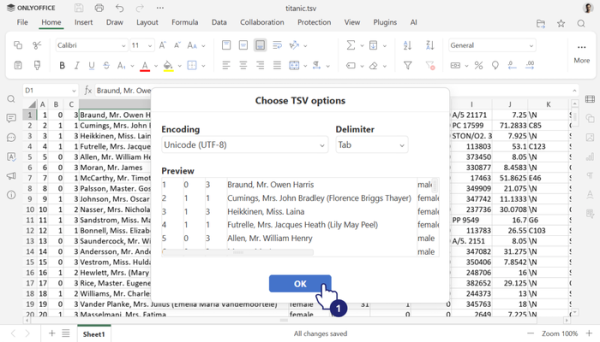
- Support has been added for viewing TSV (Tab-Separated Values) files.
- The ability to add hyperlinks to images, shapes, and groups has been implemented.
- The capabilities for recording macros for documents, spreadsheets, and presentations have been expanded.
- A button has been added to reset the zoom changes.
- Vulnerabilities have been addressed: cross-site scripting (XSS) during the dynamic loading of macros (CVE-2021-43446, CVE-2023-50883, CVE-2024-44085); reading out-of-bounds memory and dereferencing pointers when processing specially crafted XLS files; an issue in the update installation service that allowed actions with system privileges.
Source: opennet.ru
