

After six months of development, the release of the Wolvic 1.7 web browser is presented, designed for use in augmented and virtual reality systems. The project continues the development of the Firefox Reality browser, which was previously developed by Mozilla. Following the stagnation of the Firefox Reality codebase, the development was continued by Igalia, known for its involvement in projects such as GNOME, GTK, WebKitGTK, Epiphany, GStreamer, Wine, Mesa, and freedesktop.org. The Wolvic code is written in Java and C++ and is distributed under the MPLv2 license. Ready builds are available for the Android platform. It supports operation with 3D headsets such as Oculus, Huawei VR Glass, Lenovo VRX, Lenovo A3, HTC Vive Focus, Pico Neo, Pico4, Pico4E, Meta Quest Pro, Pico Neo3, and Lynx (with porting for Qualcomm devices underway).
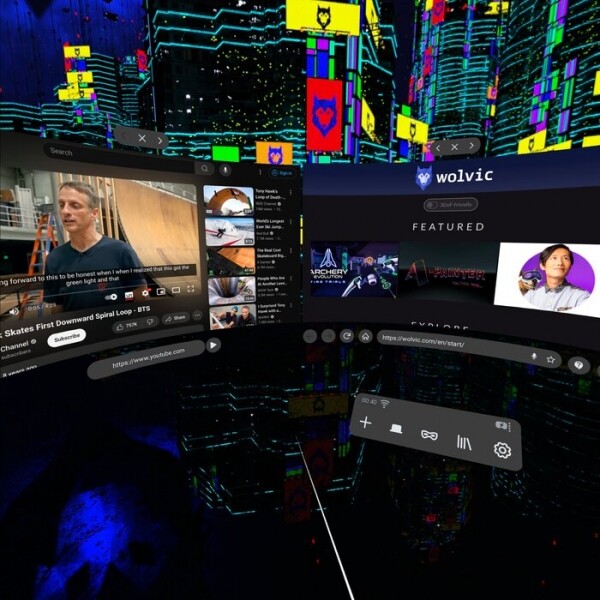
The browser uses the GeckoView web engine—a version of the Mozilla Gecko engine packaged as a separate library that can be updated independently. Control is achieved through a fundamentally different three-dimensional user interface that allows navigation of websites within the virtual world or in augmented reality systems. In addition to the interface designed for control via a 3D headset that permits viewing traditional two-dimensional pages, web developers can utilize the WebXR, WebAR, and WebVR APIs to create specialized three-dimensional web applications, with interactions taking place in virtual space. It also supports viewing spatial videos shot in 360 degrees in a 3D headset.
VR controllers are used for navigation, while data entry in web forms can be done using a virtual or physical keyboard. Additionally, a voice input system is offered for user interaction, enabling form filling and search queries using the speech recognition engine developed by Mozilla. The browser's start page provides an interface for accessing favorite content and navigating through a collection of games, web applications, 3D models, and spatial videos adapted for 3D headsets.
In the new version:
- Initial support for navigation using eye-tracking mechanisms present in some virtual reality devices has been added, provided to the application via the OpenXR extension XR_EXT_eye_gaze_interaction. For example, the new feature allows you to follow a link that your gaze is directed at after pressing a button on the controller or pinching your fingers.
- Support for hand tracking has been added, utilizing the OpenXR extension XR_EXT_hand_interaction. An input profile has been introduced that allows the use of the standard OpenXR input model for hand and gesture tracking, instead of device-specific extensions.
- Work has been done to improve the selection of window sizes and locations. The address bar has been restored, which, among other things, includes playback controls for multimedia content.

- Support for voice input and voice activation of the search interface has been implemented for Huawei VisionGlass smart glasses.
- Four new virtual environments have been added, recreating a Japanese park with fountains, Notre-Dame on a rainy night, a sunny Dutch village, and a wind-swept California coastline. The environments can be accessed through the Settings > Environment dialog.

- Support for the OpenXR extension XR_EXT_view_configuration_depth_range has been added to obtain additional graphical information that can enhance the performance of the browser.
- The Gecko browser engine and Mozilla components for Android have been updated to version 128, corresponding to Firefox 128 (previous releases used Mozilla Android Components 121 and Gecko 121).

Source: opennet.ru
