

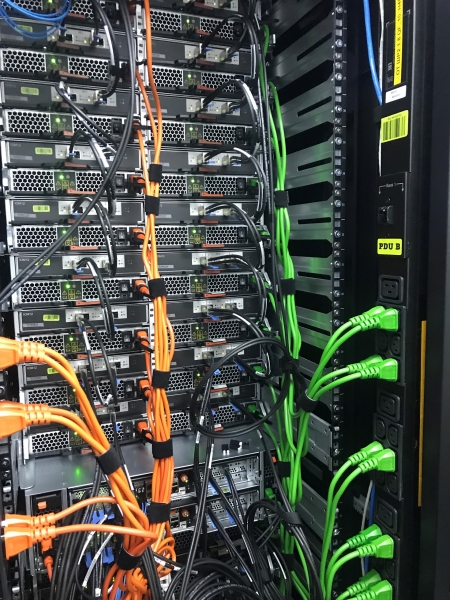
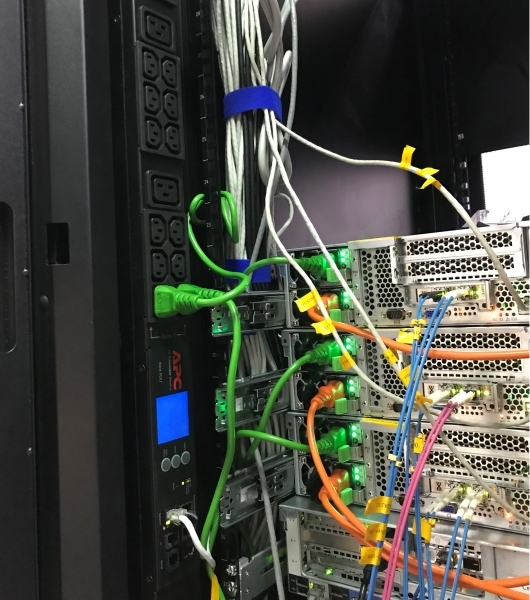
One of the racks for internal virtualization. They focused on color coding for the cables: orange indicates odd power input, while green signifies even.
We usually talk about large-scale equipment - chillers, diesel generators, and switchboards. Today, we'll discuss the 'smaller details' - outlets in the racks, also known as Power Distribution Units (PDUs). In our data centers, there are over 4,000 racks filled with IT equipment, so I've seen many types: classic PDUs, 'smart' ones with monitoring and management capabilities, and regular power strips. Today, I'll explain the different types of PDUs and how to choose the best one for your specific situation.
Types of PDUs
Basic power strip. Yes, the one that everyone has at home or in the office.
Formally, this isn't quite a PDU in terms of industrial use in racks with IT equipment, but these devices do have their fans. The only advantage of this solution is its low cost (starting from 2,000 rubles). They can also be useful if you use open racks where a standard PDU cannot fit, and you don't want to lose units for horizontal PDUs. This again relates to the issue of cost savings.
There are many more drawbacks: such devices don't always have internal protection against short circuits and overloads, and it's not possible to monitor metrics, let alone manage the outlets. They are most often placed at the bottom of the rack, which is not the most convenient position for connecting equipment.
In general, 'dumb' PDUs can be used if:
- you have thousands of servers and need to save costs,
- you can afford to blindly connect equipment without understanding the actual consumption,
- you are ready for equipment downtime.
We do not use this, but we have clients who successfully implement it. However, they build their infrastructure in such a way that the failure of dozens of servers does not impact the functionality of the client application.
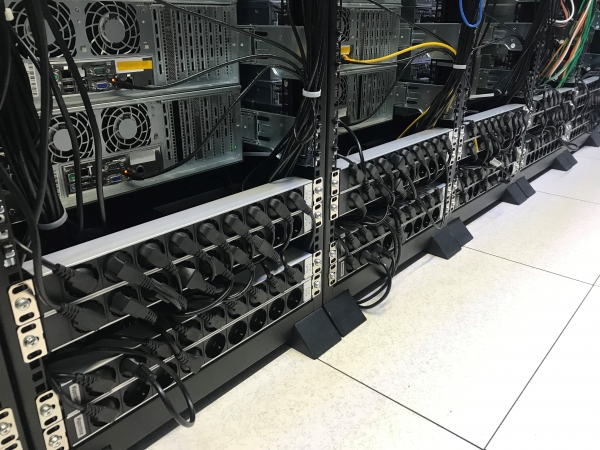
Cheap and effective.
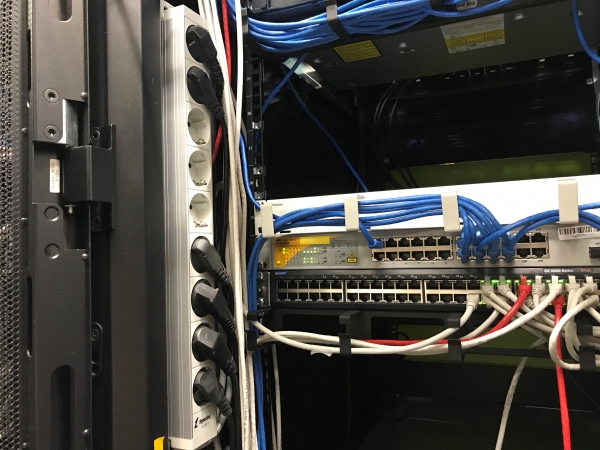
Vertical placement.
'Dumb' PDUs. This is a classic PDU for use in racks with IT equipment, which is already good. They have the appropriate form factor to be placed on the sides of the rack, making it convenient to connect equipment to them. There is internal protection. Such PDUs do not have monitoring capabilities, which means we won't know how much power the equipment consumes or what is happening inside. We hardly have any of these PDUs left, and in general, they are gradually phasing out of mass use.
These PDUs start from 25,000 rubles.
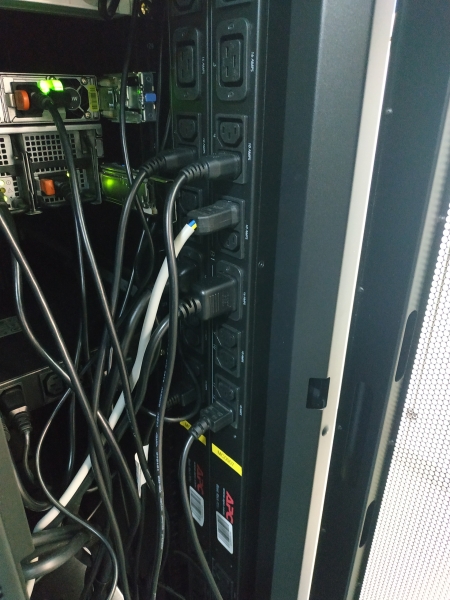
"Smart" PDUs with monitoring. These devices have "brains" that can track power consumption parameters. There is a display that shows key indicators: voltage, current, and power. You can track them by separate groups of sockets: sections or banks. Such a PDU can be accessed remotely, and you can set up data transmission to a monitoring system. They log events, allowing you to see everything that happened to it, for example, when exactly the PDU was turned off.
They can also calculate consumption (kWh) for technical accounting to understand how much the rack consumes over a certain period.
These are standard PDUs that we offer for lease to our clients, and most of the PDUs in our data centers are of this type.
If you decide to purchase, be prepared to pay from 75,000 rubles per unit.
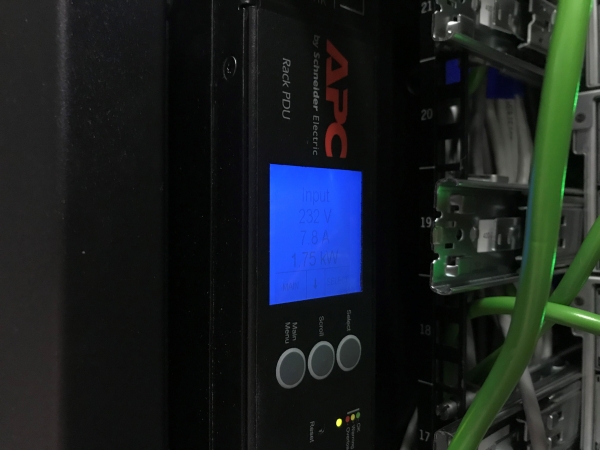
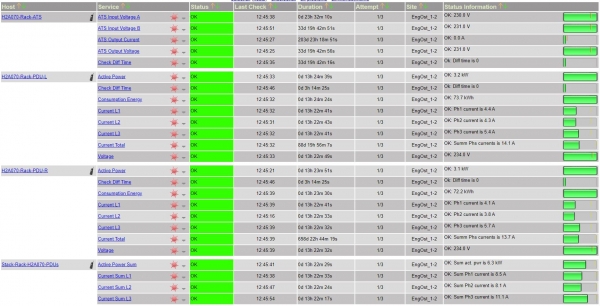
A graph from our internal PDU monitoring.
"Smart" PDUs with control. In addition to the functionalities described above, these PDUs offer control capabilities. The most advanced PDUs can manage and monitor each socket: you can turn them on/off, which is necessary in situations where it is required to remotely reboot a server by power. This is both the charm and the danger of such PDUs: an ordinary user, out of ignorance, can access the web interface, click something, and inadvertently reboot/shut down the entire system. Yes, the system will warn about the consequences twice, but practice shows that even alarms do not always protect against thoughtless user actions.
A major issue with "smart" PDUs is overheating and failure of the controller and display. PDUs are usually installed at the back of the rack, where hot air is expelled. It is hot there, and the controllers can fail. In this case, it’s not necessary to replace the entire PDU; the controller can be swapped out while the power is on.
The price is quite steep – starting from 120,000 rubles.
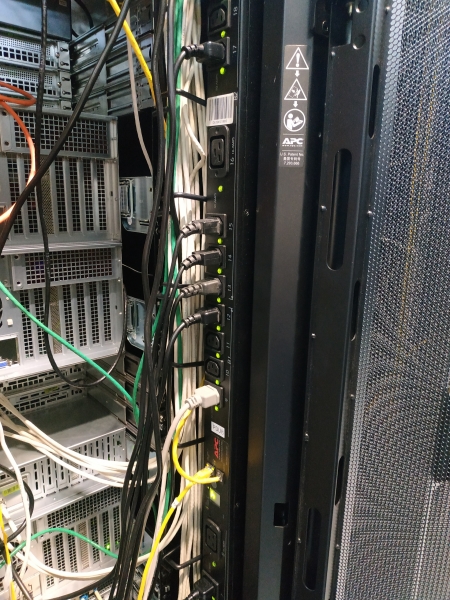
You can determine the managed PDU's status by the indicators located under each socket.
In my opinion, the management feature in a PDU is a matter of preference, but monitoring is a must-have. Otherwise, you won’t be able to track consumption and load. I'll explain why that's important a bit later.
How to calculate the required power for a PDU?
At first glance, this seems quite simple: the power of the PDU is selected according to the power of the rack, but there are nuances. Let’s say you need a 10 kW rack. PDU manufacturers offer models of 3, 7, 11, and 22 kW. You might think to choose 11 kW, but unfortunately, that would be incorrect. We would need to choose 22 kW. Why such a large margin? I will explain shortly.
First of all, manufacturers often indicate PDU power in kilowatts, rather than in kilovolt-amperes, which is more accurate but not obvious to the average user.
Sometimes manufacturers add to the confusion themselves:
Here, it first mentions 11 kW,

But in the detailed description, it refers to 11000 VA:
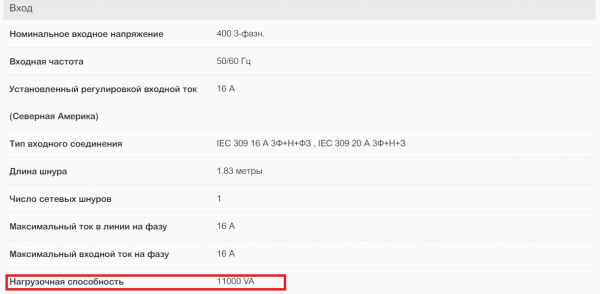
If you're dealing with kettles and similar appliances, there will be no difference between kW and kVA. A 10 kW rack with kettles will consume 10 kVA. However, if we are using IT equipment, there is a factor (cos φ): the newer the equipment, the closer this factor is to one. On average, for IT equipment, we can take 0.93–0.95. Therefore, a 10 kW rack with IT equipment will consume 10.7 kVA. Here is the formula we used to obtain 10.7 kVA.
Pfull = Pact / Cos(φ)
10 / 0.93 = 10.7 kVA
And you may reasonably ask, isn’t 10.7 less than 11? Why do we need a PDU rated for 22 kW? There’s another point: the level of power consumption by equipment will change depending on the time of day and the day of the week. When distributing power, this factor should be considered, and an additional ~10% should be allocated for fluctuations and spikes, so that during peak consumption periods, the PDU doesn’t overload and leave the equipment without power.
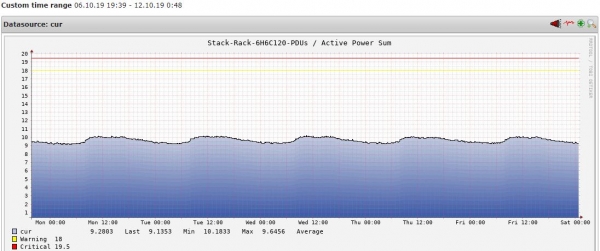
Power consumption graph for a 10 kW rack over 4 days.
It turns out that to the existing 10.7 kW, we need to add another 10%, and as a result, a PDU rated for 11 kW is no longer suitable.
| PDU model | Phase | Manufacturer's power, kVA | Power DtLN, kW |
| 1 phase | 3,7 | 3 | |
| 1 phase | 7,4 | 6 | |
| 3 phase | 11 | 9 | |
| 3 phase | 22 | 18 |
A fragment of the power table for specific PDU models according to DataLine’s version, considering the conversion from kVA to kW and the reserve for fluctuations throughout the day.
Mounting features
The most convenient way to work with a PDU is when it is mounted vertically on the left and right sides of the rack. In this case, it does not occupy valuable space. Up to four PDUs can be installed in a rack — two on the left and two on the right. Typically, one PDU is placed on each side. Each PDU has one power input.
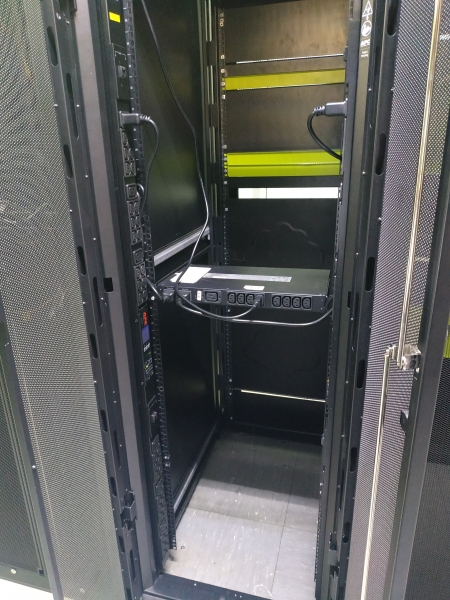
The standard setup for a rack includes 2 PDUs and 1 UPS.
Sometimes there isn't enough space for vertical PDUs in a rack, for instance, if it's an open rack. In this case, horizontal PDUs come to the rescue. The only downside is that you will have to accept a loss of 2 to 4 units in the rack, depending on the PDU model.
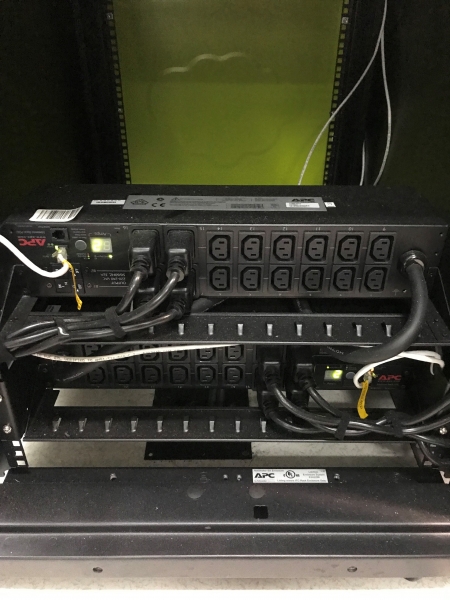
Here, the PDU has taken up 4 units. This type of PDU is also used when it is necessary to separate two clients in one rack. In this case, each client will have a separate pair of PDUs.
Sometimes the chosen rack is not deep enough, and the server protrudes, obstructing the PDU. The saddest part here is not that some outlets will be unused, but that if this PDU fails, you'll have to bury it right in the rack or disconnect and remove all the obstructing equipment.
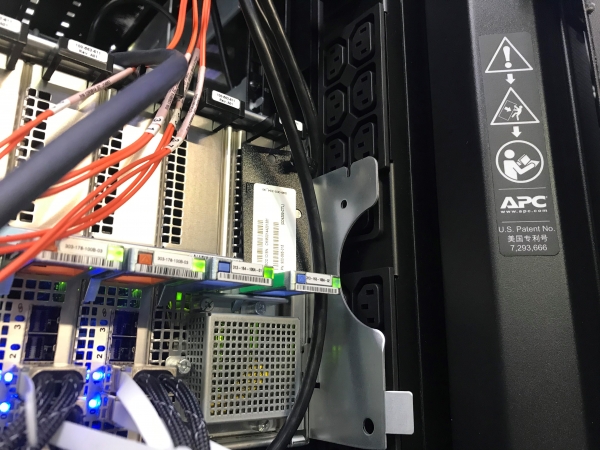
Don't do this — 1.
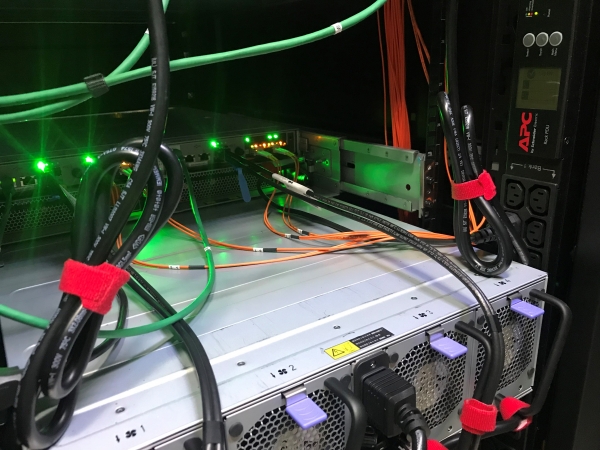
Don't do this — 2.
Connecting Equipment
Even the most advanced PDU won't help if the equipment is connected incorrectly and there is no way to monitor consumption.
What could go wrong? A little . Each rack receives two power inputs, and a standard rack has two PDUs. Thus, each PDU has its own input. If something happens to one of the inputs (i.e., PDU), the rack continues to operate on the second one. For this scheme to work, some rules must be followed. Here are the main ones (the complete list can be found ):
Equipment must be connected to different PDUs. If the equipment has a single power supply and one plug, it connects to the PDU through a UPS (Uninterruptible Power Supply) or ATS (Automatic Transfer Switch). In case of issues with one of the inputs or the PDU itself, the UPS switches the equipment to the healthy PDU/input. The equipment will not notice any change.
Load balancing on two inputs/PDU. The backup input will only save you if it can withstand the load of the failed input. For this, you need to leave a margin: load each input to less than half of its nominal capacity, and the total load on both inputs should be less than 100% of the nominal. Only in this case will the remaining input be able to handle the double load. If not, the switch to backup will fail — the equipment will be left without power. To avoid the worst-case scenario, we this parameter.
Load balancing between PDU sections. PDU outlets are grouped into sections — usually consisting of 2 or 3 units. Each section has its own power limit. It is important not to exceed this limit and to distribute the load evenly across all sections. And the same principle regarding paired loads applies here, as mentioned earlier.
To summarize
- Whenever possible, choose a PDU with monitoring capabilities.
- When selecting a PDU model, leave a power margin.
- Install the PDU in such a way that it can be replaced without disturbing the IT equipment.
- Connect correctly: connect the equipment to two PDUs, do not overload the sections, and keep in mind the paired loads.
Source: habr.com
