

The developers of the Nitrux project have released the first alpha version of the Maui Shell user environment, developed according to the 'Convergence' concept, which allows the same applications to work on touchscreen devices like smartphones and tablets, as well as on larger screens of laptops and PCs. Maui Shell automatically adapts to the screen size and available input methods, and can be used not only on desktop systems but also on smartphones and tablets. The project's code is written in C++ and QML and is distributed under the LGPL 3.0 license.
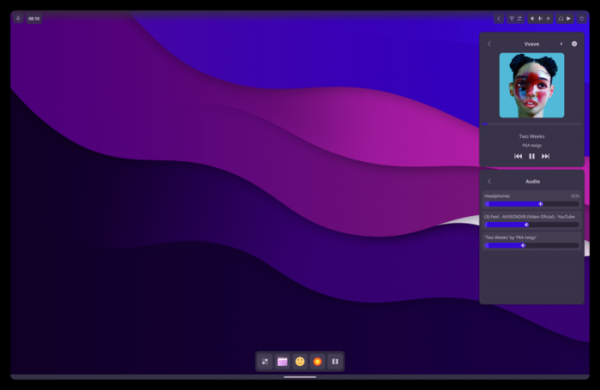
When working on standard monitors, the shell operates in desktop mode, with a fixed top panel, the ability to open an arbitrary number of windows, and control via the mouse. With a touchscreen, the shell works in tablet mode with a vertical layout of elements and full-screen window opening or side-by-side layout similar to tiled window managers. On smartphones, the elements of the panel and applications expand to full screen, as seen in traditional mobile platforms.
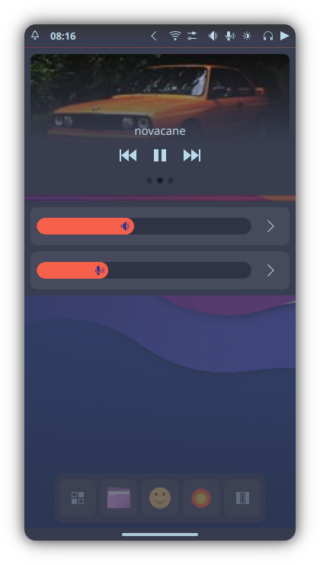
The same shell can be used for desktop systems, smartphones, and tablets, without the need to create separate versions for devices with different form factors. For example, using Maui Shell on a smartphone or tablet allows the device to be transformed into a portable workstation that offers a complete desktop interface when connected to a monitor, keyboard, and mouse.
Maui Shell uses components for building graphical interfaces from MauiKit and the Kirigami framework, developed by the KDE community. Kirigami is an extension over Qt Quick Controls 2 elements, while MauiKit provides ready-made interface element templates that allow rapid creation of applications that automatically adapt to screen size and available input methods. The project also utilizes components such as BlueDevil (Bluetooth management), Plasma-nm (network connection management), KIO, PowerDevil (power management), KSolid, and PulseAudio.
Information output is facilitated by its own composite manager, Zpace, responsible for displaying and arranging windows and processing. virtual desktopsThe main protocol used is Wayland, which operates through the Qt Wayland Compositor API. On top of Zpace, there is a shell called Cask, which implements a container encompassing all screen content and provides basic implementations of elements such as a top panel, pop-up dialogs, screen maps, notification areas, a dock panel, shortcuts, program launch interfaces, and more. In addition to running Maui Shell on top of its compositor, server Zpace also allows for a separate launch of the Cask shell within an X server-based session.
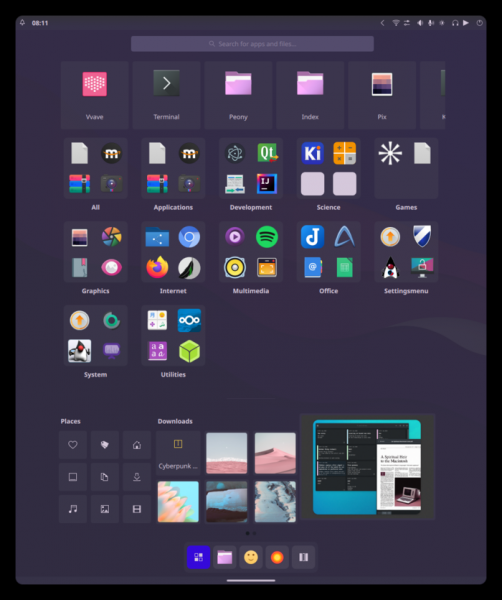
The first alpha release marked the implementation of Cask shell's basic functionality and the development of elements specific to devices with different form factors. Support for sound, Bluetooth, a dark theme, widgets for managing the network, playback, and brightness has also been added. To perform privileged actions, an agent based on PolKit has been introduced. Users can now change desktop wallpapers and adapt color schemes accordingly. A program for launching the startcask-wayland session and the necessary services has been added. The program panel displays the most frequently used applications, a list of program categories, recent downloads, and shortcuts for quick access on the first page.
In June, a beta release is expected, which will refine Cask's functionality, propose a session manager, screen locker, power management system, and the ability to manage through keyboard shortcuts. The first stable release is scheduled for September 2022.
Source: opennet.ru
