

Collabora has released the CODE platform 26.04 (Collabora Online Development Edition) for quick deployment of the Collabora Online system (formerly LibreOffice Online) on its servers for collaborative remote work with the office suite via the web, achieving functionality similar to Google Docs and Office 365. CODE is available in the form of a preconfigured container for Docker, a virtual machine image, and a set of packages for popular Linux distributions. The project's code is distributed under the MPLv2 license.
Collabora Online has a client-server architecture, where server the LibreOffice Core runs, responsible for formatting and rendering documents, spreadsheets, presentations, and vector graphics, while the interface is handled by a web application. The office suite is accessed through a web browser with the capability for multiple users to collaborate, making simultaneous edits, leaving comments, and responding to questions. Contributions, current edits, and the positions of each user's cursors are highlighted in different colors.
CODE is presented as a version of the Collabora Online platform for developers, featuring the latest developments and suitable for use in small teams or for exploratory testing. The Collabora Office product is developed separately, intended for running Collabora Online not on servers, but on the user's local systems. In 2025, Collabora staff contributed 45% of all changes to LibreOffice, but this year, tensions flared between Collabora and The Document Foundation (TDF) related to the development of the cloud version of LibreOffice Online, resulting in the exclusion of all Collabora employees from TDF.
In 2020, to address branding and marketing issues, Collabora created a fork of LibreOffice Online and continued development in its repository under the name Collabora Online. Development was transferred after the Document Foundation began promoting products from other companies on the LibreOffice Online page that contributed very little to development. In 2022, the Board of the Document Foundation decided to freeze LibreOffice Online, as all developers from the community had moved to the Collabora Online project, and no one was willing to continue maintaining the old repository. In 2026, the freezing decision was lifted, and the LibreOffice Online repository was recreated as a fork of the current Collabora Online repository.
Key changes in CODE 26.04:
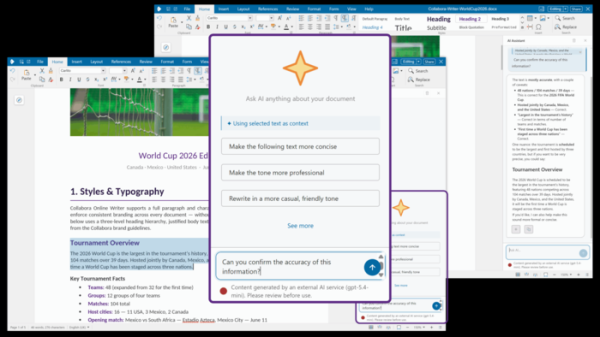
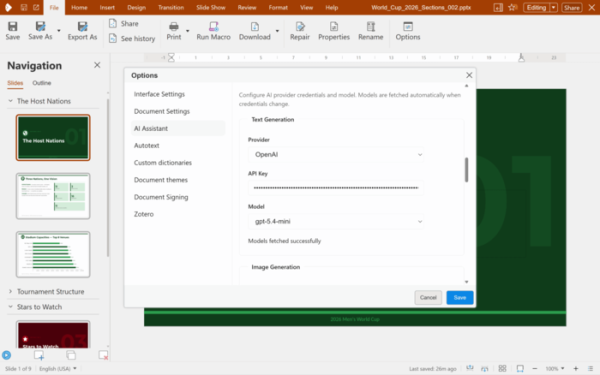
- An AI assistant has been integrated into document, spreadsheet, and presentation editors. In Writer, AI can be used to enhance, explain, rewrite, and process text.

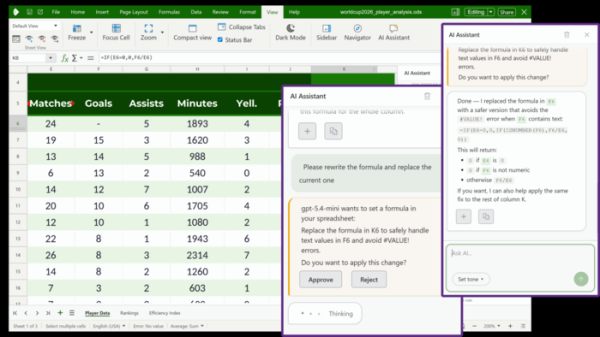
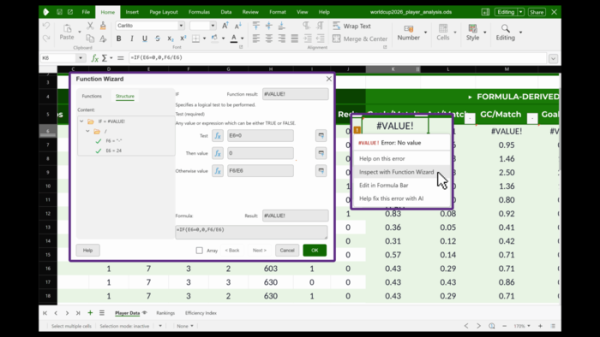
In Calc, the AI assistant can perform tasks such as data analysis and error correction in formulas.
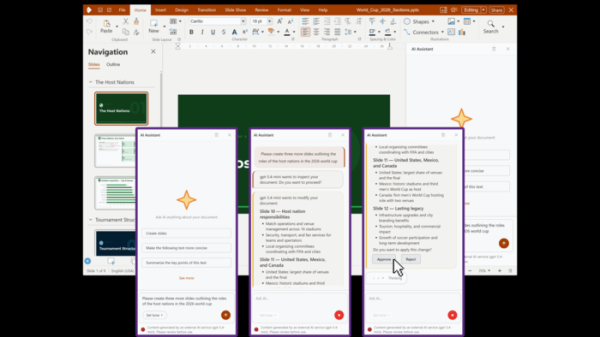
In Impress, features for creating presentations with the help of AI, summarizing and verifying information, transforming text from documents into shortened formats for insertion into presentations, splitting data into slides, and structuring large reports are available.
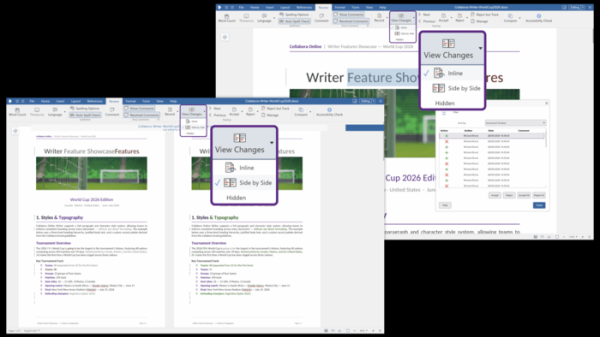
- In Writer, a visual document comparison mode has been added, allowing users to evaluate differences between two documents or different versions of a document side by side in one window.
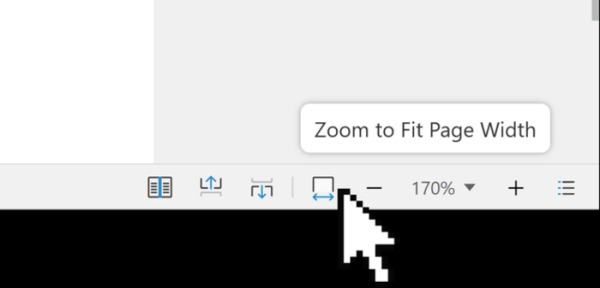
- A multi-page view mode has been added, enabling the simultaneous viewing of several randomly selected pages in one window to simplify navigation through long documents.

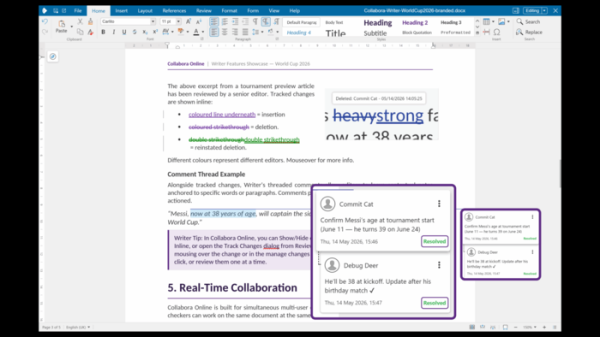
- The design of the comment panels has been changed to present them as cards placed next to the commented content.
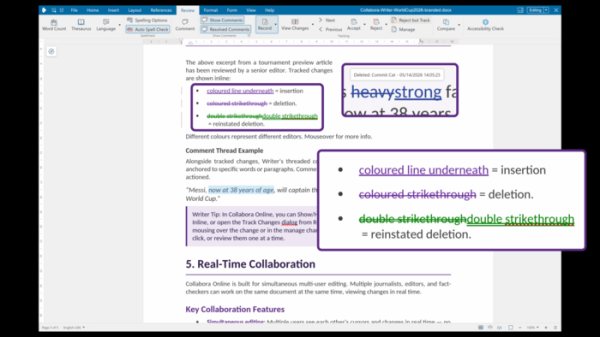
- A smart change tracking and reviewing mode has been implemented, which depends on other changes (for example, accepting or rejecting a change now automatically accepts or rejects all nested changes).
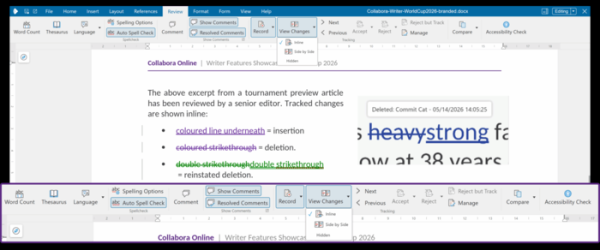
- The design of the reviewing tools panel has been changed, making the most requested tools, such as working with comments and spell checking, more prominent.

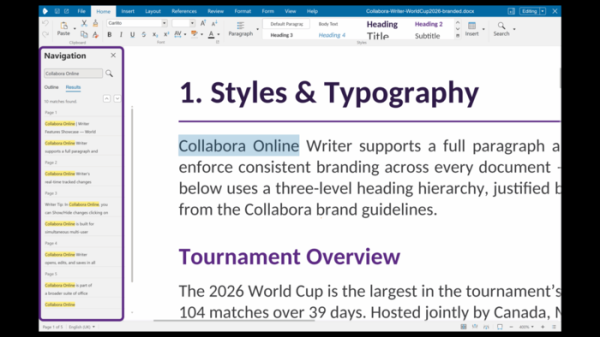
- The Writer Navigator includes a search feature that allows you to view all matches at once and quickly navigate through a large document.
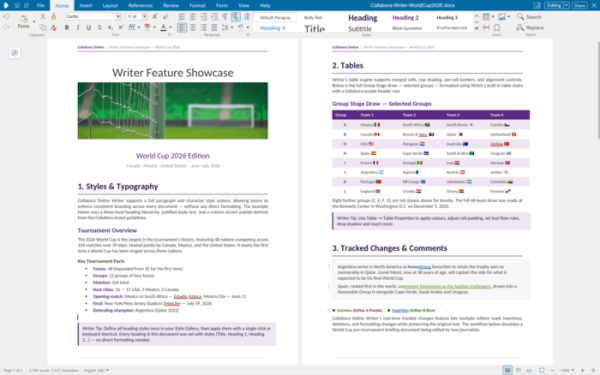
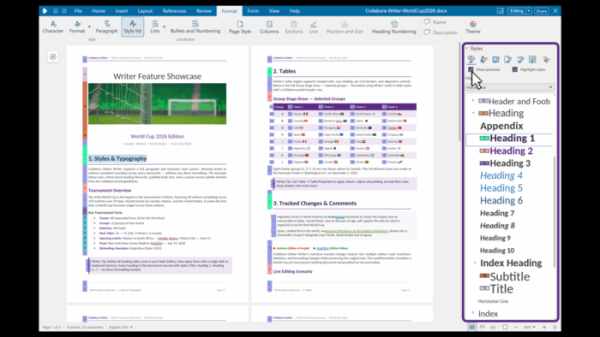
- In the style settings panel, alongside the scrollable list of examples, a preview of the results from various formatting options has been implemented.
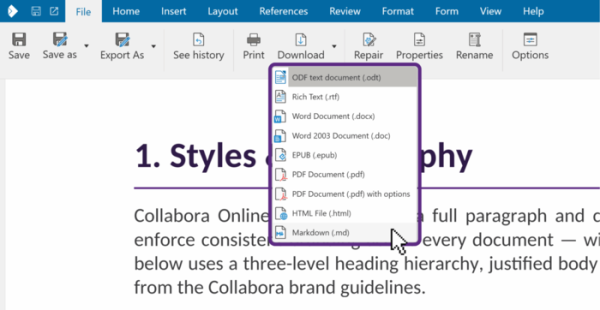
- Support for importing and exporting documents in Markdown format has been added.

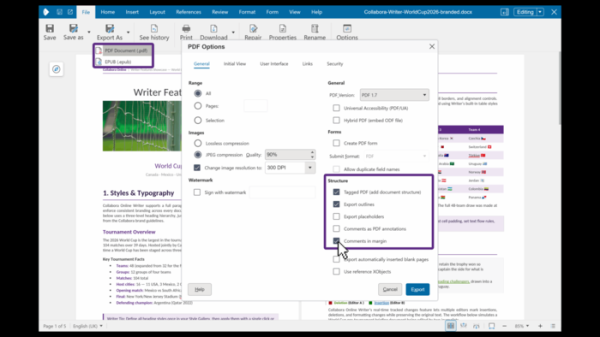
- When exporting to PDF format, the option to save the document with comments displayed as annotations in the margins has been implemented.
- A reviewing mode has been added, allowing for changes in the document to be accepted or rejected without the ability to edit the document itself.
- Adaptive selection of the position and zoom level of the document, depending on available screen space, has been ensured.

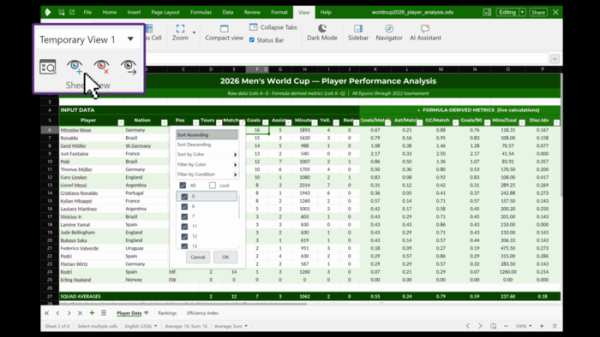
- In the spreadsheet application, users can work with their own views of sheets while collaborating on a shared spreadsheet. Each user can apply their filtering and settings during collaborative editing, which will only affect their instance and not impact other users.
- Error handling in formulas has been improved. A label now appears next to cells containing errors, allowing you to open a dialog for inspecting and editing the formula.
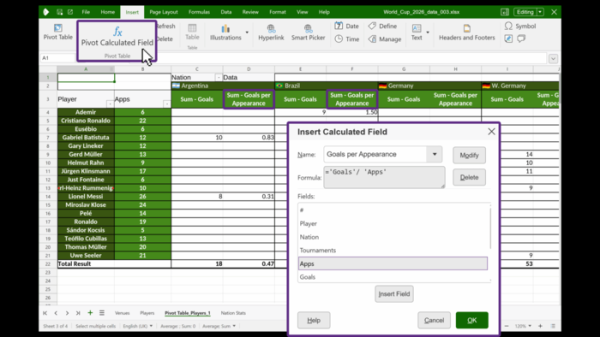
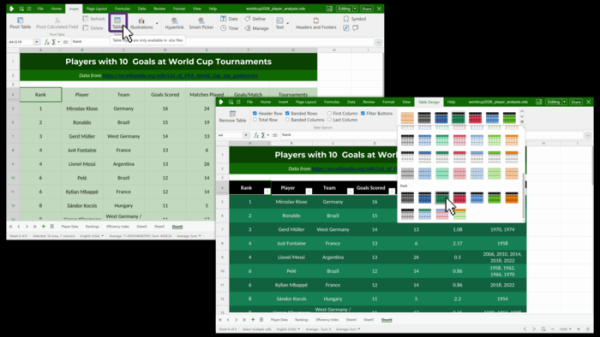
- In Pivot Tables, the ability to insert columns with values that are not directly provided but calculated based on data from the spreadsheet has been added.
- The option to select table styles has been added, allowing you to choose light, medium, and dark themes, highlight headers, or shade odd rows with a different color.
- New functions have been added to Calc, including CHOOSECOLS, CHOOSEROWS, DROP, EXPAND, HSTACK, TAKE, TEXTAFTER, TEXTBEFORE, TEXTSPLIT, TOCOL, TOROW, VSTACK, WRAPCOLS, and WRAPROWS.
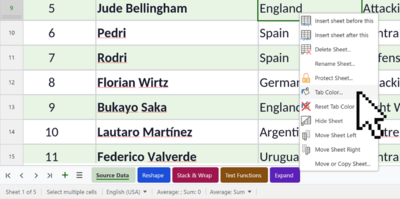
- The ability to highlight individual tabs with a different color has been added.

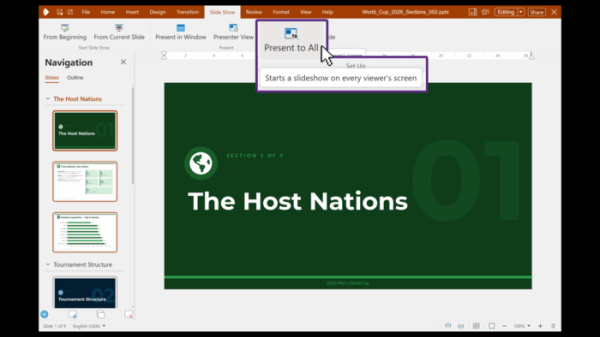
- The interactivity of the collaborative presentation mode has been enhanced, allowing the presenter to start the presentation while it automatically displays and switches between slides for other participants. In the new version, participants can pause the automatic switching and scroll back through the slides.
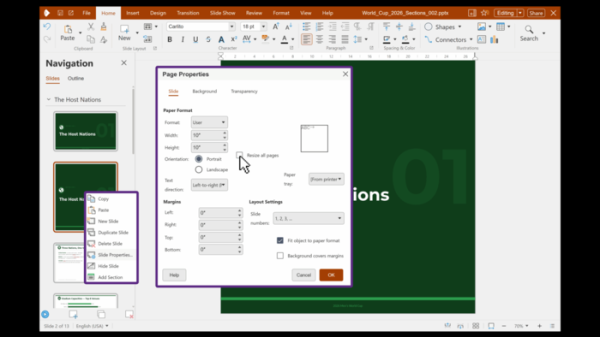
- The ability to create slides of different sizes within a single presentation has been provided.
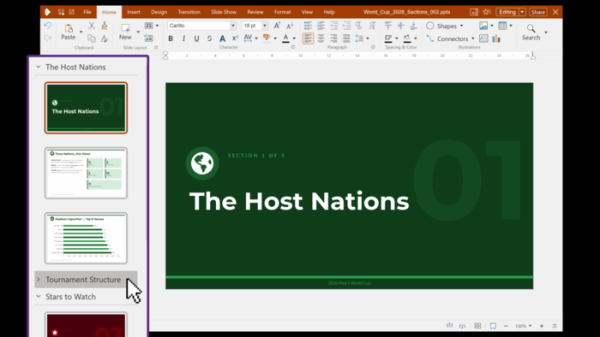
- Support for grouping slides in sections has been added, which can be used for navigation according to the presentation structure.
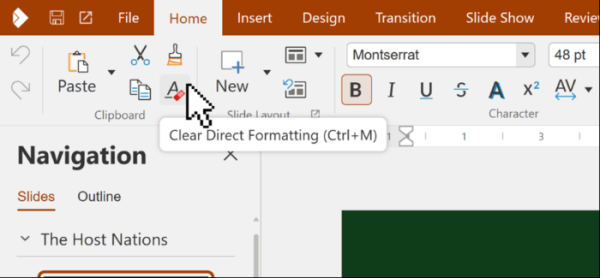
- Element grouping, label placement, and dropdown list handling in the menu panel have been improved for screens with various resolutions. Tooltips have been added with information about menu items.

- A built-in dialog for changing application settings has been added, accessible directly from the document editor without needing to open a separate admin interface.
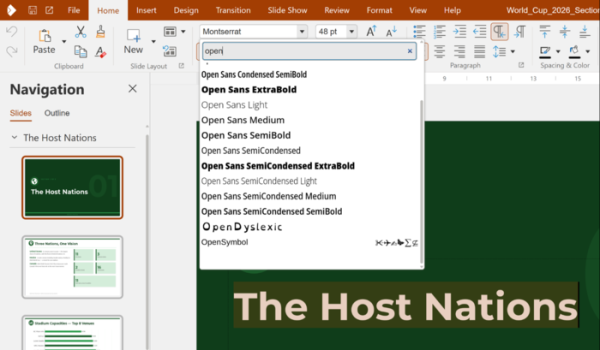
- The font selection dialog now updates the list of suggested fonts as you type a filter mask.

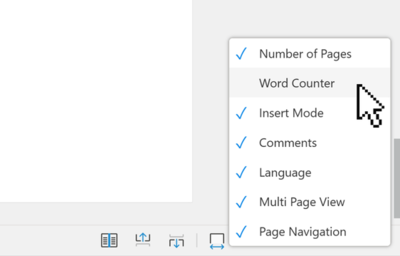
- Options for controlling the display of indicators have been added to the context menu in the status bar.

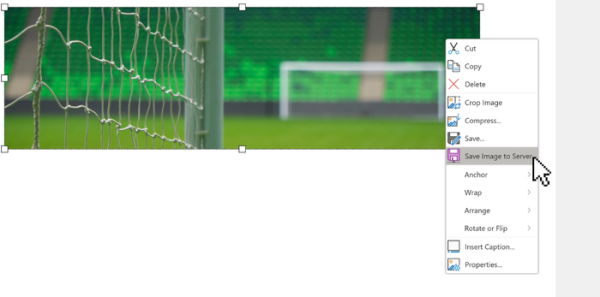
- A function for extracting and saving images has been added to the context menu shown for images in the document.

- The ability to open OOXML templates in editing mode has been provided.
- An option has been added to open certain document types by default in viewing mode, with the ability to switch to editing mode if desired.
Source: opennet.ru
