

The release of the Sculpt 22.10 operating system has been introduced, based on technologies from the Genode OS Framework. This general-purpose operating system is designed for everyday users to perform daily tasks. The project's source code is distributed under the AGPLv3 license. A 28 MB LiveUSB image is available for download, supporting operation on systems with Intel processors and graphics subsystems with VT-d and VT-x extensions enabled.
Key innovations:
- Stricter constraints from the Genode architecture have been applied to device interrupt management and PCI configuration. This change required extensive internal restructuring affecting all drivers, allowing for new optimizations and additional functionality. The developers aimed to maintain the overall user experience in the system.
- Several significant optimizations have been implemented to speed up boot times, increase network subsystem throughput, and enhance user interface responsiveness.
- Improved support for hot plugging USB devices. The ability to dynamically attach USB devices to virtual machines and detach them has been added.
- The Chromium browser engine used in the available browsers, Falkon and Morph, has been updated.
- The sound driver has been updated, synchronizing it with code from OpenBSD 7.1.
- Work has begun on adapting Sculpt for mobile phones. Improvements include support for USB ECM, Mali-400 GPU, SD card connections, telephony stack, and mobile data network support, as well as enhancements to the Morph browser and user interface. Support for USB interface smart cards has also been added.
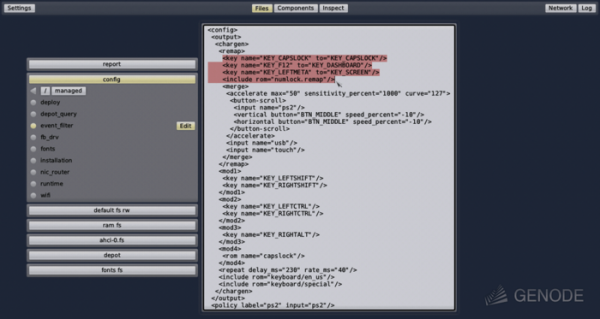
The system comes with the Leitzentrale graphical interface, allowing typical system administration tasks to be performed. In the top left corner of the graphical interface, a menu with tools for managing users, connecting storage devices, and configuring network connections is displayed. In the center, there is a configurator for assembling the system's components, providing a graph-like interface that defines the relationships between system components. Users can interactively remove or add components to define the system environment's composition. of virtual machines.
At any time, the user can switch to the console management mode, which offers greater flexibility in management. A traditional desktop can be obtained by launching the TinyCore Linux distribution. virtual machine with Linux. In this environment, the Firefox and Aurora browsers, a Qt-based text editor, and various applications are available. Command line utilities are provided in a noux environment.
Genode provides a unified infrastructure for creating custom applications that run on top of the Linux kernel (32 and 64 bit) or the NOVA microkernel (x86 with virtualization), seL4 (x86_32, x86_64, ARM), Muen (x86_64), Fiasco.OC (x86_32, x86_64, ARM), L4ka::Pistachio (IA32, PowerPC), OKL4, L4/Fiasco (IA32, AMD64, ARM), and a direct-running kernel for ARM and RISC-V platforms. The paravirtualized Linux kernel L4Linux, running on top of the Fiasco.OC microkernel, enables the execution of standard Linux programs within Genode. The L4Linux kernel does not interact directly with hardware but uses Genode services via a set of virtual drivers.
Various Linux and BSD components have been ported to Genode, ensuring support for Gallium3D, integrating Qt, GCC, and WebKit, and enabling the organization of hybrid Linux/Genode software environments. A port of VirtualBox has been prepared, which operates on top of the NOVA microkernel. A large number of applications have been adapted to run directly atop the microkernel and the Noux environment, which provides OS-level virtualization. For unported programs, there is a mechanism for creating application-level virtual environments that allows programs to run in a virtual Linux environment using paravirtualization.
Source: opennet.ru
