

After two years of development, the release of ravynOS 0.5 has been published, advancing an operating system based on FreeBSD, focused on achieving compatibility with macOS applications and providing a macOS-style user interface. The project artifacts are distributed under the BSD license. The size of the bootable ISO image is 869 MB (x86_64).
The project aims to achieve compatibility with macOS applications at the source code and executable file levels. In the first case, this means the ability to recompile macOS application code for execution in ravynOS, while in the second, it involves integrating changes into the kernel and toolkit for running Mach-O executable files compiled for x86-64 and arm64 architectures. Supported file systems include ZFS and those used in macOS, such as HFS+ and APFS. In addition to the FreeBSD-specific hierarchies /usr and /usr/local, macOS-specific directories /Library, /System, and /Volumes are created. User home directories are placed in the /Users hierarchy. Each home directory contains a subdirectory ~/Library for applications that utilize the Apple Cocoa API.
For compatibility with macOS, a partial implementation of the Cocoa API and Objective-C runtime is provided (located in the /System/Library/Frameworks directory), along with compilers and linkers modified to support them. In addition to the layer for macOS compatibility, ravynOS also offers the ability to run Linux applications based on the Linux environment emulation infrastructure provided in FreeBSD (Linuxulator).
Applications can be formatted as self-contained app packages (App Bundle) in the AppImage format, placed in the /Applications or ~/Applications directories. Programs do not require installation or a package manager; simply dragging and launching the AppImage file is sufficient. Traditional FreeBSD package support is also retained.
The graphical environment is built on a custom windowing system. server, using a stripped-down composite server labwc (removing support for server-side window decoration and theming), wlroots, and the Wayland protocol. In graphical applications, frameworks such as Qt and Cocoa can be employed. The interface utilizes standard macOS concepts, such as a top panel with a global menu, an identical menu structure, keyboard shortcuts, a file manager styled similarly to Filer, and support for commands like launchctl and open.
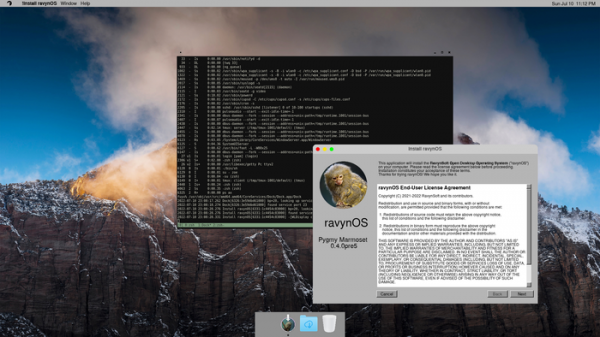
In the new release:
- The base system has been updated to the FreeBSD 15-CURRENT branch. The use of FreeBSD ports has been discontinued—all necessary components have been moved to the system repository.
- The core set now includes the text editor turbo. Additionally, cmake, gmake, nasm, and GNU binutils have been added.
- Assembly files for Cocoa and Objective-C frameworks now provide the capability to link objects in subdirectories, simplifying code transfer from various subdirectories into a single library.
- The use of the package repository has been discontinued, but the ability to install packages from FreeBSD repositories into the /usr/local directory remains via the pkg command.
- A new build utility, build.sh, has been added to simplify the entire system build process and create a customizable ISO image that can be booted in Live mode.
- An initial implementation of a graphical Dock panel has been added, featuring a small set of basic icons. It allows for program launch indications, application shortcut placement, and desktop wallpaper customization in macOS style. The panel's content is currently configured only by editing the plist file in ~/Library/Preferences.
- Support for the NSStatusItem class has been added, enabling Cocoa applications to move menus to the global panel.
Source: opennet.ru
