

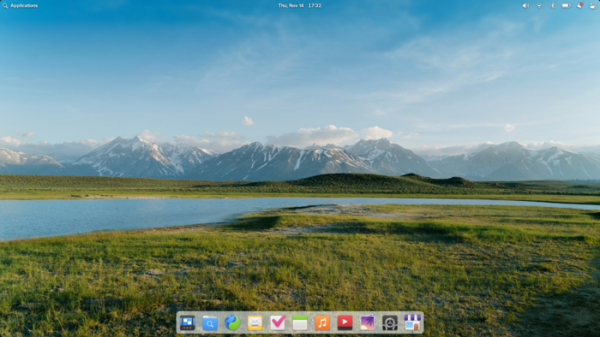
The release of the elementary OS 8 distribution has been announced, marketed as a fast, open, and privacy-focused alternative to Windows and macOS. The project prioritizes quality design aimed at creating an easy-to-use system that consumes minimal resources and provides high boot speeds. Users are offered their own Pantheon desktop environment. Bootable ISO images (3.2 GB) are available for download for the amd64 architecture (to download for free from the project's website, enter 0 in the donation amount field).
The original components of elementary OS are developed using GTK3, Vala language, and the custom Granite framework. The distribution is based on the Ubuntu project. On the package and repository support level, elementary OS 8.x is compatible with Ubuntu 24.04. All additional applications offered for installation via AppCenter, as well as some default applications, are packaged using the Flatpak format. The graphical environment is based on the custom Pantheon shell, which includes components such as the Gala window manager (based on LibMutter), Slingshot launcher, control panel Switchboard, Wing top panel, Dock taskbar, and Pantheon Greeter session manager (based on LightDM).
The environment includes a set of tightly integrated applications necessary for users to accomplish their tasks. Most of the applications are developed by the project, such as the Pantheon Terminal emulator, Pantheon Files file manager, Code text editor, and Music (Noise) music player. The project also develops the Pantheon Photos manager (a fork of Shotwell) and the Mail client (a fork of Evolution).
Key innovations:
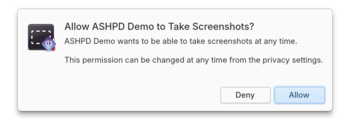
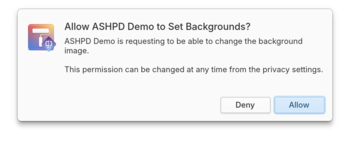
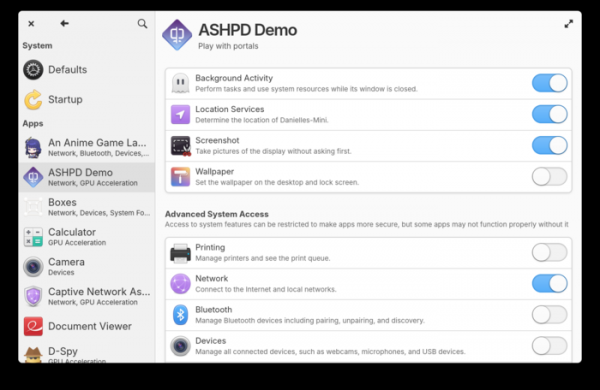
- Upon logging in, users can now choose between two sessions — Classic and Secure. In the new Secure session, the Wayland protocol is used by default, and a permission request system is activated, requiring user confirmation for applications packaged as Flatpak to access advanced features such as taking screenshots, changing the desktop background, accessing location data, and continuing processes in the background after closing the window.


The configurator for applications installed in Flatpak format now provides options for selectively restricting access to network, printing, Bluetooth usage, and managing USB devices.

Among the features of the Secure session is support for screen configurations with different pixel density settings (DPI), enabling proper operation when connecting a HiDPI laptop to an external monitor with low DPI. Additionally, the new session has improved support for multi-touch gesture control for touchscreen systems. Performance and responsiveness of the interface on low-power systems have been enhanced.
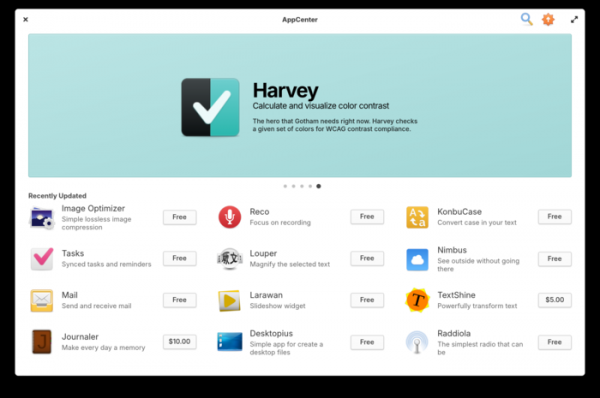
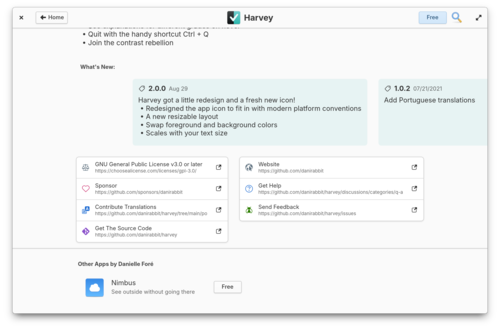
- The capabilities of the application installation center (AppCenter) have been expanded. In addition to the set of Flatpak packages provided by the project, installation of packages from the Flathub catalog is now included by default. To differentiate the custom packages created for elementary OS, these packages are now labeled as 'Made for elementary OS.' Additional permission settings and warnings about the sandbox modes applied in the packages have been added to the package information pages.


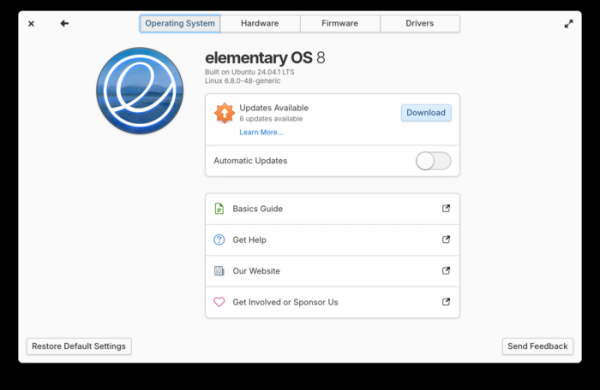
- Settings and operations related to system updates and driver management have been moved from AppCenter to the configuration tool (System Settings). Only the functions for updating individual applications remain in AppCenter. System updates are installed using the offline update mechanism and are applied during the system reboot. Application updates are installed while the system is running and do not require a reboot. The configuration tool has added an option for automatic update installation, and the shutdown dialog now includes a button to install accumulated updates before powering off the computer.
- A new, completely rewritten taskbar (Dock) has been implemented, which, in addition to the familiar functionality, offers new opportunities for organizing simultaneous work on multiple tasks and simplifying navigation through windowed applications. For instance, when clicking on the icon of an already launched single-window application, the window of this application gains focus as before. However, clicking on the icon of an application with multiple open windows now displays the thumbnails of the available windows separately, allowing the user to select the desired window. A new window for an already running application can be opened using the middle mouse button. Additionally, a quick launch feature has been implemented for pinned application icons on the panel using the keyboard combination 'Menu+number.'
- For individuals with visual impairments, enhancements have been made regarding the activation and use of screen readers and keyboard controls. A sound indication feature has been added for visually impaired users to select windows through the Alt+Tab interface.
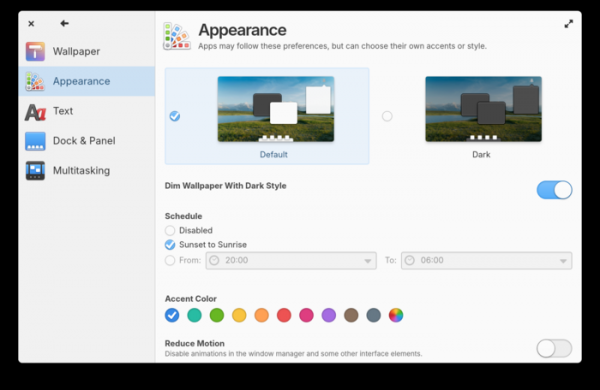
- The System Settings interface has been updated, featuring a new two-panel design that works effectively on both large and small screens. Settings have been added for text scaling, screen reader activation, contrast and brightness control, disabling dynamic scroll bar appearance, managing keyboard layout switching, and emoji input. The quality of the settings search system has been improved. Automatic unit selection based on locale has been implemented.
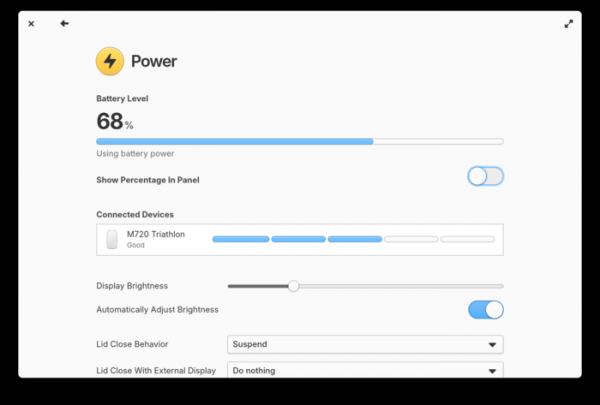
- The power management settings now display the charge level, battery status, and connected external wireless devices, such as a mouse and keyboard.

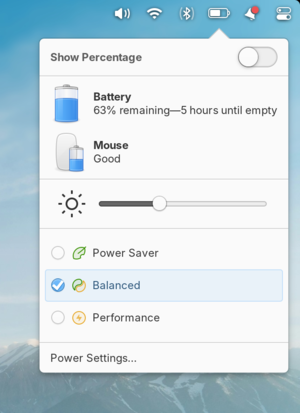
- The charge indicator display in the panel has been improved. Support for automatic adjustment of different power profiles based on connected devices and battery charge level has been added. Power profiles can also now be quickly switched through the indicator in the panel.

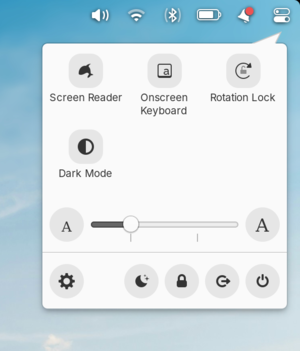
- A new Quick Settings menu has been added to the panel, allowing users to activate dark mode, adjust text size, show the on-screen keyboard, and disable automatic screen rotation.

- Some keyboard shortcuts have been changed. Pressing the Menu button now displays the applications menu, while Menu+Space is used to switch the keyboard layout. Settings can be adjusted through the Keyboard section in the configurator.
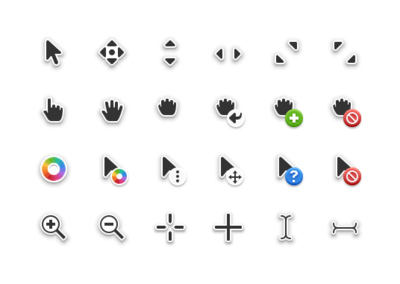
- New cursor pointer images have been added.

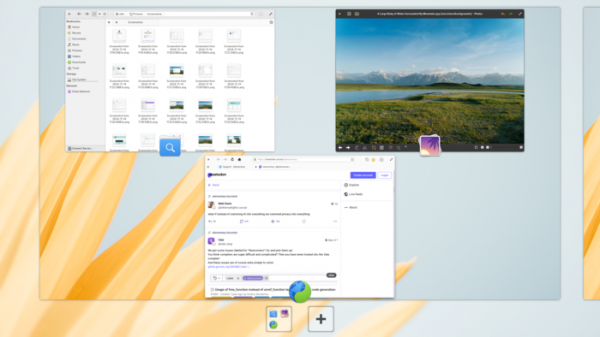
- When displaying the interface for navigating open windows and virtual desktops, a blurred wallpaper effect is now used instead of a gray side background.

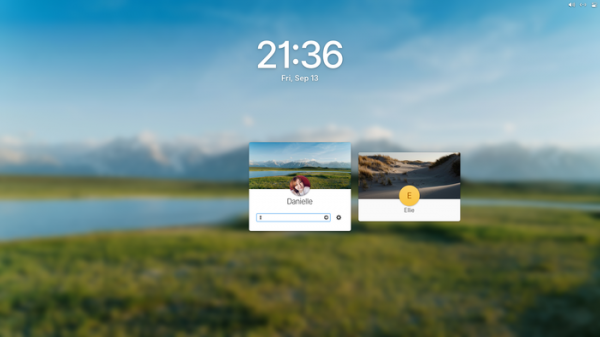
- In the system login and lock screen interface, the size of the clock has been increased and a blur effect for the background image has been enabled.
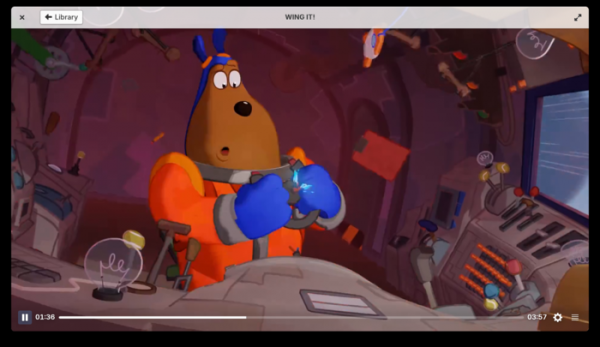
- The video player interface has been completely redesigned. Support for dark and light theme style settings has been added.

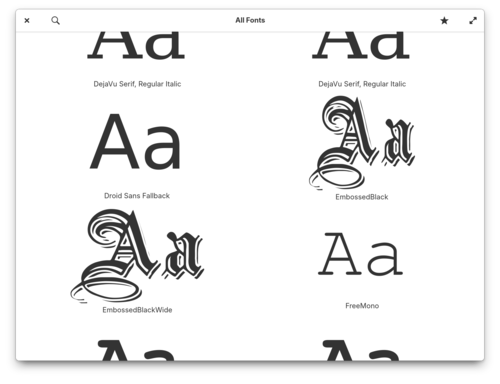
- The interface has been modernized and application performance for working with fonts has been improved.

- A more minimalist design has been implemented in the Web browser, along with performance optimizations.

- The package base has been updated to Ubuntu 24.04 with Linux kernel 6.8. Multimedia support is enabled by default. server Pipewire.
Source: opennet.ru

 Russian
 Italian
 German
 Polish
 Estonian
 Albanian
 Bulgarian
 Croatian
 Czech
Czech Danish
 Dutch
Dutch English
 French
 Hungarian
 Latvian
 Norwegian
 Portuguese
 Romanian
 Slovak
 Slovenian
 Spanish
 Swedish