

The release of Linux Mint 21.3 has been announced, continuing the development of the branch based on the Ubuntu 22.04 LTS package base. The distribution is fully compatible with Ubuntu, but it significantly differs in its approach to user interface organization and the selection of applications used by default. The developers of Linux Mint provide a desktop environment that adheres to traditional desktop organization principles, which is more familiar to users who do not adopt the new interface methods of GNOME 3. Available for download are builds based on the MATE 1.26 (2.9 GB), Cinnamon 6.0 (2.9 GB), and Xfce 4.18 (2.8 GB) shells. Linux Mint 21 is classified as a long-term support (LTS) release, with updates being provided until 2027.
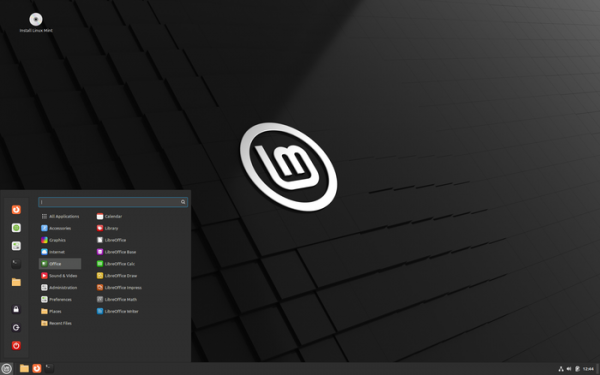
Key changes in Linux Mint 21.3:
- Included is a new release of the Cinnamon 6.0 desktop environment, whose design and organization continue the development ideas of GNOME 2 — the user is offered a desktop and a menu panel, a quick launch area, a list of open windows, and a system tray with running applets. Cinnamon is based on GTK and GNOME 3 technologies. The project develops the GNOME Shell and window manager Mutter towards providing an environment in the style of GNOME 2 with a more modern design and the use of elements from GNOME Shell that complement the traditional desktop tools. The Linux Mint edition with the Xfce desktop continues to be supplied with Xfce 4.18, while the edition with MATE comes with MATE 1.26.
- Cinnamon 6.0 has added experimental support for working in an environment based on the Wayland protocol. When launched in a Wayland environment, window and virtual desktop management works, and most applications and components start, including the file manager and panel. The aim is to bring Cinnamon’s functionality in the Wayland environment to full readiness by the release of Linux Mint 23, which is expected to be formed in 2026.

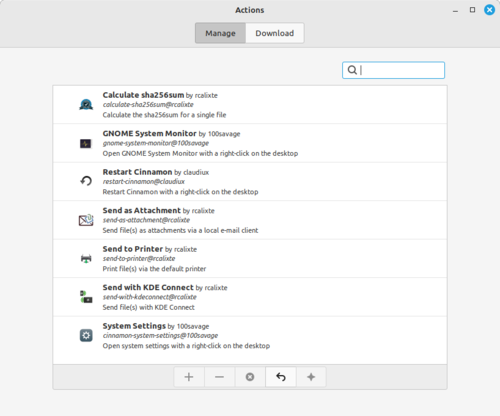
- A new type of external component (spice) has been proposed — Actions. "Actions" are additions to the Nemo file manager, allowing handlers to be triggered through the context menu. Actions are loaded and installed similarly to other spice components, such as applets, desklets, extensions, and themes.

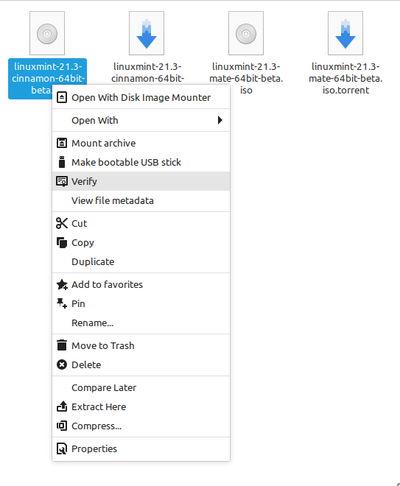
For example, the mintstick package includes actions that allow users to access handlers for creating a bootable medium or checking the integrity of the image from the context menu displayed when right-clicking on an ISO file.

- The ability to set the scale to 75% has been restored.
- Dithering has been employed for more effective color blending when forming the background gradient (lightbox) by simulating shades through a mixture of existing colors.
- The ability to resize the menu editor window has been added.
- Support for using AVIF format images as desktop wallpapers has been introduced.
- The sound control applet has been updated with an option to always display the microphone mute indicator, regardless of the microphone activation (useful when you need to mute the microphone in advance before starting a program that uses it). Middle mouse button handling has been implemented while holding down the Shift key.
- A setting has been added to select the screen on which notifications will appear.
- A screen gesture for zooming the desktop has been introduced.
- An option has been added to the context menu to show detailed application information.
- The screenshot creation service now includes the ability to determine the color of a selected point on the screen.
- A setting to disable buttons on the stylus has been added.
- The ability to edit application menus by accessing the properties section after right-clicking has been provided.
- A setting has been introduced to disable the display of additional information when hovering the mouse pointer over an application icon in the grouped window list.
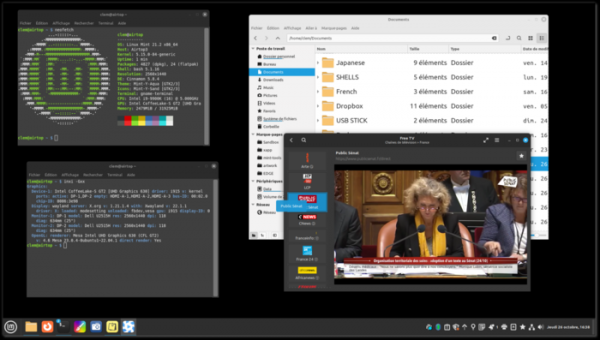
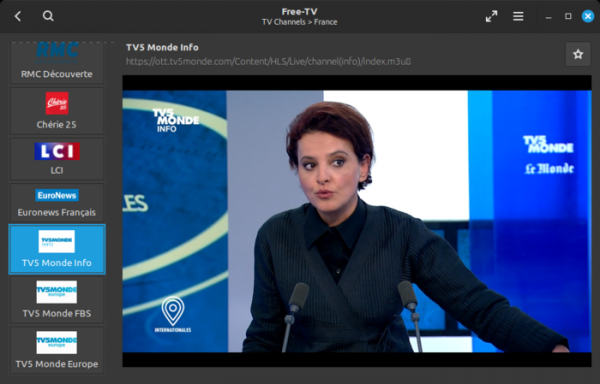
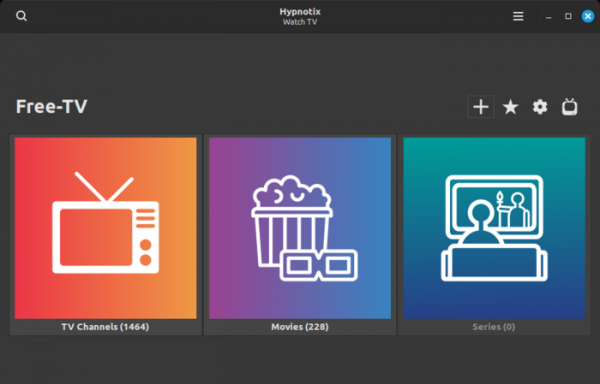
- The capabilities of the Hypnotix IPTV player have been expanded, now allowing the maintenance of a common list of favorite channels that operates independently of providers (you can keep all your desired channels in one place, even when connected to multiple broadcasting providers). The ability to create custom TV channels using a URL for arbitrary streaming or video recordings has been provided (for example, you can use collections of videos from YouTube as a channel).
A built-in feature has been added for downloading and installing new versions of the yt-dlp application used for viewing YouTube (older versions of yt-dlp are typically included in distributions, which creates issues when changes on YouTube make them incompatible).

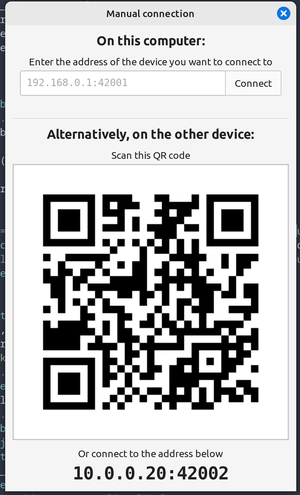
- The Warpinator utility, designed for encrypted file sharing between two computers, now supports manual connection setup with another device through input an IP address or by scanning a QR code.

- The improvement of applications developed under the X-Apps initiative, aimed at unifying the software environment across different desktop editions of Linux Mint, continues. The X-Apps incorporate modern technologies (GTK3 for HiDPI support, gsettings, etc.), while retaining traditional interface elements such as the toolbar and menu. Among these applications are: the text editor Xed, the photo manager Pix, the document viewer Xreader, and the image viewer Xviewer.
- The note-taking program has added support for commands sent via DBus, allowing users to manage notes from scripts or through keyboard shortcuts.
- The login screen of Slick Greeter now includes an option to change the location of the login input area.
- Bulky, the utility for batch renaming files, now supports thumbnails and drag & drop mode.
- The Pix image viewer offers automatic image rotation based on the orientation of the video.
- The backup utility has introduced a toolbar and an 'About' dialog.
- Xapp XDG Desktop Portal now includes support for calling the 'Color Picker' tool to identify the color of any point on the screen.
- The toolkit for creating ISO images — live-build — has been updated. Differences between builds based on Debian (LMDE) and Ubuntu (Linux Mint) have been reduced. Full support for booting in Secure Boot mode has been implemented, and compatibility with different BIOS and EFI implementations has been ensured. The GRUB bootloader is used in EFI mode, while Isolinux/syslinux is used in BIOS mode.
Source: opennet.ru

 Russian
 Italian
 German
 Polish
 Estonian
 Albanian
 Bulgarian
 Croatian
 Czech
Czech Danish
 Dutch
Dutch English
 French
 Hungarian
 Latvian
 Portuguese
 Romanian
 Slovak
 Slovenian
 Spanish
 Swedish