

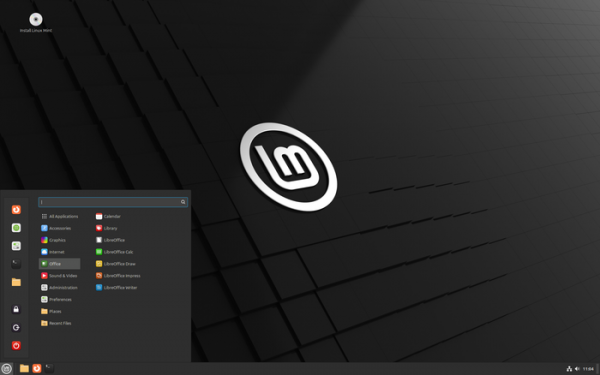
The release of Linux Mint 22 has been announced, transitioning to the Ubuntu 24.04 LTS package base. The distribution is fully compatible with Ubuntu but significantly differs in its user interface organization and the selection of applications used by default. Linux Mint developers provide a desktop environment that adheres to classic desktop organization principles, which is more familiar to users who do not adopt the new GNOME 3 interface building methods. DVD images are available for download based on MATE 1.26 (3 GB), Cinnamon (3 GB), and Xfce (3 GB) shells. Linux Mint 22 is categorized as a long-term support (LTS) release, with updates to be provided until 2029.
Major changes in Linux Mint 22:
- The Cinnamon desktop environment has been updated to version 6.2, with a detailed overview of the changes provided in a separate announcement.

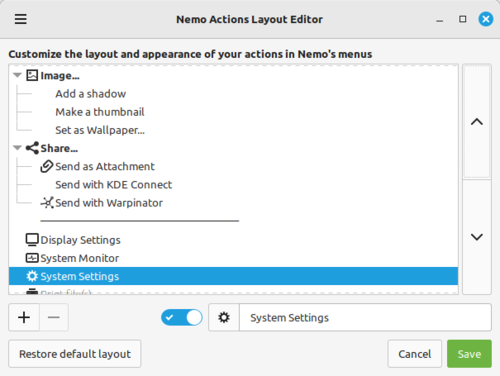
- A new tool called 'Layout Editor' has been introduced for the Nemo file manager, allowing users to customize the placement of actions in the menu according to their preferences. It supports the creation of nested submenus, binding or overriding icons, using separators, renaming items, and organizing in drag & drop mode. 'Actions' are additions to the Nemo file manager that enable handlers to be invoked via the context menu and loaded similarly to applets and themes.

- The installation of language packs has been optimized. After installation, unnecessary language packs are removed to free up disk space occupied by unused language packs. Only the packages for English and an additionally selected language are retained after installation. The installation ISO image includes language packs for only 8 languages, including English and Russian, while packages for other languages are downloaded dynamically if a network connection is available during the installation process.
- The transition to the Ubuntu 24.04 package base and the Linux 6.8 kernel has been made. Active repository settings have been converted to use the deb822 format, which is now supported in the Software Sources package management graphical interface.
- By default, audio server Pipewire.
- GTK4 support has been ensured in the themes.
- Due to the migration of some default GNOME applications to libAdwaita and the discontinuation of support for the Mint system theme, the applications Celluloid, GNOME Calculator, Simple Scan, Baobab, System Monitor, GNOME Calendar, File Roller, and Zenity have been replaced in Linux Mint 22 with earlier versions that use GTK3, while the GNOME Font Viewer has been removed from the distribution.
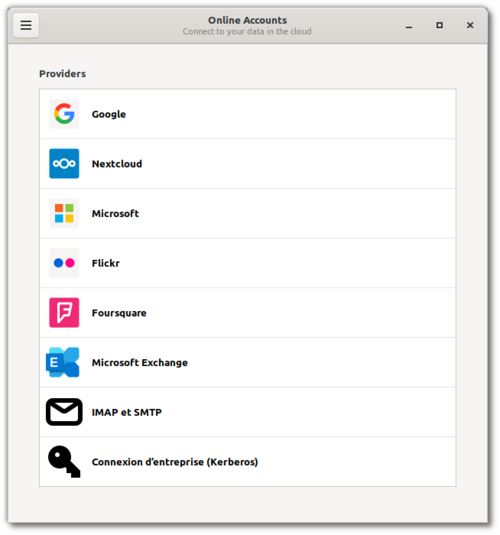
- The XApp application 'GNOME Online Accounts GTK' has been added, providing an interface for managing connections to cloud services such as Google Drive and accessing data stored there. Unlike the standard GNOME Online Account, the new application is available in both GTK4 and GTK3 variants (as it uses different versions of the libgoa library) and is also adapted for use in various distributions and user environments, working not only in GNOME but also in Cinnamon, Budgie, Unity, MATE, and Xfce.

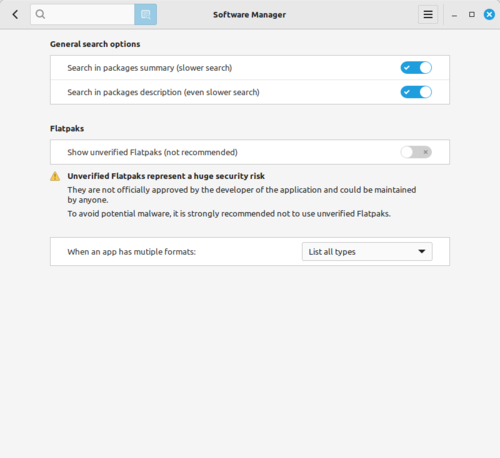
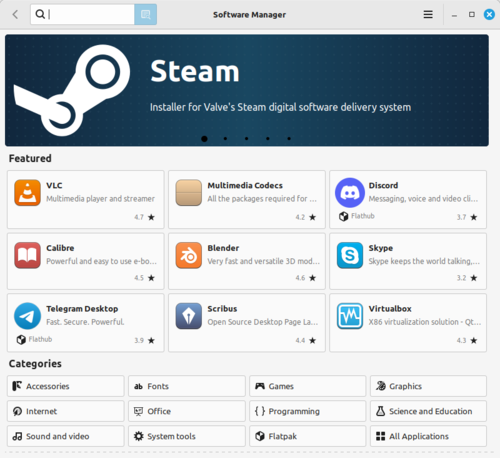
- In the Software Manager installation interface, Flatpak packages that are not verified in the FlatHub directory are hidden by default, meaning they are created by third-party enthusiasts (for example, the Chrome package on FlatHub is created by an unknown user under the nickname refi64). Currently, about 42% of packages in FlatHub are marked as verified, meaning they are published by major projects or individuals associated with them. The option to display unverified packages can be restored in the settings, but they will be clearly labeled as untrustworthy and have a zero rating.

Among the changes in Software Manager, a significant reduction in launch time is noted — the main screen with the list of recommended application categories now appears almost instantly. Additionally, the application has improved multithreading performance, added a new settings page, and implemented the ability to display a slideshow in the banner area.
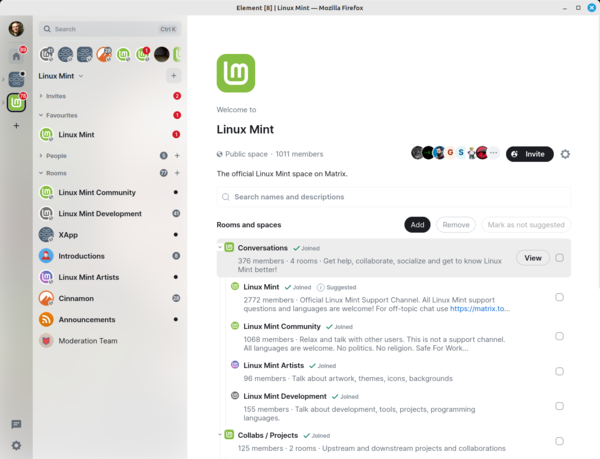
- After the development of the IRC client Hexchat was discontinued, the project transitioned to using the Matrix network, for which the Matrix client Element has been included as a standalone web application.

- The classic deb package with the email client Thunderbird has been retained, which was replaced by a snap package in Ubuntu 24.04.
- Support for the JPEG XL format has been added to the Pix photo manager and the thumbnail generation tool.
- A new thumbnail generator xapp-thumbnailer-gimp for the image format used in GIMP has been added to the repository.
- All applications using the libsoup2 library for HTTP protocol have been migrated to the libsoup3 branch.
- The Plymouth boot splash and the Slick-Greeter login screen have improved support for high-density pixel (HiDPI) displays.
- The Stick note-taking application now allows users to set a default position when creating a new note. It also includes a feature for creating a note from the command line.
- The Xed text editor now includes a "Duplicate" button in the Edit menu and the keyboard shortcut Ctrl+Shift+D for duplicating selected text. A new option has been added to the settings to determine whether to exit the application when the last tab is closed.
- The number of items in the recently opened files section has increased from 5 to 10.
- The Timeshift backup program now prompts for confirmation when attempting to delete a snapshot.
- In web applications created through the WebApp Manager and launched in Firefox, responsive display has been implemented for the menu and toolbar, which are hidden by default but become visible when a tab is opened.
- Xfce now allows users to customize the size of symbolic and colored icons in the system tray.
- The ISO image now supports FAT32 in FST (File System Transposition) mode.
Source: opennet.ru
