

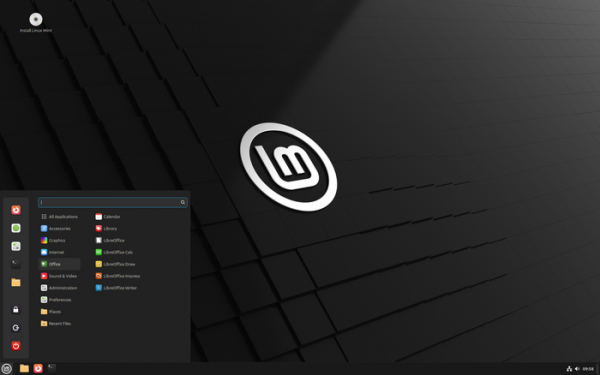
The release of Linux Mint 22.1 has been presented, continuing the development of the branch based on Ubuntu 24.04 LTS. The distribution is fully compatible with Ubuntu but significantly differs in its approach to organizing the user interface and the selection of default applications. The developers of Linux Mint provide a desktop environment that aligns with classical standards for desktop organization, which is more familiar to users who do not adopt the new methods of the GNOME 3 interface. DVD images based on the MATE (3 GB), Cinnamon (3 GB), and Xfce (3 GB) shells are available for download. The Linux Mint 22 branch is categorized as a long-term support (LTS) release, with updates to be provided until 2029.
Key changes in Linux Mint 22.1:
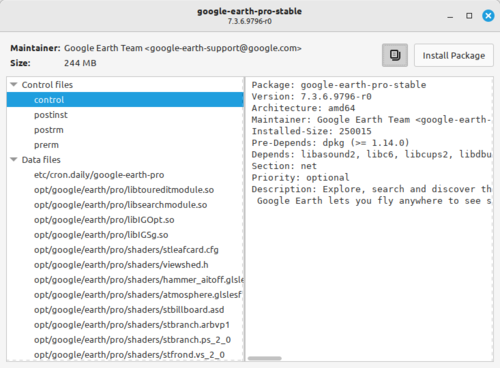
- The package management stack associated with the APT package manager has been modernized. Instead of the aptdaemon toolset, a proprietary service called Aptkit has been introduced, which also implements a background process and a DBus interface for unprivileged users to manage packages. A new Captain package installation interface has replaced applications that used aptdaemon, such as GDebi, Synaptic, and apturl, which can be invoked from other applications when attempting to open files with the .deb extension, or utilized as a handler for the URL 'apt://pkgname'.

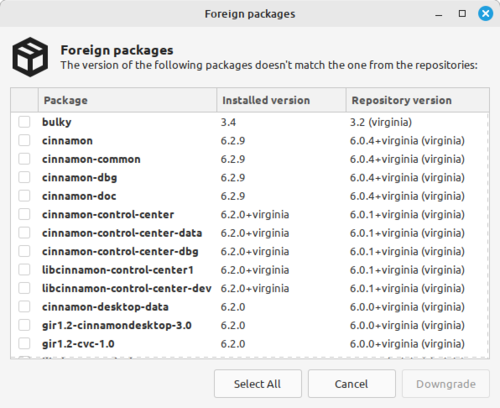
It is noted that the aptdaemon-based toolkit has become obsolete, is no longer developed by the main project, and is maintained only through a separate collection of patches in distributions. The replacement of aptdaemon has resolved localization and translation issues in package management tools; eliminated components that were unsupported; simplified the architecture; and reduced developer workload. The transition to Aptkit has enabled the Software Sources application to implement a graphical mode for rolling back to previous versions for packages not present in Ubuntu repositories. In the Update Manager application, improvements have been made for Wayland support and the code has been updated for multithreaded and multiprocess execution of operations.

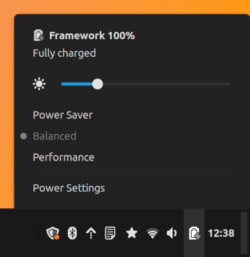
- Energy profiles support has been implemented, allowing users to choose an acceptable balance between energy consumption and performance. Three modes are available: energy-saving, high performance, and balanced. In the Cinnamon desktop environment, the mode can be selected in the 'Preferences → Power Management' section of the configurator or through an applet on the panel. In Xfce and MATE, the mode is selected using the command 'powerprofilesctl set power-saver|performance|balanced'.

- The Cinnamon desktop environment has been updated to version 6.4.

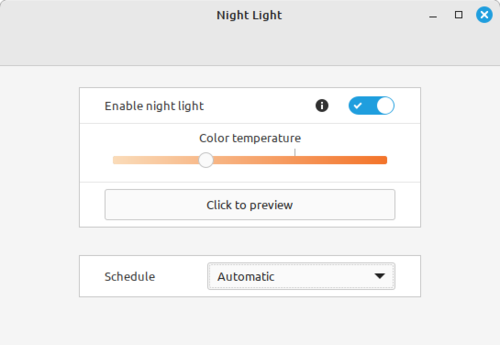
- A Night Light mode has been integrated, which changes the color temperature based on the time of day and can be used in X11 and Wayland-based environments. When working at night, the intensity of blue light on the screen is automatically reduced, making the color scheme warmer to reduce eye strain and minimize factors leading to insomnia when working before bedtime.

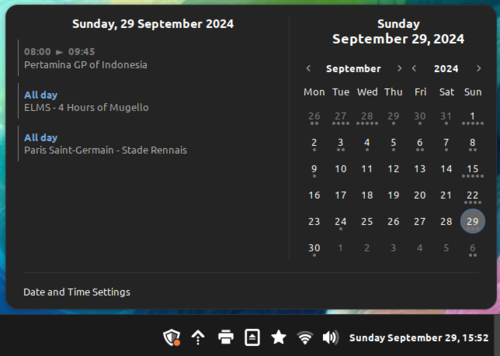
- A new theme has been introduced, characterized by darker colors, pronounced contrast, rounded interface elements, and increased spacing between applets and the panel.

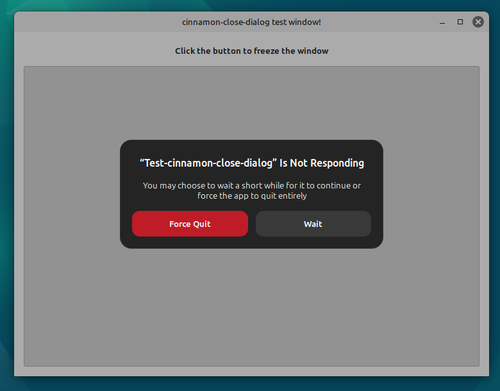
- The design of dialog windows has been changed. The ability to use colored buttons in dialogs has been added. The Clutter library has been used for rendering key popup dialogs. The dialog for forcing applications to close has been redesigned, which is shown in case of program hangs and when it stops responding to user actions.

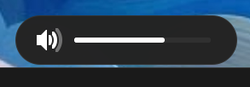
- The appearance of on-screen indicators (OSD) used when adjusting brightness and volume with media buttons, as well as when switching, has been revamped. virtual desktops.


- The task switching interface via Alt-tab has been improved. An option to display only the windows located on the current monitor has been added. The functionality with minimized windows has been redesigned.
- The style has been updated and the spacing in the main menu has been increased. Navigation through the menu using the cursor control keys on the numeric keypad has been added. The animation when working with the menu has been simplified.
- Compatibility with Wayland has been improved. An optional installation of session files for Wayland has been added. The outdated package policykit-1-gnome has been replaced with custom dialogs, enabling the proper functioning of applications requesting administrator rights when using Wayland in Cinnamon.
- Installation operations and navigation through packages in the Software Manager have been accelerated.
- The Bulky file manager has added a feature to remove diacritical marks from file group names (for example, "résumé.pdf" can be replaced with "resume.pdf").
- Thumbnail generation has been enabled for files with the ".ora" extension (OpenRaster).

Source: opennet.ru
