

The release of the Firefox 129 web browser has taken place, and updates to previous long-term support branches—115.14.0 and 128.1.0—have been formed. The Firefox 130 branch has entered the beta testing stage, with a release scheduled for September 3.
Key innovations in Firefox 129:
- The HTTPS-First mode is activated by default, where the browser first attempts to access a page via HTTPS when trying to open a page using unencrypted HTTP ("http://" is replaced with "https://"). If that attempt fails, it automatically accesses the site without encryption. To disable this mode, use the option "dom.security.https_first" in about:config. Unlike the optionally enabled "HTTPS Only" mode in settings, HTTPS-First mode does not apply to loading subresources such as images, scripts, and stylesheets; it only takes effect when trying to open a website after following a link or entering a URL in the address bar.
- On Linux, Windows 11, and Android 10+ platforms, the option to use the system resolver for DNS records is provided, through which information about the public key for the Encrypted Client Hello (ECH) mechanism is transmitted. This continues the development of the Encrypted Server Name Indication (ESNI) technology and ensures encryption of information about TLS session parameters, such as the requested domain name. The key difference between ECH and ESNI is that, in ECH, the entire ClientHello TLS message is encrypted instead of encrypting individual fields, which blocks leaks through fields not covered by ESNI, such as the PSK (Pre-Shared Key) field. This change also allows the use of the HTTP/3 protocol without the Alt-Svc header. Previously, enabling "DNS over HTTPS" was required to obtain the key for ECH. Hiding domain in HTTPS traffic, among other things, has sometimes helped resolve speed drop issues when viewing YouTube, observed recently by users of Russian providers.
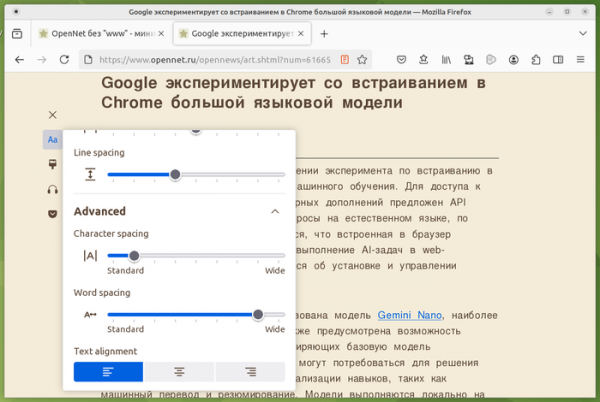
- The Reader View mode has expanded the menu options for text display and page layout—adding the ability to adjust spacing between characters and words, as well as choosing the text alignment method.

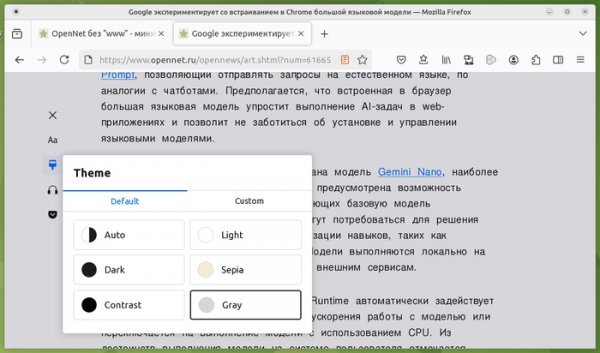
- A new 'Theme' menu has been added to Reader Mode for customizing background, text, and link colors while viewing, as well as selecting basic display modes (dark, grayscale, light, high contrast, sepia).

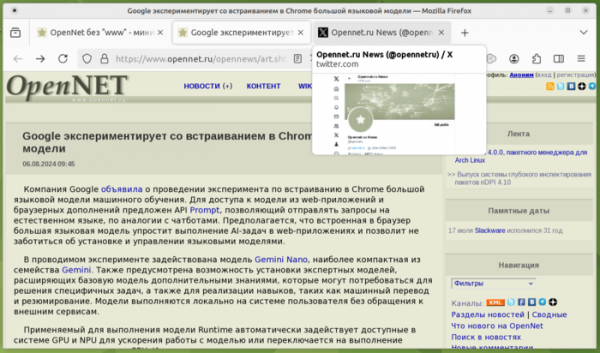
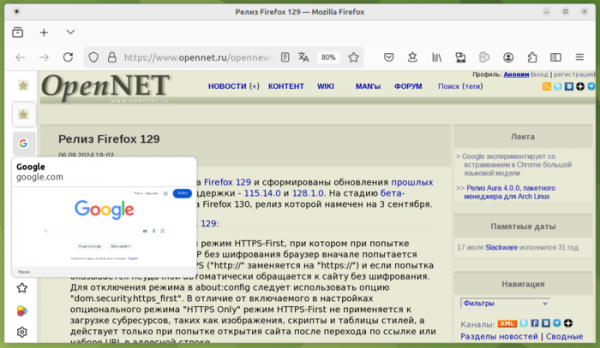
- Tab hover previews have been enabled, showing previews of tab contents when hovering over tab buttons. In addition to the preview, the information block about the tab now also includes a mention of the link displayed in the tab. This change is expected to simplify identifying the desired tab, eliminating the need to switch between them. For those who find annoying automatic pop-ups, this new feature can be disabled using the setting 'browser.tabs.hoverPreview.enabled' in about:config.
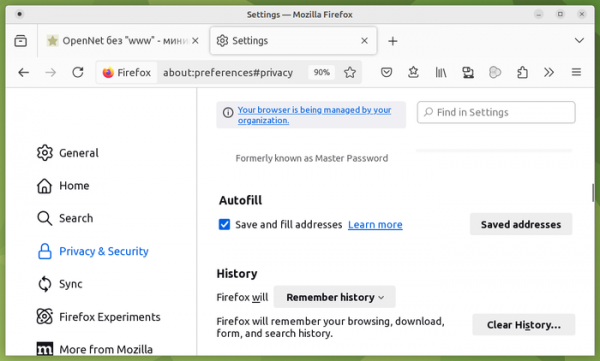
- For users in France and Germany, address autofill in web forms is enabled by default. Previously, this feature was available only to users in the USA and Canada. To enable it in other countries, you can use the setting 'extensions.formautofill.addresses.supportedCountries' on the about:config page. To edit the address that will be added to forms, use the edit button for saved addresses in the Autofill section under 'Privacy and Security' settings.

- An experimental implementation of a sidebar and the option for vertical tab placement has been added, allowing for additional screen space to view website content on widescreen displays. To enable vertical tabs, the 'sidebar.revamp' and 'sidebar.verticalTabs' options should be activated on the about:config page. The sidebar can be displayed in both expanded and collapsed views. In expanded view, part of the tab page titles and names of actions in the sidebar are shown, while in collapsed view only site and action icons are visible.

- The @-rule '@starting-style' has been added to CSS for applying a style to an element during its first rendering, which can be used to create a transition animation during the phase before the element is opened on the page (in 'display: none' state) or when adding the element to the DOM.
- The CSS property 'transition-behavior' has been added to apply transition animations to discrete properties, such as 'display'.
- The textInput event has been implemented, which is not defined in the standard but is used instead of the 'beforeinput' event in some web applications based on older frameworks.
- JavaScript has added support for typed arrays Float16Array, as well as DataView methods for reading and setting values with Float16 type, and the Math.f16round() method for rounding numbers to 16-bit precision. The Float16 type may be useful when working with GPUs to reduce memory consumption compared to Float32 and Float64 types.
- The mediaCapabilities.decodingInfo() API now supports the decoding of configurations for playing encrypted content and retrieving information about the key management system used for encryption.
- The Web Crypto API has added support for digital signatures based on the Ed25519 algorithm, which can be used in the SubtleCrypto methods: sign(), verify(), generateKey(), importKey(), and exportKey().
- New warnings about CSS issues have been implemented in web development tools, displayed for improper use of the resize and float properties, when using the box-sizing property with elements that ignore height and width changes, as well as for applying table-specific CSS properties to non-table elements.
In the network activity analysis panel, the Network Blocking feature now applies not only to HTTP responses but also to HTTP requests. In the inspection mode, the Rules sidebar now displays the '@starting-style' rules, and tooltips have been implemented for the var() function, showing the values of the custom CSS properties '@starting-style'.
- The Android platform version now provides the ability to download language packs for offline text translation.
In addition to new features and bug fixes, Firefox 129 has resolved 14 vulnerabilities. Of these, 11 are marked as critical, with 6 related to memory management issues such as buffer overflows and access to already freed memory areas. These problems could potentially allow an attacker to execute code when opening specially crafted pages.
Source: opennet.ru
