

The release of the Firefox 142 web browser has occurred, along with updates for the previous long-term support branches — 140.2.0, 115.27.0, and 128.14.0. The Firefox 143 branch has entered the beta testing phase, with a release planned for September 16.
Key updates in Firefox 142 (1, 2, 3):
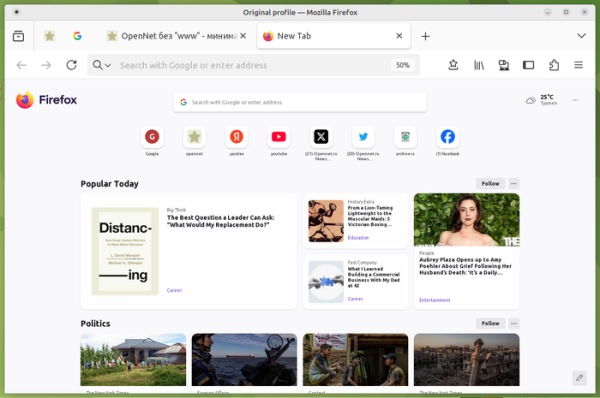
- The page displayed upon opening a new tab now features a grouping of recommended articles into separate thematic sections, such as sports, food, and entertainment. Under each section is a 'Follow' button that allows users to subscribe to that type of content or block it. Currently, this sectioning is only enabled for users in the US, with activation for other countries planned for later. To manually enable it, settings 'browser.newtabpage.activity-stream.discoverystream.sections.enabled' and 'browser.newtabpage.activity-stream.discoverystream.sections.personalization.enabled' are provided on the about:config page.

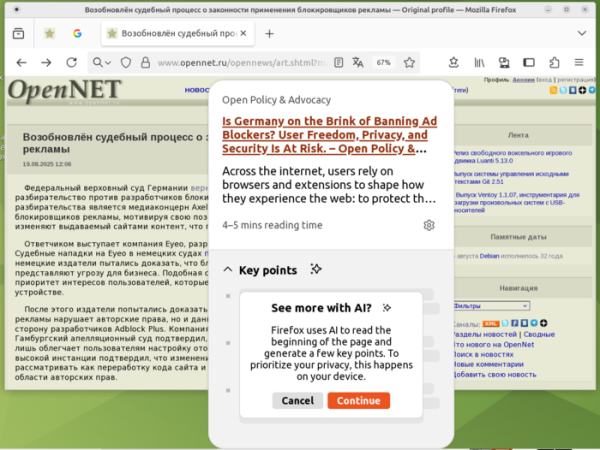
- An experimental link preview feature has been added, allowing users to assess the content indicated by a link before actually clicking on it. To open the preview window, users can select 'Preview Link' from the context menu, hover the cursor over the link while holding the Shift key, or click and hold on the link for more than a second. The preview window displays a brief summary of the page and optionally shows key points highlighted by the AI engine. The AI model connects optionally and runs on the user's local system.
This feature is currently enabled by default only for users with locales en-US, en-CA, en-GB, and en-AU on systems with more than 3 GB of RAM, but it will gradually be activated for an increasing percentage of users. To manually enable it, the setting 'browser.ml.linkPreview.enabled' can be used on the about:config page.

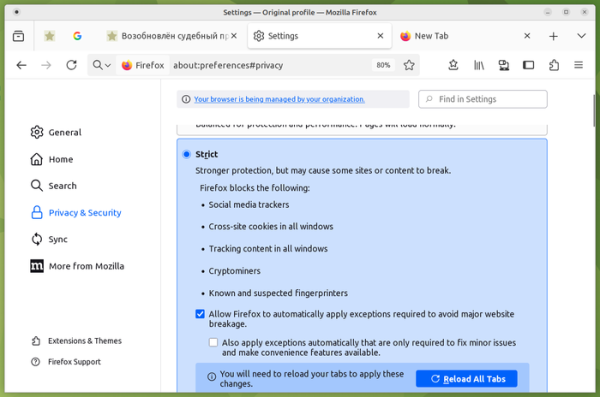
- In Enhanced Tracking Protection mode (ETP -> Strict), an automatic exception list feature has been added to resolve issues arising on websites due to tracking code blocking. Two levels are available: applying exceptions only to resolve significant site functionality issues, and applying exceptions even in cases of minor problems.

- The active tab in a collapsed tab group is now displayed, allowing users to work with a single tab without expanding the entire group. Previously, the whole tab group would either expand or completely collapse, leaving only the group label visible.

- Users can now remove extensions from the sidebar using the 'Remove' button, which appears when right-clicking on the extension icon.

- On Windows, clicking on a leftover notification when Firefox is closed or restarted now opens Firefox to the page specified in the notification rather than the site's main page.
- Improved drag-and-drop handling for embedded (blob) images.
- Enhanced the search results for browsing history through the address bar by filtering out duplicates.
- In the Developer Tools on the Network Activity Monitoring page, parameters, cookies, and request headers are now shown while the request is still in progress.
- A setting has been added to the JavaScript debugger to control the display of the debugger window on the screen while script execution is paused.
- The wllama API (WebAssembly wrapper over llama.cpp) is now available for extensions, allowing them to run large language models locally in the browser.
- The Prioritized Task Scheduling API has been added for scheduling the execution of tasks (JavaScript callback calls) with varying priority levels (blocking user work, producing visible changes, and background work).
- The Selection.getComposedRanges() method has been added to obtain selected text ranges.
- The URLPattern API has been added to check if a URL matches a specific pattern, which can be used for link parsing and redirecting requests to handlers in a Service Worker. const p = new URLPattern({ protocol: 'https', hostname: 'example.com', pathname: '/:folder/*/:fileName.jpg', });
- The Animation.overallProgress property has been added to monitor the progress of animation display.
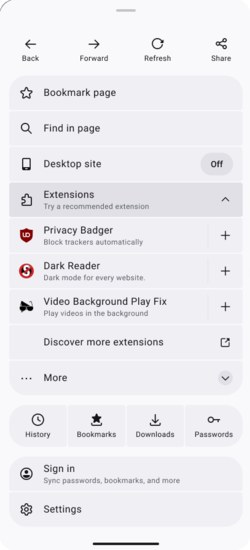
- The Android version has introduced a new menu design. The menu is now simpler to navigate and faster.



In addition to new features and bug fixes, Firefox 142 addresses 17 vulnerabilities. Twelve of these vulnerabilities are related to memory management issues, such as buffer overflows and accessing freed memory areas. These issues could potentially allow an attacker to execute code by opening specially crafted pages.
Source: opennet.ru

 Russian
 Italian
 German
 Polish
 Estonian
 Albanian
 Bulgarian
 Croatian
 Czech
Czech Danish
 Dutch
Dutch English
 French
 Hungarian
 Latvian
 Portuguese
 Romanian
 Slovak
 Slovenian
 Spanish
 Swedish