The release of the Firefox 89 web browser has taken place. Additionally, an update of the long-term support branch 78.11.0 has been formed. The Firefox 90 branch will soon enter beta testing, with a release scheduled for July 13.
Key innovations:
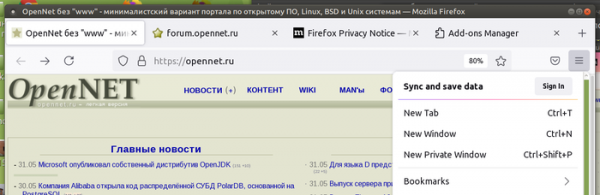
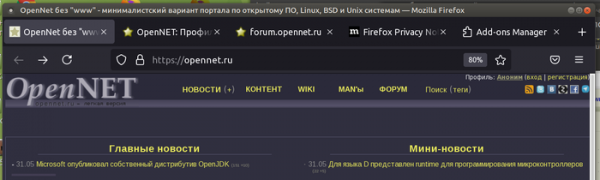
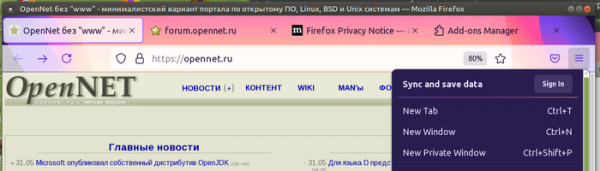
- A significant modernization of the interface has been carried out. Icon designs have been updated, the style of various elements has been unified, and the color palette has been redesigned.
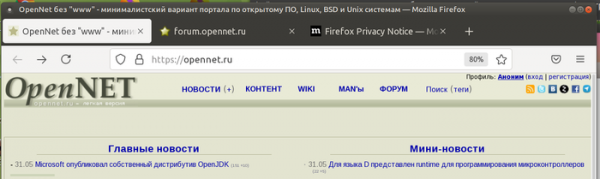
- The tab panel design has been updated — the corners of the tab buttons are rounded and no longer blend into the panel at the bottom (creating a floating button effect). Visual separation of inactive tabs has been removed, but the area occupied by the button is highlighted when the cursor hovers over the tab.

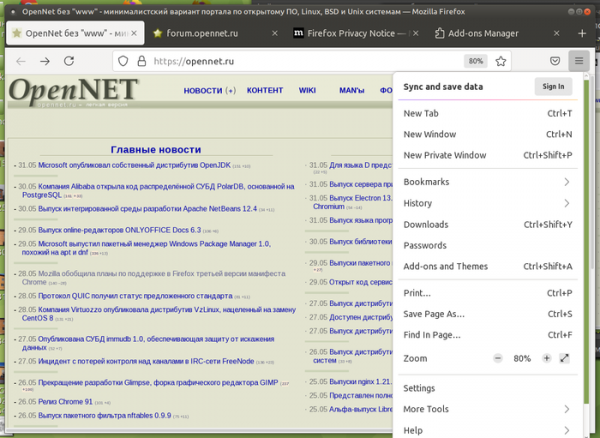
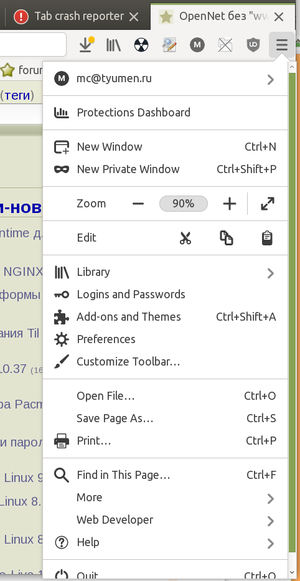
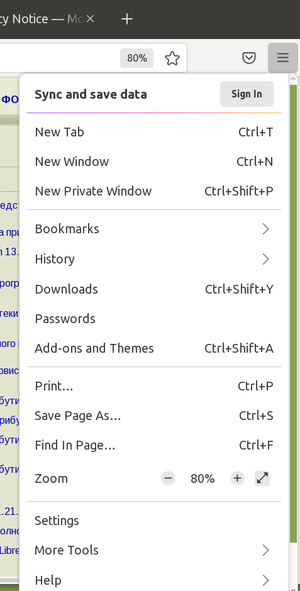
- The menu has been restructured. Rarely used and outdated elements have been removed from the main and context menus to emphasize the most important features. The remaining elements have been regrouped according to their importance and user demand. To minimize distracting visual clutter, icons next to menu items have been removed, leaving only text labels. The interface for customizing the toolbar and tools for web developers has been moved to a separate submenu labeled 'More Tools'.


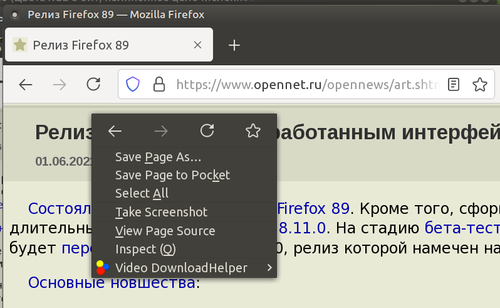
- The built-in '...' menu (Page Actions) in the address bar has been removed, through which users could add bookmarks, send links to Pocket, pin tabs, work with the clipboard, and initiate email content sharing. Options previously available through the '...' menu have been relocated to other parts of the interface, remain accessible in the toolbar settings section, and can be individually placed on the toolbar as buttons. For example, the button to open the screenshot interface is accessible through the context menu displayed by right-clicking on the page.

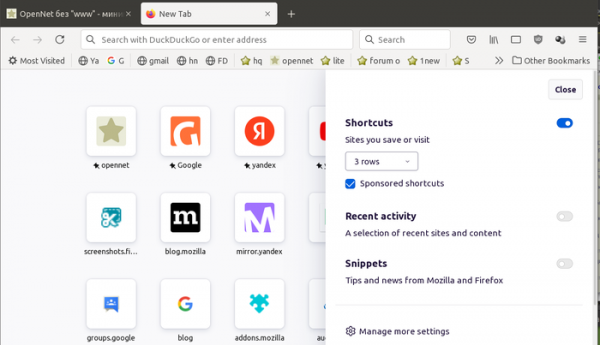
- The pop-up sidebar for page settings has been redesigned with an interface shown when opening a new tab.

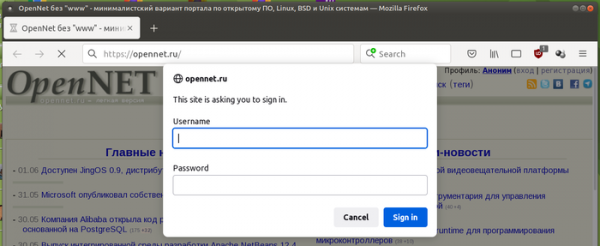
- The design of information panels and modal dialogs for warnings, confirmations, and prompts has been changed and unified with other dialogs. Dialogs are now displayed with rounded corners and are vertically centered.

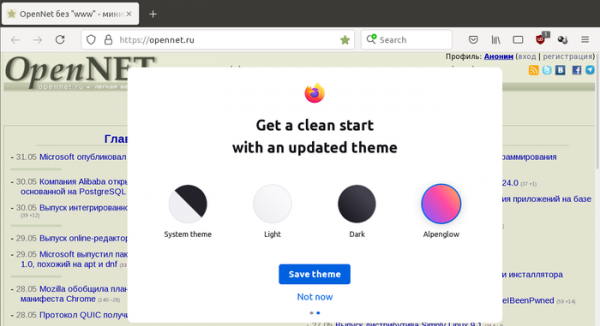
- After the update, a splash screen is displayed, suggesting using Firefox as the default browser in the system and allowing users to choose a theme. The options include: system (which considers system settings when styling windows, menus, and buttons), light, dark, and Alpenglow (colorful).


- By default, the button to activate the compact mode of the panel is hidden in the appearance settings interface. To restore the setting, a parameter "browser.compactmode.show" has been implemented in about:config. For users with compact mode enabled, the parameter will be activated automatically.
- The number of distracting elements for the user has been reduced. Unnecessary warnings and notifications have been removed.
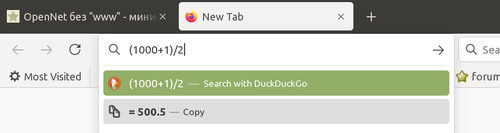
- A calculator has been integrated into the address bar, allowing calculations of mathematical expressions specified in any order. The calculator is currently disabled by default and requires changing the suggest.calculator setting in about:config. In one of the upcoming releases, a built-in unit converter is also expected to be introduced into the address bar, allowing users to convert feet to meters, for example.

- In the Linux builds, the WebRender compositing engine is activated for all Linux users, including any desktop environments, all versions of Mesa, and systems with NVIDIA drivers (previously, WebRender was enabled only for GNOME, KDE, and Xfce with Intel and AMD drivers). WebRender is written in Rust and allows for a significant increase in rendering speed and a decrease in CPU load by offloading page content rendering operations to the GPU via shaders executed on the GPU. To disable WebRender in about:config, the setting "gfx.webrender.enabled" can be used, or Firefox can be launched with the environment variable MOZ_WEBRENDER=0.
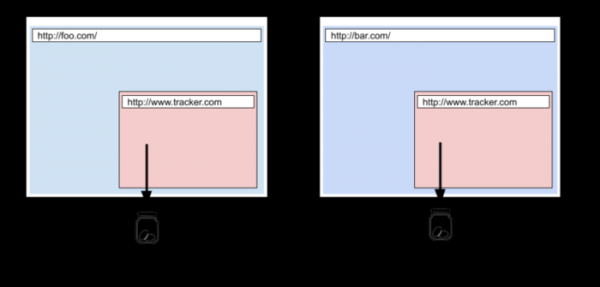
- The Total Cookie Protection method is enabled by default, which was previously activated only when the strict content blocking mode was selected. Now, a separate isolated storage for cookies is used for each site, preventing the use of cookies for tracking movement between sites, as all cookies set by third-party blocks loaded on the site are now tied to the main site and are not transferred when accessing these blocks from other sites. As an exception, the ability to transfer cookies between sites is retained for services unrelated to user tracking, such as those used for single sign-on. Information about blocked and allowed cross-site cookies is displayed in the menu shown by clicking the shield symbol in the address bar.

- The second version of the SmartBlock mechanism is now enabled, designed to address issues on websites caused by blocking external scripts in private browsing mode or when enhanced blocking of unwanted content (strict) is activated. SmartBlock also improves the performance of some websites that slow down due to the inability to load tracking script code. SmartBlock automatically replaces tracking scripts with placeholders, ensuring the site loads correctly. Placeholders have been prepared for some popular user tracking scripts listed in Disconnect, including scripts with Facebook, Twitter, Yandex, VKontakte, and Google widgets.
- Support for TLS extension DC (Delegated Credentials) is enabled for delegating short-lived certificates that address issues with certificates when accessing a site through content delivery networks. Delegated Credentials introduces an additional intermediate private key, which is valid for a limited time—hours or a few days (no more than 7 days). This key is generated based on the certificate issued by a certificate authority and allows the original certificate's private key to be kept confidential from content delivery services. To avoid access issues after the interim key expires, an automatic renewal technology is implemented on the origin TLS server.
- A third-party (non-native to the system) implementation of input form elements, such as switches, buttons, dropdowns, and text input fields (input, textarea, button, select), has been introduced, featuring a more modern design. The use of separate implementations for form elements also positively impacted page rendering performance.
- The ability to manipulate the content of and