

The release of ONLYOFFICE DocumentServer 7.1 has been published, featuring a server for the ONLYOFFICE online editors and facilitating collaborative work. The editors can be used for working with text documents, spreadsheets, and presentations. The project code is distributed under the AGPLv3 free license.
At the same time, the release of the ONLYOFFICE Desktop Editors 7.1 product, built on a unified codebase with the online editors, has been formed. The desktop editors are presented as applications for the desktop, written in JavaScript using web technologies, but combine both client and server components in one package, designed for standalone use on the user's local system, without referring to an external service. The Nextcloud Hub platform, which provides full integration with ONLYOFFICE, can also be used for collaborative work on their infrastructure. Ready-to-use builds have been formed for Linux, Windows, and macOS.
ONLYOFFICE claims full compatibility with MS Office and OpenDocument formats. Supported formats include: DOC, DOCX, ODT, RTF, TXT, PDF, HTML, EPUB, XPS, DjVu, XLS, XLSX, ODS, CSV, PPT, PPTX, ODP. The functionality of the editors can be extended through plugins, for instance, plugins for creating templates and adding videos from YouTube are available. Pre-built packages are available for Windows and Linux (deb and rpm packages).
Key innovations:
- Support for installing ONLYOFFICE on systems with ARM architecture has been provided. A separate build of ONLYOFFICE Docs for ARM has been published.
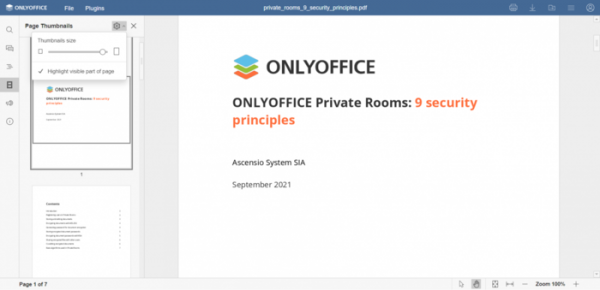
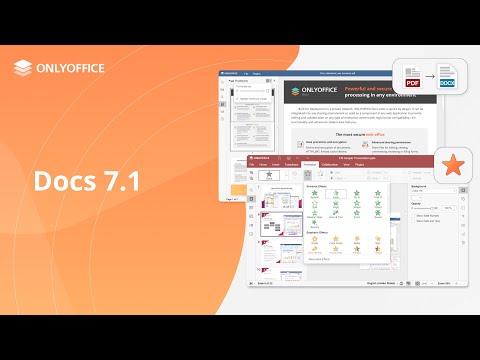
- A new document viewer for PDF, XPS, and DJVU formats has been proposed, featuring high performance and processing all operations on the client side. Among the features of the new viewer is a sidebar with page thumbnails, a navigation panel, a manual selection mode of areas in the document, a section with file information, and the ability to follow external and internal links.

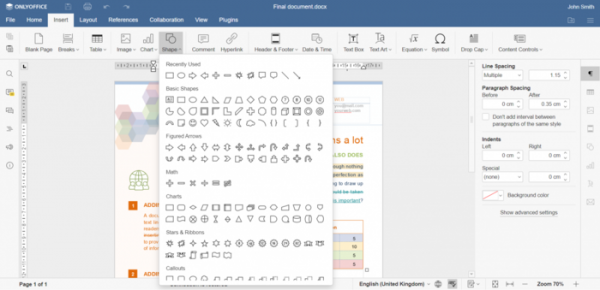
- A new menu for inserting and modifying shapes has been added to all editors. Icons for all offered shapes have been added. A list of previously used shapes is now displayed.
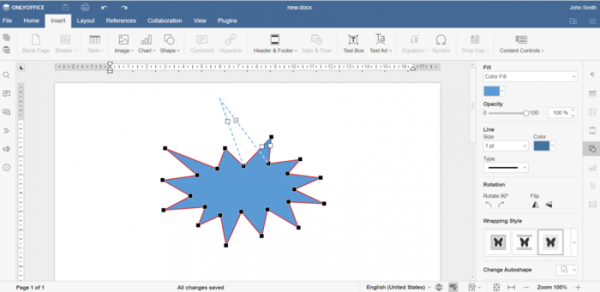
- A mode for editing the geometry of shapes by placing control points with the mouse has been added.

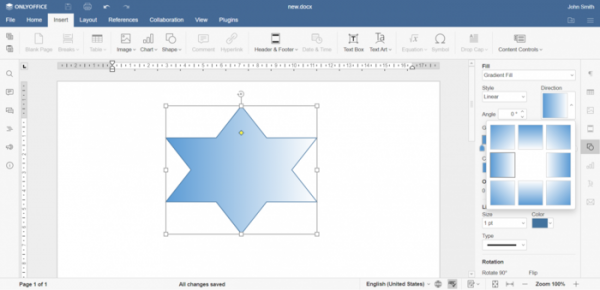
- The tool for selecting the gradient fill direction for shapes has been changed. The gradient fill icon now displays the selected colors.
- The ability to crop images according to the shape contour has been provided.
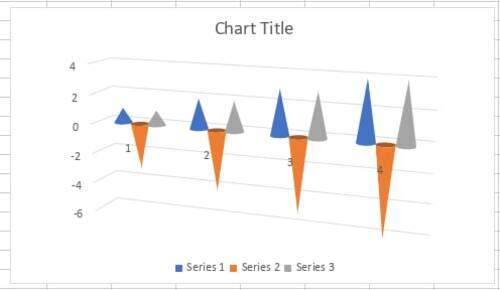
- Support for new types of charts has been added: pyramidal, column, cylindrical, and conical.

- The left sidebar now supports sorting comments by groups.
- An option to show password characters while entering has been added for the file protection password.
- Support for SmartArt objects has been added, functioning without converting them into groups.
- A notification for disconnection and reconnection has been implemented.
- The document editor now supports converting PDF/XPS files into editable DOCX documents.
- The ability to accept or reject changes through the context menu has been provided.
- Support for specifying special characters when searching documents has been added.
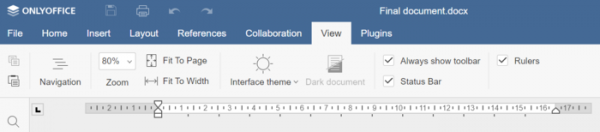
- A new View tools tab has been added, providing document and presentation display settings such as theme, document positioning, zoom level, showing the toolbar and status bar.

- Changes in the spreadsheet:
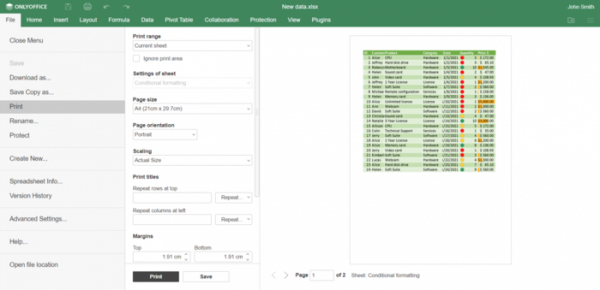
- An interface for previewing spreadsheets before printing has been implemented.
- The View tab has added options for enabling the status bar, merging the status bar, and control panel the spreadsheet, always showing the toolbar, selecting the interface theme, and displaying shadows for panels.

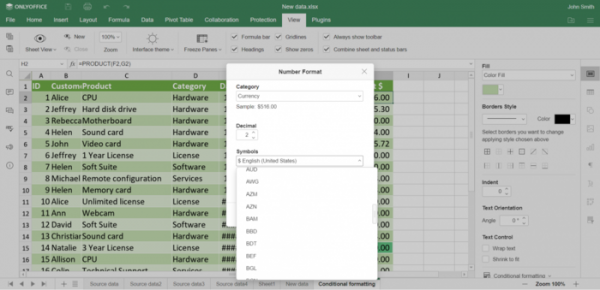
- In the number format selection dialog for cells, a section with currency symbols has been added.
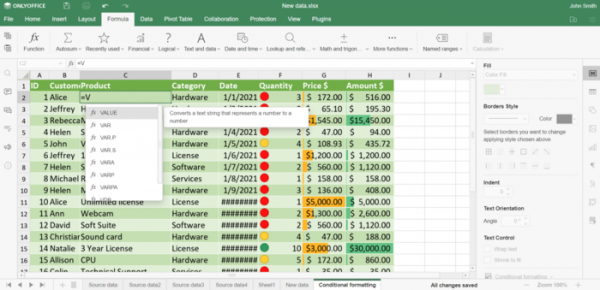
- When entering formulas, pop-up suggestions offering suitable formula options are displayed.
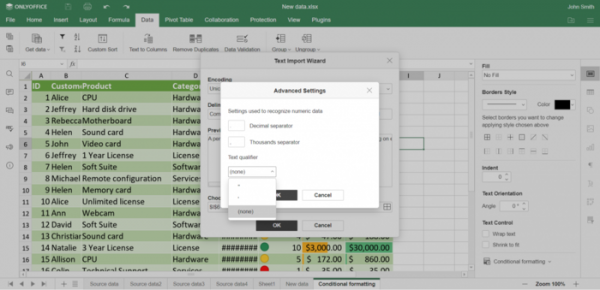
- In the import settings dialog for TXT and CSV formats, an option for selecting characters to define the start and end of a text block (quotes) has been added.
- Support for opening XLSB format files has been added.
- A context menu for moving spreadsheets has been added.
- The ability to open and close groups in viewing and commenting mode has been provided.
- An interface for previewing spreadsheets before printing has been implemented.
- Changes in the presentation editor:
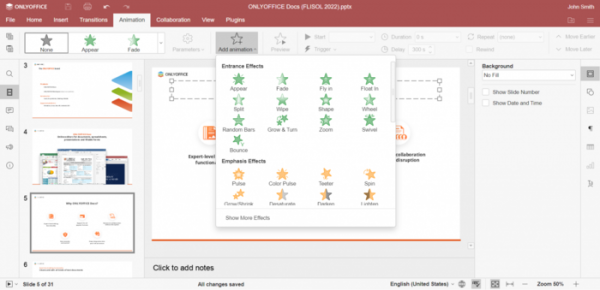
- Support for inserting animations into presentations has been added. New tabs for Animation and View have been added to the toolbar.
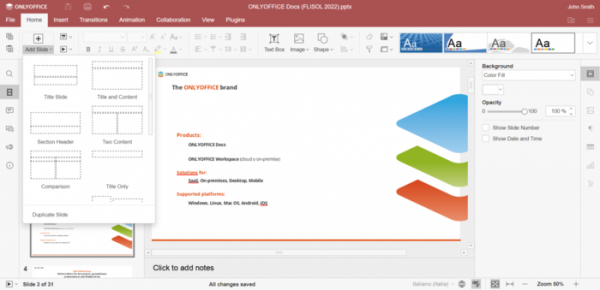
- Tools for duplicating slides and moving slides to the beginning and end of the list have been provided in the menu.
- The Insert tab now allows the insertion of recently used shapes.
- Support for inserting animations into presentations has been added. New tabs for Animation and View have been added to the toolbar.
- Support for scaling shapes has been added.
- In the versions of editors and viewers for mobile devices, support for dark theme has been implemented, and a button for displaying lists in the spreadsheet has been added.

Source: opennet.ru
