

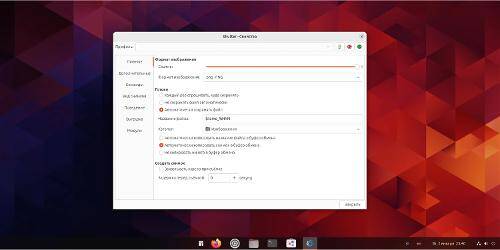
The popular screenshot creation tool Shutter now supports Wayland sessions. This has been made possible thanks to the efforts of developer Maurizio V., who adapted Shutter to work in the modern Wayland sessions used by most major Linux distributions, including Ubuntu.
Shutter is an advanced screenshot application that offers more features and capabilities than standard tools. It supports:
- creating delayed screenshots;
- uploading screenshots directly to Imgur;
- a powerful image editor for annotations with arrows, text, hand-drawn sketches, pixelation/blurring of areas, watermarks, and much more.
Although some features of Shutter do not function outside of X11, the core functionalities, including annotation tools, are available and work excellently.
To install Shutter on Wayland in Ubuntu 23.10, you must first remove any existing version installed from Ubuntu repositories or other sources.
You can remove Shutter with the following command:
sudo apt remove shutter
Then download the latest version of the deb package installer from GitHub. Shutter for Wayland only supports Ubuntu 23.10, and it is best to use the dpkg tool for installation. Open a terminal in the folder with the deb file and execute the install command:
sudo dpkg -i shutter-on-wayland_0.99.4-6_all.deb sudo apt install -f
The developer also warns that Shutter on Wayland sometimes hangs on the first launch after installation. If this happens, it is recommended to restart the system.
Source: linux.org.ru
