

System76, a company specializing in the production of laptops, PCs, and servers supplied with Linux, has announced the release of its Pop!_OS 21.04 distribution. Pop!_OS is based on the Ubuntu 21.04 package base and comes with its own COSMIC desktop environment. The project’s developments are distributed under the GPLv3 license. ISO images are created for the x86_64 architecture in versions for NVIDIA (2.8 GB) and Intel/AMD (2.4 GB) graphics chips.
The distribution is primarily aimed at people using computers to create something new, such as content development, software products, 3D models, graphics, music, or scientific work. The idea of developing a custom edition of Ubuntu arose after Canonical's decision to transition Ubuntu from Unity to GNOME Shell — the developers at System76 began creating a new theme based on GNOME, but then realized they were ready to offer users a different desktop environment that provides flexible tools for customization according to the current workflow.
Prior to the release of Pop!_OS 21.04, the distribution featured a modified GNOME Shell interface, a set of original extensions for GNOME Shell, a custom theme, its own set of icons, different fonts (Fira and Roboto Slab), altered settings, and an expanded driver set. In Pop!_OS 21.04, the modified GNOME desktop has been replaced by the new COSMIC (Computer Operating System Main Interface Components) user environment, which is developed under the GPLv3 license.
COSMIC continues to use GNOME technologies but introduces conceptual changes and a deeper reworking of the desktop, going beyond GNOME Shell extensions. The design goals for COSMIC include making the desktop easier to use, expanding functionality, and increasing work efficiency by customizing the environment to individual preferences.
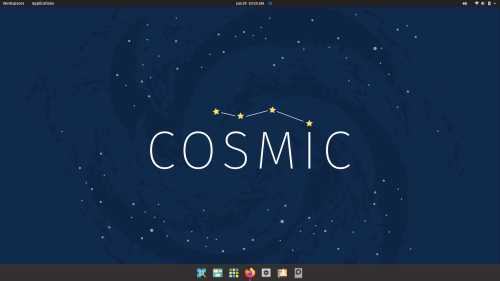
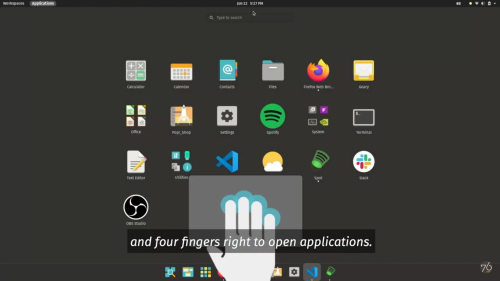
Instead of the unified horizontal navigation for virtual desktops and applications introduced in GNOME 40 in the Activities Overview, COSMIC continues the separation of views for navigating desktops/open windows and installed applications (the Workspaces and Applications sections). This separate view allows for one-click access to the application selection, while a simpler layout prevents distractions from visual clutter.
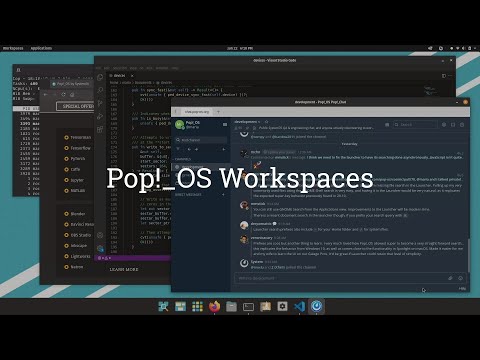
For window manipulation, a traditional mouse control mode familiar to beginners is provided, as well as a mosaic window layout mode that allows operation using only the keyboard. In mosaic mode, the mouse can also be used to rearrange pinned windows — just click and drag the window to the desired location. Upon the first launch, a setup wizard is offered, allowing users to select the most optimal desktop behavior and appearance.
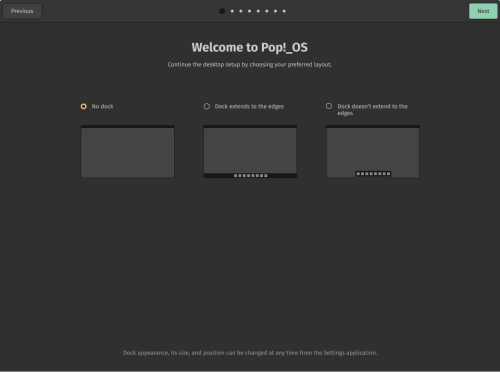
For example, you can choose where to display the application panel (at the bottom, top, right, or left), its size (full width or not), auto-hide options, and manage the placement of desktop icons, open windows, or selected applications. The panel can enable or disable buttons for navigating between open windows and applications, move widgets with clocks and a notification area to the upper left or right corner, and configure a handler that brings up the application launch panel when the mouse pointer moves to the upper left corner of the screen.
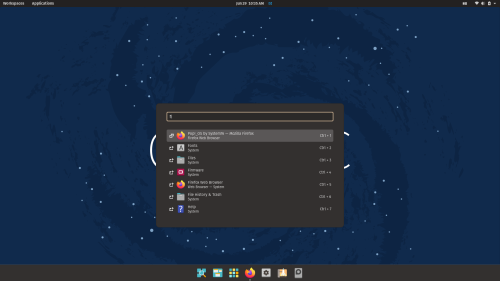
Pressing the Super key launches the default Launcher interface, providing options to run applications, execute arbitrary commands, compute mathematical expressions (for example, you can enter "=2+2"), navigate to specific sections of the configurator, and switch between already running programs. The built-in search bar allows you to press Super and immediately start typing a mask to select the desired program, search for files, or find content on a specific site. If desired, the Super key binding can be changed to other actions, such as opening navigation between desktops and applications.
In addition to hotkeys, there is an option to use gesture controls on the trackpad. For instance, a four-finger touch moving to the right launches the application navigation interface, to the left shows the list of open windows, and up/down switches to another. virtual desktopA three-finger touch switches between open windows.
The new release features the option to place toggle buttons for minimizing and expanding the window (by default, only the minimize button is shown), support for updating the 'recovery' disk partition through the standard configurator, a new relevance detection algorithm for program search, and a plugin system to enhance search capabilities in the Launcher.
Source: opennet.ru
