

In the Chromium-based Microsoft Edge browser, you have the ability to change the search engine not only in the address bar but also on the new tab. By default, the branded search engine Bing is set, which operates when a new page is opened. This feature is also present in the Google-branded browser.
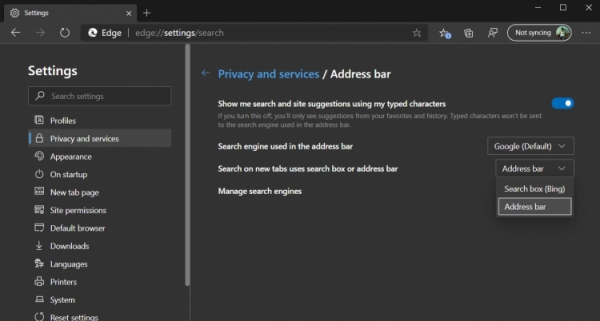
And while you can change the default search engine in the address bar, on new pages you had to either use Bing or manually navigate to other systems.
Currently, you can choose between Google, DuckDuckGo, Yahoo, Ask, and other systems. So far, this feature is available in the latest update of Microsoft Edge Canary; no announcements have been made regarding its release for the developer version, beta, or stable build.
By default, this option is enabled. You can configure your desired search system in the section edge://settings/search.
This is not the only innovation in the early versions of the browser. Previously, it offered the ability to highlight different parts of speech in the text of web pages, which can be important if the browser is used for teaching children.
Source: 3dnews.ru
