

In the Microsoft Edge Canary build number 77.0.222.0 to enhance privacy in the browser. It allows users to select which data to delete after closing the application.
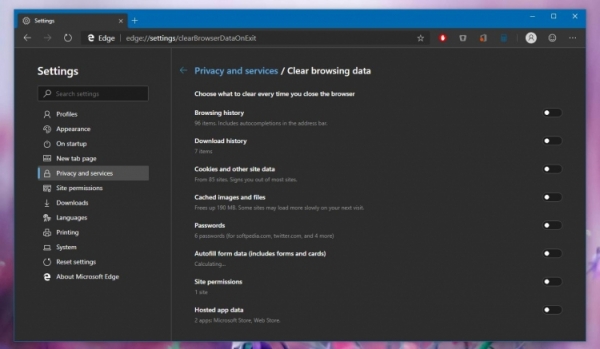
This will certainly be useful if a user is working on someone else's computer or is simply paranoid enough to remove all traces after themselves. The new option is available under Settings -> Privacy and services -> Clear browsing data. It allows deleting browsing history, downloads, cookies, and other cached images and files, passwords, autofill form data, site permissions, and data from hosted applications. Besides the automated method, all this data can also be deleted manually.
So far, these innovations are available only on the Canary channel and only for Windows 10, but their appearance on the Dev channel is expected soon. At this moment, Microsoft Edge is still in development, but Microsoft is adding new features and improvements quite rapidly. Although it has not been officially announced when the new version will be released, , that it will happen in the spring of next year as part of the release of Windows 10 20H1, replacing the existing Edge browser with the new one.
In addition, that a global media control feature will appear in the new browser builds. This is already available in the regular Google Chrome Canary. The feature is still mentioned in the commit, so it is not guaranteed that it will go into release. However, its appearance would be quite timely.
Source: 3dnews.ru
