

The GNOME project has released the Libadwaita 1.2 library, which includes a set of components for styling user interfaces in accordance with the GNOME HIG (Human Interface Guidelines). The library features ready-made widgets and objects for building applications that adhere to the overall GNOME style, with interfaces that can adapt to screens of any size. The code for the library is written in C and is distributed under the LGPL 2.1+ license.
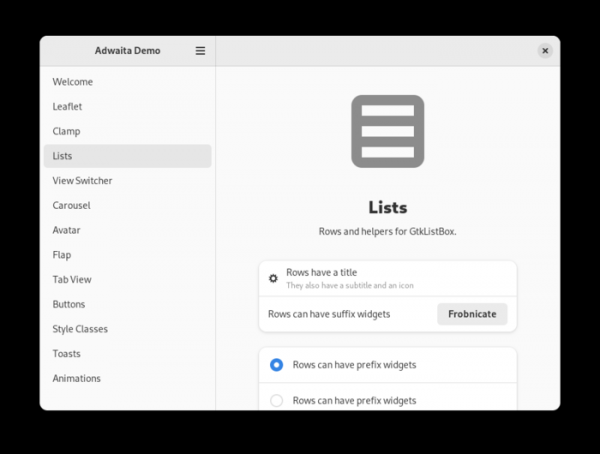
The libadwaita library is used in conjunction with GTK4 and includes components from the Adwaita theme used in GNOME, which have been extracted from GTK into a separate library. Extracting GNOME's visual styling elements into a separate library enables the necessary changes for GNOME to be developed independently of GTK, allowing GTK developers to focus on foundational aspects while GNOME developers can more rapidly and flexibly implement the styling changes they require without impacting GTK itself.
The library includes standard widgets that cover various interface elements such as lists, panels, editing blocks, buttons, tabs, search forms, dialog windows, etc. The proposed widgets allow for the creation of versatile interfaces that function seamlessly on both large PC and laptop screens and small touchscreens of smartphones. The user interface of applications dynamically adapts based on the screen size and available input devices. The library also includes a set of Adwaita styles that align appearances with GNOME guidelines, eliminating the need for manual adaptation.
Major changes in libadwaita 1.2:
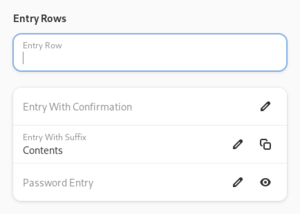
- The Adw.EntryRow widget has been added for use as a list element. The widget provides an input field and a header with the ability to attach additional widgets before and after the input field (such as confirmation buttons or an indicator that the data can be edited). Additionally, there is an Adw.PasswordEntryRow variant designed for password input.

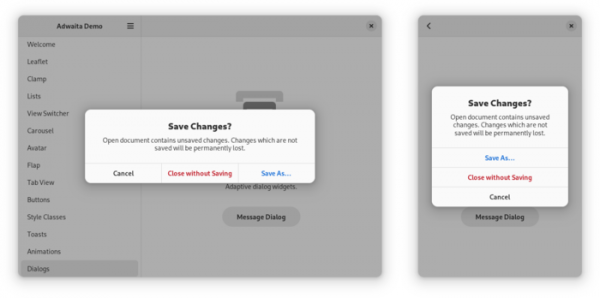
- The Adw.MessageDialog widget has been added for displaying a dialog with a message or question. This widget is an enhanced replacement for Gtk.MessageDialog, capable of adjusting the layout of elements to fit the window size. For example, in wide windows, buttons can be displayed in a single row, while in narrow ones, they may be split across multiple columns. Another distinction is that this widget is not a subclass of GtkDialog and provides a completely new API, not tied to predefined GtkResponseType button types (in Adw.MessageDialog, the processing of all actions is done by the application), simplifying the embedding of other widgets using the extra-child property and offering separate styles for the header and main text.

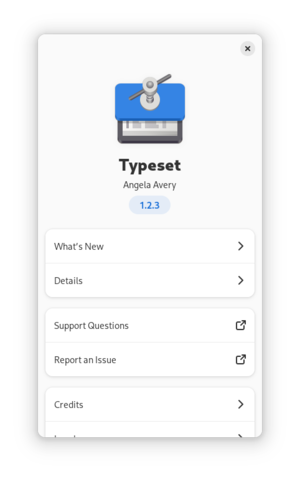
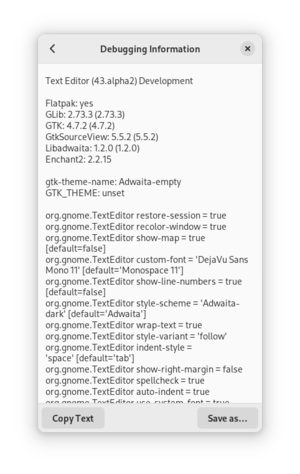
- The Adw.AboutWindow widget has been added for displaying an information window about the application. This widget replaces Gtk.AboutDialog and is characterized by the use of responsive element layouts and extended supplementary sections, such as a changelog, acknowledgments, information about third-party component licenses, links to informational resources, and debugging assistance data.


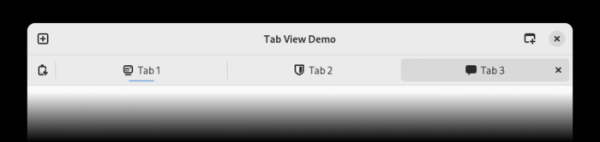
- The capabilities of Adw.TabView and Adw.TabBar widgets have been expanded, with a redesign of the hotkey handling mechanism to address issues with key combinations overlapping with GTK4 handlers (e.g., Ctrl+Tab). The new version also introduces a property for setting tooltips for tab indicators and buttons.
- The Adw.PropertyAnimationTarget class has been added to simplify the animation of object properties.
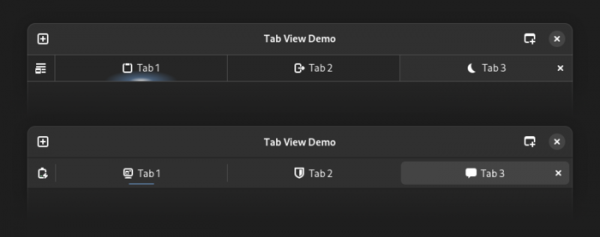
- The style of the tab panel (Adw.TabBar) has been significantly changed — the active tab is more distinctly highlighted and the contrast of elements in the dark theme variant has been increased.


- The height of vertical dividers has been reduced, allowing the header and search row panel to eliminate distracting light borders in favor of dark borders defined by @headerbar_shade_color, and to add a background style that matches the header panels.
- The '.large-title' style class has been deprecated, and '.title-1' should be used instead.
- The margins in the Adw.ActionRow widget have been reduced to bring its appearance closer to that of the panels and the Adw.EntryRow widget.
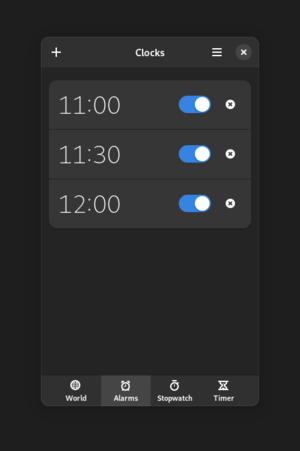
- The same styles used in header, search, and tab panels have been applied to the Gtk.Actionbar and Adw.ViewSwitcherBar widgets.

Source: opennet.ru
