

The release of the Bottles project version 2022.1.28 has been announced, which develops an application to simplify the installation, configuration, and launching of Windows applications on Linux using Wine or Proton. The program provides an interface for managing prefixes that define the Wine environment and parameters for launching applications, as well as tools for installing dependencies needed for the proper operation of the launched programs. The project code is written in Python and is distributed under the GPLv3 license. The program is available in Flatpak format and in packages for Arch Linux.
Instead of the Winetricks script, Bottles uses a complete dependency management system for installing additional libraries, similar to dependency management in the package managers of distributions. For each launched Windows application, a list of dependencies (DLL libraries, fonts, runtime, etc.) is determined, which need to be downloaded and installed for normal operation, with each dependency potentially having its own dependencies.
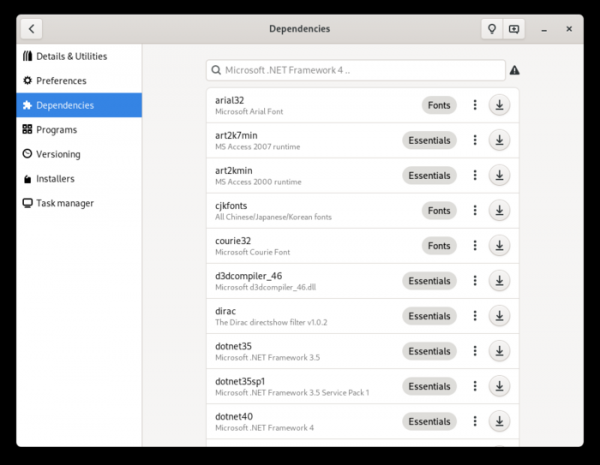
Bottles provides a repository with information about dependencies for various programs and libraries, as well as tools for centralized dependency management. All installed dependencies are tracked, so when removing a program, related dependencies can also be removed if they are not used to run other applications. This approach eliminates the need to install a separate version of Wine for each application and allows for the use of a single Wine environment to run as many applications as possible.
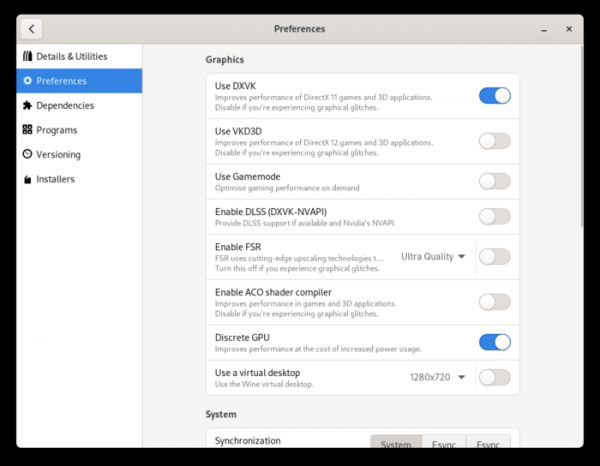
To work with Windows prefixes in Bottles, the concept of environments is applied, providing ready-made settings, libraries, and dependencies for a specific class of applications. Basic environments are offered: Gaming — for games, Software — for applications, and Custom — a clean environment for conducting personal experiments. The gaming environment includes DXVK, VKD3D, Esync; on systems with hybrid graphics, the discrete graphics card is activated, and in PulseAudio, settings are enabled to improve sound quality. The application environment includes settings suitable for both multimedia programs and office applications.
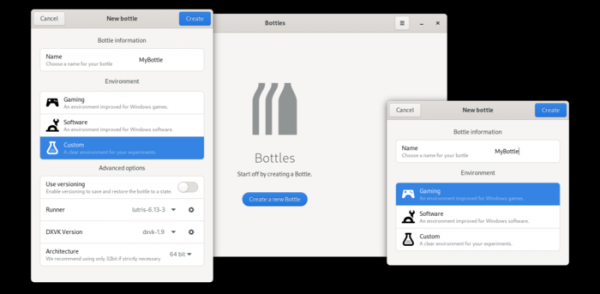
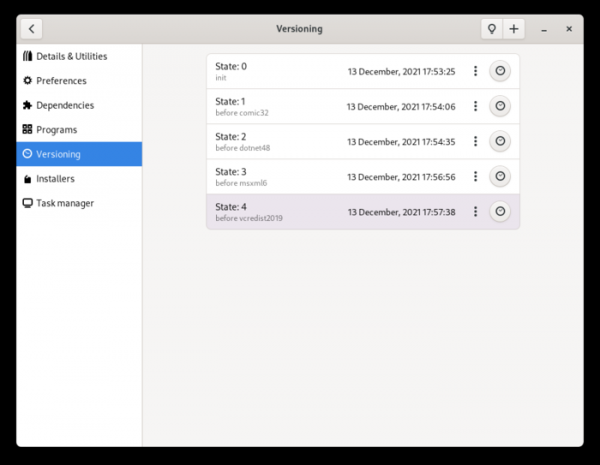
If necessary, multiple versions of wine, proton, and dxvk can be installed, allowing for on-the-fly switching between them. Importing environments from other Wine managers, such as Lutris and PlayOnLinux, is possible. Environments are launched using sandbox isolation, separated from the main system, and have access only to necessary data in the home directory. Version control support is provided, automatically saving the state before installing each new dependency and allowing rollback to one of the previous states in case of issues.
Among the changes in the new release:
- A new backend for managing Wine has been added, consisting of three components: WineCommand, WineProgram, and Executor.
- Several handlers for WineProgram have been proposed:
- reg, regedit — for working with the registry, allowing multiple keys to be changed with a single call.
- net — for managing services.
- wineserver — for checking the status of the controlling Bottles process.
- start, msiexec, and cmd — for working with .lnk shortcuts and .msi/.batch files.
- taskmgr — task manager.
- wineboot, winedbg, control, winecfg.
- An execution manager (Executor) has been implemented, which automatically calls the necessary handler depending on the file extension (.exe, .lnk, .batch, .msi) when launching an executable file.
- The ability to run commands in a full or reduced environment has been provided.
- Support for synchronization using the system call futex_waitv (Futex2), introduced in Linux kernel 5.16, has been added. A Caffe handler based on Wine 7 that supports the Futex2 synchronization mechanism has been added.
- For installers, the ability to modify configuration files (json, ini, yaml) has been implemented.
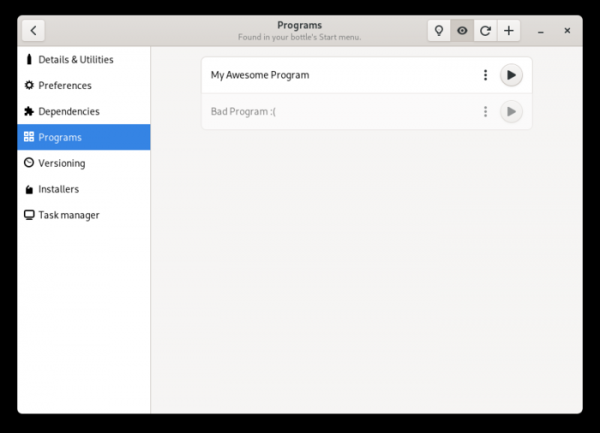
- Support for hiding elements in the program list has been added.

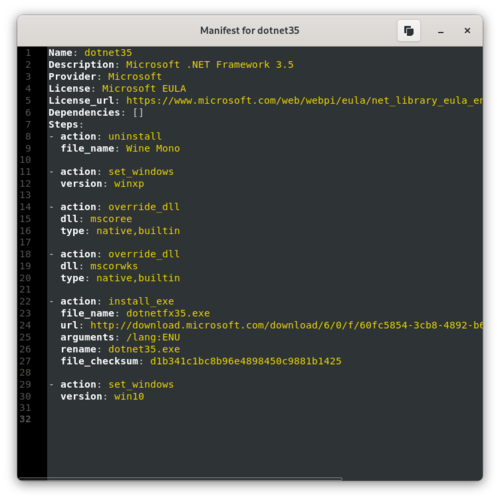
- A new dialog for displaying the contents of manifest files for dependencies and installers has been added.

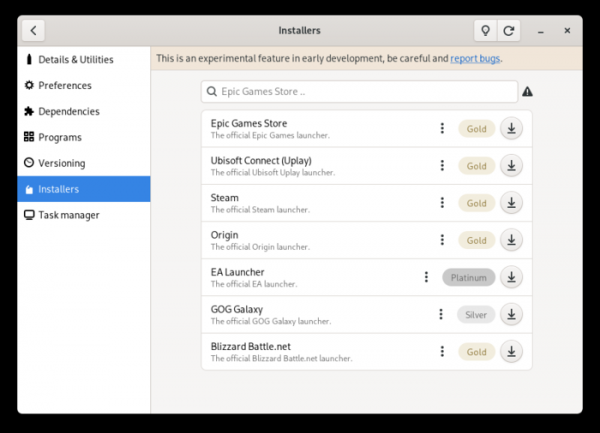
- A search function has been added to the list of available installers.
Additionally, the release of Proton 7.1-GE-1 has been announced, in which enthusiasts are creating independent extended builds of the Proton package for running Windows applications, differing from Valve's version by utilizing a newer version of Wine, employing FFmpeg in FAudio, and including additional patches that address issues in various gaming applications.
In the new version of Proton GE, the transition to Wine 7.1 with patches from Wine-staging 7.1 has been made (official Proton continues to use Wine 6.3). All changes from the git repositories of the vkd3d-proton, dxvk, and FAudio projects have been merged. Issues in the games Forza Horizon 5, Resident Evil 5, Persona 4 Golden, Progressbar95, and Elder Scrolls Online have been resolved.
Source: opennet.ru
