

The release of the Chrome OS 122 operating system, based on the Linux kernel, upstart system manager, ebuild/portage build tools, open-source components, and Chrome 122 web browser, is now available. The user environment of Chrome OS is limited to the web browser, and instead of standard applications, web applications are used. However, Chrome OS includes a fully functional multi-window interface, desktop, and taskbar. The source code is distributed under the Apache 2.0 open license. The Chrome OS 122 build is available for most current models of Chromebook. A version called Chrome OS Flex is available for use on regular computers.
Key changes in Chrome OS 122:
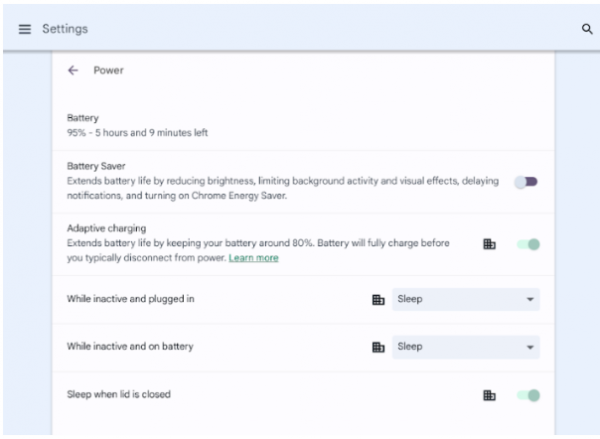
- A Battery Saver mode has been added, which extends battery life by reducing screen brightness and keyboard backlighting, decreasing the refresh rate of the screen, limiting computing-intensive tasks, and disabling some background operations. The mode is activated automatically when the battery charge drops below 20%.

- The program launcher interface's search bar now supports natural language queries, processed by a machine learning engine. For example, users can request weather forecasts in plain language, calculate mathematical expressions, and translate text into another language.
- Users can now edit the transcriptions of voice comments for screencasts. They can trim screencasts based on sentences, remove or add paragraph breaks, mute segments of the recording, and assign titles to sections for easier navigation through lengthy recordings.
- Chromebook Plus users now have dynamic wallpapers that change based on the time of day and consider the selected theme mode (light or dark).
- Support added VPN based on the IKEv2 (Internet Key Exchange Protocol Version 2) protocol.
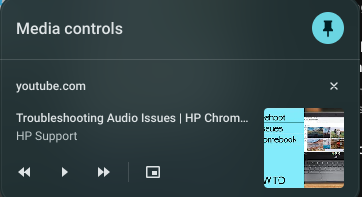
- A new design for the multimedia player has been proposed, featuring larger button sizes and color adaptation to the background image. The player display has been implemented in the quick settings section. A button has been added to minimize the player to the taskbar (Shelf). Streaming functionality to multimedia devices on the local network has been introduced.

Source: opennet.ru
