

The release of the Chrome OS 125 operating system has been introduced, based on the Linux kernel, upstart system manager, ebuild/portage build tools, open components, and Chrome browser 125. The user environment of Chrome OS is limited to the web browser, and instead of standard applications, web applications are employed; however, Chrome OS includes a full multi-window interface, desktop, and taskbar. The display is managed through the Freon graphics stack (work is ongoing to transition to Wayland) and the Aura window manager. The source code is distributed under the Apache 2.0 free license. The Chrome OS 125 build is available for most current Chromebook models. A Chrome OS Flex edition is offered for use on standard computers.
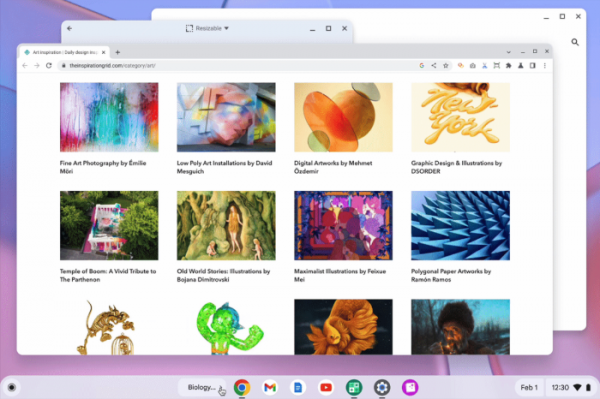
Key changes in Chrome OS 125:
- A text editing assistance tool (Assistive Copyeditor) has been added, providing recommendations on grammar, spelling, style, and structure for text edited in web applications or on websites.
- Chromebook Plus users are provided with an AI background generator for video conferencing that creates a virtual background based on natural language descriptions. The generator is accessed from the menu control panel for video conferencing and allows users to save created images for later use in other applications.
- An AI wallpaper generator and a collection of template designs that can be customized to individual preferences have been added.
- Support for buttons on Bluetooth headsets used to answer, decline, or end calls, as well as to control microphone activation, has been added.
- In the application launcher interface, the ability to search for images based on a textual description of the image rather than just by file name has been introduced. The search panel has been enhanced to customize result output.
- An option to reduce animated effects has been added (Accessibility > Display and Magnification > Reduced Animations).
- The capability to record screen changes as an animated GIF has been added.
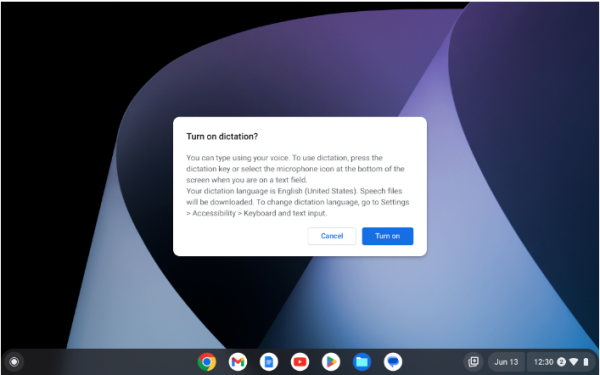
- In the on-the-fly subtitle generation modes for videos ("Live Caption") and voice input filling of any text fields ("Dictation"), a new speech recognition model has been implemented, supporting languages other than English. Currently, Live Caption supports 6 languages, while Dictation supports 18 locales.

- A quick pairing mode for wireless mice has been added (simply position the mouse nearby and accept the pairing suggestion). A warning prompt has been included to confirm the operation in case Bluetooth is turned off while using wireless input devices.
- A setting has been added to the video viewer to control playback speed.
- A dialog for installing standalone web applications (PWA, Progressive Web Apps) has been implemented.
Source: opennet.ru
