

The release of Chrome OS 128 has been presented, based on the Linux kernel, with the upstart system manager, ebuild/portage build tools, open components, and Chrome 128 web browser. The user environment of Chrome OS is limited to the web browser, and instead of standard applications, web applications are used; however, Chrome OS features a full multi-window interface, desktop, and taskbar. Output is managed through the Freon graphic stack (work is underway to transition to Wayland) and the Aura window manager. The source code is distributed under the Apache 2.0 open license. Chrome OS 128 is available for most current Chromebook models. A version called Chrome OS Flex is offered for use on regular computers.
Key changes in Chrome OS 128:
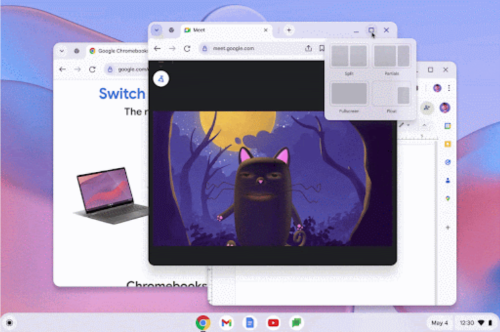
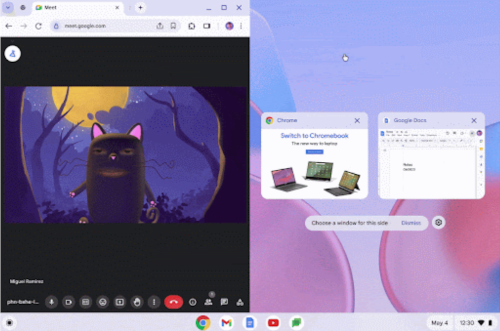
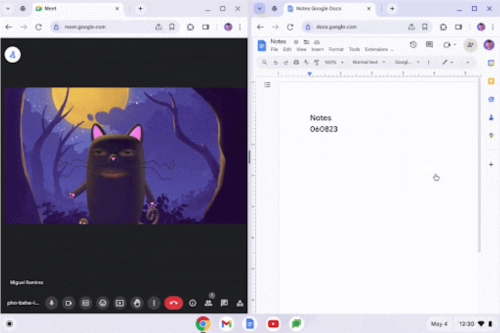
- Snap groups have been implemented, formed when two windows are pinned in split-screen mode, allowing users to return to that window combination later and resize or move the pinned windows as an indivisible group.


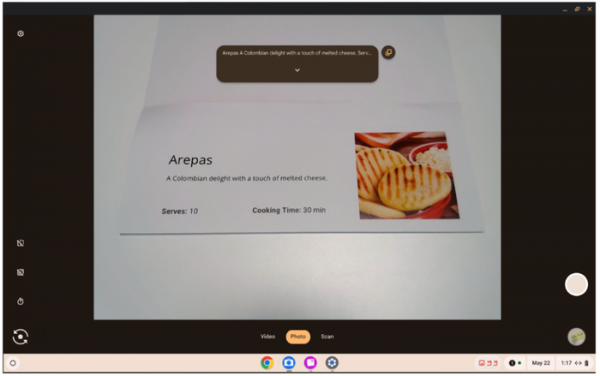
- The camera app includes an optical character recognition (OCR) system that allows for text extraction from captured photographs. The system supports 77 languages, can recognize horizontal and vertical text, copy recognized text to the clipboard, use it for searches, create text-based PDFs, and vocalize the text through a speech synthesis engine. By default, recognition is disabled and requires activation in the settings (Settings > Text detection).

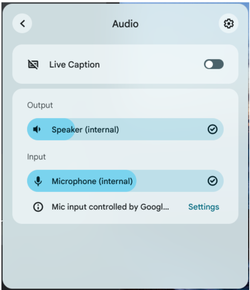
- The automatic gain control (AGC) mode is enabled by default, automatically selecting the optimal microphone sensitivity level for achieving the best recording quality without user intervention. To return to manual microphone level adjustment, change the setting to 'Settings > Device > Audio' and deselect 'Allow apps to automatically adjust mic volume.'

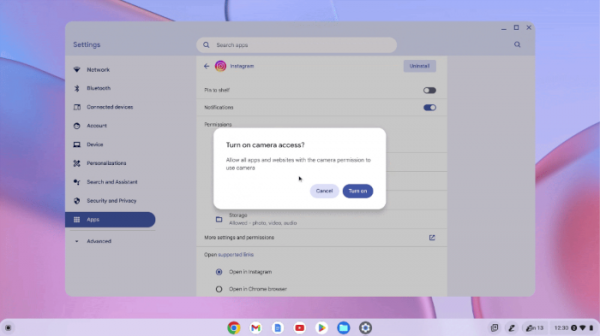
- On the app settings page, when changing the permissions of an individual app, an additional notification is displayed if access to the microphone or camera needs to be enabled, in case access to them is blocked at the system level.

- Storage of collected metadata regarding the performance and crash statistics of Android applications is maintained for a year to assess their changes over time.
- The interface for viewing, adding, and managing Access Point Names (APN) when connecting via mobile network operators has been simplified.
- Visual separation of pinned and regular notifications has been implemented to clearly distinguish between notifications for individual events and those for ongoing processes.
- The 'Settings > Privacy and security > Privacy controls' page now includes separate settings to manage access to location information, allowing users to restrict access to location data for all apps and websites while keeping it available for system services or completely disabling it for any applications.
- Ten vulnerabilities have been resolved, five of which are marked as critical (buffer overflow in the 2D graphics rendering library Skia, font processing engine, and autofill mechanism issues in the V8 JavaScript engine). The total rewards paid to researchers who reported the issues amounted to $50,000.
Source: opennet.ru
