

The release of Chrome OS 91 has taken place, built on a Linux kernel, upstart system manager, ebuild/portage build tools, open components, and the Chrome 91 web browser. The user environment of Chrome OS is limited to the web browser, and instead of standard applications, web applications are used; however, Chrome OS includes a full multi-window interface, desktop, and taskbar. The Chrome OS 91 build is available for most current Chromebook models. Enthusiasts have created unofficial builds for regular computers with x86, x86_64, and ARM processors. The source code is distributed under the Apache 2.0 open license.
Key changes in Chrome OS 91:
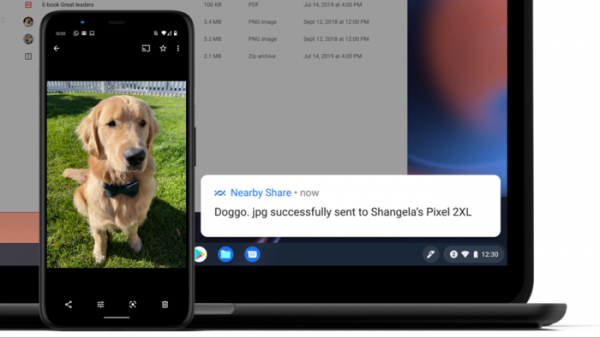
- Support for the 'Nearby Share' feature has been added, allowing for quick and secure file transfers between nearby devices running Chrome OS or Android, owned by different users. Nearby Share enables sending and receiving files without granting access to contacts and without disclosing unnecessary information.

- Instead of a built-in video player, a universal Gallery app has been introduced.
- New avatars depicting children and family have been added.
- It is now possible to configure the built-in VPN at the pre-sign-in stage. VPN connection is now supported on the user authentication page, allowing authentication-related traffic to be transmitted via VPN. The built-in VPN supports L2TP/IPsec and OpenVPN.
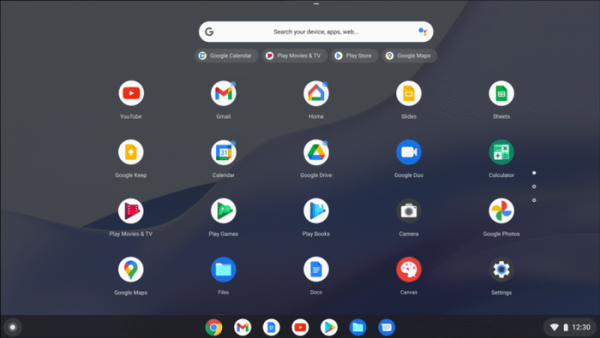
- Indicators have been implemented to signal unread notifications related to specific applications. When there are notifications, a small round badge now appears on the application icon in the program search interface. Settings allow for disabling such badges.
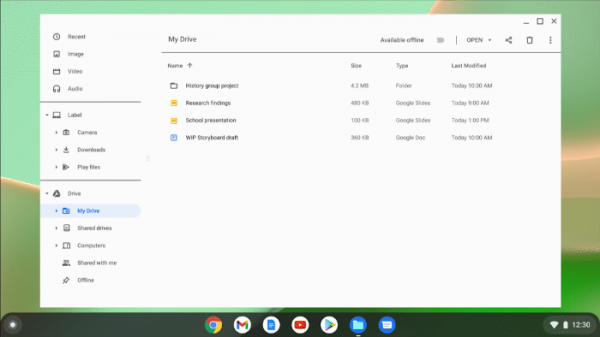
- In the file manager, offline access to files stored in Google Docs, Google Sheets, and Google Slides cloud services has been provided. Access is done through the 'My Drive' directory in the file manager. To enable offline access to files, one should select folders in the 'My Drive' section of the file manager and activate the 'Available offline' flag for them. Subsequently, such files will be accessible through a separate 'Offline' directory.

- The support for running Linux applications has been stabilized, which was previously in beta testing. Linux support can be enabled in the settings under 'Settings > Linux', after which the 'Install' button should be clicked, and an application called 'Terminal' with a Linux environment will appear in the list of applications where arbitrary commands can be executed. Access to files in the Linux environment can be obtained from the file manager.
The execution of Linux applications is based on the CrosVM subsystem and organized through the launch of a Linux virtual machine using the KVM hypervisor. Inside the base virtual machine, separate containers with programs are launched, which can be installed like regular applications for Chrome OS. When graphic Linux applications are installed in the virtual machine, they run similarly to Android applications in Chrome OS with icons displayed in the launcher.
Support for both Wayland-based applications and regular X applications is provided (with XWayland acting as a bridge). To function graphic applications, CrosVM provides built-in support for Wayland clients (virtio-wayland) with composition performed on the main host. server Sommelier, which supports hardware acceleration for graphics processing.
Source: opennet.ru
