

The release of Deepin 20.2, based on the Debian package base, has taken place. It develops its own desktop environment, Deepin Desktop Environment (DDE), along with around 40 user applications, including the music player DMusic, video player DMovie, messaging system DTalk, installer, and Deepin Software Center. The project is based on a group of developers from China but has transformed into an international project. The distribution supports the Russian language. All developments are distributed under the GPLv3 license. The size of the bootable ISO image is 3 GB (amd64).
Desktop components and applications are developed using C/C++ (Qt5) and Go. A key feature of the Deepin desktop is the panel, which supports several operating modes. In the classic mode, there is a more explicit separation of open windows and suggested applications to launch, and the system tray area is displayed. The efficient mode somewhat resembles Unity, mixing indicators of running programs, favorite applications, and control applets (volume/brightness settings, connected drives, clock, network status, etc.). The program launcher interface is fullscreen and provides two modes — viewing favorite applications and navigating through the catalog of installed programs.
Key innovations:
- The package base is synchronized with Debian 10.8. The available Linux kernel options during installation have been updated to versions 5.10 (LTS) and 5.11.
- Work has been carried out to optimize performance and reduce memory consumption in applications developed by the Deepin project. The loading time of the desktop and applications has been reduced. The responsiveness of the interface has been improved.
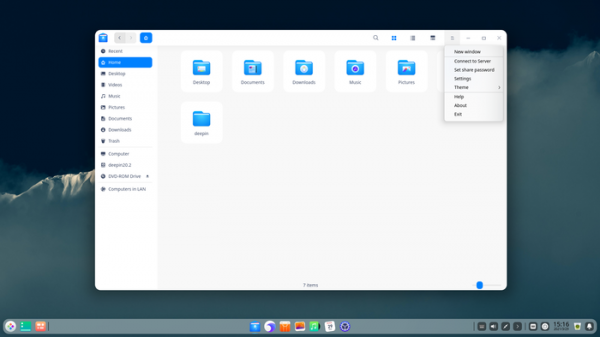
- The file manager has added an advanced full-text search feature, allowing for quick searches of files and directories by their content. The ability to rename unmounted disks, as well as change access times and modification times of files, has been added. Some file operations have been optimized. UDF filesystem detection has been added.

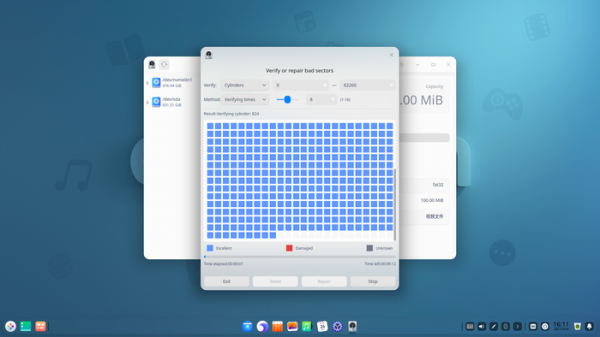
- The Disk Utility tool has been enhanced with features for detecting and repairing bad sectors, as well as support for partitions with FAT32 and NTFS file systems.
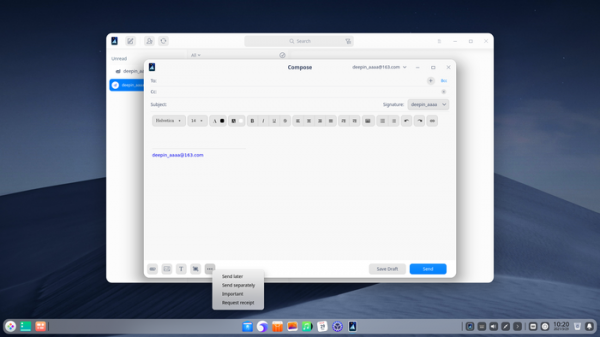
- The email client now includes the ability to send messages not immediately but at a specified time. Auto-completion for contact input has been implemented. Support for signatures and screen capture has been added. Operations for searching, sending, and receiving emails have been optimized.
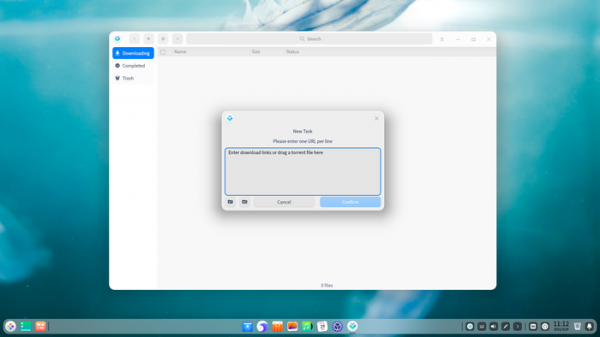
- A download manager (Downloader) has been introduced, supporting resuming interrupted data transfers and capable of downloading files via HTTP(S), FTP(S), and BitTorrent protocols.
- In the DDE desktop, support for multi-monitor mode has been expanded, and new shortcuts for switching on-screen indicators (OSD) and accessing Gsetting configurations have been added. A graphical interface for configuring NTP has been added.
- The music player has added support for viewing the playback queue.
- The video player now supports the AVS2 format, with a button added to the menu for adjusting playback speed, and improved keyboard and touchpad controls.
- The image viewer has added support for TIF and TIFF formats.
- The Draw application now supports layer grouping, moving images in drag & drop mode, and blurring drawings and groups. Touchscreen controls have been enhanced.
- The text editor has added settings to display a button for navigating bookmarks and highlighting the current line. It now shows the file path when hovering over a tab, and includes automatic saving upon window closure.
- The terminal emulator includes 10 new themes, a feature to change font size with the mouse wheel, and automatic quote insertion when pasting file paths.
- Voice notes now allow moving notes, changing their order, and pinning them to the top. Tools for batch processing multiple notes have been added.
- The calendar-scheduler now supports touch screen management through gestures.
- The calculator has added programmer mode and improved operation history functionality.
- The archive manager now supports new compression methods as well as encryption for ZIP files, and extraction using separate passwords for different files in the archive.
- The application manager has improved the interface for installing multiple packages at once.
- The camera application now supports saving images and videos in different directories. The ability to select multiple images and videos by holding down Ctrl or Shift has been added. There is an option in settings to enable or disable the shutter sound when taking a picture, as well as print output support.
- The backup utility now supports incremental backups.
- The print preview interface has been updated to include the ability to add watermarks and adjust margins.
- The window manager now allows resizing buttons depending on the screen resolution.
- The installer now supports the installation of NVIDIA drivers for laptops and features a configuration interface. domain.
Source: opennet.ru
