

The release of the Deepin 20.5 distribution has been announced, based on the Debian 10 package base, while developing its own Deepin Desktop Environment (DDE) and around 40 user applications, including the music player DMusic, video player DMovie, messaging system DTalk, installer, and Deepin Software Center. The project is based on a group of developers from China but has transformed into an international project. The distribution supports the Russian language. All developments are distributed under the GPLv3 license. The size of the bootable ISO image is 3 GB (amd64).
Desktop components and applications are developed using C/C++ (Qt5) and Go. A key feature of the Deepin desktop is the panel, which supports several operating modes. In the classic mode, there is a more explicit separation of open windows and suggested applications to launch, and the system tray area is displayed. The efficient mode somewhat resembles Unity, mixing indicators of running programs, favorite applications, and control applets (volume/brightness settings, connected drives, clock, network status, etc.). The program launcher interface is fullscreen and provides two modes — viewing favorite applications and navigating through the catalog of installed programs.
Key innovations:
- Support for screen unlocking and system login using biometric authentication based on facial recognition has been added. A face authentication settings section has been added to the control center.
- A 'Pin Screenshots' button has been added, allowing users to pin a created screenshot to the top of the screen, so the image remains visible over other windows while working with various applications.
- The email client has implemented support for automatic retrieval shortly after reconnecting to the network and the ability to add/remove folders. The user interface has been redesigned, transitioning to the use of Vue and Tinymce. Support has been added to access new emails by clicking on the system notification. Standard and aggregated emails can now be pinned at the top. An interface for previewing attachments has been added. Connecting to Gmail and Yahoo Mail has been simplified. Support for importing the address book in vCard format has been included.
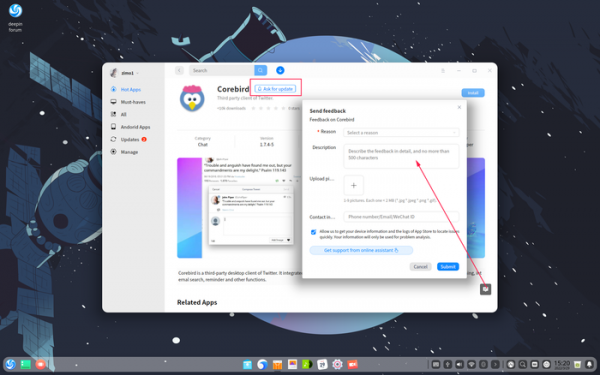
- The application catalog (App Store) has added features for sending feedback and requesting updates. In case of installation or update issues, users can send a notification about the problem to the developers. Gesture control support has been implemented on touchscreen systems.

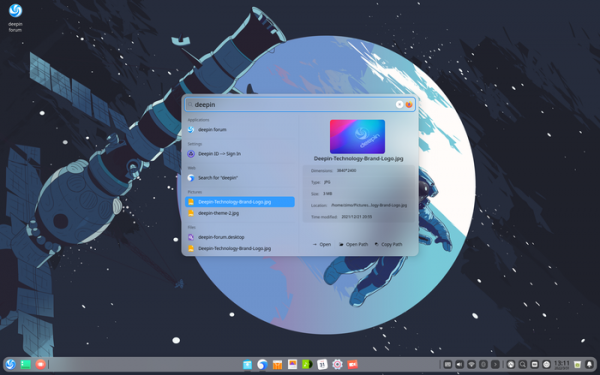
- In the Grand Search application, accuracy and quality of search have been significantly improved. To refine results, users can specify file types and extensions as keywords.
- The Linux kernel has been updated to version 5.15.24. Systemd has been updated to version 250.
- In the network configurator for a single wireless adapter, the installation of multiple (the key to connect to is specified, and iroh finds the associated host and establishes an encrypted connection using the QUIC protocol). Direct P2P connections are established whenever possible, but if not, it falls back to using relays, which are also employed for host discovery by keys. You can run your own relay or connect to public relays supported by the community..
- The interface for interactive password requests when connecting to a wireless network has been improved.
- A button for disabling and enabling devices has been added to the Device Manager. Users can now install and update drivers provided in deb packages.
- Performance has been enhanced in the document viewer for displaying DOCX files.
- The video viewer now supports a wider range of formats.
- The music player now supports free reordering of items in the playlist through drag-and-drop.
- The file manager has added a setting to hide file extensions. Tools have been provided for third-party applications to add items to the context menu and bind corner tags to files.
- Driver packages for NVIDIA graphics cards have been added.
Source: opennet.ru
