

The release of the Elementary OS 6 distribution has been presented, positioned as a fast, open, and privacy-respecting alternative to Windows and macOS. The project focuses on quality design aimed at creating an easy-to-use system that consumes minimal resources and provides high boot speed. Users are offered the custom Pantheon desktop environment. Bootable ISO images (2.36 GB) are prepared for download, available for the amd64 architecture (to download for free from the project website, you need to enter 0 in the donation amount field).
The original components of Elementary OS are developed using GTK3, the Vala programming language, and the custom Granite framework. The distribution is based on the developments of the Ubuntu project. At the package and repository support level, Elementary OS 6 is compatible with Ubuntu 20.04. The graphical environment is based on the custom Pantheon shell, which includes components such as the Gala window manager (based on LibMutter), the WingPanel top panel, and the Slingshot launcher. control panel Switchboard, the Plank taskbar (a Vala-rewritten counterpart of the Docky panel), and the Pantheon Greeter session manager (based on LightDM) are also part of the environment.
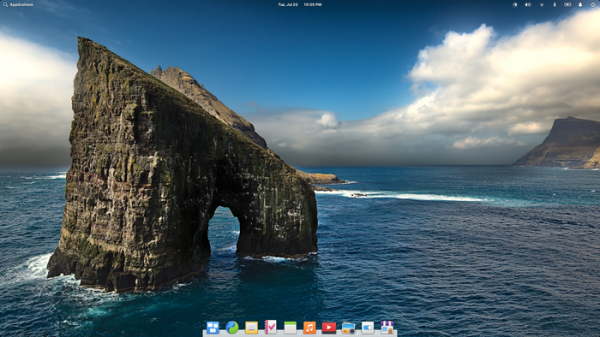
The environment includes a set of tightly integrated applications necessary for user tasks. Among the applications, a large part consists of the project's own developments, such as the Pantheon Terminal emulator, Pantheon Files file manager, Scratch text editor, and Music (Noise) music player. The project is also developing the Pantheon Photos photo manager (a branch of Shotwell) and the Pantheon Mail email client (a branch of Geary).
Key innovations:
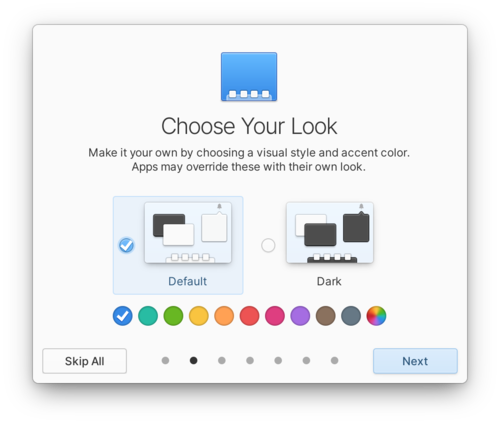
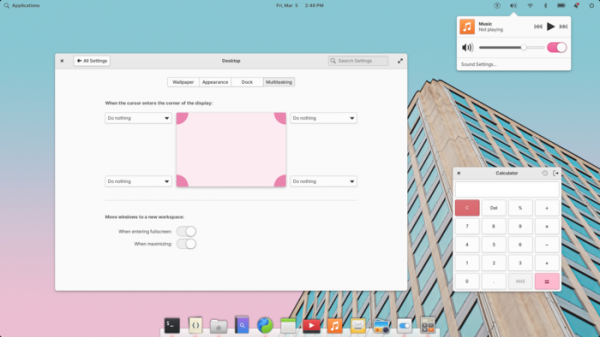
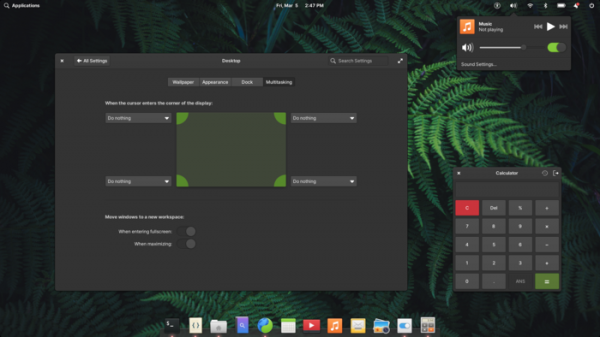
- A dark theme and a color accent option have been provided, defining the display color of interface elements such as buttons, switches, input fields, and background during text selection. You can change the appearance through the system login welcome screen (Welcome app) or in the settings section (System Settings → Desktop → Appearance).

- A new fully redesigned visual style has been proposed, in which all design elements have been refined, shadow shapes changed, and window corners rounded. The default system font is Inter, optimized for achieving high character clarity when displayed on computer screens.

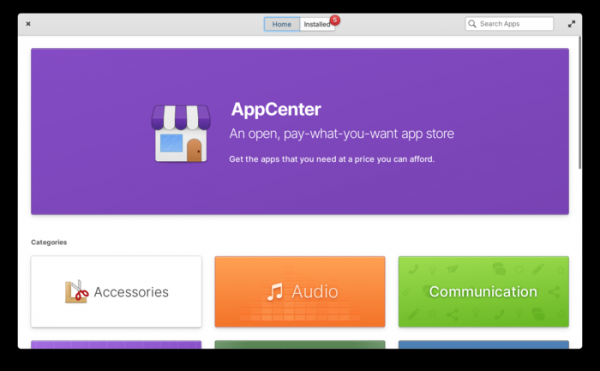
- All additional applications offered for installation through AppCenter, as well as some default applications, are packaged using the flatpak format and run with sandbox isolation to block unauthorized access in case of program compromise. Support for installing flatpak packages has also been added to the Sideload application, allowing users to install already downloaded individual packages by clicking on them in the file manager.

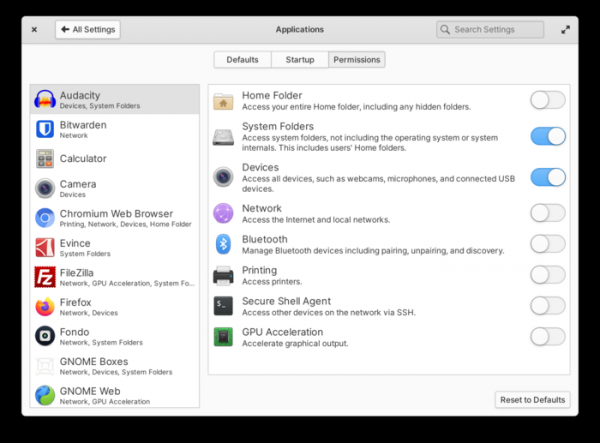
To organize access to resources outside the container, a portal system is in place, requiring applications to obtain explicit permissions to access external files or launch other applications. The granted permissions, such as access to the network, Bluetooth, home, and system directories, can be monitored and revoked if necessary through the interface 'System Settings → Applications.'

- Multi-touch support has been added for gesture management based on multiple simultaneous touches on the touchpad or touchscreen. For example, swiping up with three fingers navigates through open applications, while swiping left or right switches between virtual desktops. In applications, a two-finger swipe may be used to dismiss notifications or revert to the current state. During screen lock, a two-finger swipe can be used to switch between users. For configuring gestures, you can use the section 'System Settings → Mouse & Touchpad → Gestures' in the configurator.
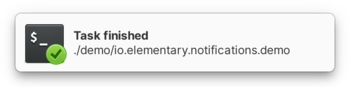
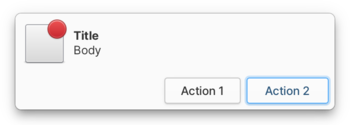
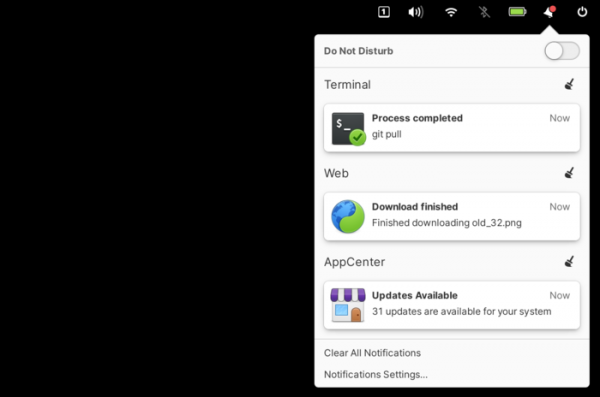
- The notification output system has been redesigned. Applications are given the ability to display indicators in notifications, visually showing status, and to add buttons to notifications for requesting decisions without opening the application itself. Native GTK widgets are used for creating notifications, which consider style settings and can include colored emoji symbols. For urgent notifications, a separate red label and sound have been added to attract attention.


- The design of the Notification Center has been changed, now grouping notifications by application and allowing management through multitouch gestures, such as swiping to dismiss notifications with two fingers.

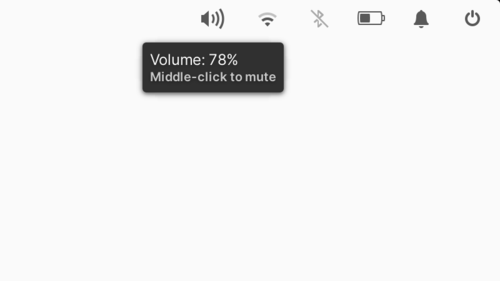
- Hovering over the indicators in the panel now displays contextual hints that inform about the current mode and available control combinations. For instance, the volume control indicator shows the current level and information that middle-clicking can mute the sound, while the network connection indicator provides details about the current network, and the notifications indicator offers information about the number of accumulated notifications.

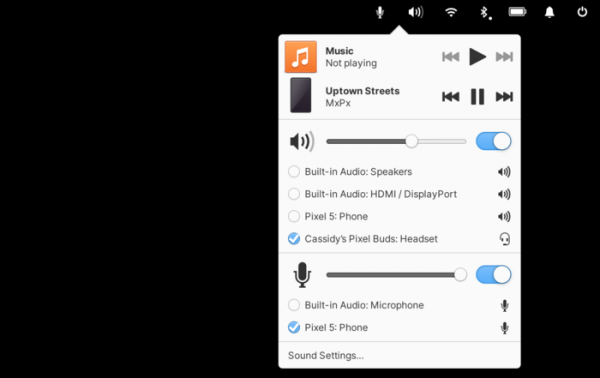
- The sound control indicator now displays input and output devices, making it easy to switch between headphones and speakers or change the microphone.

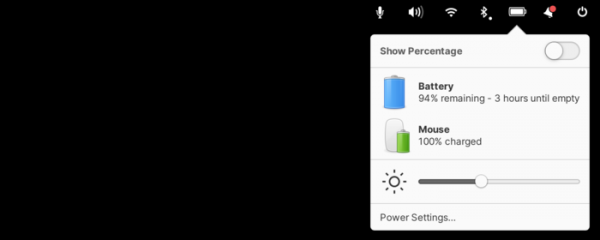
- The power management indicator allows users to select a device to access more detailed statistics about power consumption or the charge of the built-in battery.

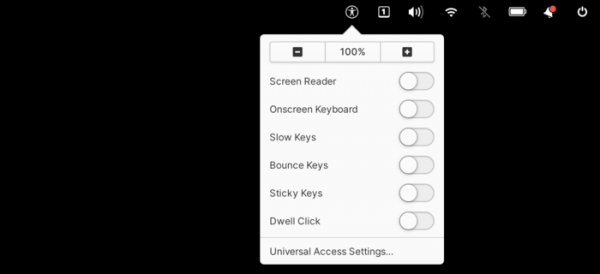
- A new indicator has been added to summarize all accessibility features, which is shown by default on the system login screen.

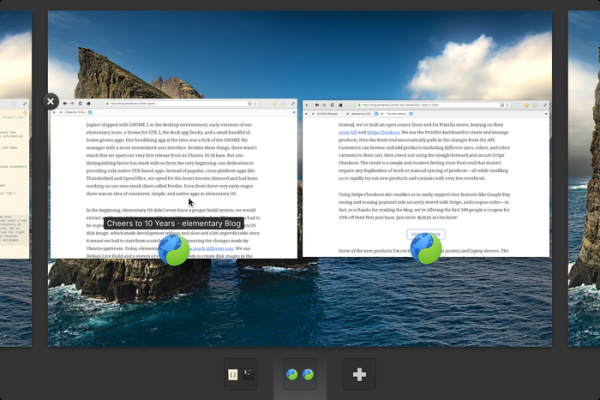
- In the task view mode, hovering over window thumbnails provides a tooltip with information from the window title, helping to distinguish visually similar windows.

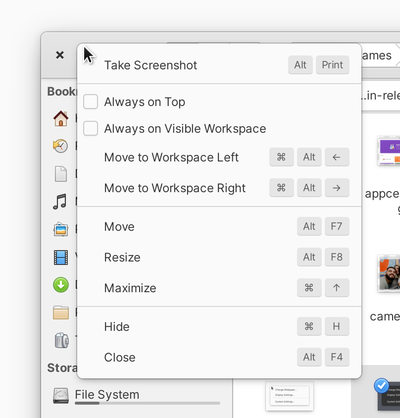
- The context menu accessed by right-clicking on a window title has been expanded. A button for taking a screenshot of the window has been added, along with information about keyboard shortcuts.

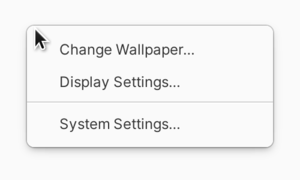
- A separate context menu has been added for the desktop, allowing for quick changes to the wallpaper, display settings, and access to the configurator.

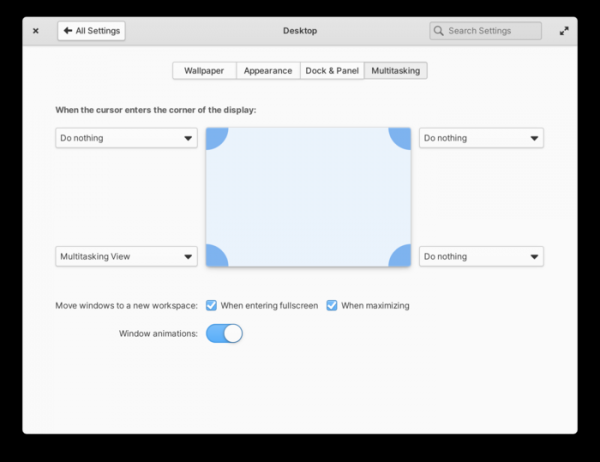
- Multitasking settings have been expanded (System Settings → Desktop → Multitasking). In addition to binding actions to screen corners, handling of windows being moved to another screen has been added. virtual desktop.

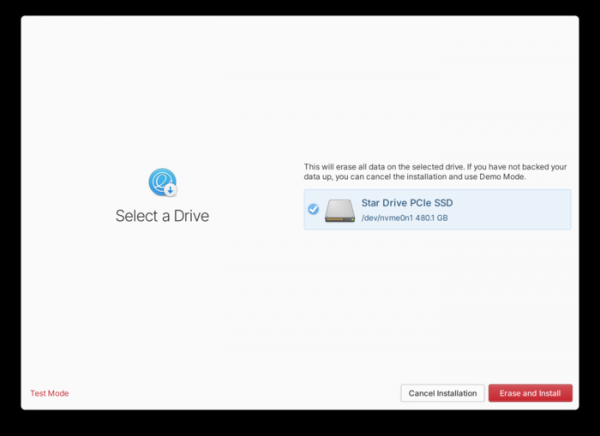
- The installer features a new frontend that offers a simpler interface and operates significantly faster than the previously used Ubiquity installer. In the new installer, all installations are processed similarly to OEM installations, meaning the installer is responsible only for copying the system to the disk, while all other configuration actions, such as creating initial users, setting up network connections, and updating packages, are performed during the first boot via the Initial Setup utility.

- During the boot process for OEM installations, there is an option to display the manufacturer's logo alongside a progress indicator for the operation.
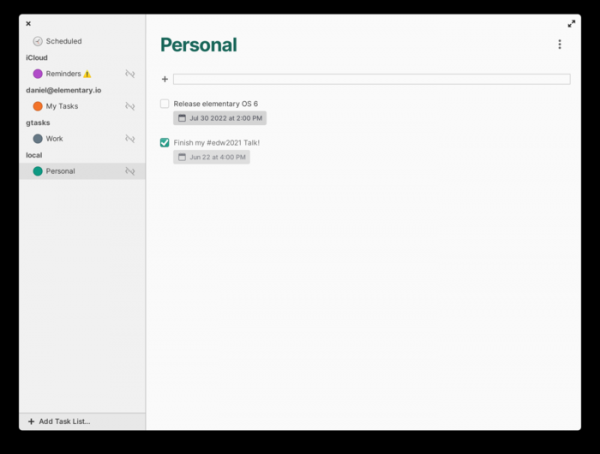
- Included is a new application called Tasks, which helps manage task and note lists that can synchronize across devices when connected to online storage supporting the CalDav format. The app also supports reminders that trigger based on time and location.

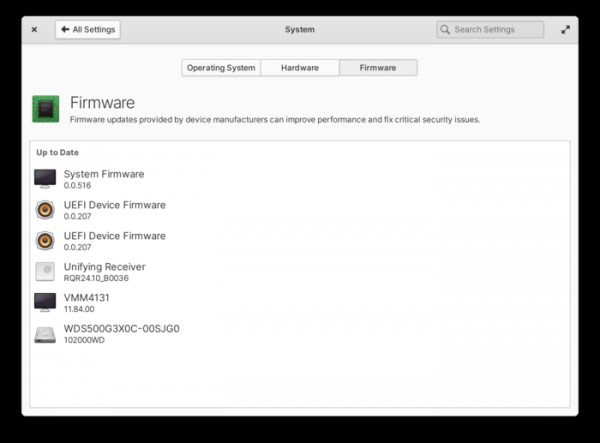
- The system includes an interface for firmware updates (System Settings → System → Firmware), based on the Linux Vendor Firmware Service project, which coordinates the delivery of firmware updates for devices from various companies including Star Labs, Dell, Lenovo, HP, Intel, Logitech, Wacom, and 8bitdo.
- The default web browser Epiphany has been updated and renamed to 'Web'. The browser includes features such as Intelligent Tracking Protection and ad blocking. A new reader mode has been introduced. Support for dark themes and page switching via multitouch gestures has been added. The browser package is now delivered in Flatpak format.

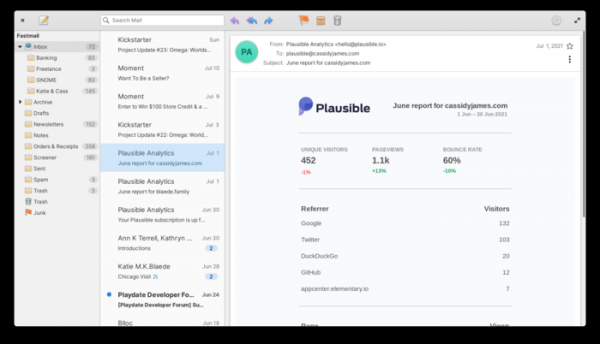
- The Mail client has been completely rewritten, now allowing for centralized storage of IMAP accounts in the Online Accounts service. Each message is opened in a separate process, isolated in its own sandbox environment. The interface elements have been updated to use native widgets, which are also utilized in the message list formation.

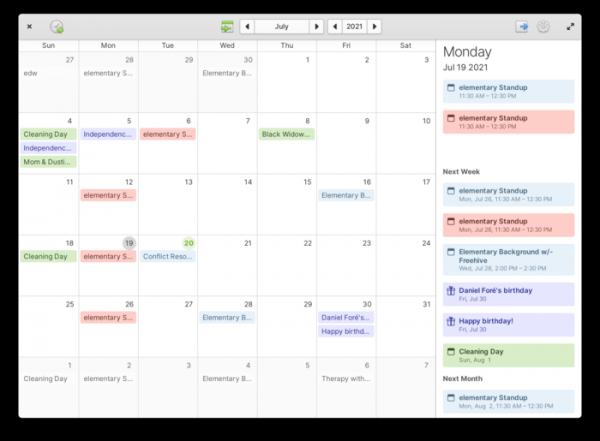
- Support for the Online Accounts service has been added to the calendar-planner, which now allows for defining server settings that support CalDav. Import support in ICS format has been added, and offline mode functionality has been improved.

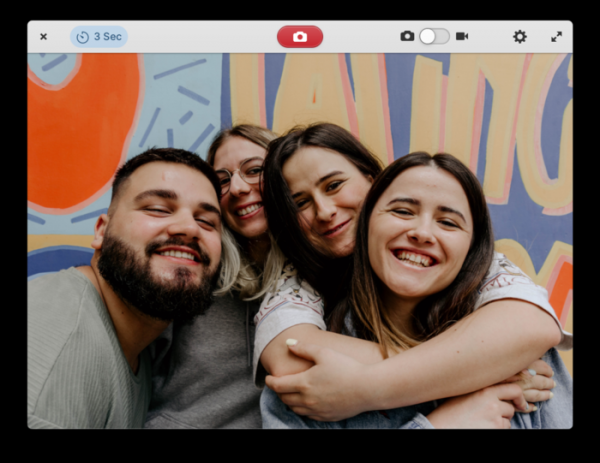
- The program interface for working with the camera has been redesigned. The ability to switch between multiple cameras, mirror images, and adjust brightness and contrast has been added. After recording a video, a notification will be displayed with a button to start playback.

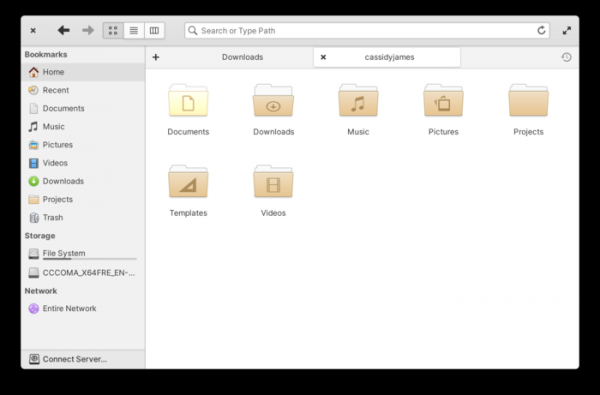
- The file manager's behavior has been changed, now requiring two clicks to open files instead of one. This change helps to prevent the accidental opening of large files in resource-intensive applications and the launching of two copies of handlers by users who are accustomed to double-clicking in other systems. Navigation through directories continues to use a single click. A new sidebar has been introduced in the file manager's interface to simplify the creation of bookmarks for frequently used directories. When viewing directory contents in list mode, the minimum available icon size has been reduced and indicators have been added, such as notifications for new files in Git. Support for external devices has been improved using AFP, AFC, and MTP protocols. A file selection interface has been implemented for Flatpak applications based on the file manager.

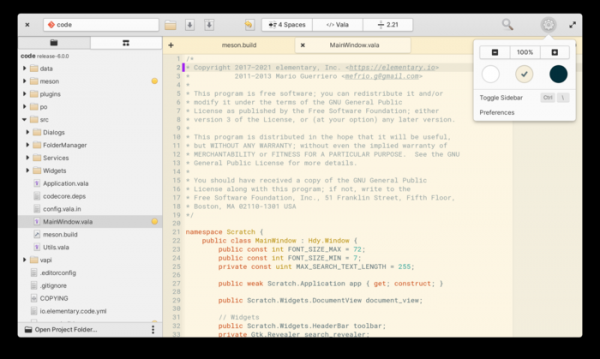
- The code editor has been upgraded. A button has been added to the top panel that shows information about the current project in Git and allows for quick switching between open projects. Closing a project now also closes all associated open files. Tools for Git integration have been updated to include the ability to switch between branches and create new branches. New shortcuts have been added for visually editing Markdown formatting in WYSIWYG mode, along with a spell-checking feature. A new implementation of full-text search in directories and projects has been proposed, featuring options for case-insensitive search and the use of regular expressions. When restoring the state after restarting the application, the cursor position and sidebar state are preserved.

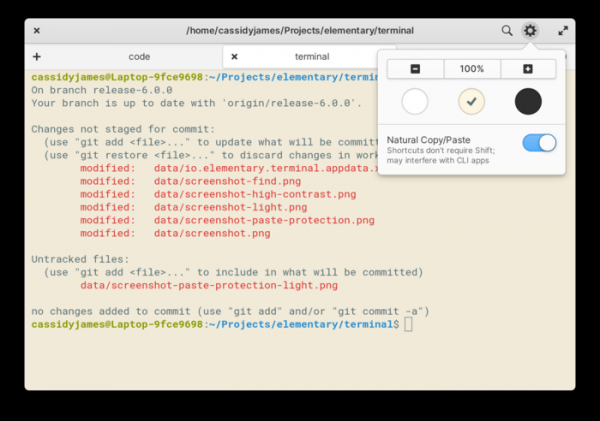
- The terminal emulator has enhanced protection against accidental execution of dangerous commands—users are now prompted to confirm the action when attempting to paste text from the clipboard that includes multi-line sequences (previously, a warning was issued only when a sudo command was detected). The scaling level for each tab is now remembered. A button to restart the tab has been added to the context menu.

- Experimental builds have been added for Pinebook Pro and Raspberry Pi.
- Performance optimization has been conducted. Disk access has been reduced and interaction between desktop components improved.

Source: opennet.ru
