

The release of MiniOS 5.0.0, based on Debian 13 'Trixie' and running directly from a USB drive, has been announced. The graphical environment is based on Xfce. The distribution uses a modular architecture that allows the creation of specialized configurations by excluding and adding components to adapt the system for specific tasks. The release is available in three editions:
- Standard (amd64, 798 MB) — a compact build for everyday tasks. It features high performance and a concise interface. It includes a web browser, file manager, text editor, archiver, multimedia capabilities, and specialized MiniOS utilities for system installation, configuration, module management, and filesystem handling.

- Toolbox (amd64, 1.2 GB) — a specialized Linux distribution for servicing, diagnosing, and recovering computer systems. It contains tools for disk management, network diagnostics, data security, system testing, support for various file systems, and virtualization. It is intended for system administrators and technical specialists.

- Ultra (amd64, 1.7 GB) — an extensive set of software tools designed for both servicing and diagnosing computer systems and addressing a wide range of office tasks. It includes all Toolbox features plus an office suite, multimedia applications for working with graphics, audio, and video, as well as containerization tools.
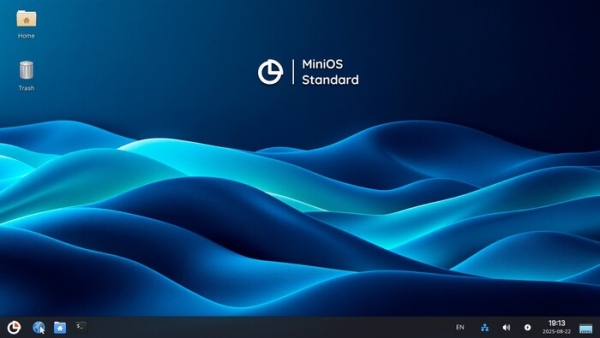
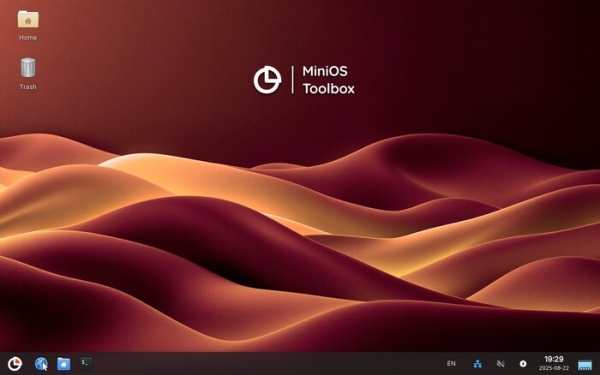
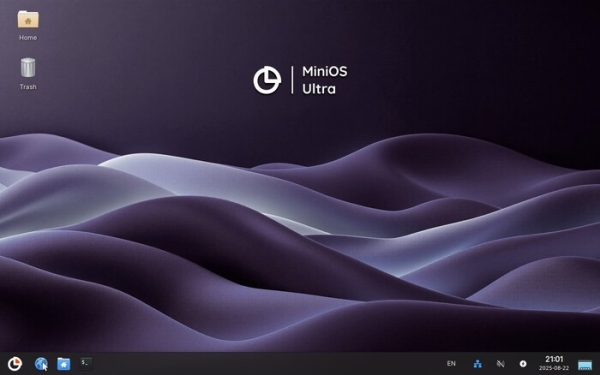
The most significant changes:
- Transition to the Debian 13 'Trixie' package base with a new initialization architecture. The minios-boot initialization system has been replaced with the standard live-config mechanism, adapted for MiniOS needs with support for advanced configuration, settings synchronization, and user directory management.
- By default, the standard Debian kernel 6.12.41+deb13-amd64 with Secure Boot support is used. Additionally, a custom package with the MiniOS kernel 6.12.41-mos-amd64 is available, supporting AUFS and NTFS partition compression. The MiniOS Kernel Manager utility is proposed for kernel installation.
- User utilities have been revamped:
- The MiniOS Installer and MiniOS Configurator have a new graphical interface and enhanced functionality;
- Drive Utility has become a universal tool for working with storage devices (writing/creating images, formatting, secure erasure);
- The MiniOS Session Manager utility has been added for session management;
- The MiniOS Kernel Manager utility has been added for managing kernels.
- Significant optimization and codebase cleanup of the system have been carried out, enhancing the stability and performance of all components. The module structure has been simplified, and compatibility with various hardware has been improved.
- The visual design of the interface has been improved, and the boot system has been updated to support multilingualism.
- Internationalization has been expanded: full support for the Indonesian language has been added, translations into 7 languages have been updated, and documentation has been significantly expanded.
Source: opennet.ru
