

The release of the Ubuntu 21.10 'Impish Indri' distribution is now available, classified as an interim release, with updates being provided for 9 months (support will continue until July 2022). Installation images have been created for Ubuntu, Ubuntu Server, Lubuntu, Kubuntu, Ubuntu Mate, Ubuntu Budgie, Ubuntu Studio, Xubuntu, and Ubuntu Kylin (the edition for China).
Key Changes:
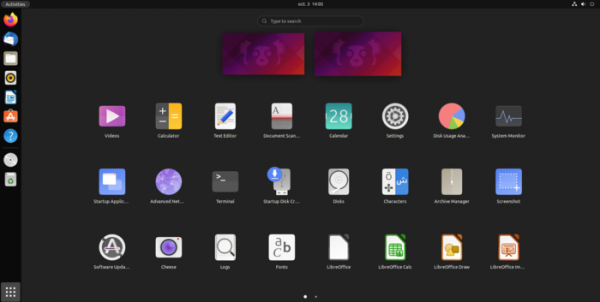
- The transition to using GTK4 and the GNOME 40 desktop has been implemented, which includes significant updates to the interface. Virtual desktops in Activities Overview mode have been transitioned to a horizontal orientation and are displayed as a continuously scrollable chain from left to right. Each desktop shown in overview mode visually represents the open windows, with dynamic panning and scaling applied during user interactions. A seamless transition between the application list and virtual desktops is ensured. The organization of work with multiple monitors has been improved. GNOME Shell now utilizes the GPU for rendering shaders.

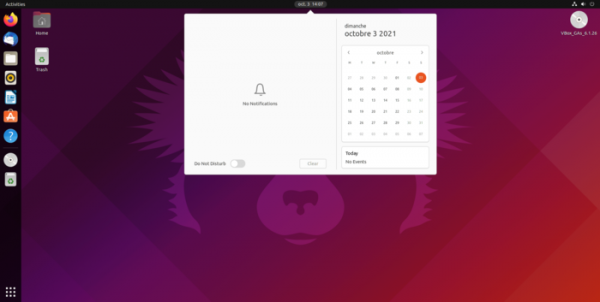
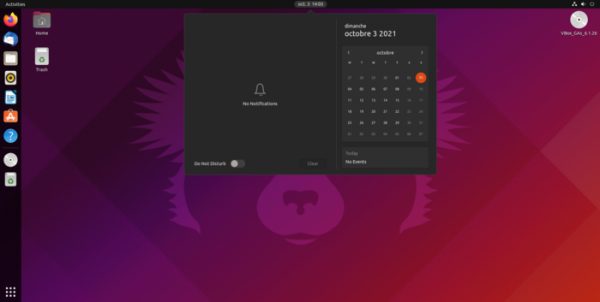
- By default, a fully light theme variant of Yaru is offered.
A fully dark variant (dark headers, dark background, and dark controls) is also available as an option. Support for the old mixed theme variant (dark headers, light background, and light controls) has been discontinued due to GTK4's inability to define different colors for header content and the main window, which does not guarantee the proper functionality of all GTK applications when using a mixed theme.
- The option to use a Wayland-based desktop session in environments with proprietary NVIDIA drivers is now available.
- In PulseAudio, Bluetooth support has been significantly expanded: A2DP codecs LDAC and AptX have been added, and support for the Hands-Free Profile (HFP) has been integrated, improving audio quality.
- The transition to using the zstd algorithm for compressing deb packages has been completed, which will nearly double package installation speed at the cost of a slight increase in their size (~6%). Support for using zstd has been present in apt and dpkg since Ubuntu 18.04, but it was not used for package compression.
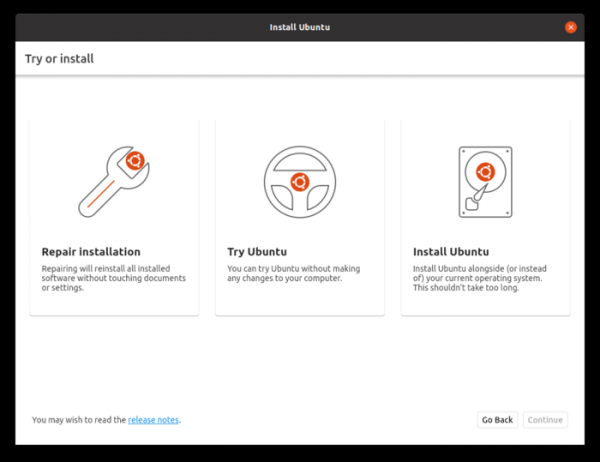
- A new Ubuntu Desktop installer has been proposed, implemented as an extension of the low-level installer curtin, which is already used in the Subiquity installer, the default in Ubuntu Server. The new installer for Ubuntu Desktop is written in Dart and utilizes the Flutter framework for building the user interface. The design of the new installer is created in line with the modern style of the Ubuntu desktop and aims to provide a unified installation process for the entire Ubuntu product line. Three modes are proposed: 'Repair Installation' for reinstalling all existing packages without changing settings, 'Try Ubuntu' for experiencing the distribution in Live mode, and 'Install Ubuntu' for installing the distribution onto the disk.

- By default, the nftables packet filter is in use. To maintain backward compatibility, the iptables-nft package is available, providing utilities with the same command line syntax as iptables, but translates the received rules into nf_tables bytecode.
- The release of Linux kernel 5.13 has been launched. Updated software versions include GCC 11.2.0, binutils 2.37, glibc 2.34, LLVM 13, Go 1.17, Rust 1.51, OpenJDK 18, PHP 8.0.8, PulseAudio 15.0, BlueZ 5.60, NetworkManager 1.32.12, LibreOffice 7.2.1, Firefox 93, and Thunderbird 91.2.0, OpenLDAP 2.5.6, QEMU 6.0, Libvirt 7.6, and BIND 9.16.15, Containerd 1.5.5.
- The Firefox browser has been switched by default to be delivered as a snap package, with participation from Mozilla employees (the option to install the deb package remains but is now optional).
- In systemd, a unified hierarchy for cgroup (cgroup v2) is enabled by default. Cgroups v2 can be used, for example, to limit memory usage, CPU resources, and input/output. The key difference between cgroups v2 and v1 is the application of a single hierarchy for all types of resources instead of separate hierarchies for distributing CPU resources, managing memory consumption, and for input/output. The separate hierarchies led to difficulties in organizing interactions between handlers and additional kernel resource overhead when applying rules for processes mentioned in different hierarchies.
- Support for the Raspberry Pi Sense HAT module, used in the Astro Pi mission, has been added. The necessary libraries and utilities are packaged as sense-hat, along with an additional package sense-emu-tools with the board emulator.
- Xubuntu continues the delivery of the Xfce 4.16 desktop environment. Multimedia integration has been improved. server Pipewire, which is used in conjunction with PulseAudio. The package includes GNOME Disk Analyzer and Disk Utility applications for monitoring disk status and simplifying disk partition management. Rhythmbox, with an alternative toolbar, is used for music playback. The messaging application Pidgin has been removed from the base distribution.
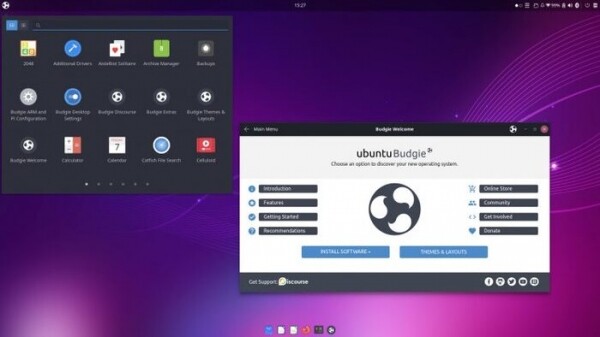
- Ubuntu Budgie features the new Budgie desktop release 10.5.3 and a redesigned dark theme. A new build for Raspberry Pi 4 has been introduced. Shuffler capabilities have been expanded, enhancing the interface for quick navigation between open windows and grouping them in a grid. It now includes an applet for automatically moving and regrouping windows according to the chosen layout on the screen, with the possibility to bind application launching to a specific virtual desktop or location on the screen. A new applet has been added to display CPU temperature.

- In Ubuntu MATE, the MATE desktop has been updated to version 1.26.
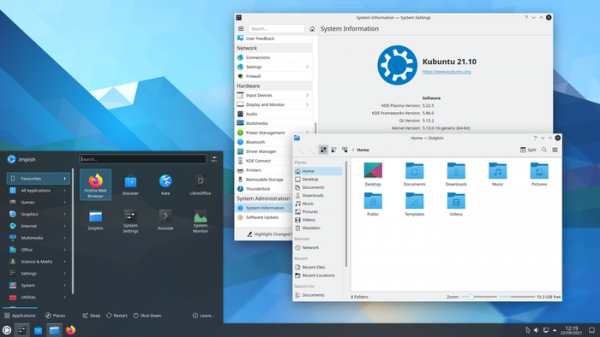
- Kubuntu: KDE Plasma 5.22 desktop and KDE Gear 21.08 application suite have been introduced. The versions of the Latte-dock panel 0.10 and image editor Krita 4.4.8 have been updated. A Wayland-based session is available but not enabled by default (to activate it, select 'Plasma (Wayland)' on the login screen).
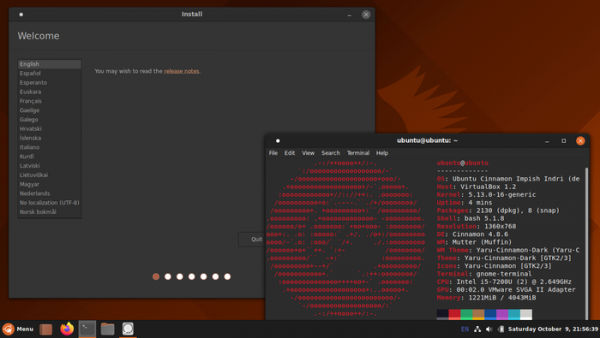
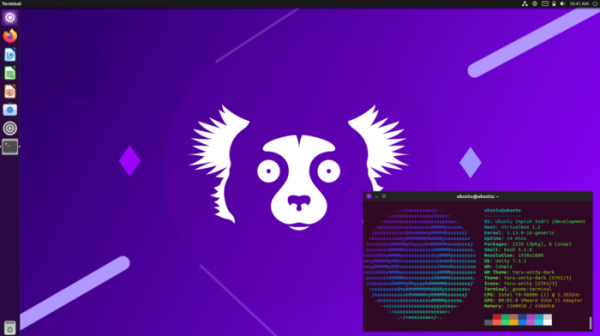
Additionally, two unofficial editions of Ubuntu 21.10 have been released: Ubuntu Cinnamon Remix 21.10 with the Cinnamon desktop and Ubuntu Unity 21.10 with the Unity7 desktop.
Source: opennet.ru
