

The release of the web browser Firefox 152 has taken place, and updates for the previous long-term support branches—140.12.0 and 115.37.0—have been formed. The Firefox 153 branch is set to enter beta testing soon, with a release scheduled for July 21.
Key innovations in Firefox 152 (1, 2, 3):
- The configuration interface has been redesigned, enhancing the search capabilities for settings, with major sections divided into several separate pages, improved navigation, and updated labels and descriptions for settings.

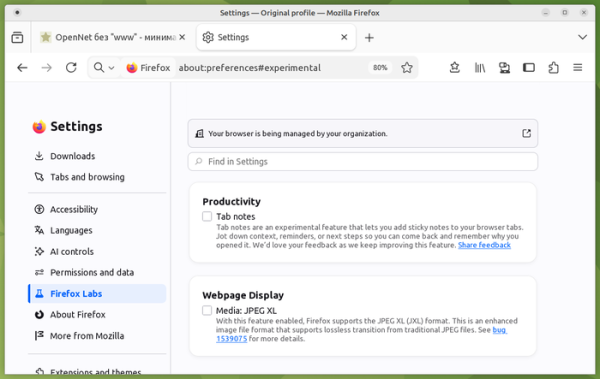
- Experimental support for the JPEG XL image format, standardized in 2021 (ISO/IEC 18181) as a universal replacement for JPEG, has been added. It surpasses WebP, JPEG, PNG, and GIF in compression efficiency and supports lossless compression of existing JPEG files, HDR, animation, transparency, progressive loading, and layered images. JPEG XL can be enabled in the configurator under the 'Firefox Labs' section.
- In private browsing mode, there is an option to temporarily disable tracking code blocking for sites that experience issues due to this blocking. Potential problems are identified by user page reloads. For pages that have been reloaded where trackers are blocked, a notification appears at the top suggesting temporarily disabling tracker blocking in the current tab.

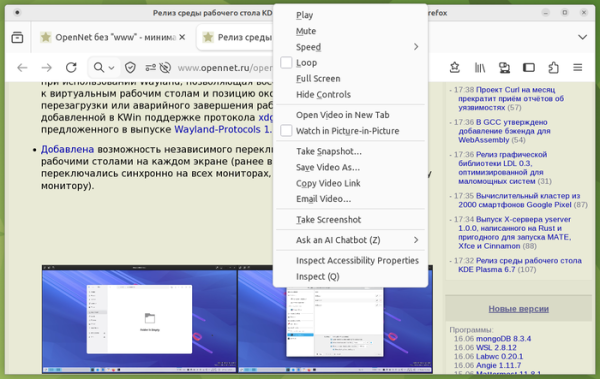
- The context menu for video playback control buttons (play, pause, mute, loop, and full-screen) has been duplicated, allowing for playback control even on sites that block buttons in their video players (for example, on Instagram and TikTok).
- A feature has been added to mute all windows at once by entering the commands 'mute', 'shush', or 'sssh' in the address bar.
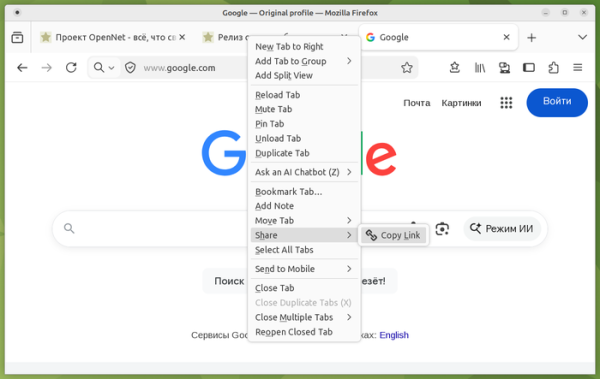
- In builds for Linux and Windows, the ability to copy the link to the page in a tab has been introduced through the 'Share > Copy Link' option in the context menu that appears when right-clicking on a tab (this allows copying the link without switching to the tab). If multiple tabs are selected in this way, several links can be copied at once.
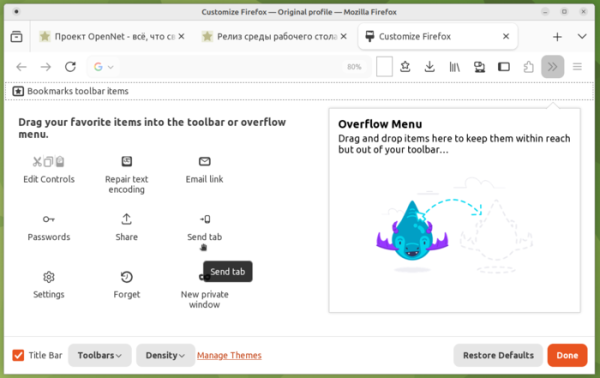
- The content settings interface (More Tools > Customize Toolbar) now allows pinning the 'Send tab' button.

- Page zooming using the keyboard or mouse is now done in smaller increments.
- When closing the page or switching to another tab after initiating the download of a PDF document or another directly displayed file, the downloaded content now opens in a background tab.
- The context menu in the sidebar listing tabs on other user devices has added buttons for opening content in a new tab or in a new tab group.
- The web developer tools have added the 'Show comments' option to enable and disable the display of comments () in HTML during page inspection.
- The Notifications API now allows the addition of buttons with custom actions, displayed under the notification text.
- A new CSS property called field-sizing has been added, allowing the size of form elements to depend on their content, for example, to automatically increase the size of a text field as data is entered.
- The Pointer Lock API has implemented the unadjustedMovement option, which, when set, transmits mouse movement event data in raw form, without adjustments or acceleration. For example, unadjustedMovement enables smoother movement in first-person shooters.
- An AI feature has been added to Firefox for Android that summarizes long articles with one touch (currently only supports English). A feature for sending the viewed PDF file or a link to it has been implemented. The pinch-to-zoom performance has been enhanced. A World Cup widget has been added to track current scores, schedules, and match results.

In addition to new features and bug fixes, Firefox 152 has addressed 77 vulnerabilities (17 under CVE-2026-12328, 12 under CVE-2026-12327, and 11 under CVE-2026-12326). 60 vulnerabilities are caused by memory management issues, such as buffer overflows and accessing already freed memory areas. These issues could potentially allow an attacker to execute code by opening specially crafted pages.
Source: opennet.ru
