

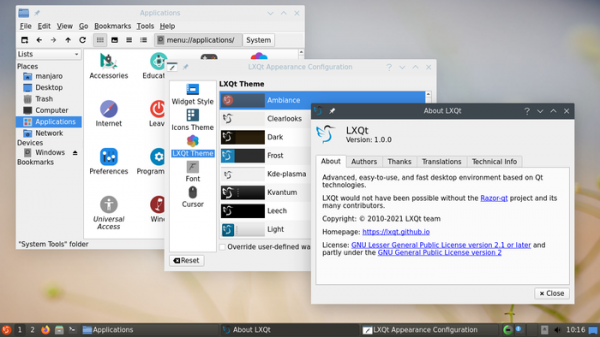
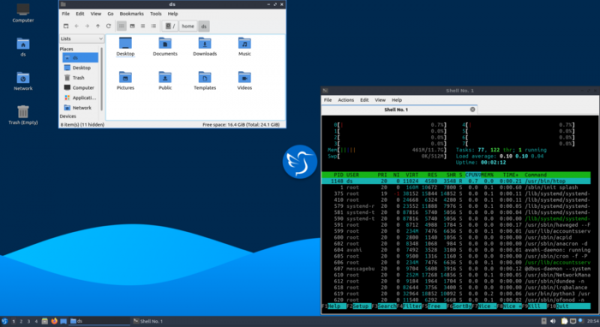
After six months of development, the release of the LXQt 1.0 user environment (Qt Lightweight Desktop Environment) took place, developed by a united team of developers from the LXDE and Razor-qt projects. The LXQt interface continues to adhere to the ideas of a classic desktop organization while introducing modern design and techniques that enhance usability. LXQt is positioned as a lightweight, modular, fast, and convenient continuation of the development of the Razor-qt and LXDE desktops, incorporating the best features of both environments. The code is hosted on GitHub and is licensed under GPL 2.0+ and LGPL 2.1+. Ready-made builds are expected for Ubuntu (LXQt is provided by default in Lubuntu), Arch Linux, Fedora, openSUSE, Mageia, FreeBSD, ROSA, and ALT Linux.
Initially, the release of version 1.0 was intended to coincide with the implementation of Wayland support, and later with the provision of support for Qt 6, but ultimately it was decided not to tie it to anything and to form version 1.0.0 instead of 0.18 without special reasons, as a sign of the project's stability. The LXQt 1.0.0 release is not yet adapted for Qt 6 and requires Qt 5.15 to operate (official updates for this branch are issued only under a commercial license, while unofficial free updates are compiled by the KDE project). Operation under Wayland is not officially supported yet, but there have been successful attempts to run LXQt components using the server Mutter and XWayland.
Release Features:
- A new plugin called 'Custom Command' has been implemented in the panel (LXQt Panel), allowing for the execution of arbitrary commands and displaying the results of their execution on the panel. It is now possible to move search results in drag & drop mode in the main menu. The handling of icons indicating system status (Status Notifier) has been improved.
- The file manager (PCManFM-Qt) now supports "emblems," special graphic markers that can be attached to files or folders via the context menu. Options have been added in the file operation dialog for pinning items to the desktop and showing hidden files. It is now possible to apply customization settings recursively to folders. The smooth scrolling implementation with the mouse wheel has been improved. The context menu for the "computer:///" element has been updated with buttons for mounting, unmounting, and ejecting drives. Issues with searching using Cyrillic characters in regular expressions have been resolved.
- The image viewer has added options for managing the display of the menu and toolbar, sending deleted files to the "trash," changing thumbnail resolution, repositioning the thumbnail panel, and disabling smoothing when zooming. There is now an option to rename images in place without opening separate dialogs. A command line option for launching in full-screen mode has also been added.
- A "do not disturb" mode has been added to the notification output system.
- In the appearance settings interface (LXQt Appearance Configuration), the ability to read and write Qt palettes has been implemented.
- A new page titled "Other Settings" has been added to the configurator, collecting various secondary settings that do not fall under existing categories.
- The power management indicator now includes a switch to temporarily pause activity checking in the system (to prevent power-saving modes during system idle) for a duration ranging from 30 minutes to 4 hours.
- In the terminal emulator, filenames dragged and dropped are now wrapped in quotes. Issues with the menu display when using the Wayland protocol have been addressed.
- Two new themes have been added, and issues in previously offered themes have been resolved.
- In the archive management program (LXQt Archiver), a password request for access to archives with encrypted file lists has been implemented.
Source: opennet.ru
