

Company , specializing in the production of laptops, PCs, and servers shipped with Linux, distribution release , developed for delivery on System76 hardware instead of the previously offered Ubuntu distribution. Pop!_OS is based on the package base and features a revamped desktop environment based on a modified GNOME Shell. The project's developments are licensed under GPLv3. ISO images for the x86_64 architecture in variants for NVIDIA and Intel/AMD graphics chips (2 GB).
Pop!_OS comes with an original theme , set of icons, different fonts (Fira and Roboto Slab), , an expanded driver set and GNOME Shell. The project develops three extensions for GNOME Shell: for modifying the shutdown/sleep button, for constantly displaying thumbnails of virtual desktops in overview mode, and to view detailed information about a program by right-clicking its icon.
In the new version:
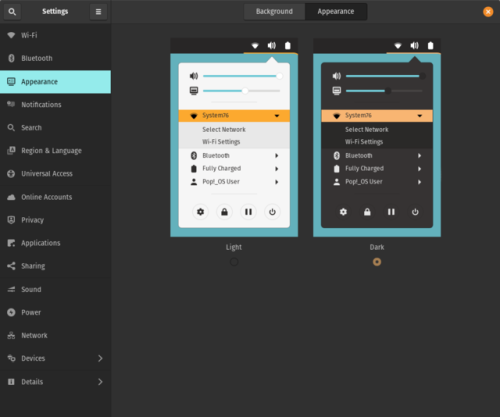
- A new dark mode has been proposed. The default theme has been redesigned based on the Adwaita theme. The dark and light themes use contrasting colors from a neutral palette that is easy on the eyes. Efforts have been made to ensure the correct display of all widgets. New sound effects have been added, played when connecting external drives or charging cables. The sound for the volume change operation has been removed.

- A new utility, Tensorman, has been added to manage Tensorflow tools in an isolated Docker environment. Tensorman allows you to run scripts in a container with Tensorflow and select versions for projects and individual operations.
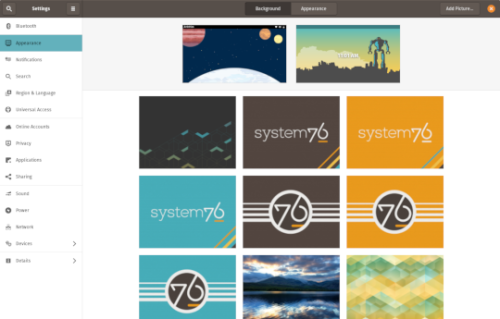
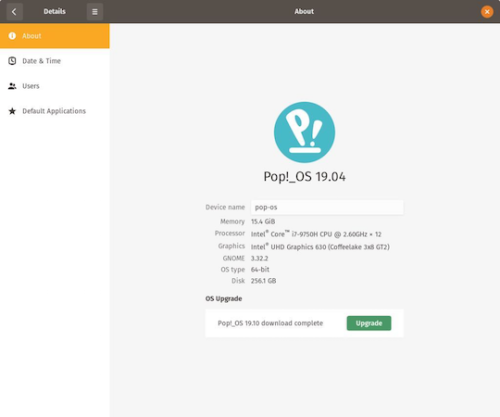
- GNOME components have been updated to include support for grouping application icons in overview mode, an improved wireless connection configurator, a new wallpaper selection panel, and enhancements aimed at increasing interface responsiveness while reducing CPU load. The ability to update the distribution in offline mode has been added, where all components for upgrading to the new major release are first downloaded into the system, after which the user can initiate their installation at their convenience. In the configurator, under detailed settings, as well as in the notification for the new release, there is now a button to download updates without installing them. To actually start the update, this button must be pressed a second time, after the updates are downloaded and the button changes appearance.

- Mozilla is developing its own machine translation system.
Source: opennet.ru
