

Google has released the open mobile platform Android 13. The source codes related to the new release are available in the project's Git repository (branch android-13.0.0_r1). Firmware updates have been prepared for Pixel series devices. Updates for smartphones from Samsung, Asus, HMD (Nokia), iQOO, Motorola, OnePlus, Oppo, Realme, Sharp, Sony, Tecno, vivo, and Xiaomi are planned later. Additionally, universal GSI (Generic System Images) builds have been created, suitable for various devices based on ARM64 and x86_64 architectures.
Key innovations:
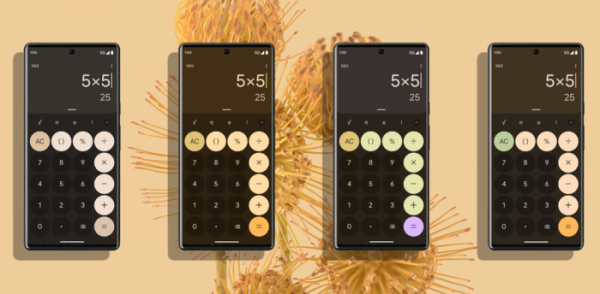
- A set of pre-prepared interface color themes has been proposed, allowing minor adjustments to colors within the selected color scheme. The color options affect the appearance of all components of the operating system, including wallpaper.

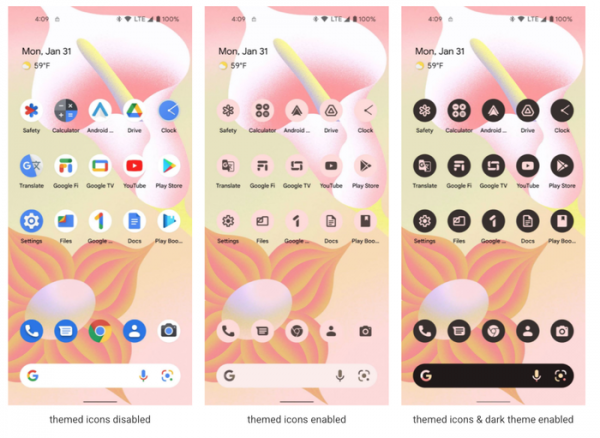
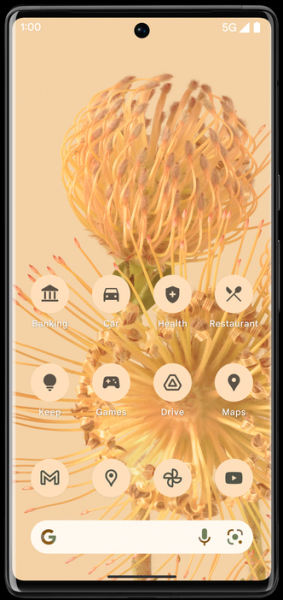
- There is now the ability to adapt the background of app icons to the color scheme of the theme or the color of the background image.

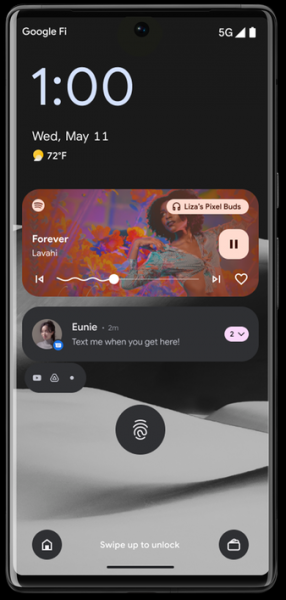
- In the music playback management interface, images of the album covers being played can be used as backgrounds.


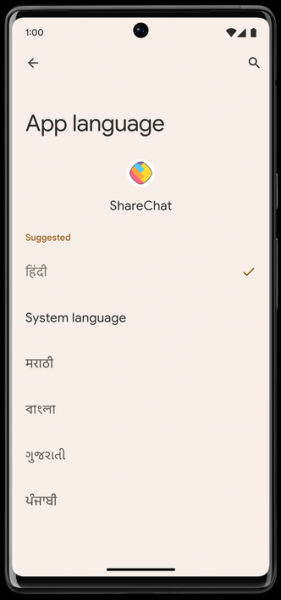
- The ability to bind individual language settings to applications has been added, differing from the language settings selected in the system.

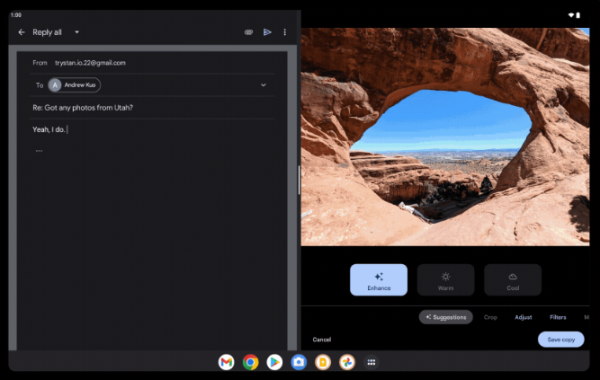
- Performance on large-screen devices, such as tablets, Chromebooks, and foldable smartphones, has been significantly improved. The layout of the notifications dropdown, home screen, and system lock screen has been optimized for large screens, making full use of the available screen space. In the panel that appears with a swipe gesture from top to bottom, quick settings and the notifications list are now separated into different columns on larger screens. Support for a dual-panel working mode has been introduced in the configurator, where the settings sections are now constantly visible on larger screens.
Compatibility modes for applications have been improved. A taskbar has been proposed, showing icons of running applications at the bottom of the screen, allowing quick switching between programs and supporting app transfer through a drag-and-drop interface in the split-screen multitasking mode, which divides the screen into parts for simultaneous work with multiple applications.

- Usability for drawing and text input using an electronic pen has been enhanced. Protection against false strokes appearing when touching the touchscreen with hands during stylus use has been added.
- For some devices, such as the Pixel 6, support for full virtualization has been added, allowing environments with other operating systems to run. Virtualization is implemented based on the hypervisor KVM and the crosvm toolset (VVM, Virtual Machine Manager). Optionally, the pKVM (Protected KVM) mode is available, providing stricter isolation of environments using virtualization extensions for the AArch64 architecture. The platform intends to use virtualization to enhance the security of executing third-party system code, such as closed executable files and DRM components.
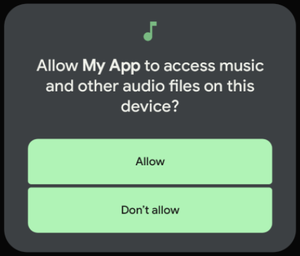
- The ability to selectively grant permissions for accessing multimedia files has been added. Previously, to read multimedia files, access to all files in local storage had to be granted; now access can be limited to just images, audio files, or videos.

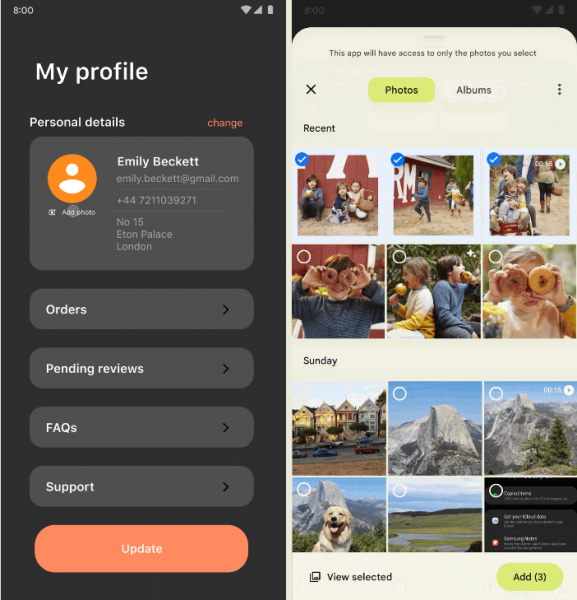
- A new photo and video selection interface has been implemented, allowing an application to access only selected images and videos while blocking access to other files. A similar interface was previously implemented for documents. It can work with both local files and data stored in cloud storage.

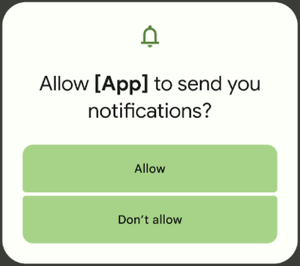
- A permission request for notification display by applications has been added. Without prior permission to display notifications, an application's ability to send notifications will be blocked. For previously created applications designed for use with earlier versions of Android, permissions will be granted by the system on behalf of the user.

- The number of applications that require access to user location information has been reduced. For example, apps performing wireless network scanning operations no longer require permissions related to location determination.
- Opportunities aimed at enhancing privacy and informing users of potential risks have been expanded. In addition to warnings about application access to the clipboard, a new branch ensures automatic deletion of clipboard history after a certain period of inactivity.
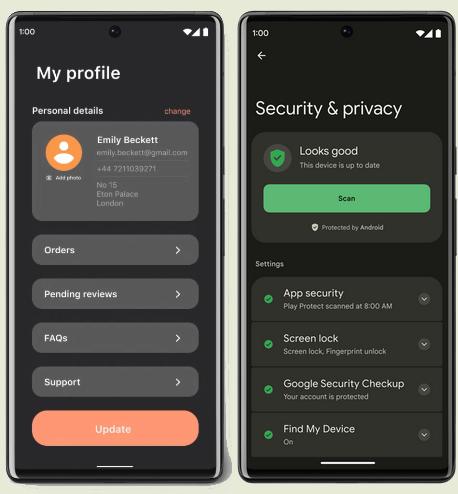
- A new unified settings page has been added security and privacy, featuring a visual color indication of security status and recommendations for enhancing protection.

- A new type of permission for Wi-Fi has been added, giving applications designed to search for wireless networks and connect to access points access to a subset of the Wi-Fi management API, excluding calls related to location determination (previously, applications connecting to Wi-Fi also had access to location information).
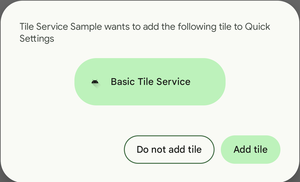
- An API has been added for placing buttons in the quick settings section at the top of the notification dropdown panel. With this API, an app can request to place its quick action button, allowing users to add the button without leaving the app and separately navigating to settings.

- Word wrapping operation has been optimized (breaking words that do not fit the line using a hyphen). In the new version, the performance of wrapping has increased by 200% and now has virtually no impact on rendering speed.
- Support for programmable graphics shaders (RuntimeShader objects) defined in the Android Graphics Shading Language (AGSL), a subset of the GLSL language adapted for use with the Android platform's rendering engine, has been added. Such shaders are already utilized within the Android platform to implement various visual effects, such as pulsating, blurring, and stretching while scrolling beyond the page edge. Similar effects can now be created in applications.
- The base Java libraries of the platform and application development tools have been updated to OpenJDK 11.
- As part of the Mainline project, which allows updating individual system components without updating the entire platform, new updatable system modules have been prepared. The updates affect hardware-agnostic components that are loaded through Google Play separately from OTA firmware updates from manufacturers. Among the new modules that will be able to update through Google Play without a firmware update are Bluetooth and Ultra wideband. Modules with Photo picker and OpenJDK 11 are also distributed through Google Play.
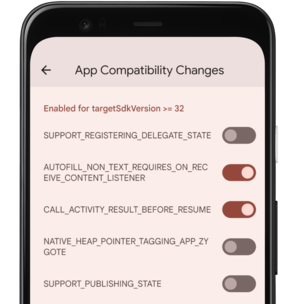
- The testing and debugging of new platform features have been simplified. Changes can now be selectively enabled for applications in the developer options section or via the adb utility.

- An API has been added that allows the application to revoke previously granted permissions. For example, if the need for certain extended rights has disappeared in a new version, the application can revoke those rights in the interest of user privacy.
- The ability to register non-system broadcast receivers (BroadcastReceiver) in relation to their context of use has been provided. New flags, RECEIVER_EXPORTED and RECEIVER_NOT_EXPORTED, have been added to manage the export of such receivers, allowing the exclusion of their use for sending broadcast messages from other applications.
- Support for color vector fonts in COLRv1 format (a subset of OpenType fonts that includes color layer information along with vector glyphs) has been added. Additionally, a new set of multicolor emojis supplied in COLRv1 format has been introduced. This new format offers a compact storage form, supports gradients, overlays, and transformations, provides efficient compression, and allows for the reuse of outlines, significantly reducing font size. For instance, the Noto Color Emoji font in raster representation occupies 9MB, while in vector format COLRv1, it is only 1.85MB.

- A more efficient garbage collector has been implemented in the ART runtime environment, based on the use of the Linux kernel API userfaultfd, which allows creating handlers for page faults in user space. The new garbage collector provides fixed overhead for each loaded object, consumes less memory, and leads to a reduction in compiled code size by approximately 10%. The application of the new garbage collector also extends battery life, eliminates stuttering during garbage collection, and protects applications from forced termination in low memory situations.
In ART, the performance of switching to native code and vice versa has significantly increased — JNI calls now execute up to 2.5 times faster. The reference processing code during runtime has been translated to work in a non-blocking mode to reduce hang-ups. A new API Reference.refersTo() has been added, which can be used to return memory more efficiently. Class and method search in the interpreter has been accelerated. A feature for bytecode verification during installation rather than execution has been introduced, which has reduced application startup time.
- Support for Bluetooth LE Audio (Low Energy) technology has been added, allowing for reduced energy consumption while transmitting high-quality audio streams over Bluetooth. Unlike classic Bluetooth, the new technology also enables switching between different usage modes to achieve an optimal balance between quality and energy consumption.
- Support for the MIDI 2.0 specification has been added, along with the ability to connect musical instruments and controllers that support MIDI 2.0 via USB port.
- For applications that generate keys, the Keystore and KeyMint APIs now provide more detailed and accurate error indicators and allow the use of java.security.ProviderException for error interception.
- AudioManager has been enhanced with an API for audio routing, allowing you to determine how the audio stream will be processed. The method getAudioDevicesForAttributes() has been added to retrieve a list of devices through which audio output is possible, as well as the method getDirectProfilesForAttributes() to determine the capability for direct playback of audio streams.

Source: opennet.ru
